
Glossary
SOP Software
 ChatGPT
 Perplexity
 Gemini
 Claude
What is SOP software?
SOP software is a tool for creating, storing, updating, and sharing standard operating procedures. If your team's most important workflows currently live in a scattered mix of docs, folders, chat threads, and one person's memory, this is the category of software built to fix that. It turns repeatable work into instructions people can actually follow.1
But a good SOP tool is more than a prettier document library. The best ones close the gap between how work is supposed to happen and how it actually happens, whether that's on the warehouse floor, in the ticket queue, during onboarding, or deep inside a back-office process.
Why SOP software matters
SOPs tend to fail quietly. When writing a procedure takes too long, finding one takes too much effort, or updating one feels like a side project, people simply stop bothering. That's how teams end up with a folder full of procedures and the same operational questions getting answered over and over in chat.
The real problem is maintenance. Repeatable work changes constantly. A refund process gets revised. A finance approval threshold moves. A warehouse packing step gets swapped out. If keeping the documentation current depends on one person remembering to rewrite a static document, your SOP library starts going stale the day you publish it.
If you work in operations, customer success, support, HR, enablement, or training, the goal isn't a collection of perfect documents. It's making the correct way to do recurring work easy to capture, easy to find, and easy to trust.
What SOP software usually includes
Most SOP software covers the same basics. You get an editor for writing procedures, a place to organize them, permissions to control who sees what, collaboration features for reviews, version history, and ways to share with employees or contractors. More specialized tools add screenshots, screen recordings, workflow capture, approvals, AI drafting, assignments, quizzes, or analytics.
Which of those features actually matter depends on the SOPs you manage. A compliance-heavy team should care most about approvals and audit trails. A support team usually needs fast updates and search that works. A training team may want video, step-by-step guides, and onboarding paths; NIST MEP's Training Within Industry guidance is a useful reminder that job instruction works best when work is broken into teachable components and trained consistently.2 And a frontline operations team needs instructions that hold up on a phone, in the moment.
| Need | What to look for | Watch out for |
|---|---|---|
| Capture real workflows | Screen capture, screenshot-based steps, video-to-guide creation, easy editing | Tools that require writers to reconstruct the process from memory |
| Keep SOPs current | Version history, owners, review dates, simple update flow | Heavy approval systems for lightweight procedures |
| Help people find answers | Search, folders, tags, role-based organization | Libraries that mirror the org chart but not how people ask questions |
| Train new hires | Guided paths, video, checklists, knowledge checks | Training content that drifts away from the operational SOP |
| Manage compliance | Permissions, approvals, audit trail, acknowledgement tracking | Treating every procedure as regulated when most just need clarity |
SOP software vs a shared document folder
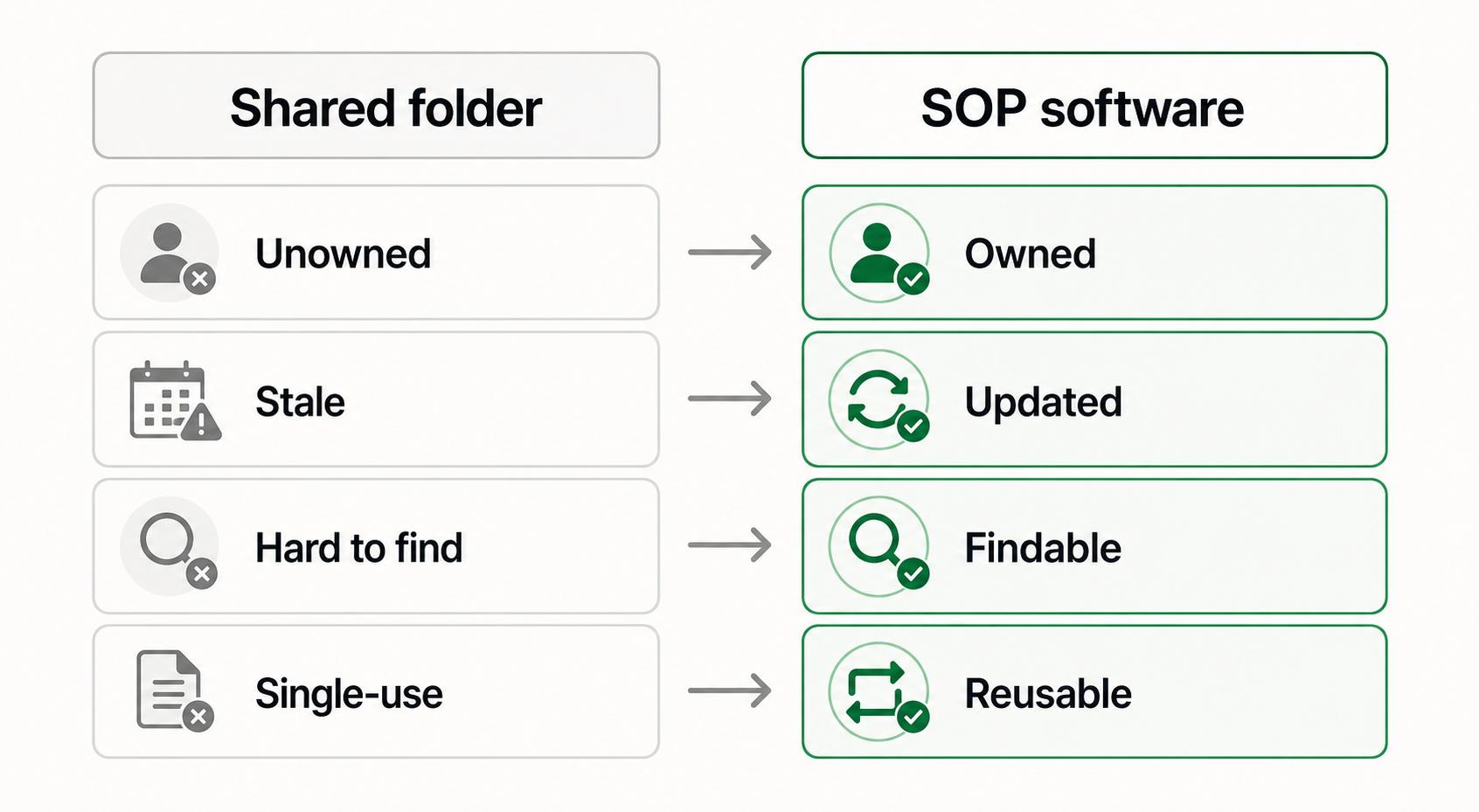
A shared folder is fine, honestly, as long as you have a small number of stable procedures and everyone already knows where to look. It breaks down once procedures multiply, ownership gets fuzzy, or you need proof that instructions are reviewed, current, and actually used.
What SOP software adds is structure around the document. Each procedure becomes easier to own, update, discover, and reuse. That structure is the whole point. If a tool just hands you another blank page, it might be a perfectly good writing tool, but it isn't solving the problem that made your SOP library a mess in the first place.
That structure comes with a tradeoff, though. Dedicated software adds overhead if you buy more governance than you need. A five-person team documenting lightweight internal workflows probably doesn't need a rigid approval engine. A regulated manufacturing or healthcare team might; pharmaceutical manufacturing rules, for example, require written production and process-control procedures to be reviewed, approved, followed, and documented at the time of performance.3 The right call depends less on company size than on how often your procedures change, how costly mistakes are, and how many people depend on the instructions.
How to choose SOP software
Start with the work, not the feature list. Pick three recurring processes that are genuinely painful today, such as handling a refund request, onboarding a new support agent, or closing the books at month-end. Then ask what would make those specific procedures easier to create, trust, and maintain.
Our advice boils down to one rule. Choose the lightest tool that keeps your highest-value procedures current. If documentation starts to feel like a ceremony, people will route around it. If capturing and updating procedures is easy, your SOP library has a fighting chance of reflecting how work actually gets done.
These are the questions worth asking during any evaluation:
- Can someone document a workflow while doing the work, or do they have to write it afterward from memory?
- Can employees find the right SOP without knowing the exact title?
- Is there a clear owner for each procedure?
- How easy is it to update one step when the process changes?
- Does the tool support the format people need: text, screenshots, video, checklists, or all of the above?
- Are permissions and approvals proportional to the risk of the process?
Use the SOP software buying guide to compare specific tools against these requirements, including capture, training formats, and team pricing.
AI-ready prompt for evaluating SOP software
If you're comparing tools, or trying to turn a messy list of processes into real evaluation criteria, this prompt does the heavy lifting:
## SOP Software Evaluation Prompt

**Glossary term:** SOP Software
**Source:** Trails Glossary — trails.so/glossary/sop-software

---

### 01. Turn messy processes into evaluation criteria

"You are helping [team] choose SOP software for [business or department].

Our most important recurring processes are:
- [process 1]
- [process 2]
- [process 3]

For each process, identify:
1. Who performs it
2. How often it changes
3. What happens if someone follows the wrong version
4. What format would make the SOP easiest to follow
5. Which software capabilities are must-haves, nice-to-haves, or unnecessary

Then recommend a short evaluation checklist we can use when comparing SOP software. Keep the checklist practical and avoid generic feature bloat."
How Trails helps
Trails is worth a look if your hardest problem is getting accurate procedures written in the first place. Instead of starting from a blank page, you capture a workflow as someone actually performs it, and Trails turns that into a polished step-by-step guide.
That matters more than it sounds. Plenty of SOP libraries go stale before they're even complete. Trails helps teams document repeatable work faster, keep practical step-by-step instructions current, and create AI-narrated video versions when a process needs to be trained or shared. It's the best fit when your SOPs come from real workflows rather than abstract policy text.
FAQ
What is SOP software used for?
Creating, organizing, sharing, and maintaining standard operating procedures. Teams use it for onboarding, training, compliance, customer support, operations, HR, finance, and any other recurring work that needs clear instructions.
Is SOP software the same as process documentation software?
They overlap, but not entirely. SOP software focuses on standardized procedures and repeatable instructions. Process documentation software tends to be broader, covering workflows, policies, playbooks, decision logic, and knowledge that may never be formal enough to call an SOP.
Do small teams need SOP software?
You need it when tribal knowledge is slowing you down, the same mistakes keep happening, or onboarding depends too heavily on one person. If you have only a few stable procedures, a well-organized document system may be all you need until the maintenance burden grows.
What makes SOP software worth paying for?
It earns its price when it reduces the real cost of documentation. That means capturing work, keeping procedures current, helping people find the right answer, and preventing avoidable mistakes. You aren't paying for the repository itself. You're paying for the operating discipline the repository makes easier.
Sources
- 1
International Organization for Standardization. Guidance on the requirements for documented information of ISO 9001:2015. ISO. www.iso.org/iso/documented_information.pdf. Accessed June 15, 2026.
- 2
National Institute of Standards and Technology. Training Within Industry (TWI). NIST. www.nist.gov/mep/training-within-industry-twi. Accessed June 15, 2026.
- 3
Legal Information Institute. 21 CFR Part 211.100 on written procedures and deviations. Cornell Law School. www.law.cornell.edu/cfr/text/21/211.100. Accessed June 15, 2026.