
Glossary
SOP vs Work Instruction
 ChatGPT
 Perplexity
 Gemini
 Claude
SOP vs work instruction
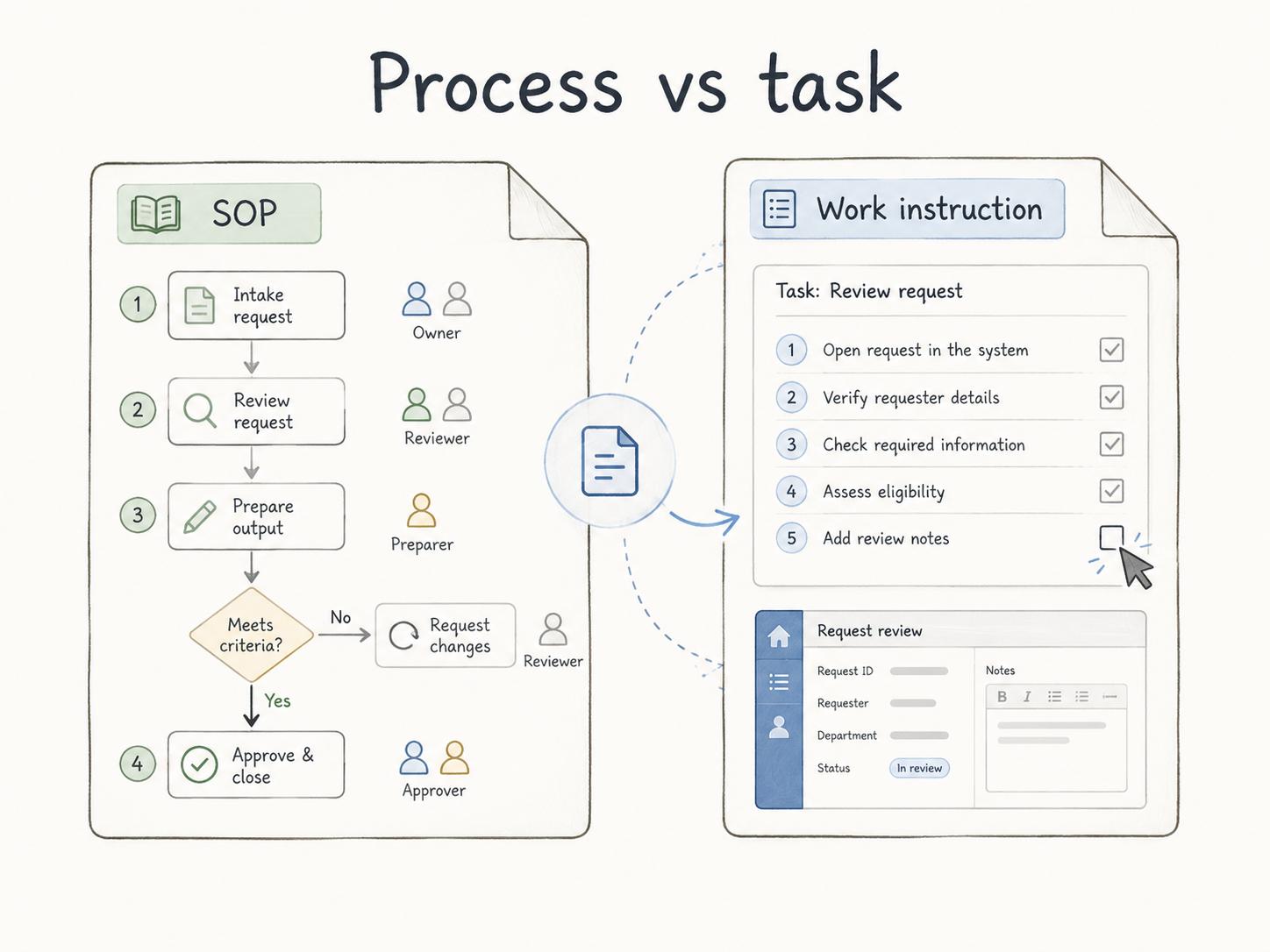
An SOP explains the standard procedure for a repeatable process. A work instruction explains exactly how to complete one task inside that process. ISO 10013 describes work instructions as task-supporting documented information that can include materials, equipment, acceptance criteria, and related records.1
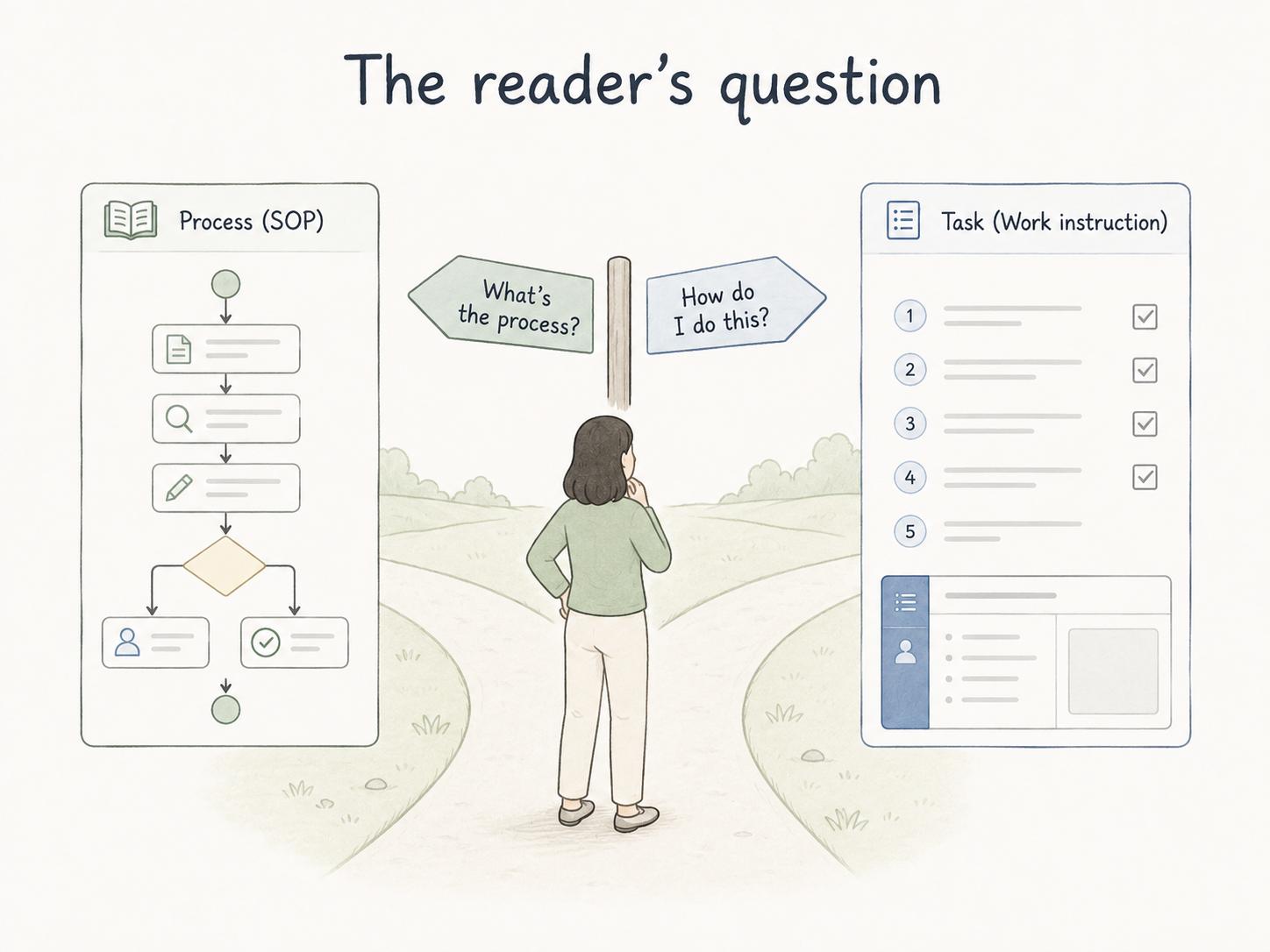
The practical difference is the level of control the reader needs. Use an SOP when the person needs the approved process: scope, owner, roles, handoffs, decision points, and exceptions. Use a work instruction when the person needs execution detail: clicks, settings, checks, form fields, or task-specific quality criteria.
Why this distinction matters
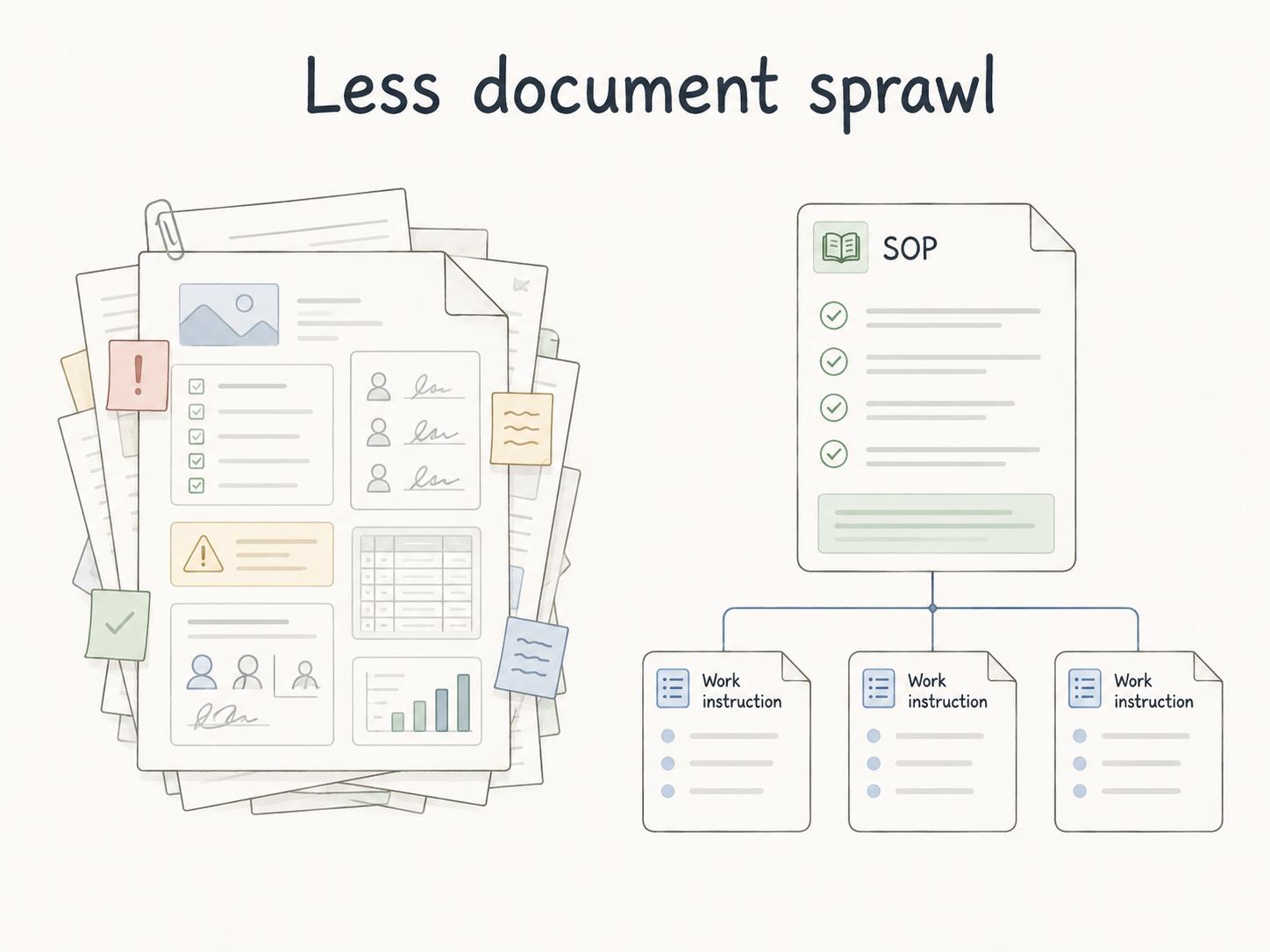
Teams usually ask about SOPs versus work instructions when their documentation library starts to feel messy. One document has policy context, screenshots, approval rules, and exception handling jammed together. Another repeats the same software steps from three other places. Employees stop trusting the library because they cannot tell which document is the source of truth.
Separating the two formats keeps each document useful. EPA SOP guidance recommends fully referencing documents or procedures that interface with an SOP, which supports linking related task guidance instead of burying everything in one document.2
For example, a customer refund SOP might define eligibility rules, approval thresholds, roles, and escalation paths. A work instruction might show exactly how to process the refund in Stripe or update the customer record in the CRM.
SOP vs work instruction: quick comparison
| Category | SOP | Work instruction |
|---|---|---|
| Main job | Define the approved process | Explain how to perform one task |
| Level of detail | Process or procedure level | Task level |
| Typical reader | Team members, managers, trainers, auditors | The person doing the task |
| Best for | Handoffs, approvals, exceptions, ownership, compliance points | Screenshots, tool settings, machine steps, form fields, checks |
| Risk if overloaded | Becomes too long to maintain | Lacks context or points to the wrong process |
A simple SOP may be detailed enough to stand alone. A complex SOP may need several linked work instructions. The right structure depends on how much detail the reader needs at the moment of work.
When to use an SOP
Use an SOP when the reader needs to understand the approved way a process should happen. SOPs are best for repeatable workflows with roles, handoffs, controls, customer impact, compliance requirements, safety risks, or quality standards.
A good SOP should answer: when does this procedure apply, who does what, what sequence should the process follow, what decisions matter, what exceptions should be escalated, and who owns the document?
The main risk is stuffing every small task detail into the SOP. That feels thorough at first, but it makes the document brittle. When a software screen changes, the whole SOP looks outdated even if the process itself is still correct.
When to use a work instruction
Use a work instruction when the reader needs precision at the task level. Work instructions are useful for software clicks, equipment setup, inspections, assembly work, data entry, report preparation, or any task where the exact method changes the outcome.
A strong work instruction should show what the person needs, what to do, what a correct result looks like, and what warning signs mean they should stop or escalate. It should be usable while the person is doing the task.
The main risk is writing a work instruction with no context. If the document does not say which process it supports, when to use it, or where to go when the task does not apply, people may execute a task correctly in the wrong situation.
A practical decision rule
Use this rule when deciding what to write:
- If the reader is asking, "What is the approved process?" write or update the SOP.
- If the reader is asking, "How exactly do I do this task?" write or update the work instruction.
- If the reader needs both, keep the SOP as the control document and link to one or more task-level work instructions.
## SOP and Work Instruction Split Example

**Glossary term:** SOP vs Work Instruction
**Source:** Trails Glossary — trails.so/glossary/sop-vs-work-instruction

---

### 01. Example structure

"SOP: Customer refund process
- Scope: standard refund requests for active customers
- Roles: Support, Finance, Manager
- Major steps: receive request, review eligibility, approve, process, notify
- Exceptions: fraud, chargebacks, contract exceptions, refunds above threshold
- Linked work instruction: Process a refund in Stripe
- Linked work instruction: Update the CRM after a refund"
This prevents duplication. If the software workflow changes, update the work instruction. If the approval rule changes, update the SOP.
Common mistakes
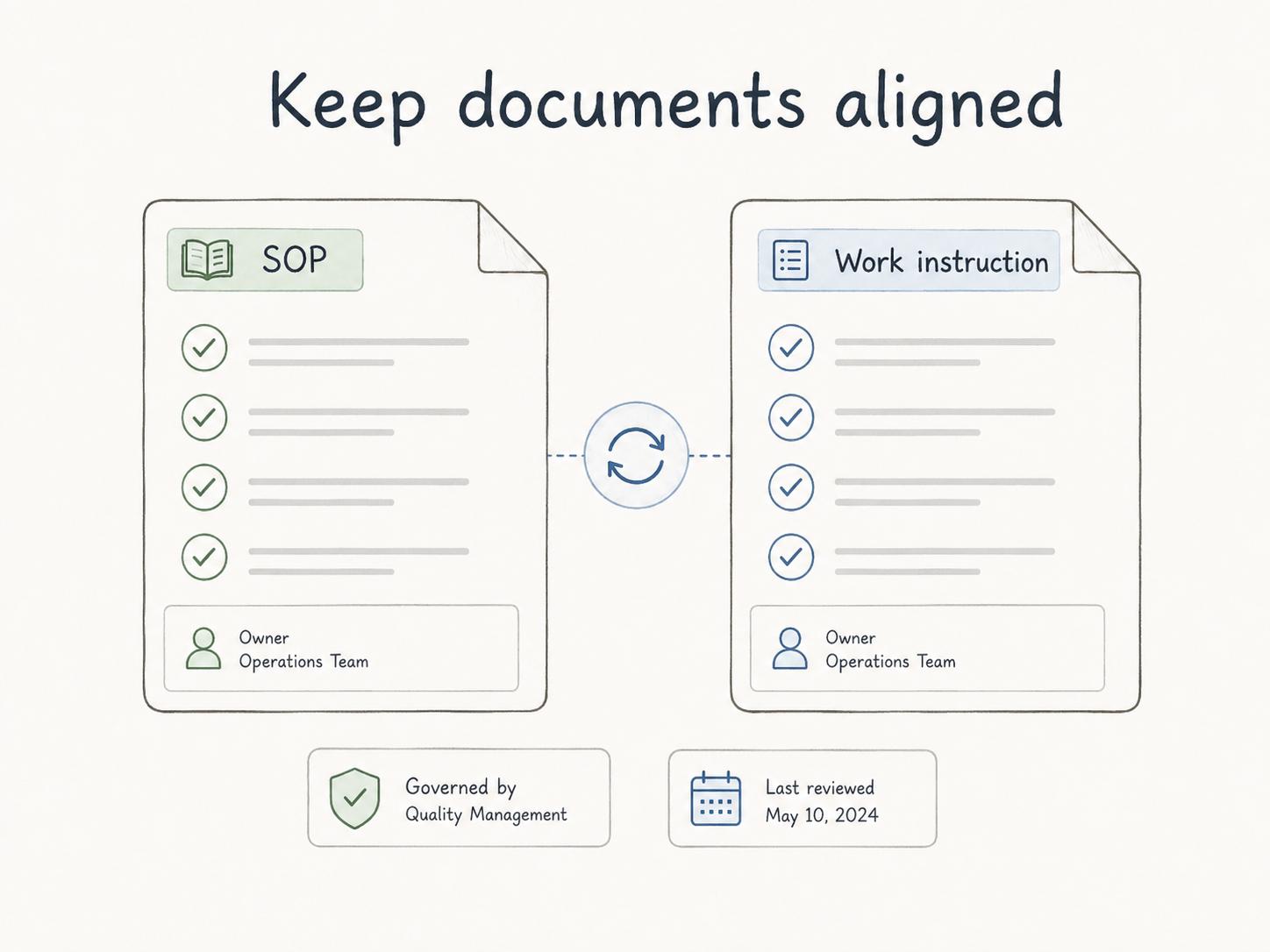
One mistake is treating SOPs as official and work instructions as informal. Both need owners, review dates, and a clear place in the documentation system. FDA process-control rules for medical devices group documented instructions, SOPs, and methods together as controls for production processes, which is a useful reminder that task-level instructions can carry real control weight.3
Another mistake is splitting them so far apart that the reader cannot move between them. SOPs should link to the work instructions they depend on. Work instructions should link back to the SOP or process they support.
A third mistake is reviewing related documents separately. If the SOP says one thing and the work instruction shows another, employees will usually trust the one that seems newer, easier, or closer to the work. That is how documentation drift turns into process drift.
How Trails helps
Trails helps teams capture a workflow as someone performs it, turn that workflow into a polished step-by-step guide, and create an AI-narrated video version for training or sharing.
That is useful for both document types. A captured workflow can become a work instruction for the task itself, while the broader SOP can explain the scope, ownership, handoffs, and exceptions around it.
Sources
- 1
International Organization for Standardization. ISO 10013:2021 Quality management systems - Guidance for documented information. ISO. www.iso.org/obp/ui/en/. Accessed July 6, 2026.
- 2
U.S. Environmental Protection Agency. Guidance for Preparing Standard Operating Procedures. EPA. www.epa.gov/sites/default/files/2015-06/documents/g6-final.pdf. Accessed July 6, 2026.
- 3
U.S. Food and Drug Administration. 21 CFR Part 820 - Quality System Regulation. Electronic Code of Federal Regulations. www.ecfr.gov/current/title-21/chapter-I/subchapter-H/part-820. Accessed July 6, 2026.