
Glossary
Digital SOP
 ChatGPT
 Perplexity
 Gemini
 Claude
What is a digital SOP?
A digital SOP is a standard operating procedure that is created, maintained, accessed, and used in a digital system rather than managed as a static paper document or disconnected file. A strong digital SOP helps people find the right instructions, follow the steps, see the latest version, and keep the process current as work changes.
The useful test is whether the SOP works at the moment someone needs it. A PDF in a shared drive can be digital in format while still being hard to search, hard to update, and ignored during the task. 1 A true digital SOP reduces that friction.
Why digital SOPs matter
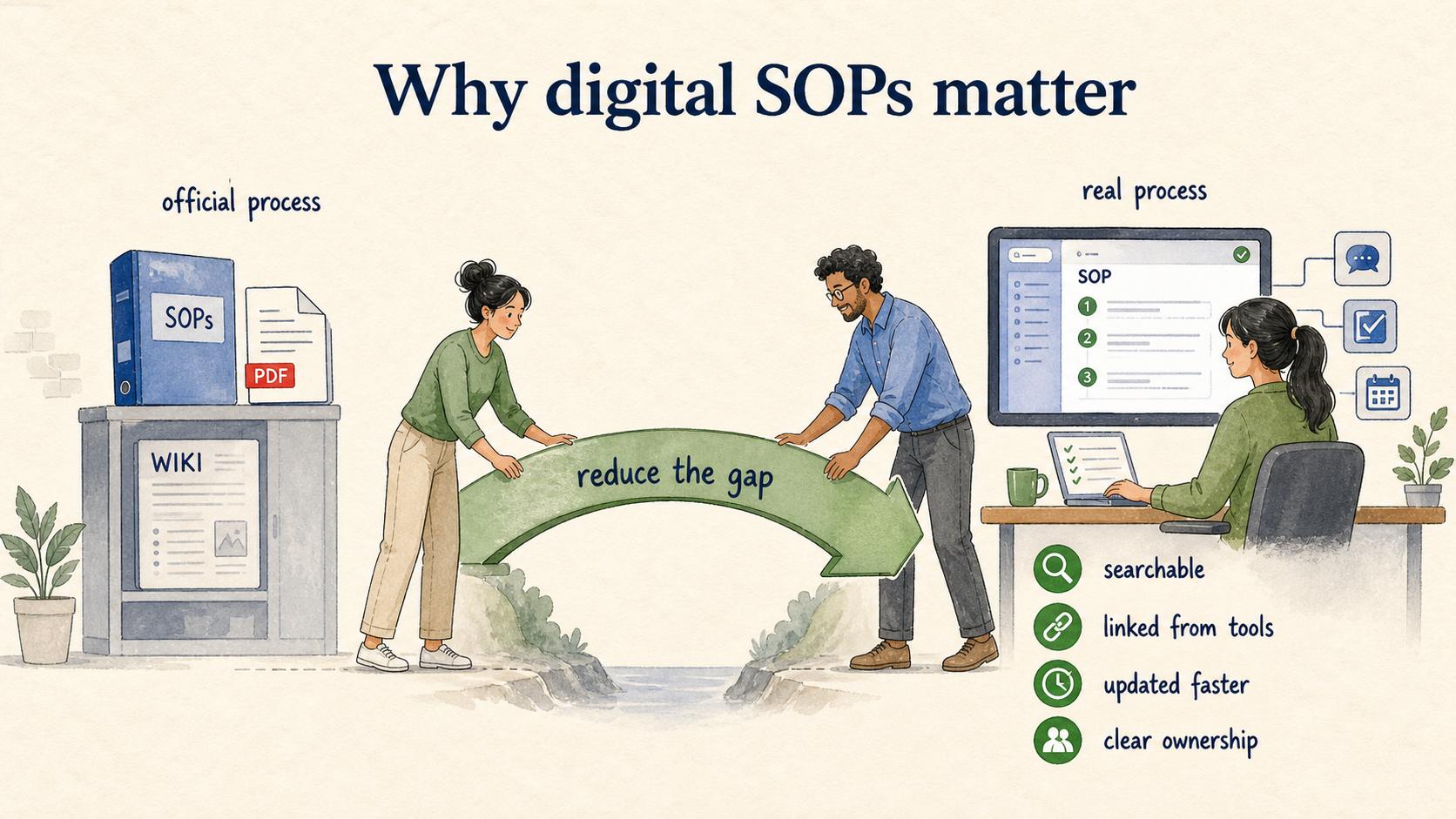
SOPs are supposed to make repeatable work consistent. But many teams store them in places that separate the instruction from the work itself: a folder no one checks, a wiki page with stale screenshots, or a document that only the process owner understands. The result is predictable. People ask the same questions, invent local workarounds, or use the version they saved months ago.
Digital SOPs matter because they reduce the gap between the official process and the real process. 2 They can be searchable, linked from tools, updated faster, enriched with screenshots or video, and reviewed with clearer ownership. They also make it easier to train new employees because the SOP is not trapped in someone's memory.
The risk is that teams confuse storage with adoption. Moving SOPs into software does not automatically improve compliance, training, or process quality. The SOP still has to be written for the person doing the task.
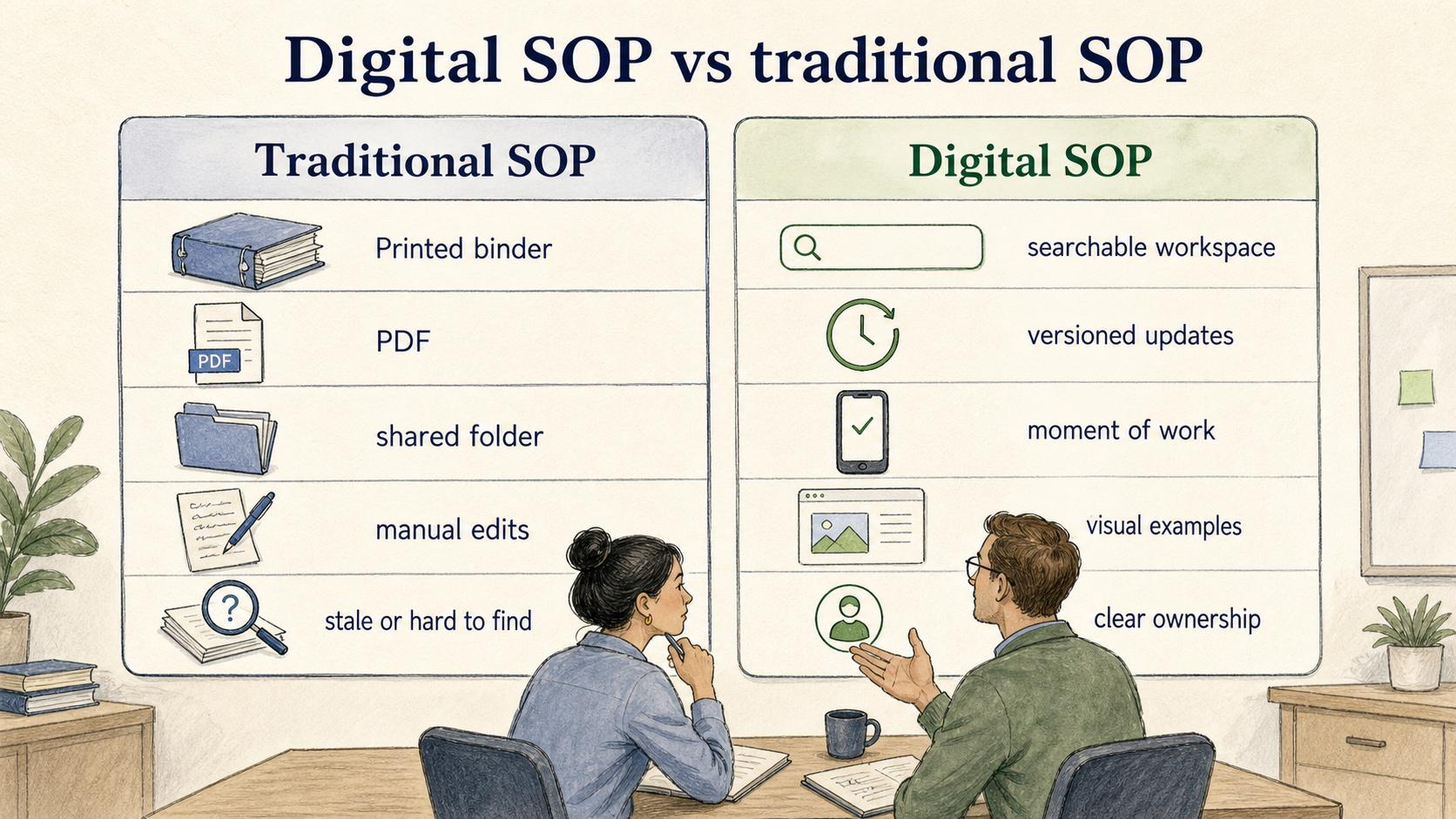
Digital SOP vs traditional SOP
| Area | Traditional SOP | Digital SOP |
|---|---|---|
| Access | Printed binder, PDF, or shared folder | Searchable workspace, app, knowledge base, or guided workflow |
| Updates | Manual edits, file replacements, email notices | Versioned updates with clearer ownership and review cycles |
| Use during work | Often read before or after the task | Available at the moment of work with links, screenshots, or embedded media |
| Training value | Depends on a trainer explaining it | Can support self-serve onboarding with visual examples |
| Main risk | Stale or hard to find | Tool clutter if the process is still unclear |
The real distinction is whether the SOP becomes easier to use, trust, and maintain because of the digital format.
What a good digital SOP includes
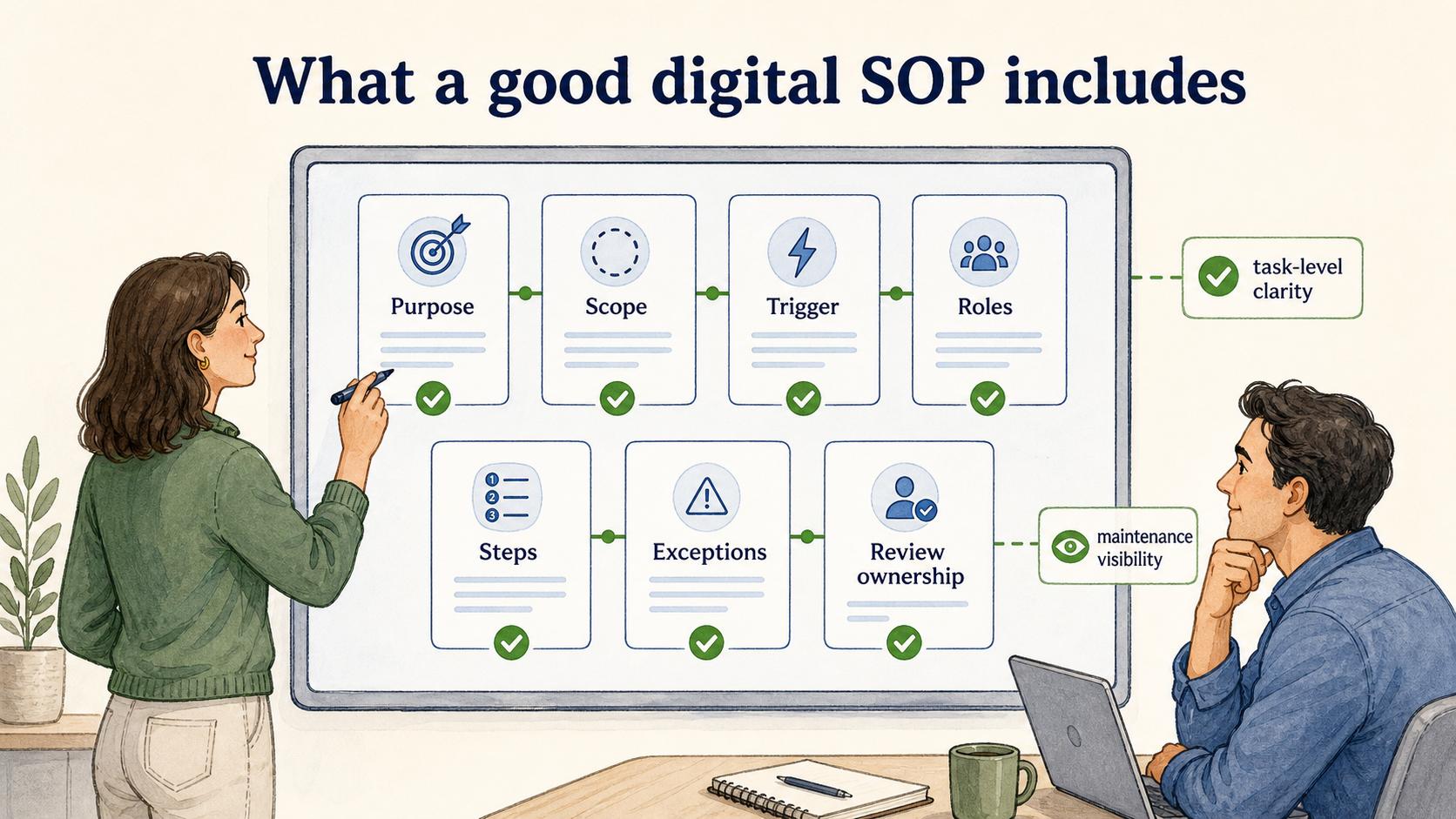
A useful digital SOP still needs the fundamentals of any good procedure: purpose, scope, trigger, roles, steps, exceptions, and review ownership. The digital layer should make those fundamentals easier to apply.
The most important feature is a clear trigger. Users should know exactly when the SOP applies. "Customer refund process" is weaker than "Use this SOP when a customer requests a refund after payment has settled." Digital SOP libraries often fail because pages are easy to create but hard to choose between.
The second feature is task-level clarity. A digital SOP should separate policy from action. If a step requires judgment, name the decision rule. If a step depends on a system, show the screen or field. If an exception is common, include the exception instead of letting the team rediscover it in chat.
The third feature is maintenance visibility. The page should show who owns it, when it was last reviewed, and what changed. 3 The more important the SOP, the more dangerous silent drift becomes.
Example of a digital SOP
Consider a customer support team handling billing refunds. A traditional SOP might describe eligibility rules, approval thresholds, and the steps for updating the billing system. A digital SOP can make that same process more operational.
The page might start with a quick eligibility summary, then link to the refund policy, show screenshots of the billing fields, include a decision table for manager approval, and embed a short walkthrough for new agents. It might also link to the escalation SOP for edge cases and show the process owner responsible for monthly review.
The improvement shows up in use: the agent can follow the SOP while handling the ticket, the manager can see whether the process is current, and new hires can practice the same workflow without waiting for a live escalation.
Common mistakes with digital SOPs
The first mistake is migrating everything without pruning. If the old SOP library contains duplicates, outdated instructions, and unclear ownership, a digital tool will make the clutter easier to search but not easier to trust. Before migration, decide what is current, what should be archived, and what needs rewriting.
The second mistake is writing digital SOPs like policy documents. People rarely open an SOP because they want background. They open it because they need to do something correctly. Put the action path close to the top, then support it with context, rules, and exceptions.
The third mistake is ignoring the maintenance workflow. A digital SOP needs a review rhythm, but review should not be ceremonial. Tie review to process change, tool change, recurring errors, training questions, or compliance requirements. The best update signal is often a user asking, "Is this still how we do it?"
Digital SOP checklist
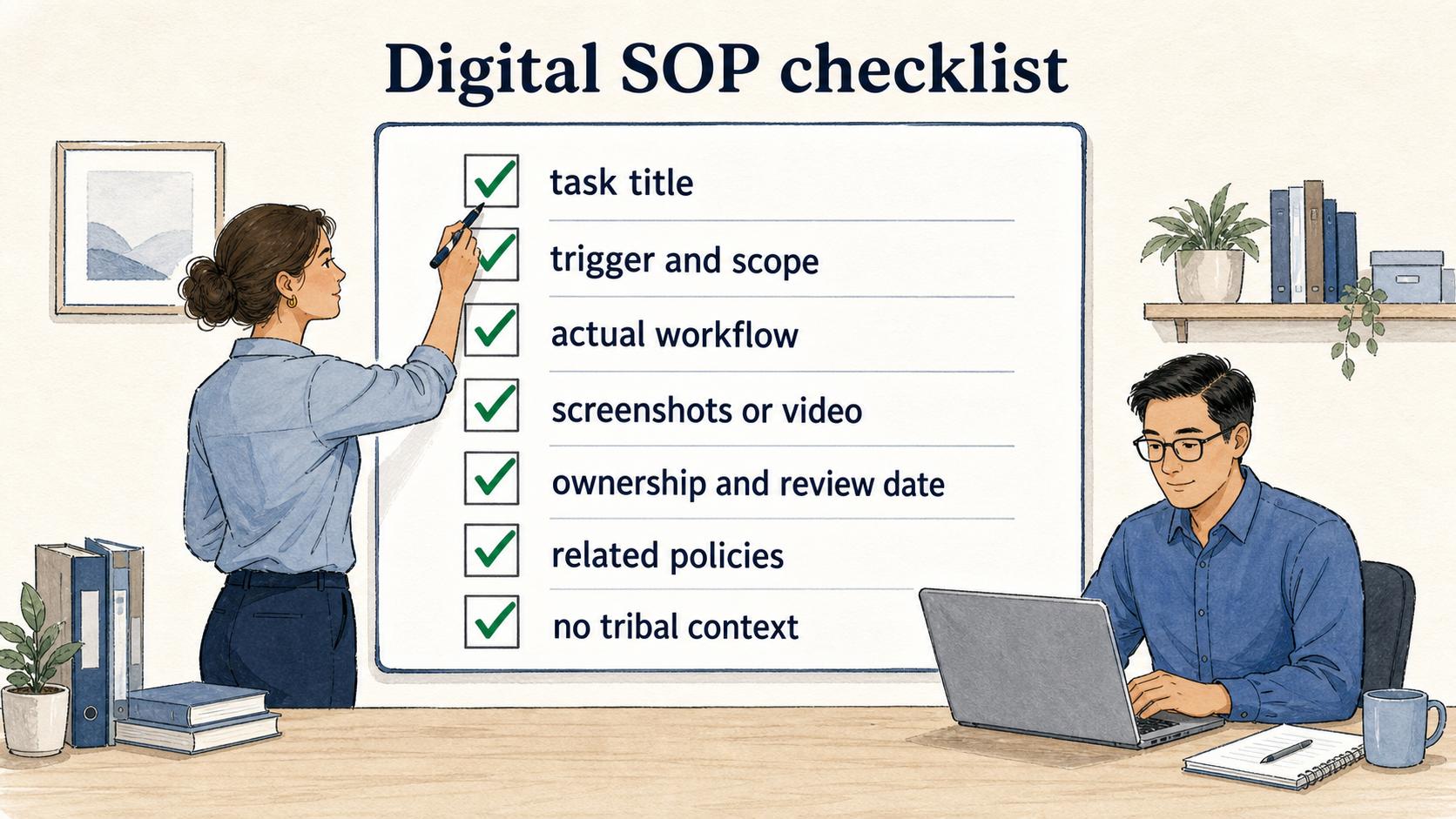
Use this checklist before calling an SOP ready:
- The title matches the user's task, not an internal department label.
- The trigger and scope are clear enough that users know when to use it.
- The steps match the actual workflow, including tools, fields, handoffs, and exceptions.
- Screenshots, video, or examples clarify steps that are hard to explain in text.
- Ownership, review date, and change history are visible. 4
- The SOP links to related policies, work instructions, and escalation paths.
- Someone who was not in the original process meeting can follow it without asking for tribal context.
How Trails helps
Trails is a strong fit for digital SOPs because many SOPs are easiest to document while someone performs the work. Trails captures a workflow as it happens, turns it into a polished step-by-step guide, and can create an AI-narrated video version for training or sharing.
That helps teams avoid the blank-page problem. Instead of asking a process owner to remember every step after the fact, Trails captures the actual workflow and turns it into documentation that is easier to review, teach, and keep current.
Compare SOP software for the procedure library, or explore the AI SOP generator when the immediate task is turning a recorded workflow into a draft to review.
Sources
- 1
Microsoft. 2023 Work Trend Index. www.microsoft.com/en-us/worklab/work-trend-index/will-ai-fix-work.
- 2
ISO. Guidance on documented information. www.iso.org/iso/documented_information.pdf.
- 3
NIST. SP 800-128 Configuration Management Guide. csrc.nist.gov/pubs/sp/800/128/upd1/final.
- 4
FDA. Data Integrity and CGMP Compliance. www.fda.gov/media/119267/download.