
Glossary
Work Instruction Software
 ChatGPT
 Perplexity
 Gemini
 Claude
What is work instruction software?
Work instruction software helps teams create, organize, and maintain step-by-step guidance for specific tasks. It turns repeatable work into instructions employees can follow during training, onboarding, production, support, or daily operations.
A work instruction is more granular than a policy and usually more task-specific than an SOP. If an SOP explains how customer returns are handled, a work instruction explains how to inspect one returned item, record the result, and notify the next team.
What work instruction software is used for
Work instruction software is useful when a task needs to be performed consistently across people, shifts, locations, departments, or roles. The point is not to create a polished document for its own sake. The point is to help someone do the work correctly at the moment they need guidance. NIST's Manufacturing Extension Partnership describes Training Within Industry Job Instruction as a way to standardize how jobs are taught and help supervisors train employees to perform work correctly.1
Teams commonly use it for:
- Training new employees on hands-on procedures
- Documenting manufacturing, warehouse, or field service tasks
- Standardizing support and operations workflows
- Capturing software procedures with screenshots and steps
- Reducing variation in repeatable work
- Updating instructions when tools, systems, or requirements change
The best work instruction software makes instructions easier to create and easier to use. A polished PDF hidden in a folder is rarely enough. ISO 9001 guidance treats documented information as controlled content that needs appropriate creation, updating, access, and protection rather than static files left unmanaged.2
Work instruction software vs SOP software
The categories overlap, but they solve different layers of the problem. SOP software usually focuses on the documented process as a whole. Work instruction software focuses on the exact task-level guidance someone needs to complete one part of that process.
| Question | SOP software | Work instruction software |
|---|---|---|
| Main focus | The standard process | The exact task steps |
| Typical level | Process or procedure | Activity or job step |
| Best for | Governance, consistency, ownership | Execution, training, and task accuracy |
| Example | How customer returns are handled | How to inspect and log one returned item |
| Common weakness | Can stay too high-level | Can become fragmented without process context |
A strong documentation system often needs both layers. The SOP explains the flow; the work instruction removes guesswork from the specific action.
When teams need work instruction software
You probably need work instruction software when people keep asking the same how-do-I-do-this questions, when experienced employees are the only reliable source of truth, or when small task variations create rework.
Look for these signals:
- New hires shadow others for too long because instructions are incomplete
- Different team members perform the same task in noticeably different ways
- Instructions exist, but they are outdated, buried, or hard to scan
- The work includes visual steps that text alone does not explain well
- Supervisors spend too much time correcting avoidable mistakes
- Process changes are announced in chat but never reflected in the guide
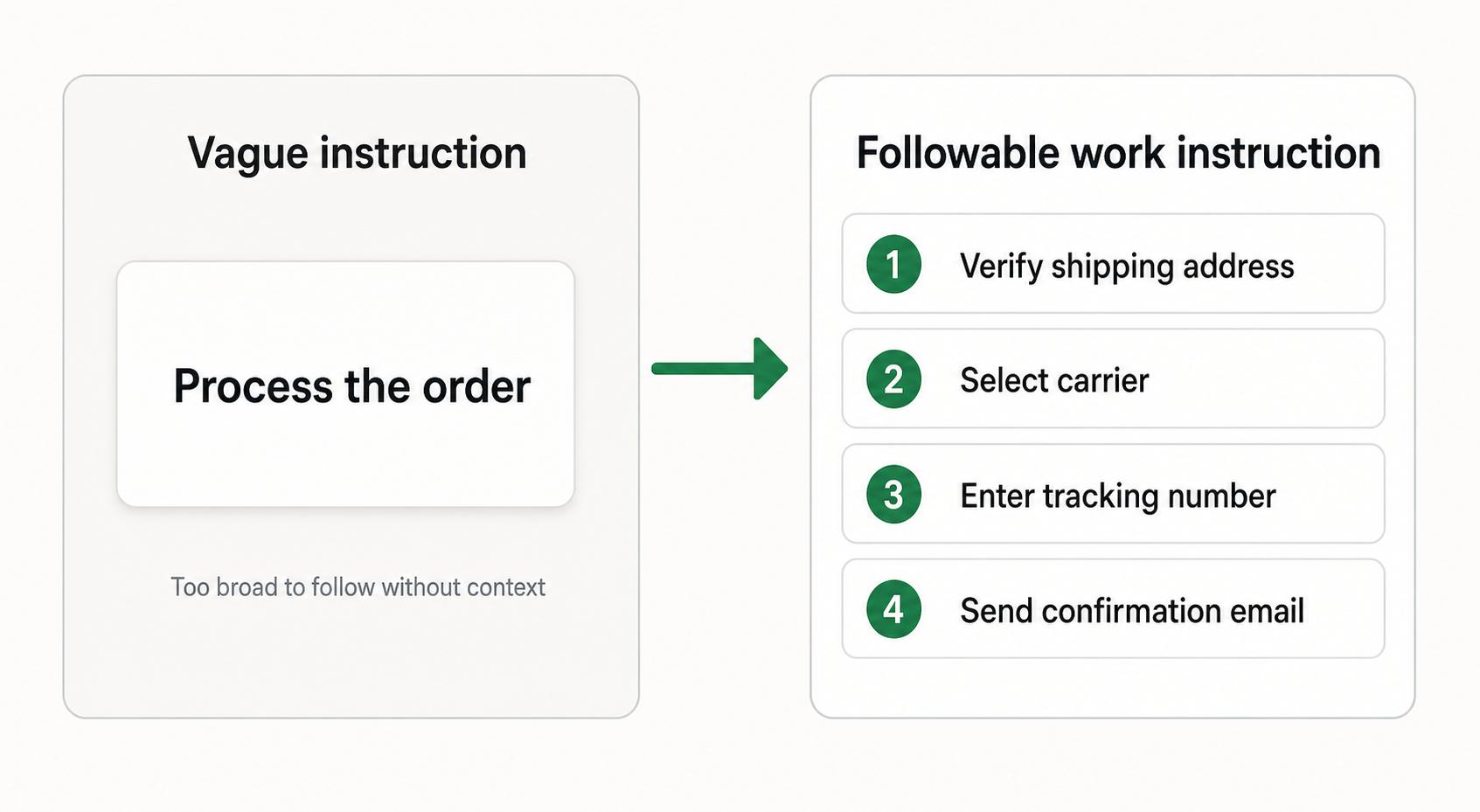
The sharper the task, the more concrete the instruction should be. Process the order is not a work instruction. Verify the shipping address, select the carrier, enter the tracking number, and send the confirmation email is much closer. Research on assembly work instructions has found that the content and presentation of instructions affect operators' cognitive workload and perceived information quality.3
What to look for in work instruction software
A useful tool should support how people actually learn and perform work. Important capabilities include:
- Fast capture of steps, screenshots, videos, or photos
- Clear formatting for numbered procedures
- Easy updates when the process changes
- Version history or review workflows when accuracy matters
- Search and organization by role, team, location, or process
- Sharing options for training, handoff, or in-the-flow reference
- Mobile or tablet access if the work happens away from a desk
The key tradeoff is structure versus speed. A highly controlled system may fit regulated work but feel too slow for a fast-moving operations team. A lightweight tool may encourage capture, but it still needs clear ownership to keep instructions accurate.
Work instruction drafting prompt
Use this prompt when turning a repeated task into a first draft:
## Work Instruction Drafting Prompt

**Glossary term:** Work Instruction Software
**Source:** Trails Glossary — trails.so/glossary/work-instruction-software

---

### 01. Draft a work instruction

"Create a work instruction for [task]. The audience is [role or team]. Include the task purpose, when to use it, required tools or access, safety or quality checks, numbered steps, expected result, common mistakes, escalation path, owner, and review date. Write the steps as actions someone can perform, not vague descriptions."
After generating the draft, test it against a real task. If a trained person cannot follow the instruction without extra context, the guide is not finished. A manufacturing case study on human error found that perceptually engaging assembly instructions had strong potential for error reduction and performance improvement.4
How Trails helps
Trails fits work instruction use cases because many task guides are easiest to document while the work is happening. Instead of asking someone to remember every click or step afterward, Trails captures a workflow as someone performs it, turns it into a polished step-by-step guide, and can create an AI-narrated video version for training or sharing.
That makes it useful for teams documenting software procedures, support tasks, admin workflows, onboarding steps, and other repeatable processes where the details matter.
FAQ
What is the difference between a work instruction and a procedure?
A procedure usually describes a broader sequence of work. A work instruction explains the exact steps needed to complete a specific task inside that procedure.
Is work instruction software only for manufacturing?
No. Manufacturing teams use work instructions heavily, but the same idea applies to customer support, IT, operations, onboarding, field service, and any team that performs repeatable tasks.
What makes a good work instruction?
A good work instruction is specific, visual when needed, easy to follow during the task, and maintained by someone who owns the process. It should remove guesswork rather than merely describe the work from a distance.
Sources
- 1
National Institute of Standards and Technology. Training Within Industry (TWI). NIST MEP. www.nist.gov/mep/training-within-industry-twi. Accessed June 16, 2026.
- 2
International Organization for Standardization. Guidance on the requirements for documented information of ISO 9001:2015. ISO. www.iso.org/iso/documented_information.pdf. Accessed June 16, 2026.
- 3
Chalmers University of Technology. Effects of Information Content in Work Instructions for Operator Performance. Chalmers Research. research.chalmers.se/publication/510359. Accessed June 16, 2026.
- 4
Applied Sciences. Classification and Quantification of Human Error in Manufacturing. MDPI Applied Sciences, 2021. www.mdpi.com/2076-3417/11/2/749. Accessed June 16, 2026.