
Glossary
Process Map
 ChatGPT
 Perplexity
 Gemini
 Claude
What is a process map?
A process map is a visual representation of how a workflow moves from a starting point to an end result. It usually shows the steps, decisions, roles, handoffs, inputs, outputs, and systems involved in the process.1
A useful process map earns its space by answering a real operating question. It should help someone understand the workflow, find the handoff, train a new teammate, spot a bottleneck, or decide where detailed instructions are needed.
What a process map shows
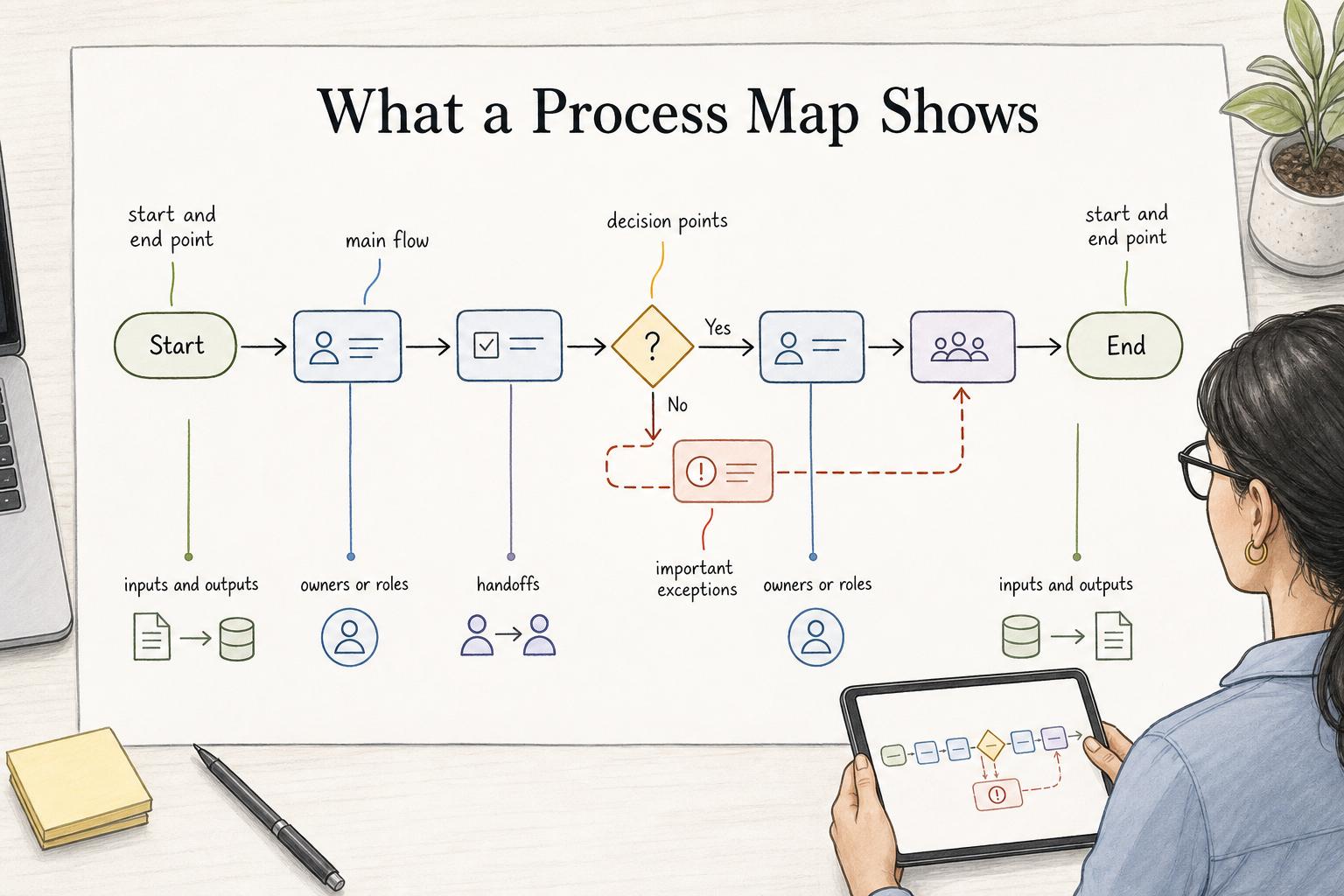
A process map gives a team a shared view of how work flows. Depending on the purpose, it may show a simple sequence of steps or a more detailed view of ownership, decisions, exceptions, and handoffs.2
Most useful process maps include:
- A start and end point: what triggers the process and what proves it is complete.
- The main flow: the actions required to move the work forward.
- Decision points: where the path changes based on criteria.
- Owners or roles: who performs each step or approves each decision.
- Handoffs: where work moves from one person, team, or system to another.
- Inputs and outputs: the request, record, file, approval, or deliverable moving through the process.
- Important exceptions: common alternate paths, rework loops, or escalation points.
The best process map is specific enough to be useful and simple enough to read. If it tries to show every rare exception, the reader may stop using it.
Process map vs. process mapping
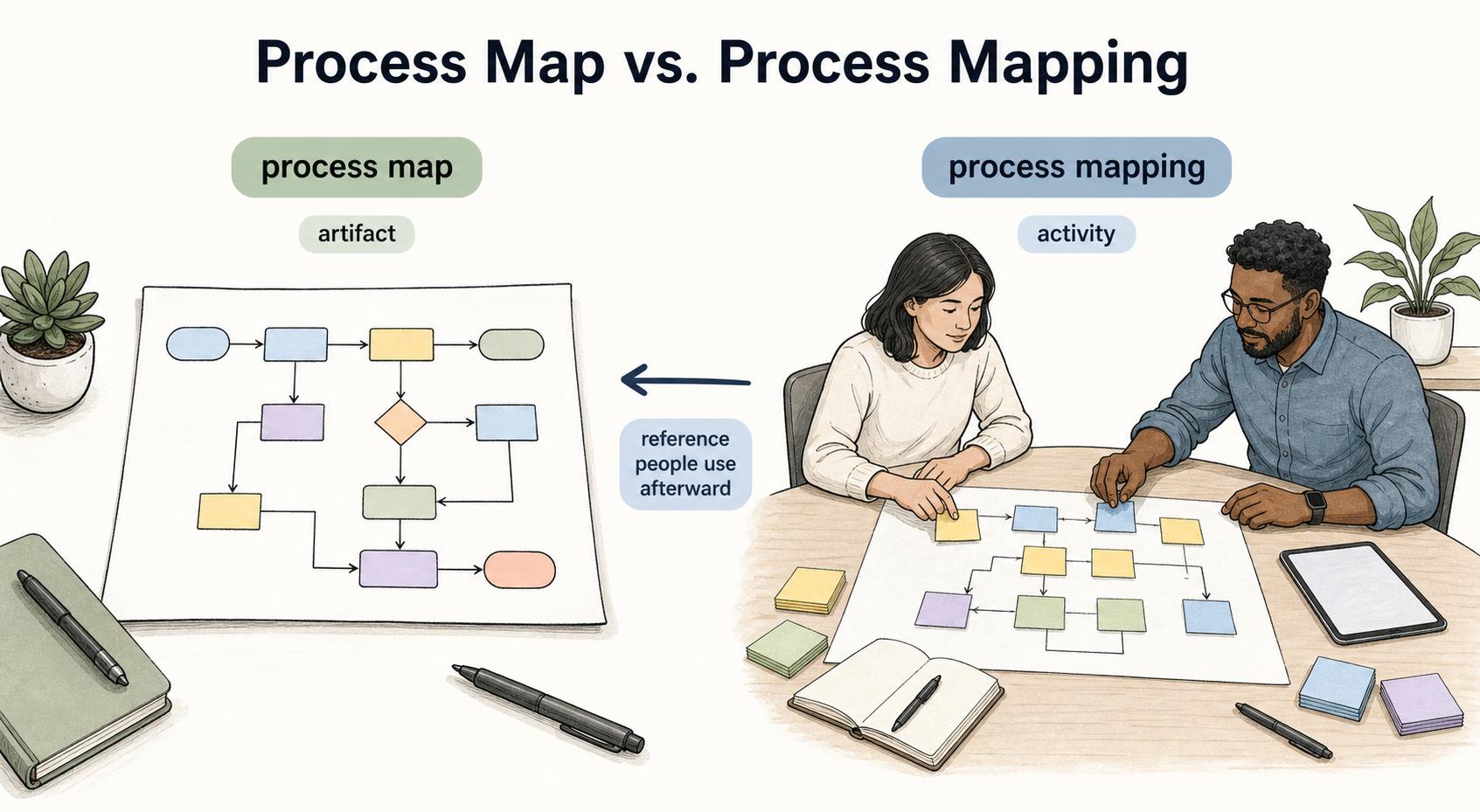
A process map is the artifact. Process mapping is the activity used to create it.
That distinction matters because a process map can look polished without being accurate. The map is only as good as the discovery behind it. If the team didn't talk to people who do the work, validate exceptions, or compare the official process to the real one, the final diagram may preserve the wrong story.
Process mapping is the working session where the team decides what belongs in the map. The process map is the reference people use afterward.
Common types of process maps
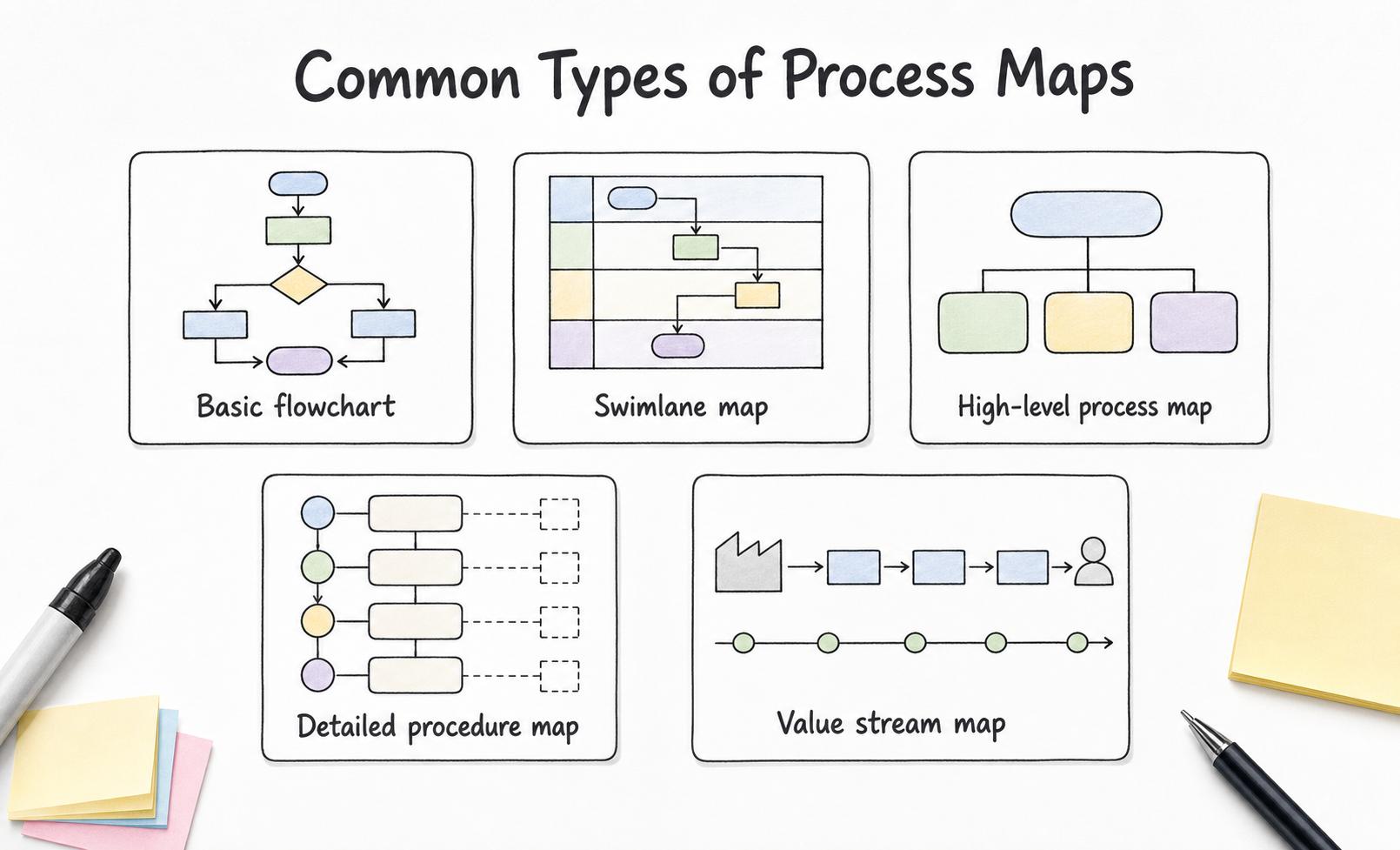
Different process maps are useful for different jobs.3
- Basic flowchart: best when the audience needs the order of steps and decisions.
- Swimlane map: best when ownership, handoffs, or cross-team work are the main problem.
- High-level process map: best when stakeholders need to align on scope before getting into task detail.
- Detailed procedure map: best for training, SOPs, quality review, and repeatable execution.
- Value stream map: best when the team needs to see waiting, waste, flow, and value around the steps.
Choose the type based on the decision the map needs to support. A map for onboarding a new employee should not look the same as a map for redesigning a broken approval process.
How teams use process maps
Teams use process maps to make work visible. That is valuable when a workflow crosses departments, depends on informal knowledge, or has become too familiar for people to notice the friction.
A process map can help a team train people, clarify ownership, identify bottlenecks, prepare an SOP, compare the current process to a future-state process, support an audit, or decide what should be automated, simplified, or documented.
The map should lead to a next action. If nobody changes a process, creates guidance, assigns ownership, or removes friction after the map is created, the team may have produced a diagram instead of an improvement.
A quick quality check for a process map
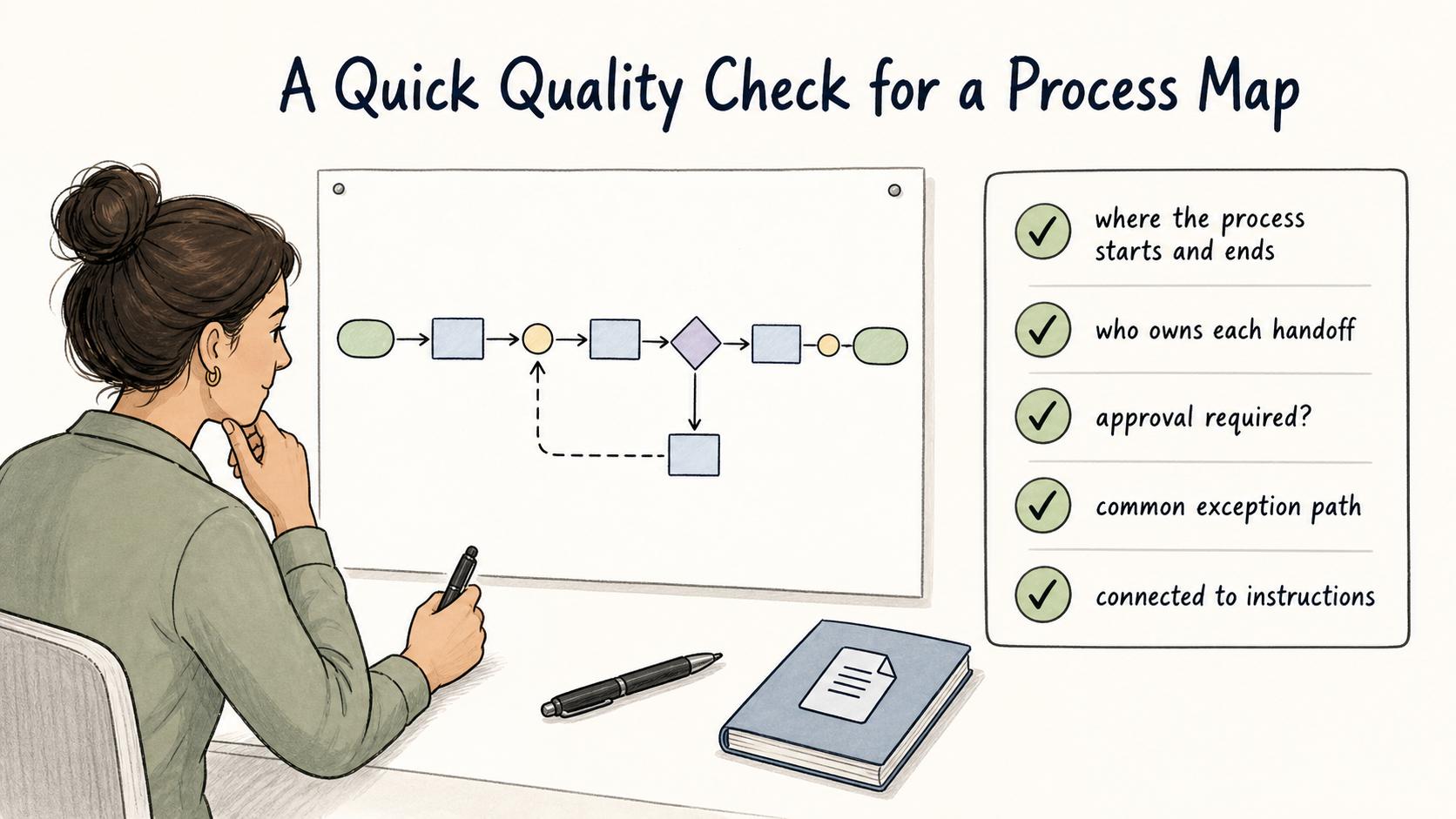
Before sharing a process map, test it with a few practical questions:
- Can a new person tell where the process starts and ends? If not, the boundaries are too vague.
- Can the team see who owns each handoff? If not, the map may preserve the accountability gap.
- Are decision points written as real questions? A decision diamond that says "review" is weak; "approval required?" is clearer.
- Does the map show the common exception path? A map that only shows the happy path may fail in real use.
- Is the map connected to instructions? If someone needs to perform the task, they may need a guide, checklist, or SOP in addition to the visual.
A process map does not have to answer every question. It should answer the questions its audience actually has.
Example: refund process map
A refund process map might start when a customer submits a refund request and end when the refund is processed and the customer is notified.
The map could show support reviewing the request, checking policy, deciding whether manager approval is required, sending approved requests to finance, processing the refund, updating the customer, and closing the ticket. If the team adds swimlanes, it can also show where responsibility moves from support to a manager to finance and back to support.
That visual can reveal practical problems. Maybe agents use different policy documents. Maybe finance receives incomplete information. Maybe manager approval is required more often than the policy intended. The map makes those issues easier to discuss.
Common mistakes
The first mistake is using a process map as a substitute for instructions. A map can show the flow, but it may not explain exactly how to complete a step, which fields to fill out, what evidence to collect, or how to handle exceptions.
The second mistake is leaving roles out. If the map shows what happens but not who does it, the team may still struggle with handoffs.
The third mistake is failing to maintain the map. When tools, policies, roles, or customer expectations change, the map should be updated with the related SOPs and training materials.
Documentation takeaway
A process map works best as a navigation layer. It helps people understand the shape of the workflow, while supporting documentation explains how to perform the steps correctly.
For repeatable work, connect the map to the operating assets people need: SOPs, checklists, templates, decision rules, screenshots, and training guides. That combination makes the process understandable and executable.
How Trails helps
Trails helps teams document the detailed workflow behind a process map. A team can capture the work as someone performs it, turn that workflow into a polished step-by-step guide, and create an AI-narrated video version for training or sharing.
That keeps the process map connected to practical instructions people can follow.
Comparing tools? See the process documentation software comparison.
Sources
- 1
Lean Methods Group. Common Process Mapping Symbols. leanmethods.com/articles/common-process-mapping-symbols/.
- 2
UNC Institute for Healthcare Quality Improvement. Process Mapping. www.med.unc.edu/ihqi/resources/process-mapping/.
- 3
ASQ. Documentation and Process Mapping. asq.org/-/media/public/wqm/ASQ-WQM25_Document-ProcessMapping.pdf.