
Glossary
Process Mapping
 ChatGPT
 Perplexity
 Gemini
 Claude
What is process mapping?
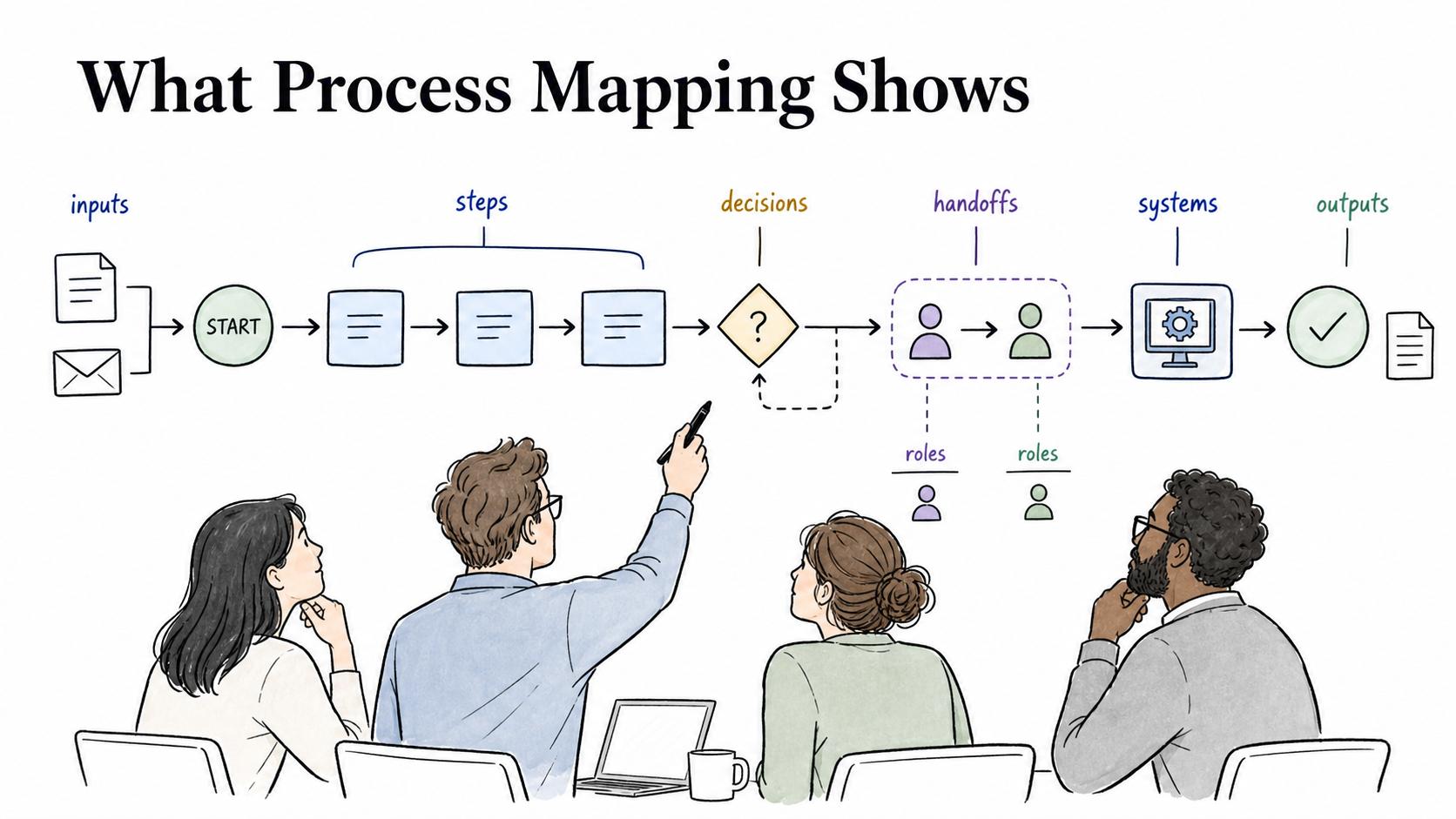
Process mapping is the activity of identifying, organizing, and visualizing how a process works from start to finish. It helps a team see the steps, decisions, handoffs, roles, systems, inputs, and outputs that make up a workflow.1
The diagram is the visible artifact, but the work happens in the conversation around it. A good mapping session forces the team to decide what actually happens, what should happen, and where the process breaks down.
What process mapping shows
Process mapping turns a workflow into something people can inspect together. Instead of relying on scattered explanations or one person's memory, the team gets a shared view of how work moves.
A useful mapping exercise usually captures:2
- Boundaries: what starts the process and what proves it is complete.
- Flow: the main steps, decisions, approvals, and loops.
- Ownership: the roles, teams, or systems responsible for each part.
- Handoffs: where work moves between people, departments, tools, or records.
- Friction: exceptions, delays, rework, risks, controls, and quality checks.
A refund process might look simple until the team maps it and sees support, finance, policy owners, and managers touching different parts of the workflow. Mapping makes those invisible handoffs visible enough to fix.
Process mapping vs. process map
Process mapping is the work of discovering and documenting the workflow. A process map is the artifact that comes out of that work.
That distinction matters because a polished process map can still be wrong if the mapping work was shallow. If the team skipped frontline input, ignored exceptions, or mapped the ideal path instead of the real one, the final map may look clean while the process remains confusing.
Process mapping is also different from process mining. Process mining uses event logs from systems to reconstruct what happened in tracked workflows. Process mapping usually depends on people, observation, documentation, and working sessions. The two methods are strongest together: mining can reveal patterns in system data, while mapping explains the context and offline work that data may miss.
When process mapping is useful
Process mapping is useful when a team needs to make work visible before changing it. Common triggers include training a new employee, preparing an SOP, clarifying ownership, finding bottlenecks, standardizing work across locations, supporting an audit, or deciding what should be automated.3
The best signal that mapping is needed is disagreement. If different people describe the same process in different ways, mapping gives the team a place to resolve the truth.
How to run a process mapping session
Start with the real workflow. Teams often jump straight to the future-state process because it feels more productive, but that can hide the friction people deal with every day.
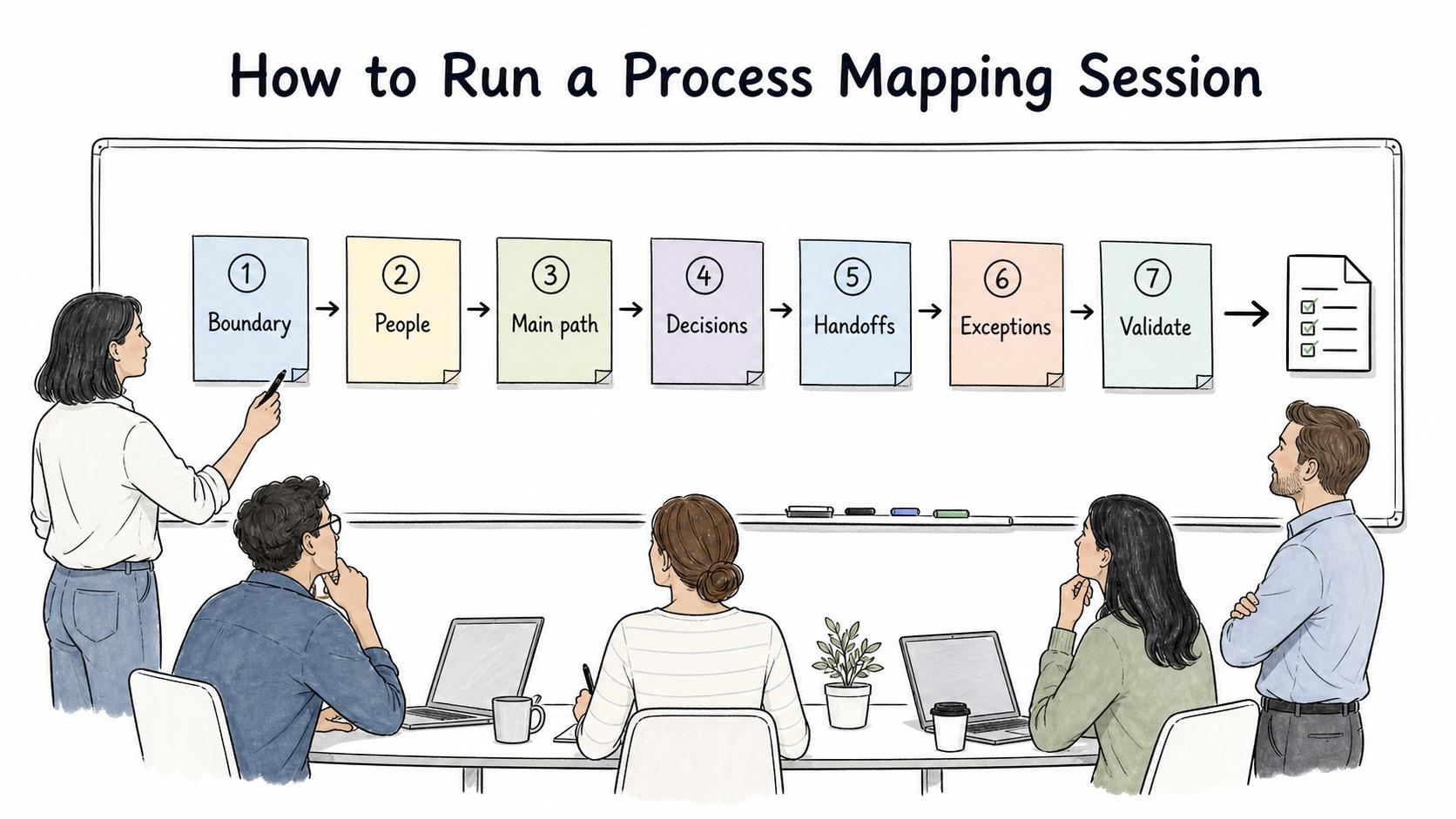
A practical session usually follows this shape:
- Define the boundary. Name where the process starts, where it ends, and what outcome it is supposed to produce.
- Invite people close to the work. Managers may know the official process, but operators know the exceptions, workarounds, and waiting points.
- Map the main path first. Capture the normal sequence before adding every edge case.
- Mark decisions and handoffs. These are often where delays, ambiguity, and accountability gaps appear.
- Add exceptions selectively. Include the variants that are frequent, costly, risky, or important for training.
- Validate the map. Ask people who do the work to point out what is missing, outdated, or unrealistic.
- Turn findings into action. Use the map to update documentation, ownership, training, simplification, automation, or controls.
The last step is where many mapping projects lose energy. A map that never changes behavior becomes a reference artifact instead of an operating improvement.
Example: mapping customer onboarding
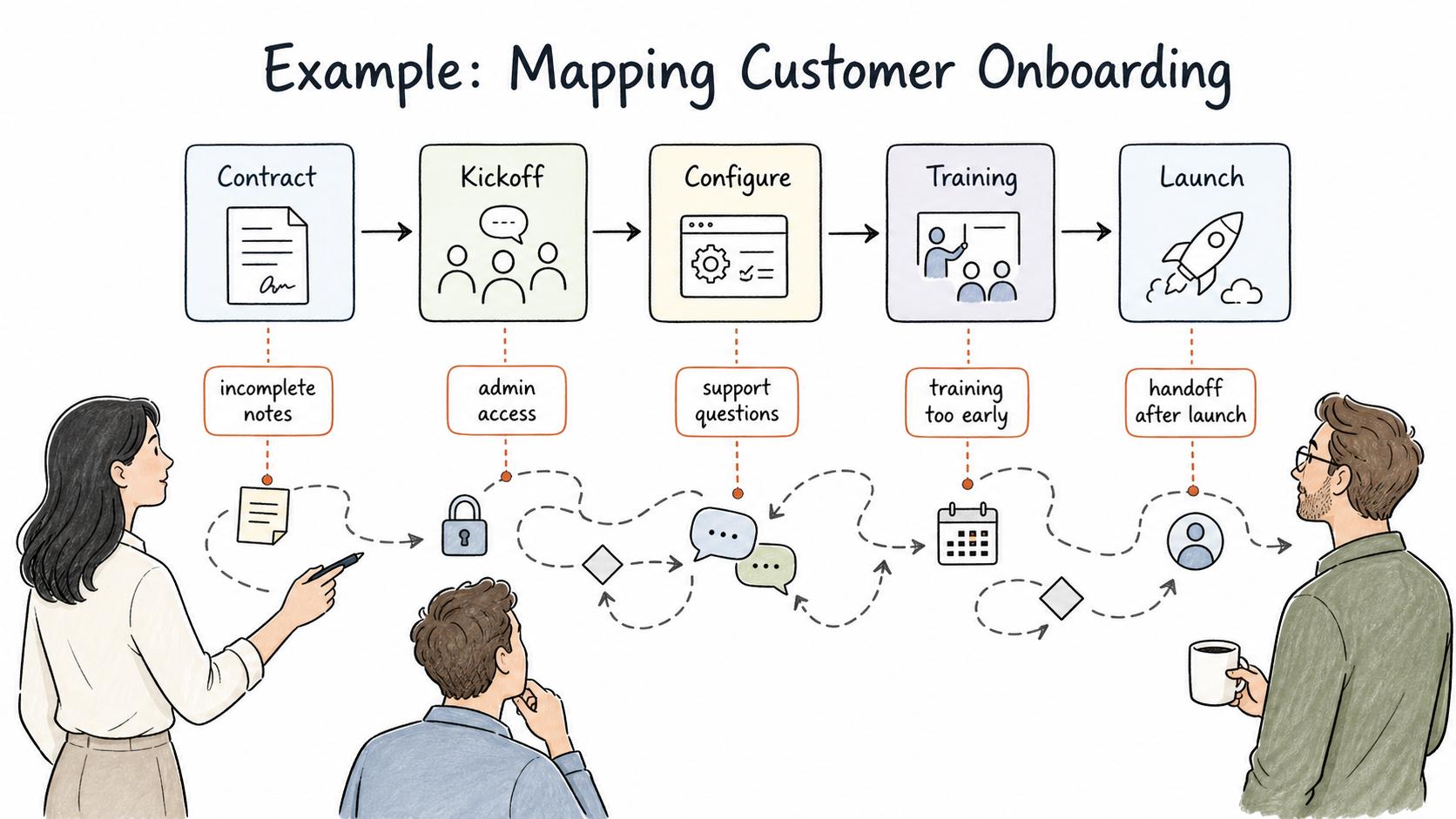
Imagine a customer success team mapping its customer onboarding process. The official version says: contract signed, kickoff scheduled, account configured, training delivered, customer launched.
During mapping, the team may discover that the real workflow is messier. Sales sends incomplete notes. Implementation waits for admin access. Support gets pulled in for configuration questions. The customer receives training before their environment is ready. No one owns the handoff after launch.
Those discoveries are the point of the session. Once the friction is visible, the team can decide what to standardize, what to document, and what to remove.
Common mistakes
The first mistake is mapping too much detail too early. If the first version includes every rare edge case, the map becomes hard to read and harder to use. Start with the main path, then add important variants.
The second mistake is mapping from policy instead of practice. The documented process may say one thing while employees do another because the official process is slow, unclear, or missing a real-world exception.
The third mistake is treating the map as the end of the work. The useful outcome is usually clearer documentation, cleaner handoffs, fewer delays, better training, or a stronger control.
Documentation takeaway
Process mapping creates a useful high-level view, but most teams also need operating documentation. A map can show the refund process path, but a guide explains exactly how to check eligibility, what evidence to collect, when manager approval is required, and how to record completion.
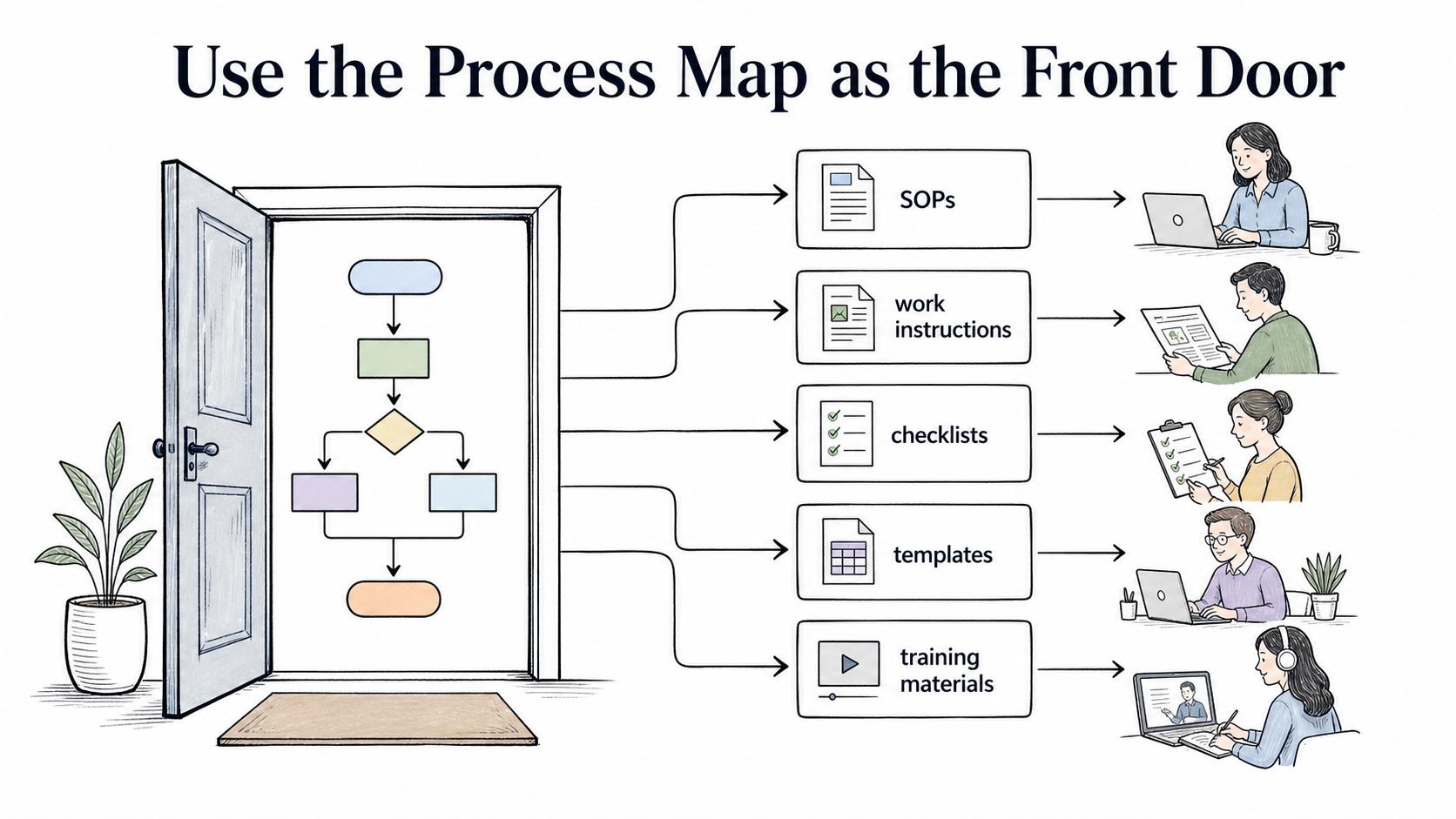
Use the process map as the front door. Then connect it to SOPs, work instructions, checklists, templates, or training materials that help people do the work consistently.
How Trails helps
Trails helps teams capture the workflow behind a process map. As someone performs a task, Trails can turn that work into a polished step-by-step guide and create an AI-narrated video version for training or sharing.
That makes process mapping more practical because teams can connect the visual view of the workflow to detailed instructions people can actually follow.
Sources
- 1
UNC Institute for Healthcare Quality Improvement. Process Mapping. www.med.unc.edu/ihqi/resources/process-mapping/.
- 2
ASQ. Documentation and Process Mapping. asq.org/-/media/public/wqm/ASQ-WQM25_Document-ProcessMapping.pdf.
- 3
Lean Methods Group. Common Process Mapping Symbols. leanmethods.com/articles/common-process-mapping-symbols/.