
Glossary
Process Documentation
 ChatGPT
 Perplexity
 Gemini
 Claude
What is process documentation?
Process documentation is the record of how a repeatable process works. It explains the steps, roles, decisions, tools, handoffs, standards, and exceptions people need to complete work consistently.1
Good process documentation is an operating asset. It helps people do the work, teach the work, improve the work, and keep the work from depending on one person's memory.
What process documentation should include
The right level of detail depends on the process. A lightweight internal task may need a short guide. A regulated or high-risk workflow may need a formal SOP, approvals, version history, and audit-friendly controls.2
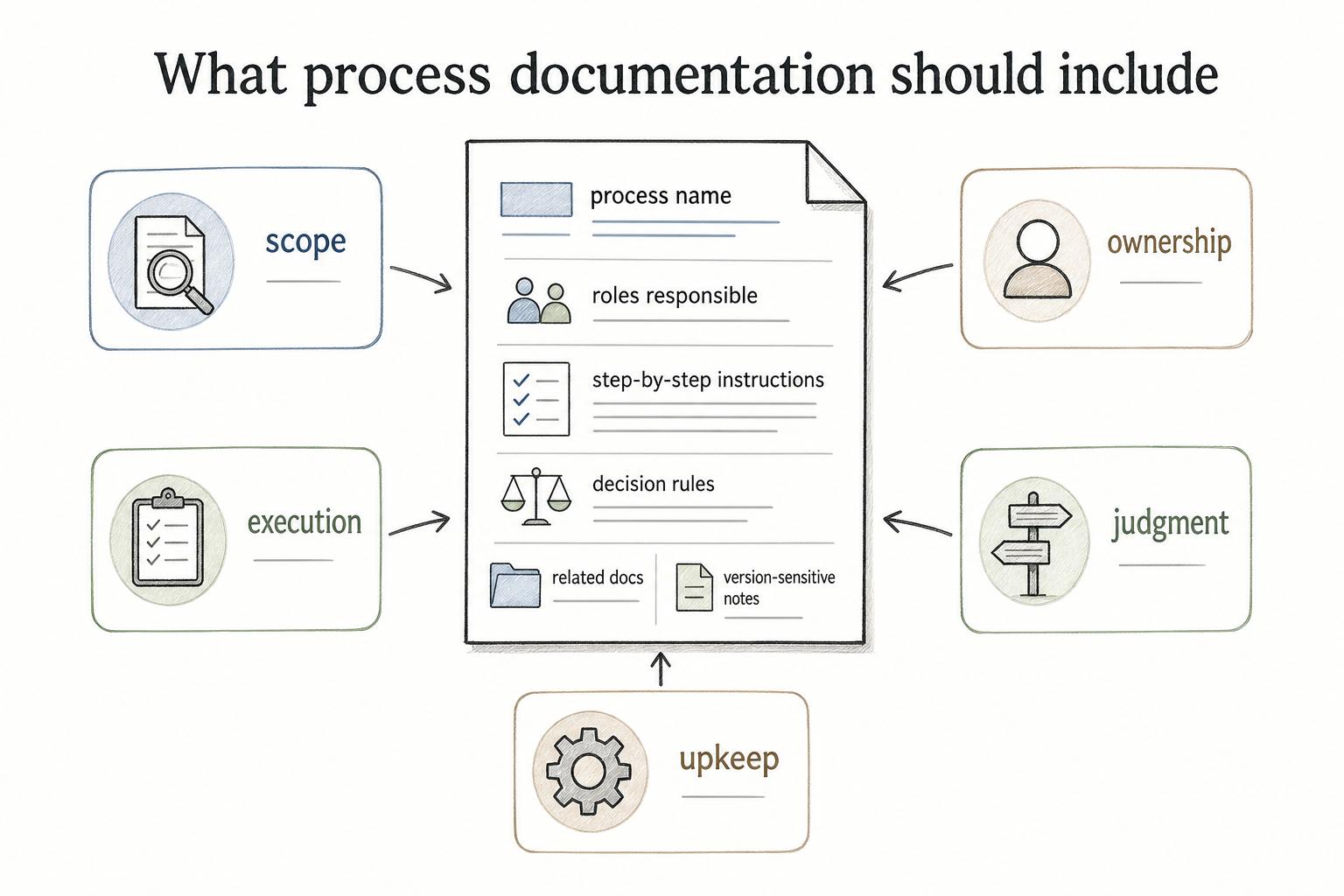
Useful process documentation usually covers five things:
- Scope: the process name, purpose, audience, trigger, and end state
- Ownership: the roles responsible for each step and the person or team that owns the document
- Execution: step-by-step instructions, tools, inputs, outputs, and templates
- Judgment: decision rules, escalation paths, examples, and common exceptions
- Upkeep: review cadence, related docs, and version-sensitive notes
A useful process doc captures the detail someone needs while doing, reviewing, or learning the work.
Why process documentation matters
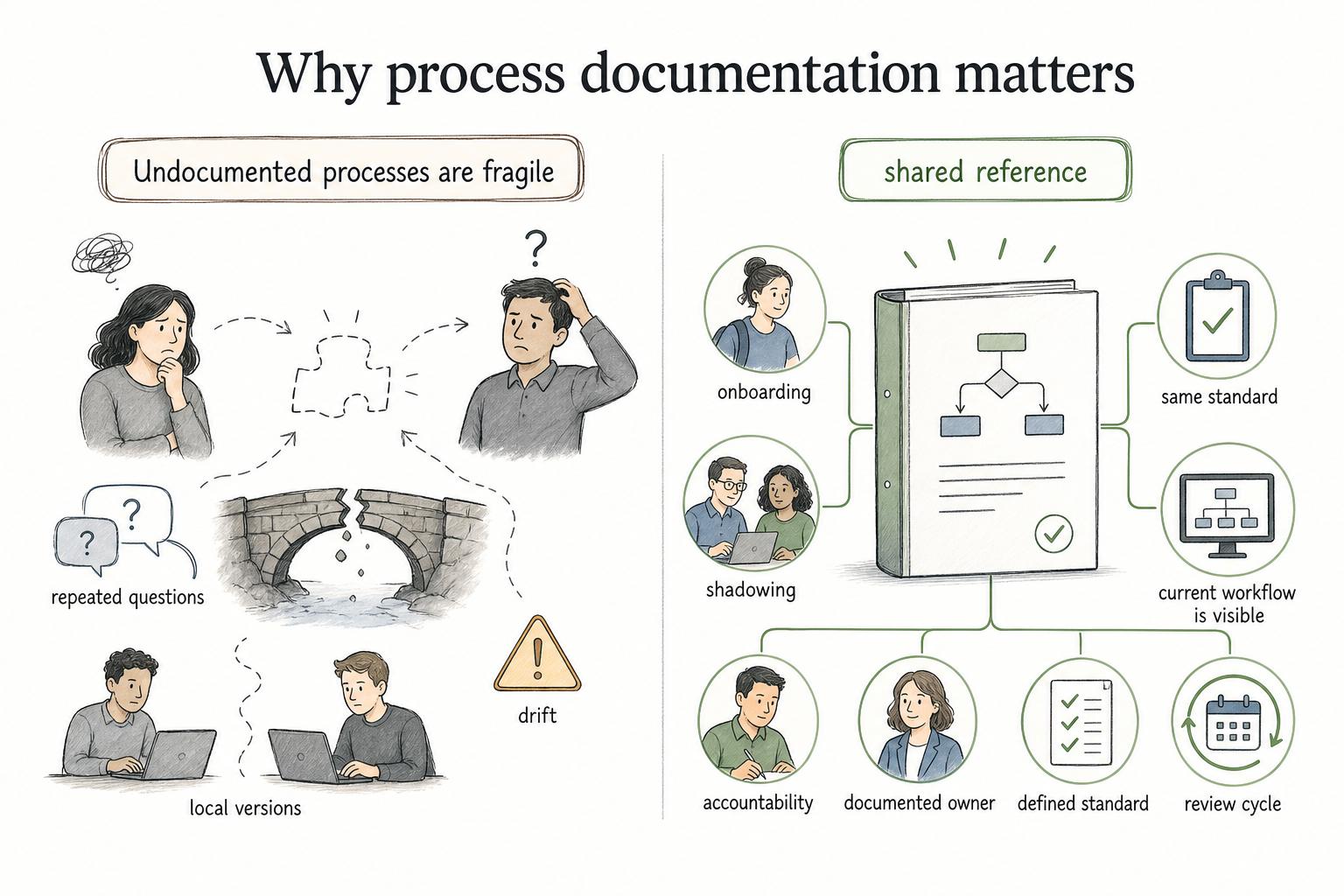
Undocumented processes are fragile. They work only while the right people are available, the workflow stays familiar, and nothing unusual happens. As soon as a new employee joins, a tool changes, a customer asks an edge-case question, or the process crosses teams, informal knowledge starts to break down.
Process documentation gives the team a shared reference. It reduces repeated questions, makes onboarding less dependent on shadowing, helps managers coach from the same standard, and makes process improvement easier because the current workflow is visible.3
It also creates accountability. If a process has no documented owner, no defined standard, and no review cycle, it will drift. People will invent local versions, and eventually the team will have several processes with the same name.
Process documentation examples
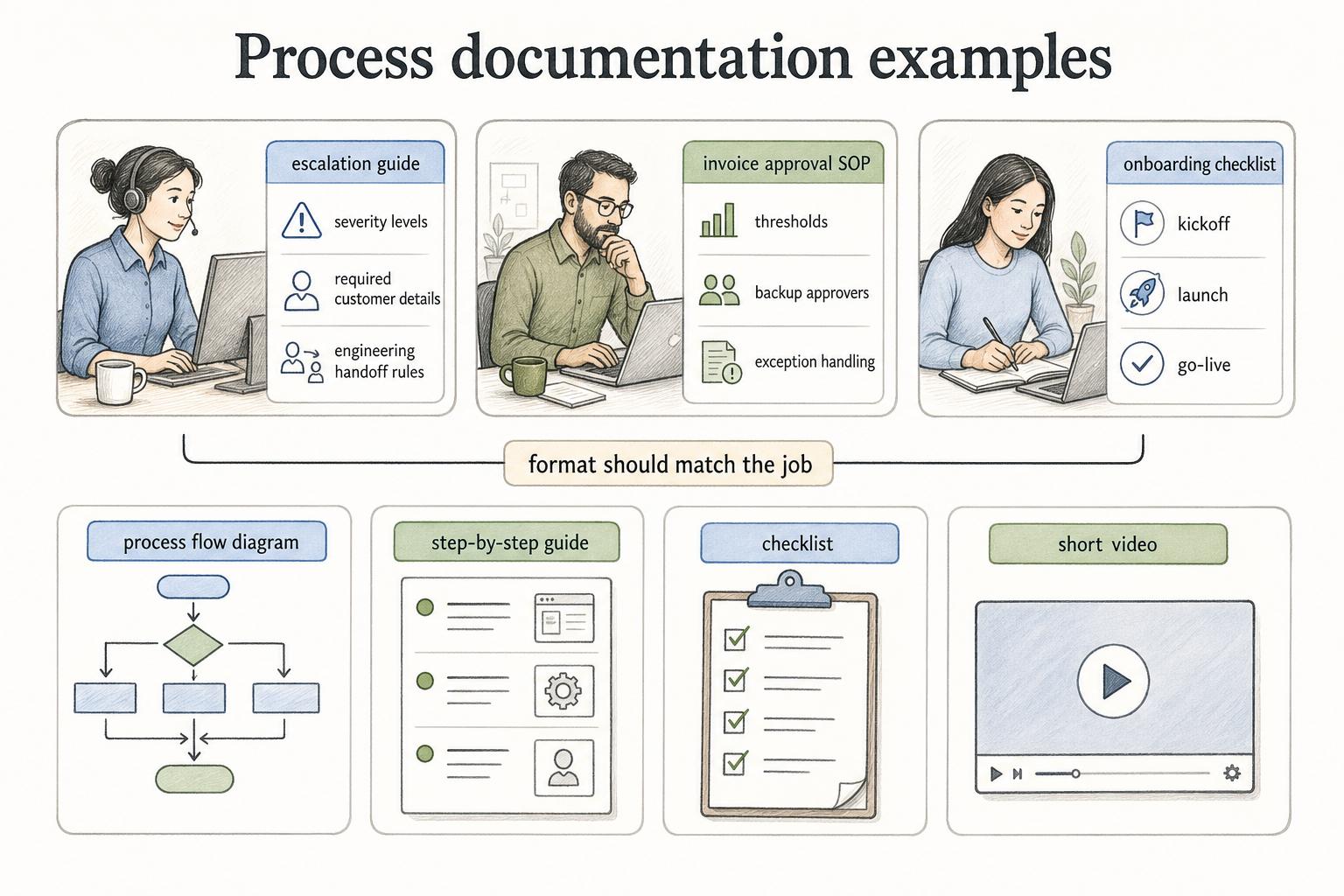
Process documentation can take several forms. The format should match the job the reader is trying to do.
A support team might need an escalation guide with severity levels, required customer details, and engineering handoff rules. A finance team might need an invoice approval SOP with thresholds, backup approvers, and exception handling. A customer success team might need an onboarding checklist that shows what must happen before kickoff, launch, and go-live.
The strongest documentation sets often combine formats. A process flow diagram shows the route. A step-by-step guide explains the work. A checklist prevents missed details. A short video can help people learn the process faster.
How to create process documentation
Start with the real process, not the version people wish existed. If the document ignores workarounds, side channels, or informal handoffs, employees won't trust it.
A practical workflow is to choose one process with a clear business use, define the audience and moment of use, capture the actual steps and decisions, then write the first version in the order someone performs the work. Add screenshots, examples, diagrams, or templates only where they reduce confusion.
Validate the draft with someone who performs the process before publishing it. That review catches missing inputs, outdated assumptions, unclear decision rules, and steps that only happen in theory. Then publish the doc where the team already looks for guidance, assign an owner, and set a review cadence.
Process documentation starter template
Use this as a compact structure when creating a new process document:
## Process Documentation Starter Template

**Glossary term:** Process Documentation
**Source:** Trails Glossary — trails.so/glossary/process-documentation

---

### 01. Create a process document

"Process name: [name]
Purpose: [what this process accomplishes]
Audience: [who uses this document]
Trigger: [what starts the process]
End state: [what complete means]
Owner: [role or team responsible]
Tools and inputs: [systems, forms, templates, information required]
Steps:
1. [action + owner + expected output]
2. [action + owner + expected output]
3. [action + owner + expected output]
Decision rules: [when to choose path A vs. path B]
Exceptions: [common edge cases and what to do]
Quality check: [how to confirm the process was completed correctly]
Related docs: [SOPs, checklists, policies, guides]
Review cadence: [when and by whom this should be reviewed]"
The placeholders are intentionally specific. Vague templates produce vague documentation. A useful process doc should make ownership, inputs, and completion criteria hard to miss.
Common mistakes
One mistake is documenting the process from memory after the work is done. That often produces a clean narrative that misses the messy parts: system prompts, judgment calls, missing information, and exception paths.
Another mistake is writing for managers instead of the people doing the work. A manager may want a tidy overview, but an employee needs enough detail to make the next correct move.
A third mistake is treating process documentation as finished once published. Processes change when tools, policies, teams, and customer expectations change. A stale guide is worse than no guide when people trust it and it leads them into the wrong workflow.
Documentation takeaway
Process documentation should sit close to the work it supports. If employees have to search across scattered folders, old docs, and chat threads, the documentation is not really operational.4
Strong process documentation is clear, current, owned, and specific. It gives people enough context to understand the process and enough instruction to perform it reliably.
How Trails helps
Trails helps teams create process documentation by capturing a workflow as someone performs it. It turns that workflow into a polished step-by-step guide and can create an AI-narrated video version for training or sharing.
That is useful for process documentation because the source material comes from real work, not a delayed reconstruction. Teams can document repeatable workflows faster and keep guides closer to how the process actually happens.
Comparing tools? See the process documentation software comparison.
Sources
- 1
UC Berkeley. Process Documentation. bpm.berkeley.edu/process-documentation.
- 2
ISO. Guidance on the Requirements for Documented Information. www.iso.org/iso/documented_information.pdf.
- 3
Atlassian. Process Documentation. www.atlassian.com/work-management/knowledge-sharing/documentation/process-documentation.
- 4
Lawrence Berkeley National Laboratory. Document Management Process Description. commons.lbl.gov/download/attachments/73467938/10.06.001.001%20Document%20Management%20Process%20Description_rev.2.0.pdf?api=v2&modificationDate=1667302183276&version=1.