
Glossary
Document Control
 ChatGPT
 Perplexity
 Gemini
 Claude
What is document control?
Document control is the practice of managing important documents so the right people can find, use, approve, update, and retire the correct version. It is most common in quality, compliance, operations, safety, healthcare, manufacturing, and other environments where using the wrong document can create real risk.
The central question is simple: which version is authoritative right now? A good document control process makes that answer clear without forcing people to inspect file names, ask around, or compare three nearly identical PDFs.
What document control includes
Document control covers the lifecycle of controlled documents: creation, review, approval, publishing, revision, distribution, access, and archiving. The process is stricter than ordinary file organization because the documents have operational or compliance significance. ISO's documented-information guidance uses similar control concepts for information needed to support process operation and control. 1
Examples of controlled documents can include SOPs, policies, work instructions, safety procedures, quality manuals, training materials, forms, customer-facing templates, and approval records. The exact list depends on the team's industry and risk profile.
A useful document control process usually defines:
- Which documents are controlled
- Who owns each document
- Who reviews and approves changes
- Where the approved version lives
- How version history is recorded
- How people are told when a controlled document changes
- How obsolete versions are archived or marked as no longer valid
The formality only matters if it prevents people from unknowingly using the wrong instructions.
Why document control matters
Document control matters because documents can create decisions. If a technician follows an outdated work instruction, a support agent uses an old refund policy, or a new hire trains from an obsolete process guide, the document caused inconsistent work.
The hidden failure mode is the unofficial official version. This happens when someone downloads a policy, copies an SOP into another folder, or edits a local template. Later, that copy looks trustworthy because it is formatted and familiar, but it no longer reflects the approved process.
Document control reduces that risk by making authority visible. People know where the source of truth lives, what version is current, and what to do when they find a conflicting copy. FDA training on document controls shows how regulated teams formalize that authority through review, approval, availability, and change-control expectations. 2
Document control vs related concepts
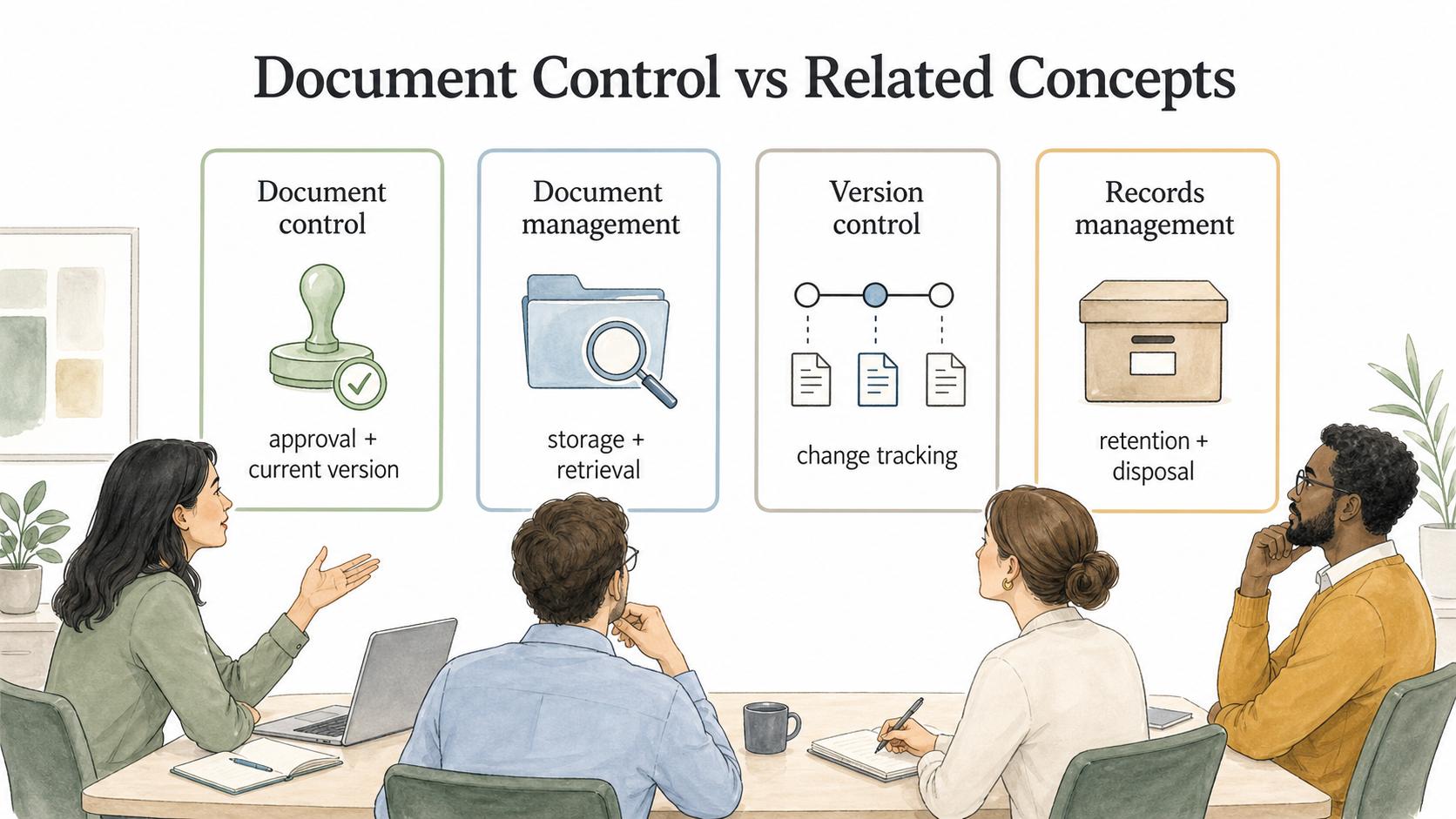
Document control overlaps with document management and version control, but the focus is different.
| Concept | Main focus | Best used when |
|---|---|---|
| Document control | Approval, current version, change history, and controlled distribution | Wrong or outdated documents create quality, compliance, safety, or operational risk |
| Document management | Storage, organization, retrieval, and lifecycle of documents | Teams need a practical system for creating, finding, and maintaining documents |
| Version control | Tracking changes between versions | Teams need to compare, restore, or audit changes over time |
| Records management | Retention, preservation, and disposal of records | Documents become evidence of completed work, transactions, approvals, or obligations |
A team may need all four. The mistake is assuming a storage tool provides control by itself. A shared drive can hold documents, but it does not define authority, review rules, approval paths, or retirement decisions.
How document control works in practice
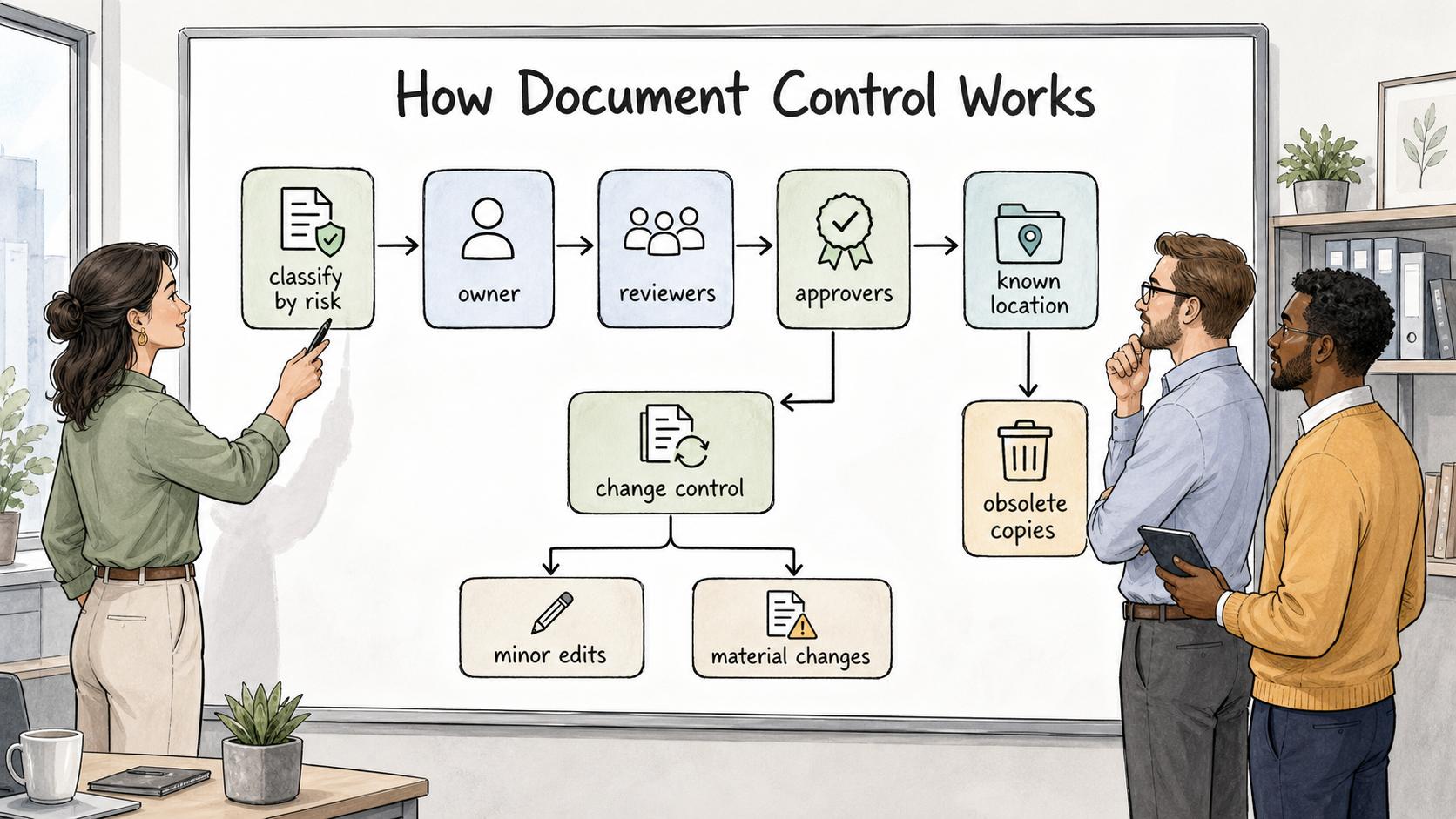
A practical document control workflow starts by classifying which documents deserve control. Not every note, draft, or brainstorming page needs a formal process. Control should match risk. If using the wrong version could materially affect customers, safety, compliance, quality, security, money, or training, the document probably needs stronger governance.
From there, the team defines ownership and approval. The owner is accountable for the document's usefulness and maintenance. Reviewers check accuracy. Approvers confirm that the document can become the current authoritative version.
Once approved, the document should live in a known location. People should not have to guess whether the version in a folder, a wiki, or an email attachment is the real one. Obsolete copies should be archived, labeled, or removed from normal use.
Change control is the next layer. A small typo fix may not need the same review as a major procedure change. A good process distinguishes minor edits from material changes so control does not become needless delay.
Common mistakes
One common mistake is controlling too many documents. When everything requires heavy approval, people avoid the system or create shadow copies. Control should be strongest where the risk justifies it.
Another mistake is relying on file names as the control system. Names like `Final_v3_REAL_final.pdf` are a symptom that the process is failing. Version labels can help, but the approved location and change history need to be clear too.
Teams also forget distribution. Updating the source document is only half the job. If people work from printed copies, downloaded PDFs, saved templates, or embedded instructions in another tool, the control process must address how those copies are replaced or marked obsolete.
The last common mistake is weak archiving. Deleted documents can erase useful history, but active folders full of obsolete documents create risk. A controlled archive should preserve what matters without letting old versions masquerade as current guidance. NARA's records-management guidance treats disposition as a formal lifecycle step, which is the same operating idea behind separating obsolete material from current guidance. 3
Practical document control checklist
Use these questions to pressure-test a document control process:
- Can a new teammate identify the current approved version in under a minute?
- Is there a named owner for each controlled document?
- Are review and approval rules different for minor edits and material changes?
- Are obsolete versions clearly archived or marked as not current?
- Does the process account for downloaded, printed, or duplicated copies?
- Can the team reconstruct what changed, when it changed, and who approved it?
- Is the control process lightweight enough that people will actually follow it?
The last question matters because a document control process that people route around is not controlling much.
How Trails helps
Trails can support document control when controlled documents include process guides, work instructions, or training procedures. A team member can capture a workflow as it is performed, turn it into a polished step-by-step guide, and create an AI-narrated video version for training or sharing. The document owner can then review and approve that guide inside the team's control process, instead of starting from memory or scattered notes.
FAQ
Is document control only for compliance teams?
No. Compliance and quality teams often need formal document control, but any team can use lighter control for documents where the current version matters.
What is a controlled document?
A controlled document is a document managed under defined rules for ownership, review, approval, revision, access, and archiving. It should be clear which version is current.
What is the difference between document control and document management?
Document management is the broader practice of organizing and maintaining documents. Document control is the stricter practice of governing important documents so approved versions, changes, and obsolete copies are handled deliberately.
Sources
- 1
ISO. ISO guidance on documented information. www.iso.org/iso/documented_information.pdf.
- 2
FDA. FDA document control and records training. www.fda.gov/media/118202/download.
- 3
NARA. NARA records-management lifecycle basics. www.archives.gov/records-mgmt/scheduling/basics.