
Glossary
Cheat Sheet
 ChatGPT
 Perplexity
 Gemini
 Claude
What is a cheat sheet?
A cheat sheet is a compact reference that puts the most important information about a task, tool, process, or decision in one easy-to-scan place. In workplace documentation, it helps people recall what matters quickly without rereading a manual, guide, or training module. The Coast Guard's job-aid guidance treats job aids as task support that can reduce or replace training only when the task is suitable for reference support. 1
A good cheat sheet does not explain everything. It compresses the parts people are most likely to forget, confuse, or need under time pressure: commands, decision rules, troubleshooting cues, definitions, examples, shortcuts, or the few process details that change the outcome.
What a cheat sheet is best for
Cheat sheets work when the reader already has context. They should support recall, comparison, and quick execution after someone has learned the basics. Research on medical user instructions makes a similar distinction: well-designed aids can help close information gaps and support remembering instructions, but they still need to match the user's task and literacy context. 2
Common workplace examples include:
- A support escalation cheat sheet showing when to involve engineering, billing, or a manager.
- A software onboarding cheat sheet with the five screens a new user needs most.
- A customer call cheat sheet with discovery prompts, disqualification signals, and next-step language.
- A finance close cheat sheet with recurring checks, report names, and handoff timing.
- A manager cheat sheet for performance review language, calibration criteria, and sensitive edge cases.
The best cheat sheets do not dump information. They surface the thing the reader needs at the moment confusion usually appears.
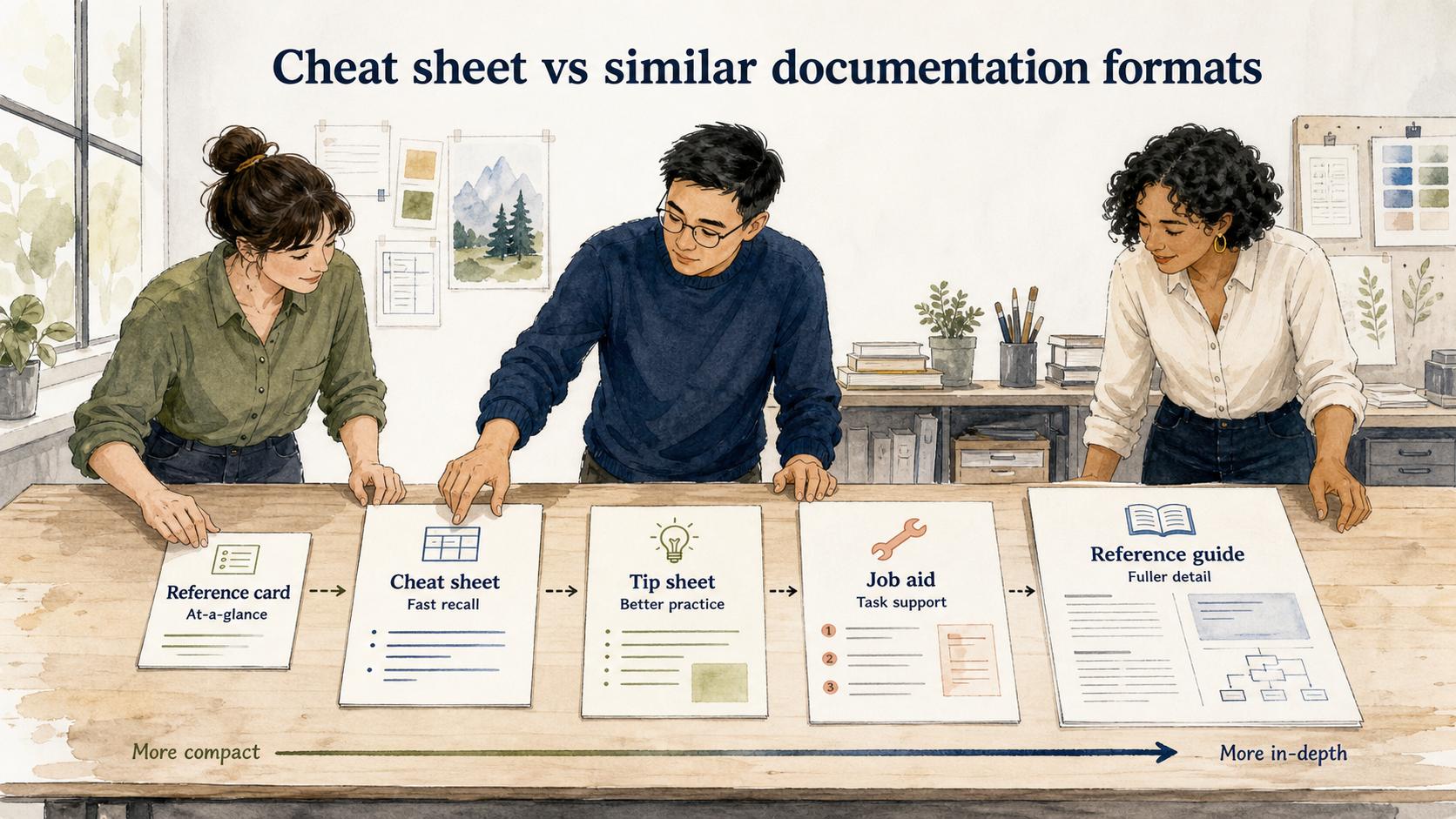
Cheat sheet vs similar documentation formats
| Format | Primary job | Best use case |
|---|---|---|
| Cheat sheet | Help someone recall key information quickly | A trained user needs prompts, shortcuts, rules, or examples |
| Reference card | Provide a very compact at-a-glance reminder | A small set of commands, fields, codes, or formulas |
| Tip sheet | Share advice or best practices | A reader needs coaching on how to do something better |
| Job aid | Support task completion or decisions in the flow of work | The reader needs help choosing the right action |
| Reference guide | Explain a topic more completely | The reader may need context, definitions, and fuller detail |
The practical difference is depth. A cheat sheet should be deeper than a reference card but lighter than a reference guide. If the reader needs to learn the concept, write a guide. If they need to remember the concept while working, write a cheat sheet.
What to include in a cheat sheet
Start by identifying the moment of use. A cheat sheet for a new hire during onboarding should look different from a cheat sheet for an experienced support agent during a live customer conversation.
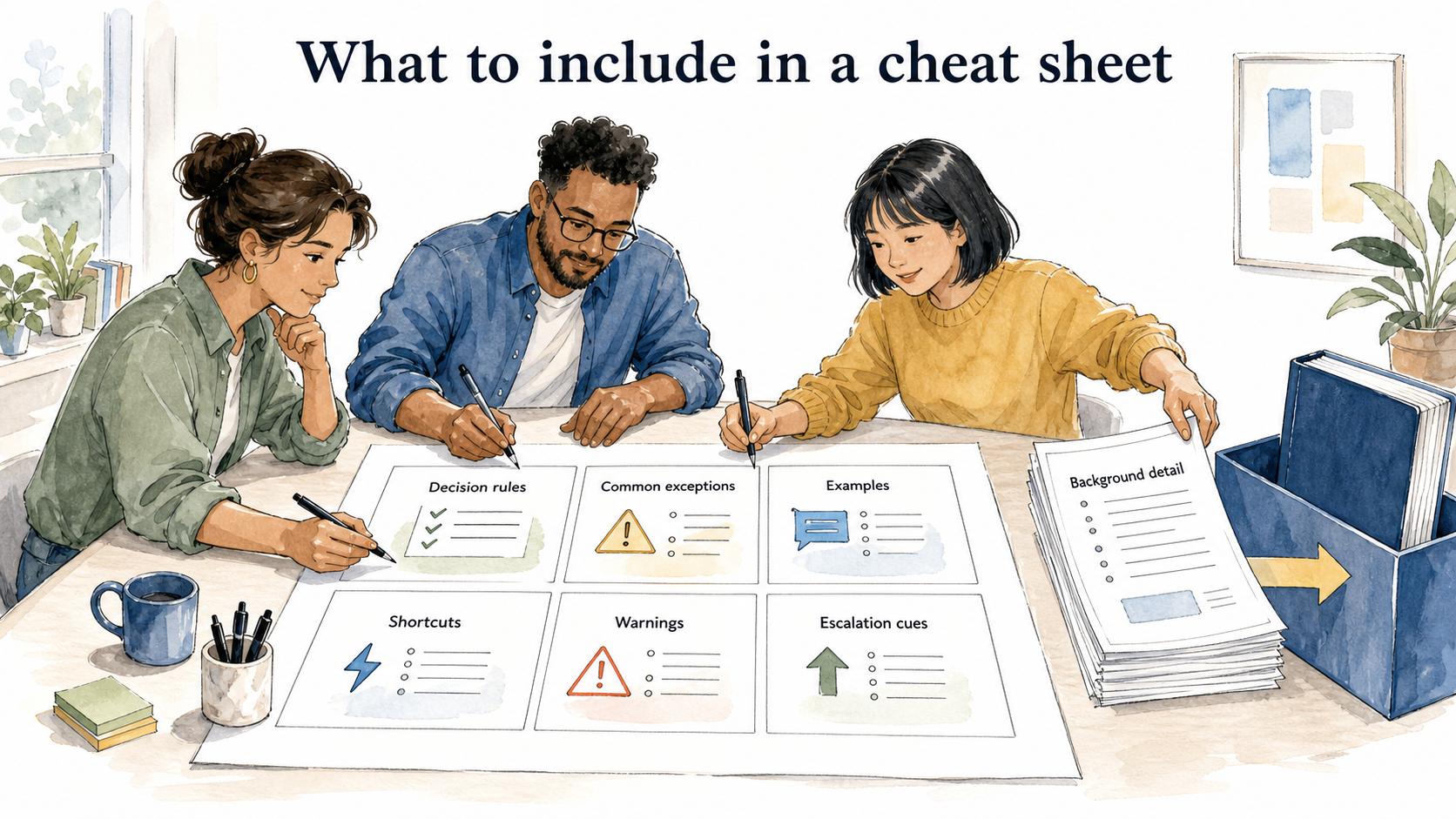
Strong cheat sheets usually include a few of these elements:
- Decision rules: what to do when two options look similar.
- Common exceptions: when the normal process changes.
- Examples: sample language, completed fields, or before-and-after snippets.
- Shortcuts: commands, links, templates, or navigation paths that save time.
- Warnings: mistakes that are easy to make and painful to clean up.
- Escalation cues: when to stop guessing and involve someone else.
The mistake is turning a cheat sheet into a miniature handbook. If every detail feels important, the reader has no idea where to look first. Choose the details that reduce hesitation or prevent the most common wrong turn.
A practical cheat sheet template
Use this prompt to create a first draft from an existing process, training doc, or expert walkthrough:
## Practical Cheat Sheet Template

**Glossary term:** Cheat Sheet
**Source:** Trails Glossary — trails.so/glossary/cheat-sheet

---

### 01. Create a one-page cheat sheet

"Create a one-page cheat sheet for [audience] doing [task/process].

Context:
- Reader's skill level: [new / intermediate / experienced]
- Moment of use: [during onboarding, during customer call, before review, while troubleshooting]
- Source material: [paste notes, SOP, transcript, guide, or workflow]

Include:
1. The 5-7 facts or rules the reader most often needs to recall
2. The 3 most common mistakes or confusion points
3. A short decision rule for ambiguous situations
4. Examples or phrases the reader can copy
5. When to escalate or switch to fuller documentation

Keep it skimmable. Remove background explanation unless it changes what the reader does."
This structure keeps the cheat sheet tied to a real task. It also makes the writer choose what belongs on the page instead of copying a long document into a shorter one.
How to make a cheat sheet actually useful
Test the cheat sheet during the moment it is supposed to support. If the reader has to scroll, interpret vague labels, or hunt through paragraphs, the format is working against them. CDC's OneLab job-aid library shows the same practical pattern: job aids are designed around specific incidents, tasks, or decisions rather than broad background learning. 3
Group the layout by decision, not by the author's source material. A sales qualification cheat sheet should follow the conversation flow, not the order of a training deck. A new software user cheat sheet should group actions by what the user is trying to accomplish, not by the product team's menu structure.
Also decide what the cheat sheet deliberately omits. That is a quality control move. A cheat sheet becomes trustworthy when the reader knows it contains the essentials and points elsewhere for deeper explanation.
Documentation takeaway
Cheat sheets work best beside fuller documentation. The full guide teaches the process; the cheat sheet supports fast recall after the reader has context. Teams should update both when the underlying workflow changes, otherwise the cheat sheet can become a shortcut to outdated behavior.
Trails can help teams capture a workflow as someone performs it and turn it into a step-by-step guide. From there, teams can pull out the few decision rules, examples, and reminders that belong in a cheat sheet for training, onboarding, or repeat execution.
Cheat sheet FAQ
Is a cheat sheet the same as a checklist?
No. A checklist confirms that specific items are complete. A cheat sheet helps someone remember key information, examples, rules, or shortcuts while doing the work.
How long should a cheat sheet be?
It should usually fit on one page or one short screen. If it needs several sections of explanation, it may be a reference guide instead.
Who should create a cheat sheet?
The best version usually comes from a subject-matter expert and a real user working together. The expert knows what matters; the user knows where confusion actually happens.
Sources
- 1
U.S. Coast Guard. Job aids guidance. www.forcecom.uscg.mil/Portals/3/Documents/Training/4.%20Job_Aids.pdf?ver=2017-01-25-141914-810.
- 2
NIH/PMC. Evaluating job aids and user instructions to improve task performance. pmc.ncbi.nlm.nih.gov/articles/PMC6549679/.
- 3
CDC OneLab REACH. Job aids. reach.cdc.gov/job-aids/card.