
Glossary
Quick Start Guide
 ChatGPT
 Perplexity
 Gemini
 Claude
What is a quick start guide?
A quick start guide is a short, outcome-focused document that helps someone complete a first useful task with a product, system, tool, or process. It gives the reader enough context to start, follow the essential steps, confirm success, and know where to go next. 1
The important word is "start." A quick start guide is not a manual, reference library, or training curriculum. 2 It should get a new user through the first meaningful result before sending them to deeper documentation.
When a quick start guide is the right format
Use a quick start guide when the reader is new, motivated, and blocked by the first few decisions. That could be a customer setting up an account, a new employee using an internal tool, a manager learning an approval workflow, or a support rep practicing a repeatable process.
It works best when the first task is easy for an experienced person to describe but surprisingly easy for a beginner to stall on. The reader may need a login, a permission, a short setup sequence, or one choice that determines the rest of the path.
It is the wrong format when the reader needs exhaustive coverage, policy interpretation, or every available option. In those cases, the quick start should hand off to a user guide, reference guide, SOP, or training manual after the first result is complete.
What a quick start guide should include
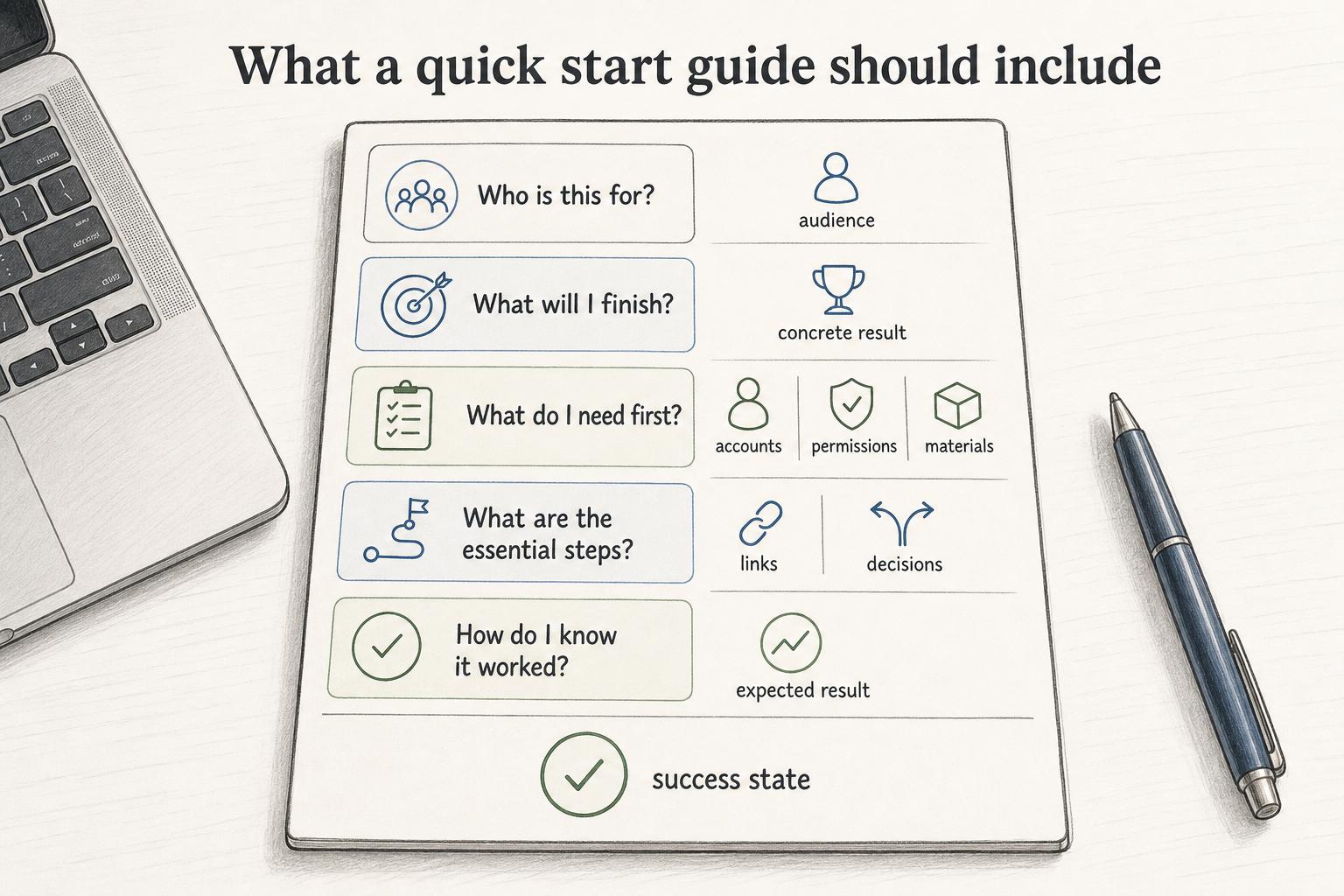
A useful quick start guide answers five questions:
- Who is this for? Name the audience so the wrong reader can self-select out.
- What will I finish? Promise a concrete result, not a vague tour.
- What do I need first? List accounts, permissions, materials, links, or decisions that would block progress.
- What are the essential steps? Keep the path narrow. Save edge cases for deeper documentation.
- How do I know it worked? Show the expected result so the reader can stop with confidence.
The success state is often the weak spot. "You should now see your first published guide in the team workspace" is more useful than a final click with no confirmation.
Quick start guide vs other documentation formats
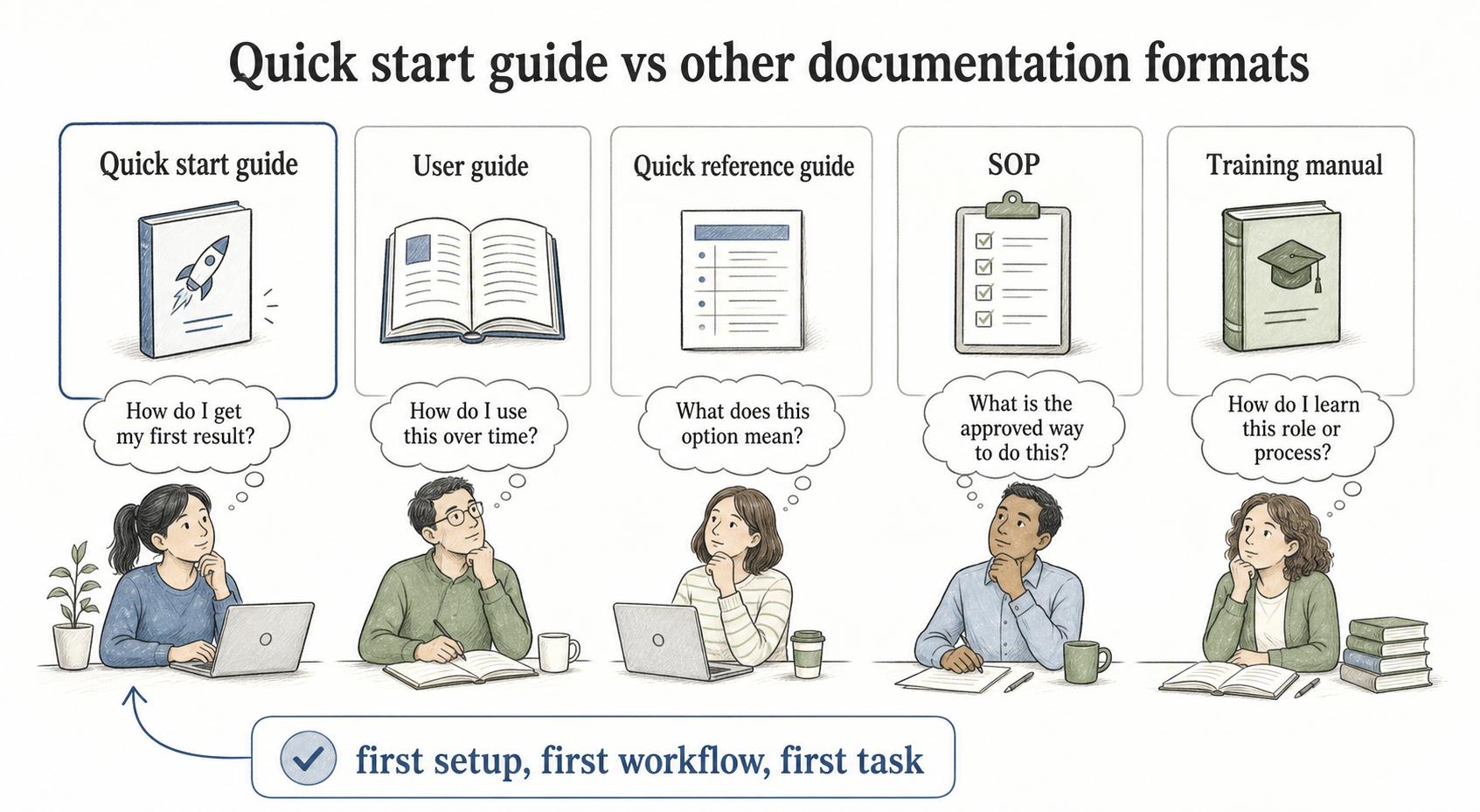
| Format | Reader question | Best use |
|---|---|---|
| Quick start guide | How do I get my first result? | First setup, first workflow, first task |
| User guide | How do I use this over time? | Common features, workflows, and decisions |
| Quick reference guide | What does this option mean? | Fast lookup after the reader already has context |
| SOP | What is the approved way to do this? | Repeatable internal work with ownership and control points |
| Training manual | How do I learn this role or process? | Broader instruction, practice, examples, and expectations |
The practical mistake is trying to make one document serve all of these needs. A quick start guide should be narrow enough to finish in one sitting and clear enough to point to the next layer without pretending the next layer is unnecessary.
A simple quick start guide template
Use this template for a product feature, internal system, or operational workflow:
## Quick Start Guide Template

**Glossary term:** Quick Start Guide
**Source:** Trails Glossary — trails.so/glossary/quick-start-guide

---

### 01. Create a quick start guide

"Quick start guide for: [tool, process, or workflow]
Audience: [new customer, new hire, manager, support rep, admin]
Goal: By the end, you will [specific first outcome].
Time needed: [realistic estimate]

Before you start:
- [Account, permission, material, or decision needed]
- [Link or system access]

Steps:
1. [First action]
2. [Second action]
3. [Action that creates the first useful output]
4. [Review or confirm the result]

Success looks like:
[Describe the visible result, saved artifact, completed task, or confirmation message.]

If you get stuck:
[Name the two or three most common blockers and where to get help.]

Next:
[Link to the deeper guide, SOP, reference page, or training path.]"
Start from the finish line. Decide what “done” means, then work backward to the shortest path a beginner can safely follow.
Common mistakes
The first mistake is adding too much explanation before the first action. Background can help, but beginners usually need motion before theory. Put the minimum context near the top and link to deeper material.
The second mistake is hiding prerequisites inside the steps. If the reader needs admin access, a customer record, sample data, a browser extension, or manager approval, say so before step one. A quick start loses trust when the first blocker appears halfway through.
The third mistake is treating screenshots as decoration. Screenshots, short clips, or annotated examples should prove orientation: where to click, what should appear, and how the reader knows they are in the right place. 3
Documentation takeaway
A quick start guide is onboarding documentation for the first useful outcome. It reduces early friction by giving the reader a narrow path, a visible finish line, and a clean handoff to deeper documentation.
The best quick starts are selective, not shallow. They protect the beginner from unnecessary complexity until the reader has enough context to use the larger documentation set.
How Trails helps
Trails is a natural fit for quick start guides because teams can capture a workflow as someone performs it, then turn that workflow into a polished step-by-step guide. When the first task needs to be taught repeatedly, Trails helps teams document the exact path once and reuse it for onboarding, customer enablement, or internal training. Teams can also create an AI-narrated video version when the quick start needs to be easier to watch than read.
Sources
- 1
Nielsen Norman Group. Help and Documentation. www.nngroup.com/articles/help-and-documentation/. Accessed July 15, 2026.
- 2
Nielsen Norman Group. Onboarding Tutorials vs. Contextual Help. www.nngroup.com/articles/onboarding-tutorials/. Accessed July 15, 2026.
- 3
Centers for Disease Control and Prevention. Clear Communication Index. www.cdc.gov/ccindex/index.html. Accessed July 15, 2026.