
Glossary
Reference Guide
 ChatGPT
 Perplexity
 Gemini
 Claude
What is a reference guide?
A reference guide is documentation people use to look up information about a topic, system, process, product, role, or set of rules. It explains what things mean, how options differ, where information lives, and what someone should consider before acting.
A reference guide is usually the lookup layer around work: definitions, criteria, examples, and context that help someone use procedures, tools, and policies correctly. It is different from a start-to-finish procedure.
What a reference guide is for
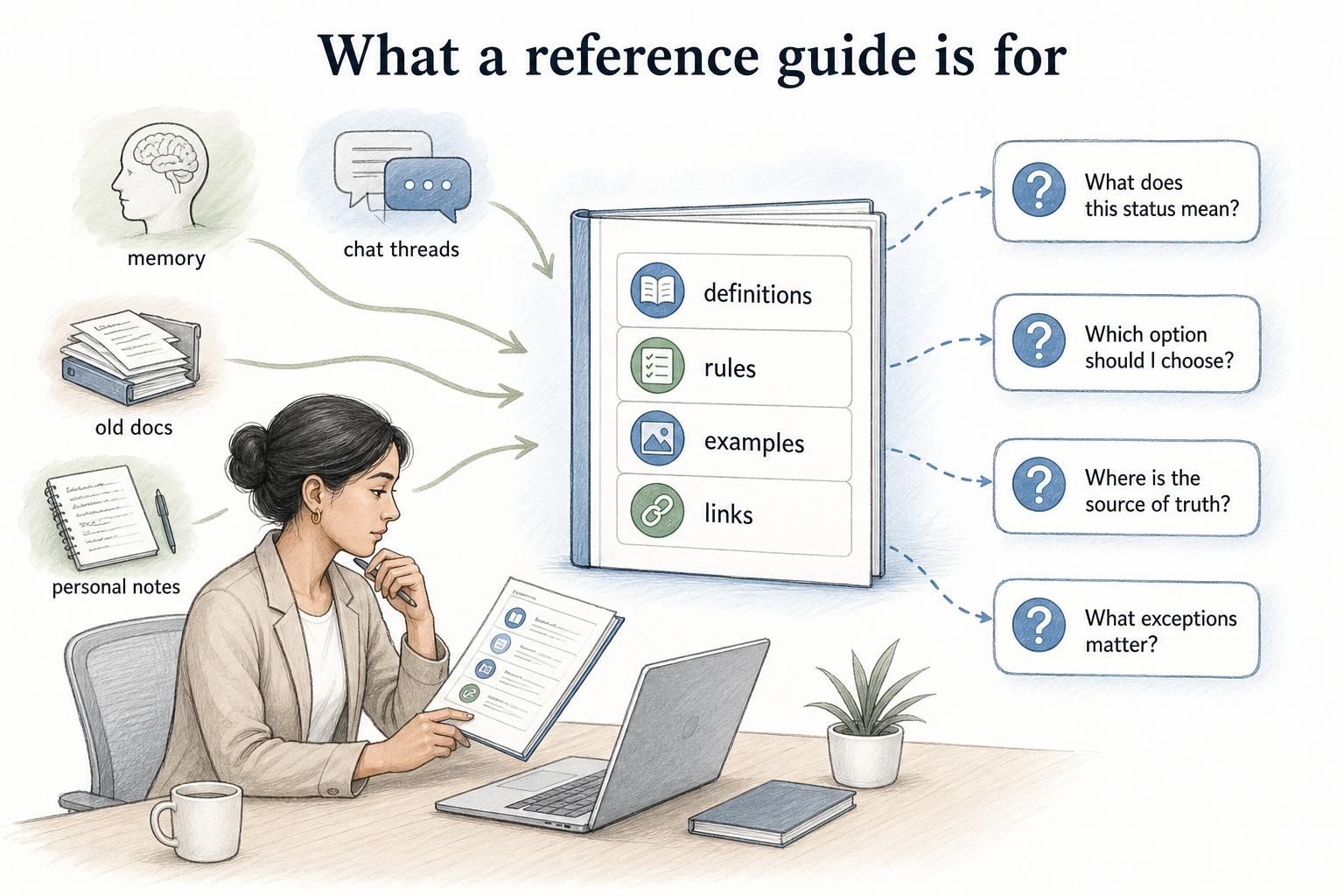
A good reference guide answers the questions people ask while working, before they can decide what to do next. UK government content guidance starts from identifying who users are, what they are trying to do, and what they need from the content.1 In a reference guide, that usually means questions like: What does this status mean? Which option should I choose? Where is the source of truth? What exceptions matter?
That makes it different from training content. Training introduces a subject. A reference guide supports repeated use after the person has enough context to know what they are looking for.
The best reference guides make scattered knowledge easier to trust. They gather definitions, rules, examples, and links into one predictable place so people do not have to piece together answers from memory, chat threads, old docs, or someone's personal notes. Microsoft's guidance for reference documentation emphasizes standard article design, predictable headings and structure, consistent wording, and related links so readers can find what they need quickly.2
Reference guide vs reference card vs SOP
These documents often overlap, but they serve different moments.
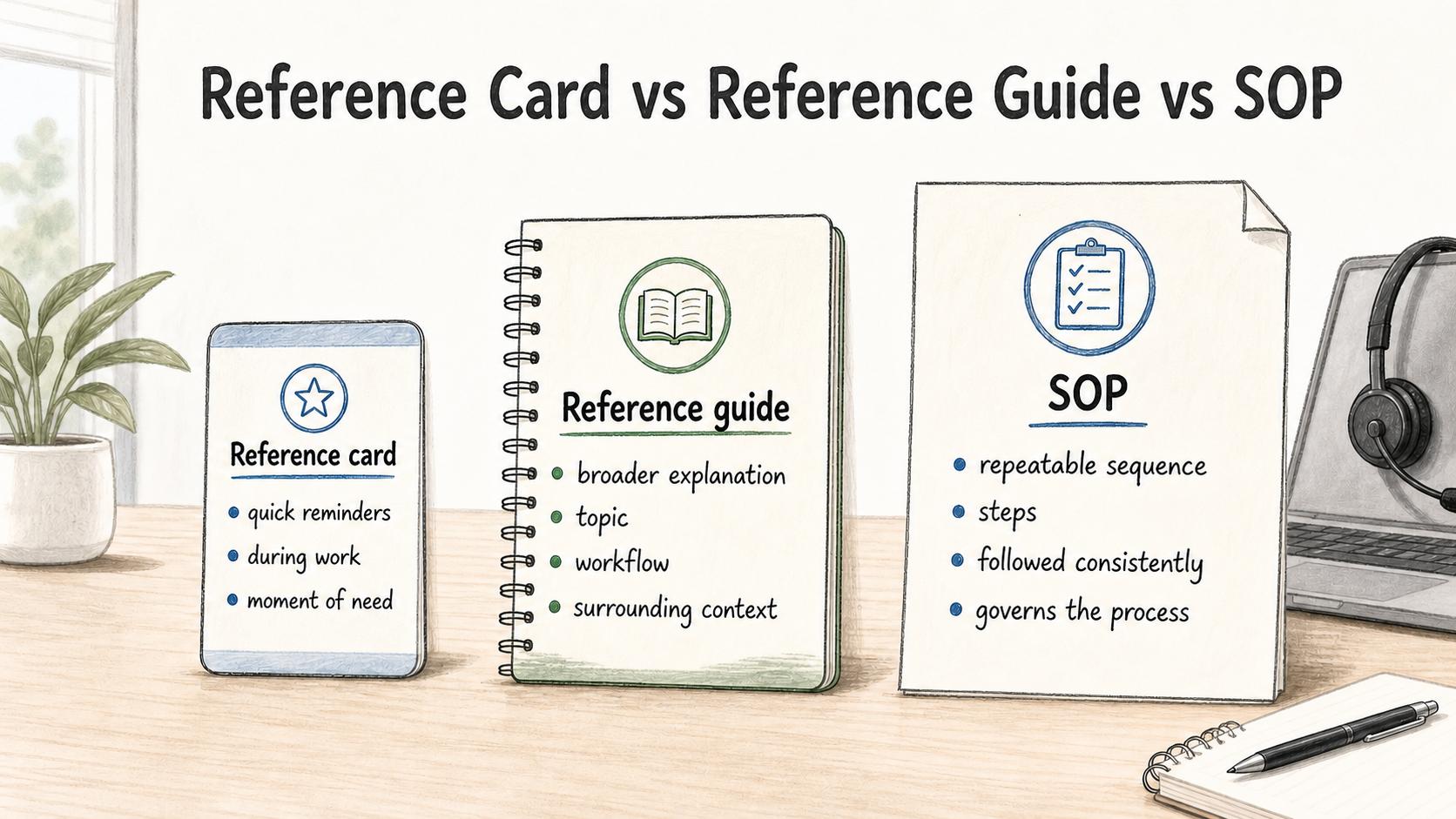
Use a reference guide when the reader needs explanation or lookup information. Use a reference card when the reader needs a small reminder during familiar work. Use an SOP when the reader needs to follow a repeatable sequence of steps.
For example, a support organization might use:
- A reference guide to explain every ticket status, owner, priority, and exception.
- A reference card to remind agents of the five escalation rules they use during live support.
- An SOP to show the exact steps for escalating a ticket.
The practical mistake is trying to make one document do all three jobs. When a reference guide becomes too procedural, readers struggle to find lookup information. When an SOP becomes too reference-heavy, the steps get buried.
What to include in a reference guide
The structure should match the lookup need. A guide about a software tool might use sections for settings, fields, roles, permissions, and examples. A guide about a process might define stages, handoffs, decision criteria, and related procedures.
Useful reference guide elements include:
- A short overview of the subject and audience.
- Clear scope: what the guide includes and excludes.
- Definitions of terms, fields, statuses, roles, or categories.
- Examples that show how to interpret the information.
- Decision criteria for choosing between options.
- Links to related SOPs, policies, templates, or tools.
- Ownership, review cadence, and source-of-truth notes.
Do not add sections just because a template says they belong. A reference guide should make lookup easier. The Department of Labor's plain-language quick reference guide recommends organizing content to answer readers' questions and using logical structures that match the information.3 If a section does not help someone find, compare, or interpret information, cut it.
Example: CRM field reference guide
Imagine a sales and customer success team with inconsistent account data. People keep asking what fields mean, which fields are required, and when to update them.
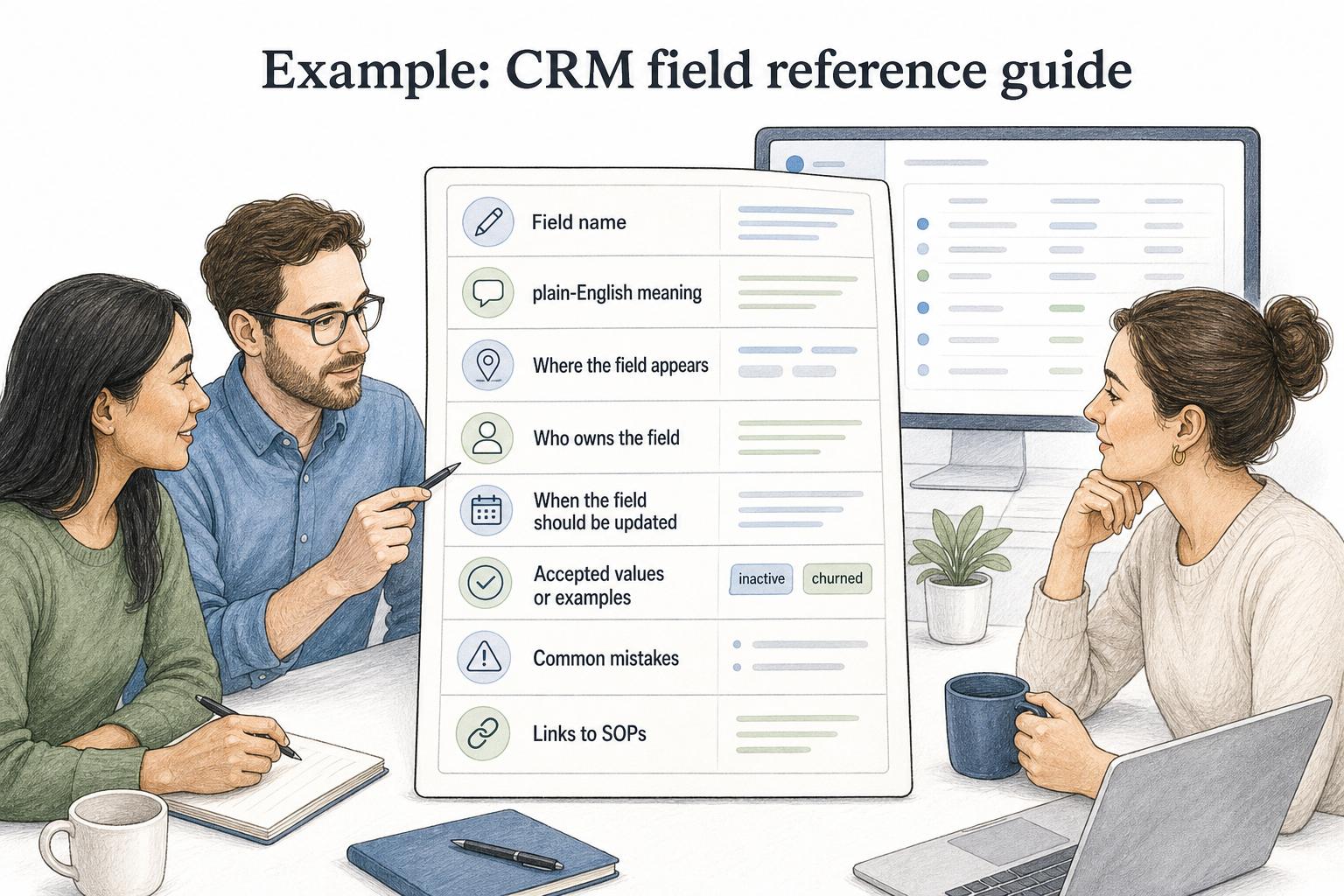
A useful CRM field reference guide might include:
- Field name and plain-English meaning.
- Where the field appears in the CRM.
- Who owns the field.
- When the field should be updated.
- Accepted values or examples.
- Common mistakes, such as using "inactive" when the customer should be marked "churned."
- Links to SOPs for onboarding, renewal, handoff, and churn workflows.
The guide does not need to explain every CRM feature. It needs to prevent the interpretation mistakes that create messy data and unreliable handoffs.
How to write a reference guide
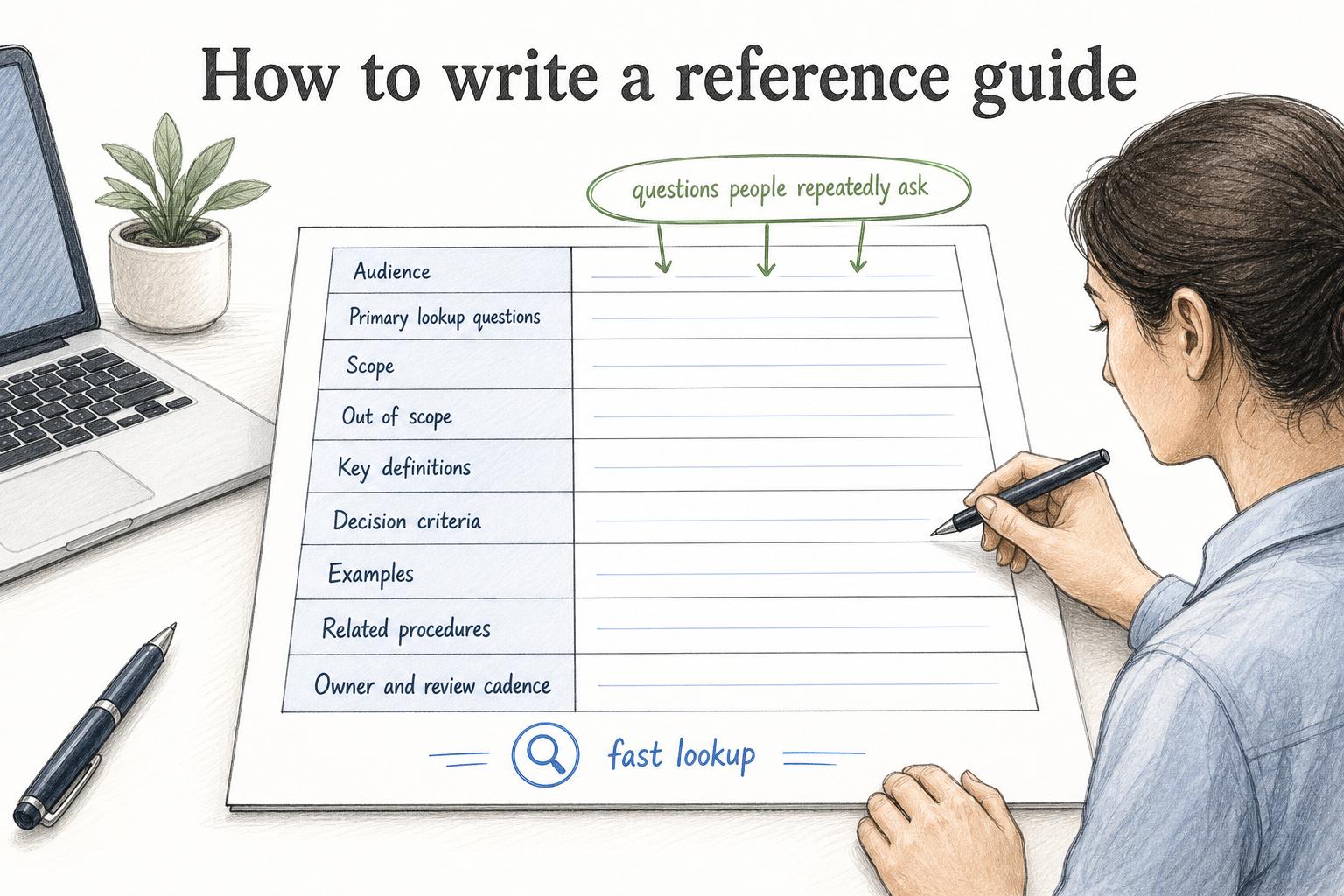
Start with the questions people repeatedly ask. If you cannot name those questions, the guide will probably become a loose collection of notes.
Use this prompt to create a first draft:
## Reference Guide Prompt

**Glossary term:** Reference Guide
**Source:** Trails Glossary — trails.so/glossary/reference-guide

---

### 01. Create a reference guide

"Create a reference guide for [topic, system, process, or policy].

Audience: [roles who will use it]
Primary lookup questions: [questions people ask during work]
Scope: [what belongs in this guide]
Out of scope: [what should live elsewhere]
Key definitions: [terms, statuses, fields, roles, or categories]
Decision criteria: [how readers choose between options]
Examples: [situations that show correct use]
Related procedures: [SOPs, workflows, templates, or policies]
Owner and review cadence: [who maintains the guide and when]

Write the guide for fast lookup. Use clear headings, concise explanations, and examples where definitions are easy to misunderstand."
After drafting, check whether every heading maps to a real lookup question. Nielsen Norman Group's web-writing research recommends scannable text with meaningful subheadings, bulleted lists, and one idea per paragraph.4 If a heading only exists because it sounds complete, remove it or merge it into a more useful section.
Common mistakes
One common mistake is making the guide too broad. A guide called "Everything about support operations" is harder to maintain than separate guides for ticket statuses, escalation rules, macros, and role responsibilities.
Another mistake is hiding the source of truth. If the guide explains data fields, policy rules, or tool settings, it should say where the definitive version lives and who owns changes.
A third mistake is letting examples go stale. Reference guides often rely on examples to make definitions clear. Outdated examples are worse than no examples because they teach the wrong interpretation with confidence.
How Trails helps
Trails is most useful when reference information needs to connect to real workflows. A reference guide can define the terms, fields, and rules, while a Trails guide captures the step-by-step process as someone performs it. Teams can link the guide to the relevant Trails walkthroughs, including AI-narrated video versions, so readers can move from lookup context to action without hunting through scattered documentation.
Sources
- 1
UK Government Digital Service. Identify user needs. GOV.UK Publishing Guidance. guidance.publishing.service.gov.uk/writing-to-gov-uk-standards/plan-manage-content/identify-user-needs/. Accessed July 13, 2026.
- 2
Microsoft. Reference documentation. Microsoft Writing Style Guide. learn.microsoft.com/en-us/style-guide/developer-content/reference-documentation. Accessed July 13, 2026.
- 3
U.S. Department of Labor. Plain Language Quick Reference Guide. U.S. Department of Labor. www.dol.gov/sites/dolgov/files/general/Plain-Language-Quick-Reference-Guide.pdf. Accessed July 13, 2026.
- 4
Nielsen Norman Group. How Users Read on the Web. Nielsen Norman Group. www.nngroup.com/articles/how-users-read-on-the-web/. Accessed July 13, 2026.