
Glossary
Quick Reference Guide
 ChatGPT
 Perplexity
 Gemini
 Claude
What is a quick reference guide?
A quick reference guide is a compact document that helps someone look up essential information while they are already doing the work. It summarizes the rules, codes, commands, definitions, choices, or reminders people need without sending them back through a full manual. 1
It is not beginner training. A quick reference guide assumes the reader understands the task and needs a fast answer at the moment of use. The best versions are short, scannable, and built around real decisions people make during work. 2
When to use a quick reference guide
Use a quick reference guide when people repeatedly pause for the same small details: which ticket status to choose, which field value is required, which keyboard shortcut performs an action, where to escalate, or which safety check matters before a procedure.
The format works well for trained employees, support teams, customer success teams, operations staff, administrators, and managers who do not need a lesson every time. They need an answer that fits into the task.
It is the wrong format when the reader does not yet understand the workflow. If someone needs to learn the process from scratch, start with a quick start guide, user guide, training manual, or SOP. The quick reference guide can sit beside those materials, but it should not be forced to teach the whole process.
What a quick reference guide includes
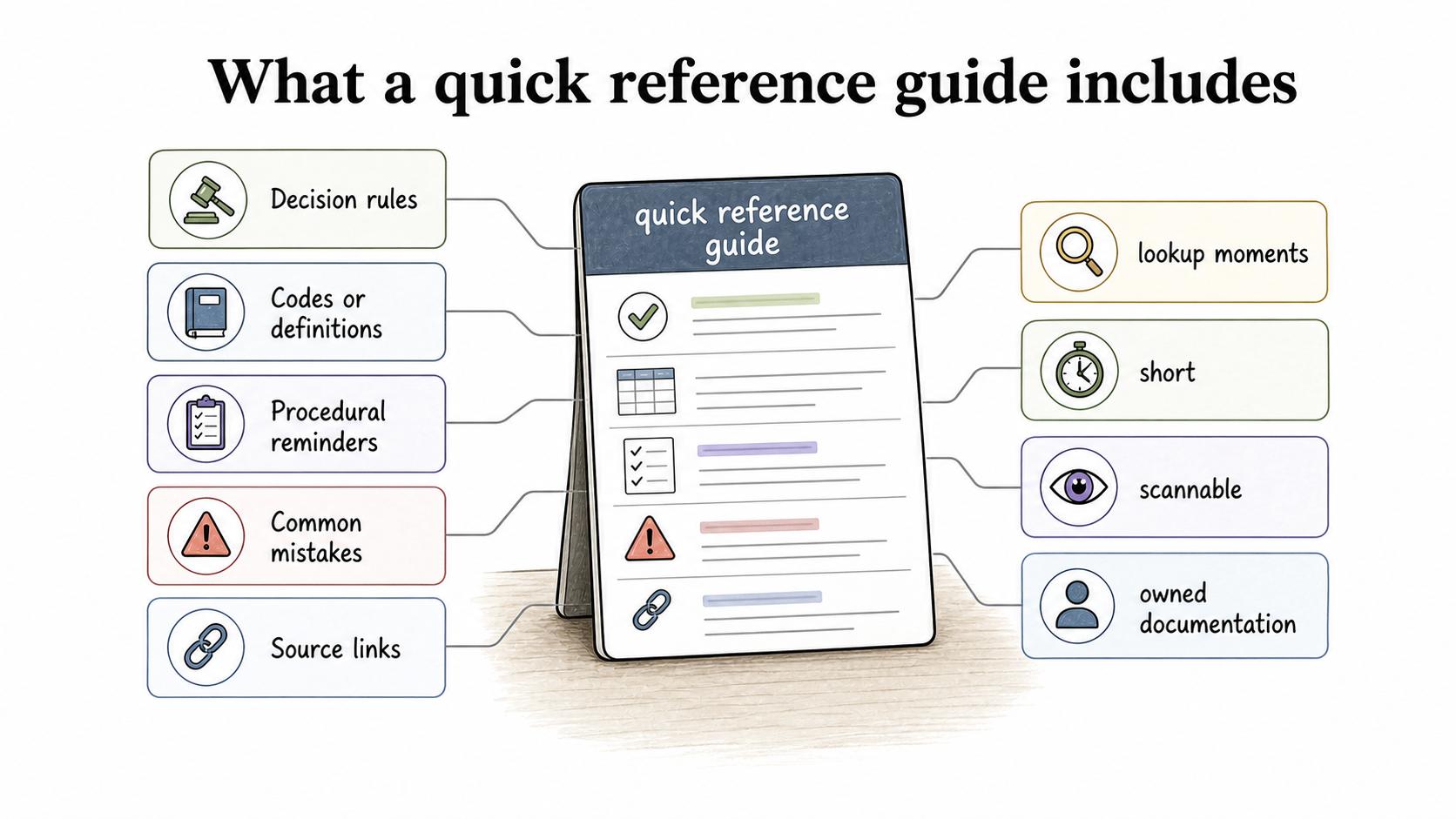
A strong quick reference guide is built around lookup moments. It may include:
- Decision rules: “If the customer asks for X, choose Y.”
- Codes or definitions: Status meanings, labels, acronyms, or field values.
- Procedural reminders: The few steps people forget, not the whole process.
- Common mistakes: The errors that create rework, bad data, or inconsistent handoffs.
- Source links: The SOP, manual, policy, or guide that owns the deeper explanation.
The source link matters. Quick reference guides often get copied into chats, printed, or pasted into onboarding notes. Linking back to the owned documentation keeps the short version from becoming an orphaned shortcut.
Quick reference guide vs quick start guide
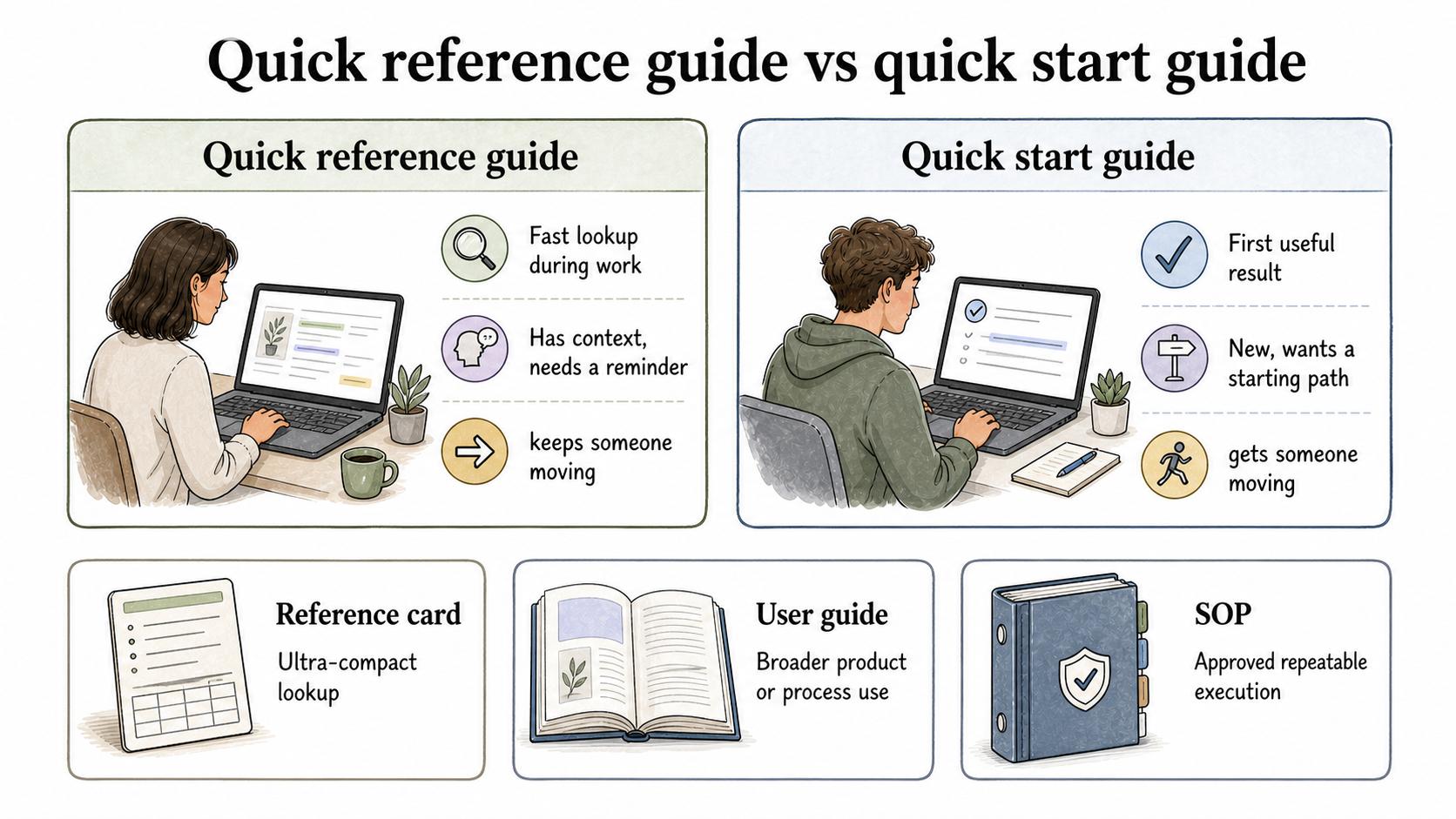
| Format | Best for | Reader state | Risk if misused |
|---|---|---|---|
| Quick reference guide | Fast lookup during work | Has context, needs a reminder | Becomes too long or too shallow |
| Quick start guide | First useful result | New, wants a starting path | Leaves out later complexity |
| Reference card | Ultra-compact lookup | Needs one-page cues | Omits too much nuance |
| User guide | Broader product or process use | Wants explanation and examples | Becomes hard to scan quickly |
| SOP | Approved repeatable execution | Must follow a controlled process | Feels too heavy for a quick reminder |
A quick start guide gets someone moving. A quick reference guide keeps someone moving.
A quick reference guide template
Use this structure when the guide needs to support a live task:
## Quick Reference Guide Template

**Glossary term:** Quick Reference Guide
**Source:** Trails Glossary — trails.so/glossary/quick-reference-guide

---

### 01. Create a quick reference guide

"Quick reference guide: [topic]
Use this when: [specific work moment]
Audience: [role or team]
Source documentation: [SOP, user guide, policy, or manual link]

Most-needed answers:
- [Answer 1]
- [Answer 2]
- [Answer 3]

Decision rule:
If [condition], use [option].
If [condition], use [option].
If unsure, [escalation path].

Common mistakes:
- [Mistake that causes rework]
- [Mistake that affects the customer, data, safety, or compliance]

Review owner: [person or team]
Last reviewed: [date]"
The template is intentionally sparse. If every line needs a long explanation, the underlying process may be confusing or the audience may need training instead of a quick reference sheet.
Common mistakes
The most common mistake is treating a quick reference guide as a dumping ground for everything that feels “important.” Importance is not the same as frequency. Put the information people need at the point of work near the top. Link the rest. 3
Another mistake is writing for the process owner instead of the user. A manager may care why a field exists; the frontline user may need to know which value to choose under pressure. The guide should privilege the decision the reader is trying to make.
A third mistake is failing to assign ownership. Quick reference guides are small, so teams assume they are harmless. In practice, a stale shortcut can cause bad data, inconsistent handoffs, or incorrect customer instructions faster than a stale long manual because people use it more often.
Documentation takeaway
A quick reference guide is a job aid for fast, accurate recall. It works best when it is brief, current, and connected to the authoritative documentation behind it.
The editorial test is simple: if the reader is already doing the work, can they find the next correct answer in a few seconds? If not, the guide needs sharper structure or a narrower scope.
How Trails helps
Trails helps teams create the deeper step-by-step guides that quick reference guides can point back to. A team can capture the full workflow once, turn it into clear documentation, and then use a quick reference guide to summarize the reminders people need during daily work. When helpful, Trails can also create an AI-narrated video version for training or handoff.
Sources
- 1
PlainLanguage.gov. Federal Plain Language Guidelines. www.plainlanguage.gov/media/FederalPLGuidelines.pdf. Accessed July 15, 2026.
- 2
Nielsen Norman Group. Concise, Scannable, and Objective: How to Write for the Web. www.nngroup.com/articles/concise-scannable-and-objective-how-to-write-for-the-web/. Accessed July 15, 2026.
- 3
Centers for Disease Control and Prevention. CDC Clear Communication Index User Guide. www.cdc.gov/ccindex/pdf/clear-communication-user-guide.pdf. Accessed July 15, 2026.