
Glossary
Publishing Workflow
 ChatGPT
 Perplexity
 Gemini
 Claude
What is a publishing workflow?
A publishing workflow is the repeatable process a team uses to move content from request or idea to a live, maintained asset. The Scottish Government's content lifecycle model similarly frames content as moving from planning and design through publishing and archiving. 1
A good workflow names who creates, reviews, approves, produces, publishes, checks, and updates the content.
The workflow can apply to blog posts, help center articles, product documentation, release notes, videos, newsletters, internal SOPs, and knowledge base pages. Its value is control over handoffs: fewer drafts stuck in review, fewer avoidable publishing defects, and clearer ownership after launch.
What does a publishing workflow include?
A publishing workflow should make every handoff visible. Content work often fails between roles: the writer thinks the subject matter expert approved it, the editor thinks product still needs to check it, the publisher thinks metadata is done, and nobody owns the update after it goes live. Digital MOD's publishing process guidance explicitly calls for knowing who has authority to approve content before the work starts. 2
A useful workflow answers:
- What content types use this workflow?
- What information is required before drafting starts?
- Who writes, edits, reviews, approves, and publishes?
- Which content needs legal, compliance, product, brand, or technical review?
- Where are drafts, comments, approvals, assets, and final links stored?
- What checks happen before and after publication?
- Who owns maintenance once the asset is live?
The last question is the one teams skip most often. A workflow that ends at publication leaves accuracy to whoever notices the page later.
Common stages in a publishing workflow
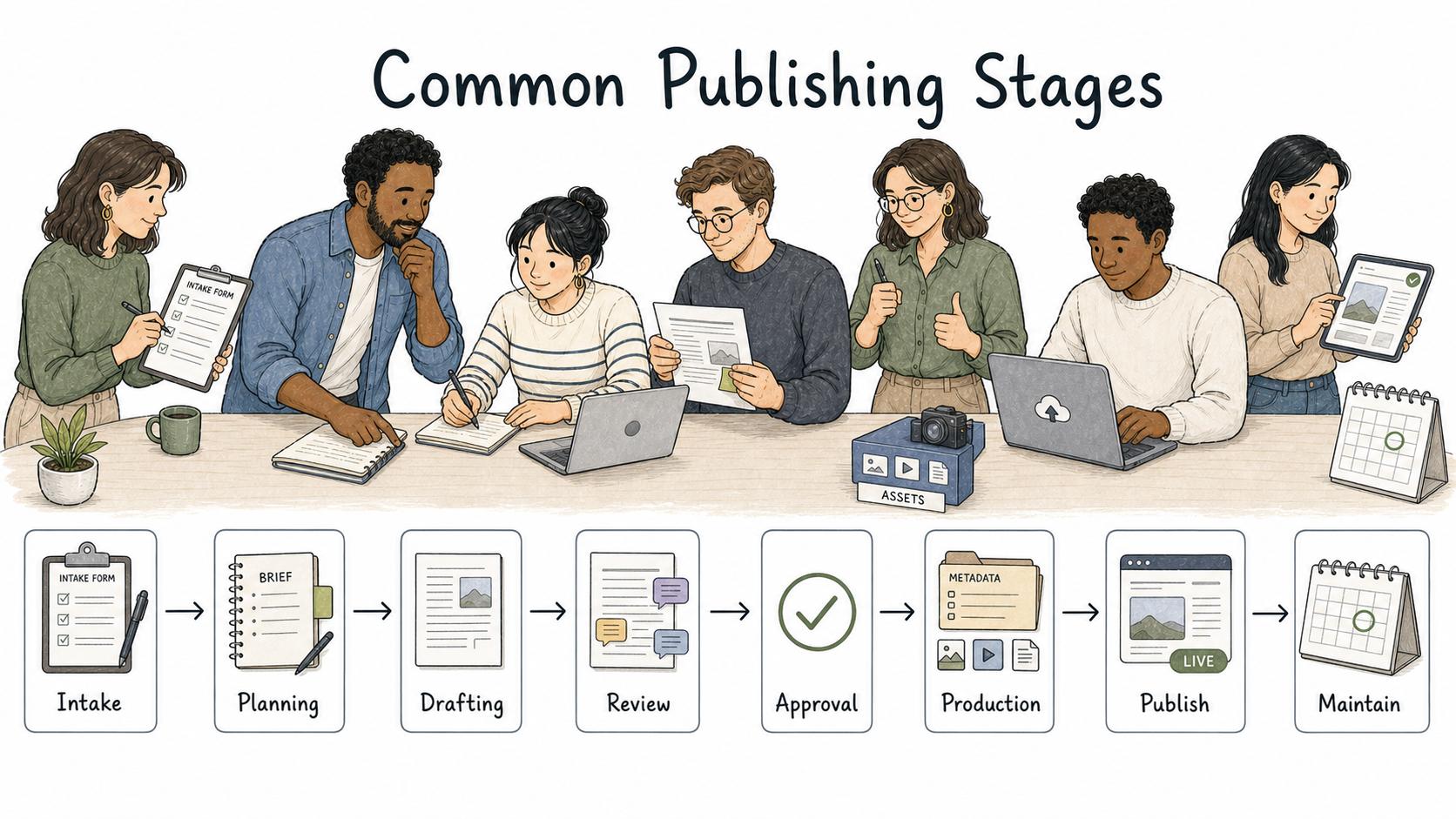
The exact stages depend on the team and content type, but most publishing workflows follow this shape:
| Stage | What happens | Common failure mode |
|---|---|---|
| Intake | Request, goal, audience, deadline, priority, and source material are captured | Drafting starts before the problem is clear |
| Planning | Owner turns the request into a brief, outline, assignment, or production plan | The team confuses an idea with a ready assignment |
| Drafting | Writer or owner creates the first complete version | Missing context is discovered too late |
| Review | Editors and subject experts check accuracy, clarity, risk, and fit | Reviewers comment outside their actual scope |
| Approval | Required decision makers approve publication | Approval is implied but never recorded |
| Production | Content is formatted, uploaded, linked, tagged, and prepared to publish | Metadata, links, assets, or accessibility checks are missed |
| Publish | The asset goes live in the intended channel | The team publishes but does not verify the live page |
| Maintain | Owner updates, archives, redirects, or retires content | Content ages without anyone noticing |
Accessibility checks belong in production rather than afterthought cleanup. WCAG requires text alternatives for non-text content. 3
A workflow doesn't need every stage for every asset. A low-risk internal update can move quickly. A pricing page, support policy, compliance-sensitive article, or public product claim needs a stricter path.
How to design the workflow without slowing everything down
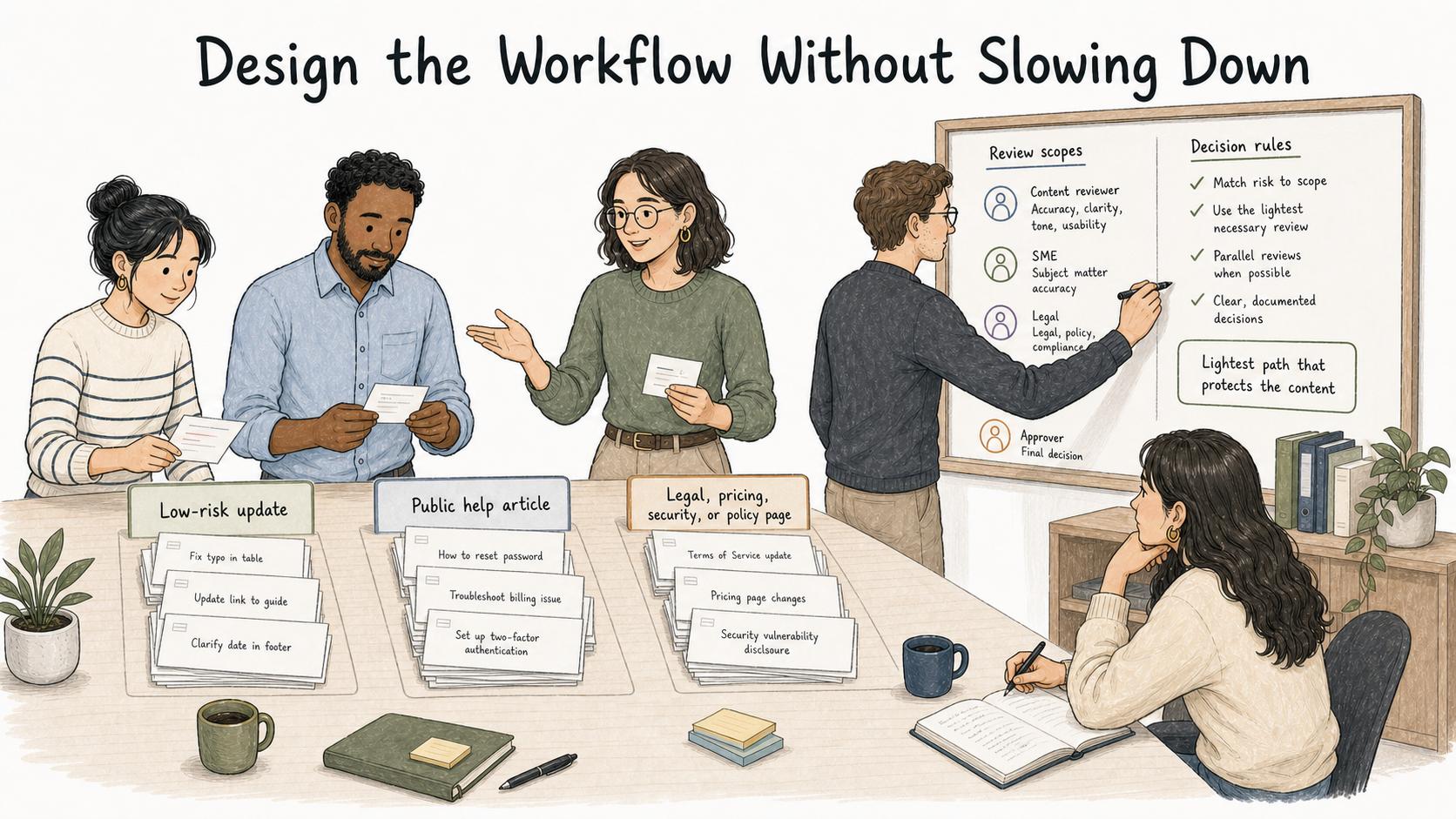
The right publishing workflow is the lightest path that still protects the content from its real risks.
Start by grouping content by risk and complexity. A routine internal announcement may need one editor and one publisher. A public help article may need product accuracy review. A legal, pricing, security, or policy page may need named approval and stronger post-publish QA.
Then define review scopes. Reviewers should know whether they're checking facts, voice, legal exposure, product accuracy, brand fit, SEO, accessibility, or operational readiness. Without scope, review gets slower because everyone comments on everything.
Finally, put decision rules into the workflow. A good rule sounds like: "Legal review is required for customer commitments, pricing claims, regulated topics, and public policy language." A weak rule sounds like: "Send to legal when needed." Specific rules create judgment; vague rules create rework.
Publishing workflow template
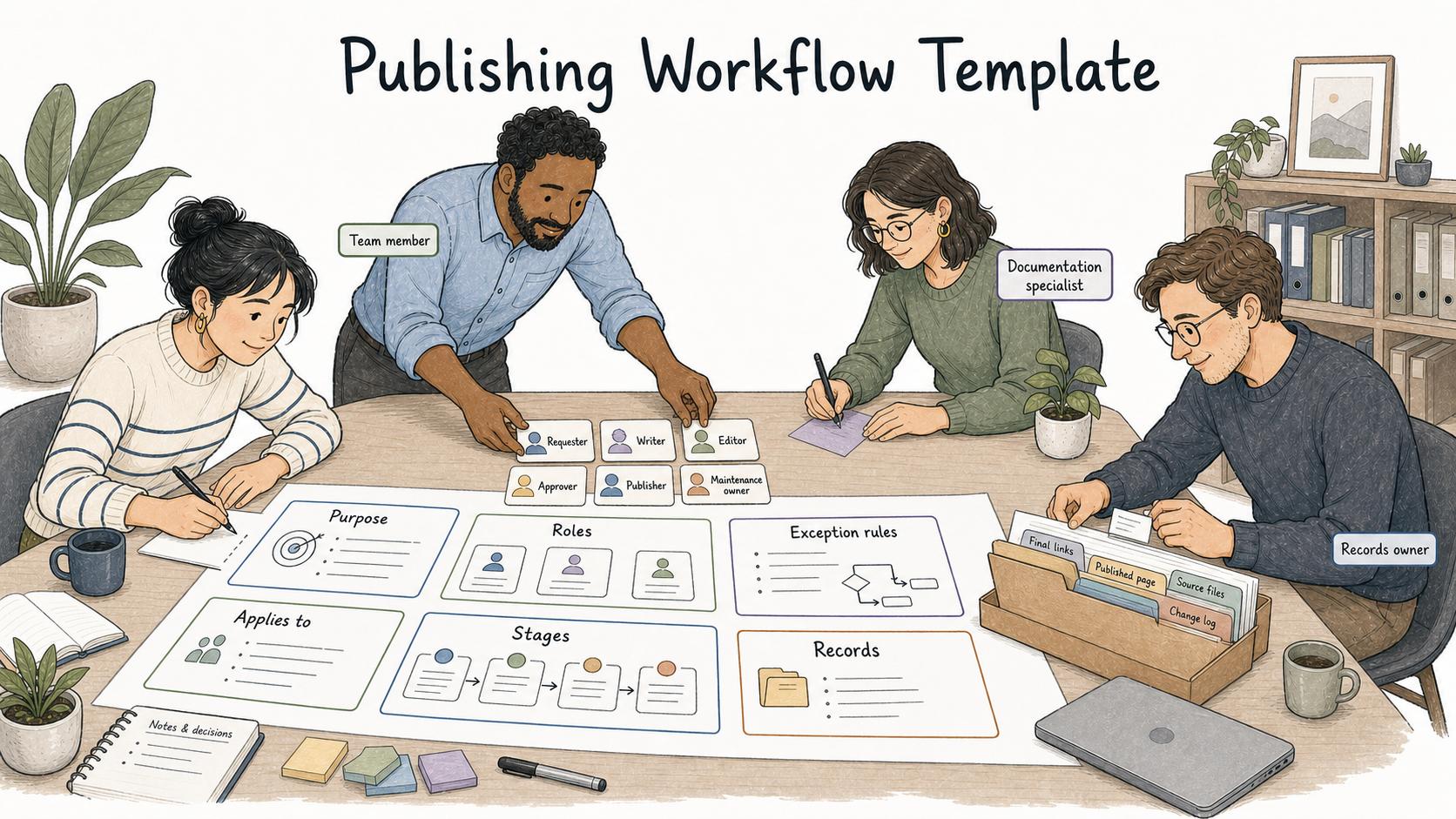
Use this structure to document a workflow your team can actually follow:
## Publishing Workflow

**Glossary term:** Publishing Workflow
**Source:** Trails Glossary — trails.so/glossary/publishing-workflow

---

### 01. Document a publishing workflow

"Publishing workflow for [content type]

Purpose:
This workflow explains how [team] moves [content type] from request to live, maintained asset.

Applies to:
[channels, asset types, teams, languages, regions, or risk categories]

Roles:
Requester: [role]
Writer or creator: [role]
Editor: [role]
Subject matter reviewer: [role]
Approver: [role]
Publisher: [role]
Maintenance owner: [role]

Stages:
1. Intake: [required fields and source material]
2. Planning: [brief, outline, priority, and assignment rules]
3. Drafting: [where drafting happens and what complete means]
4. Review: [reviewers, scopes, and deadlines]
5. Approval: [required signoff and where it is recorded]
6. Production: [formatting, metadata, links, assets, accessibility]
7. Publish: [who publishes and where]
8. Post-publish QA: [live checks and owner]
9. Maintenance: [review cadence, update trigger, archive rule]

Exception rules:
[urgent publish path, rejected review path, missing approver path]

Records:
[where briefs, approvals, final links, and change notes live]"
Exception rules matter because urgent content will eventually test the system. If urgent content has a different path, document it before the urgent moment arrives.
Common mistakes
One mistake is treating publishing as a button click. The visible launch depends on intake, review, production, live checks, and maintenance.
Another mistake is adding reviewers to fix quality without defining what each reviewer owns. More comments don't help if nobody knows whose decision matters.
A third mistake is hiding production details. Slugs, metadata, redirects, screenshots, alt text, internal links, categories, and final URLs may look small, but they're where many publishing defects appear. Google's SEO starter guide emphasizes helping search engines understand content and helping users find it, which makes metadata and linking part of publishing quality. 4
How Trails helps
Trails helps teams document publishing workflows as step-by-step guides. A content, support, marketing, or documentation team can capture how to publish a help article, prepare release notes, complete a CMS upload, or run post-publish QA while the work is being done.
Trails turns that workflow into a polished guide and can create an AI-narrated video version for training or sharing. That gives the team a practical reference when review rules, tools, or ownership change.
Sources
- 1
Scottish Government. The 6 stages of the content lifecycle. Scottish Government Digital. blogs.gov.scot/digital/2018/08/02/the-6-stages-of-the-content-lifecycle/.
- 2
Digital MOD. Follow the publishing process. UK Ministry of Defence. www.digital.mod.uk/policy-rules-standards-and-guidance/service-manual/content-toolkit/follow-the-publishing-process.
- 3
W3C. Web Content Accessibility Guidelines (WCAG) 2.1. World Wide Web Consortium. www.w3.org/TR/WCAG21/.
- 4
Google Search Central. SEO Starter Guide. Google. developers.google.com/search/docs/fundamentals/seo-starter-guide.