
Glossary
Approval Workflow
 ChatGPT
 Perplexity
 Gemini
 Claude
What is an approval workflow?
An approval workflow is a repeatable process for routing a request, document, decision, or task to the right person or group for review and approval. It defines who can approve, what information they need, what happens after approval or rejection, and what record proves the decision was made.
Approval workflows show up in finance, HR, legal, operations, content, IT, customer support, procurement, and compliance work. A manager approving a software purchase, a legal reviewer approving contract language, and a knowledge base owner approving an article update are all examples.
Why approval workflows matter
Approvals create control, but they can also create delay. A good approval workflow protects the business without turning every decision into a traffic jam. 1
The value comes from making the decision path explicit. People should know when approval is required, who owns the decision, what evidence is needed, how long approval should take, and what happens if the approver is unavailable.
The common failure is informal approval. A team may say ‘get manager approval,’ but in practice that might mean a Slack thumbs-up, an email reply, a ticket comment, or a quick verbal agreement. When nothing defines which signal counts, teams get delays, rework, and weak audit evidence.
How an approval workflow works
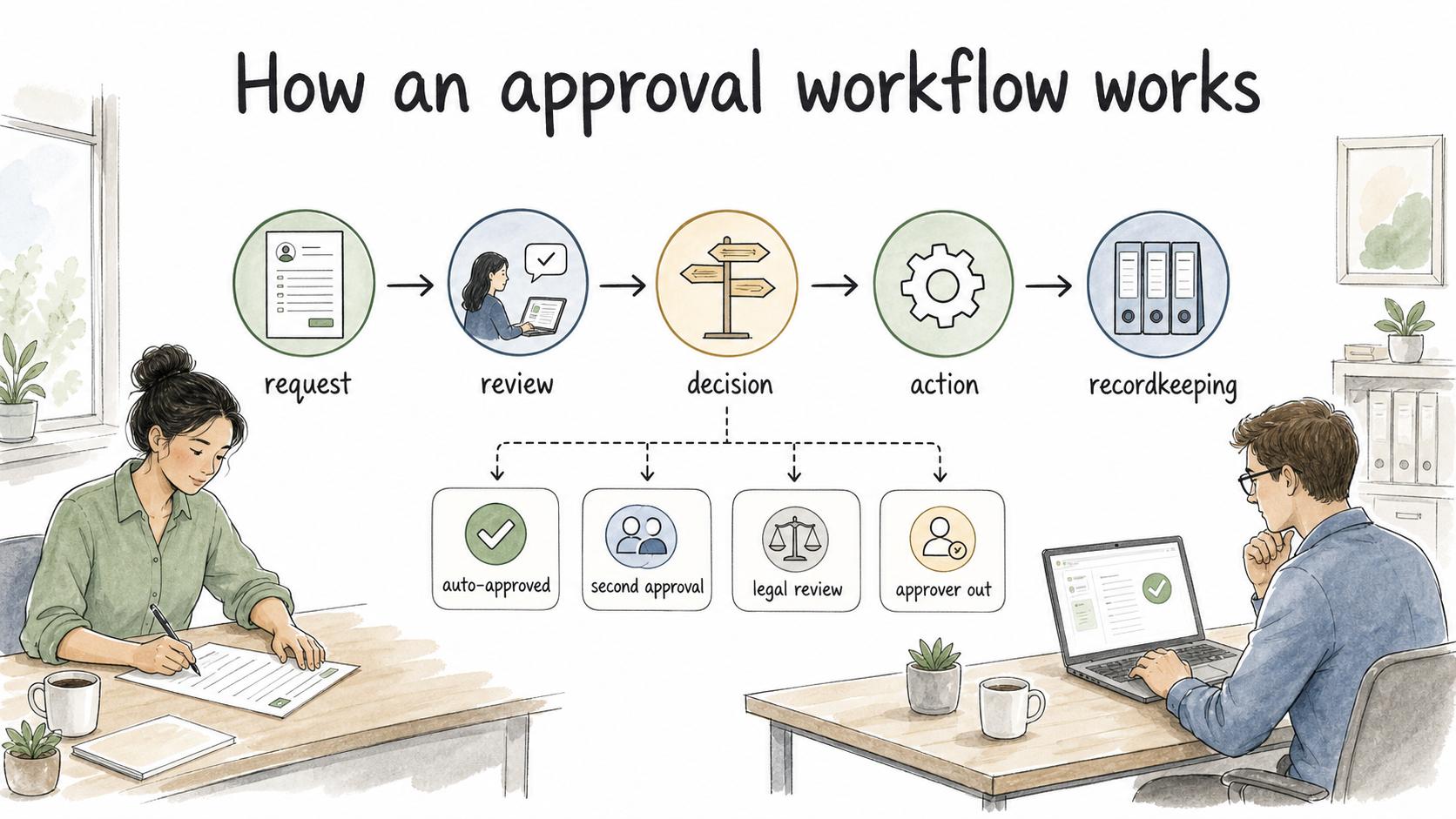
Most approval workflows follow the same broad pattern: request, review, decision, action, and recordkeeping. The labels matter less than the handoffs.
A request should contain enough information for the approver to decide without chasing context. A review step should clarify whether the approver is checking budget, risk, quality, policy fit, customer impact, or completeness. A decision step should make the outcome visible. The final step should trigger the next action, such as publishing, purchasing, granting access, escalating, or returning the request for changes.
Strong approval workflows also define exceptions. What happens if the approver is out? What dollar amount needs a second approval? What changes can be auto-approved? What requires legal, security, finance, or leadership review? These rules keep the workflow from depending on tribal knowledge. 2
Approval workflow design decisions
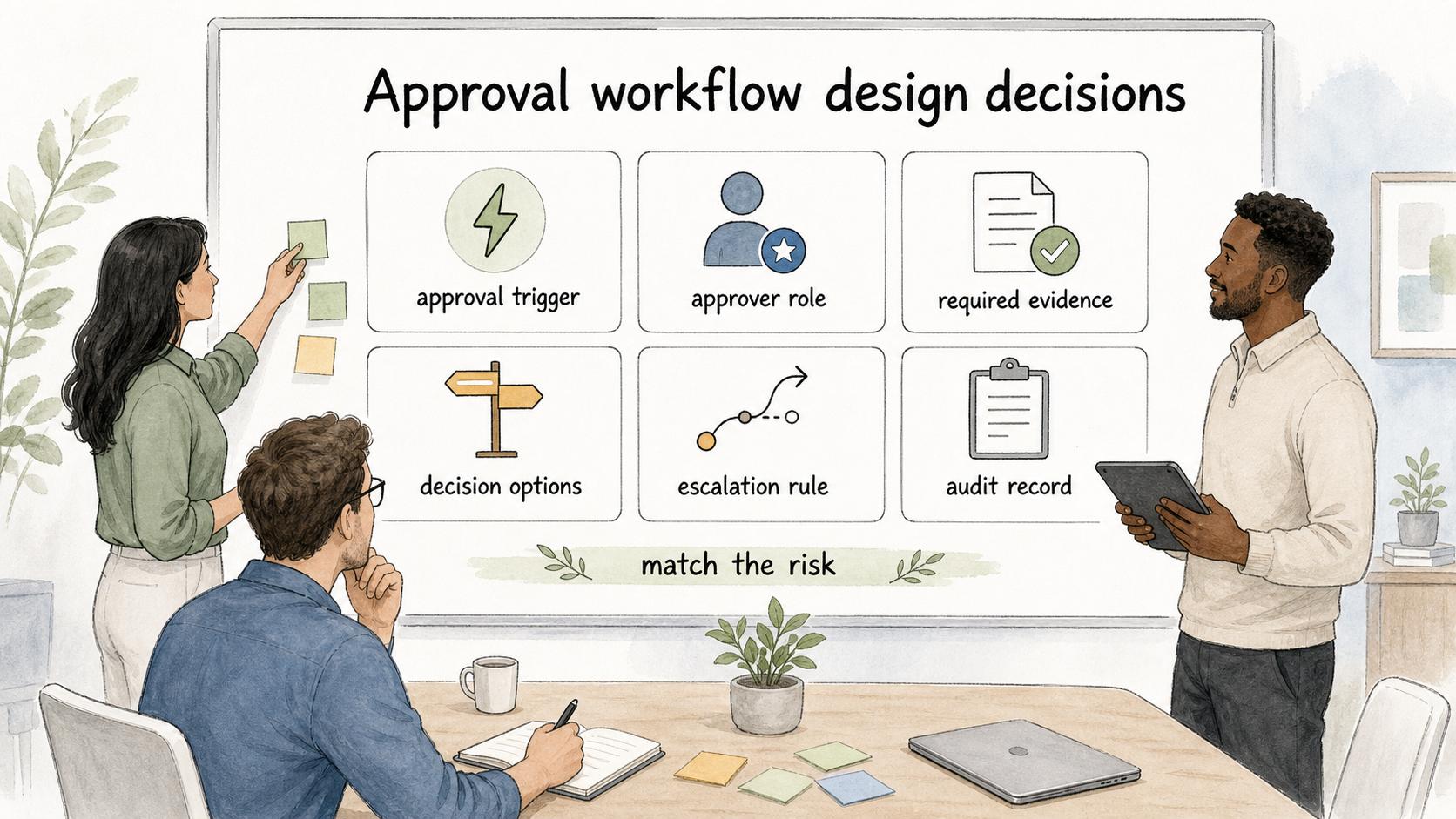
The biggest design work is deciding where control is necessary and where it only slows the team down.
| Design choice | Good question to ask | Risk if ignored |
|---|---|---|
| Approval trigger | Which requests actually need approval? | Everything becomes approval-worthy, so people route around the process |
| Approver role | Who has the authority and context to decide? | Requests wait on someone senior who is not the right reviewer |
| Required evidence | What must the requester provide before review? | Approvers lose time chasing missing details |
| Decision options | Is the outcome approve, reject, request changes, or escalate? | Rejections become vague and hard to act on |
| Escalation rule | What happens when approval is late, disputed, or risky? | The workflow stalls at the first unusual case |
| Audit record | Where does the final decision live? | The team cannot prove who approved what later |
The right workflow is usually the lightest one that still protects the decision. A low-risk blog edit does not need the same approval path as a vendor contract or production access request.
Approval workflow examples
A purchase approval workflow might start when an employee submits a request with vendor, cost, budget owner, and business reason. The manager approves the need, finance checks budget, and procurement completes the purchase. The approval record stays in the request system.
A content approval workflow might route a draft article to a subject-matter expert, then to a content owner, then to publishing. Each reviewer has a different job: technical accuracy, editorial quality, and release readiness.
An access approval workflow might require the requester to name the system, access level, business purpose, and duration. The system owner approves the access, IT grants it, and the audit trail keeps a record of the request and decision.
The shared rule is simple: the workflow should match the risk and context of the decision, not the team org chart by default.
Common approval workflow mistakes
Adding too many approvers. More reviewers can feel safer, but it often diffuses accountability. If everyone approves, nobody may feel responsible for the actual decision. Use multiple approvers only when they bring different authority or expertise.
Making the approver guess the criteria. A workflow that says ‘review and approve’ is incomplete. Approvers need to know what they are evaluating. Budget, compliance, accuracy, customer impact, and brand quality are different review lenses.
Letting work happen before approval is real. If teams routinely start work while approval is pending, the approval workflow becomes theater. That may be acceptable for low-risk work, but then the process should say so. For high-risk work, pre-approval action can create costly cleanup.
Forgetting the rejection path. Rejection is not a dead end. The workflow should tell the requester what changed, what is missing, who owns the next step, and whether the request can be resubmitted.
How to document an approval workflow
An approval workflow should be documented as both a process and a decision rule. The process shows the steps. The decision rule explains when each path applies. 3
For example: ‘Requests under [amount] require manager approval. Requests over [amount] require manager and finance approval. Requests involving customer data require security review before finance approval.’ That kind of rule prevents people from guessing the route every time.
The documentation should also name the approval record. If the final decision lives in a ticket, form, system log, signed document, or approval tool, say that explicitly. Otherwise teams may treat scattered messages as approval evidence and struggle to reconstruct the decision later. 4
How Trails helps
Trails can help teams document approval workflows by capturing the process as someone performs it, turning it into a polished step-by-step guide, and creating an AI-narrated video version for training or sharing. That is useful when requesters and approvers need to follow the same route consistently, especially for recurring processes like purchasing, access requests, content updates, or SOP changes.
Frequently asked questions
What is an example of an approval workflow?
A common example is a purchase request workflow: an employee submits a request, a manager approves the business need, finance checks the budget, and procurement completes the purchase after approval.
What should an approval workflow include?
It should include the request trigger, required information, approver roles, decision criteria, escalation path, outcome options, next steps, and the record that proves the decision.
How do you make an approval workflow faster?
Remove approvals that do not add real review value, define criteria clearly, collect required information upfront, use thresholds for risk, and create escalation rules for delayed decisions.
Is an approval workflow the same as an approval process?
Usually, yes. ‘Approval workflow’ often emphasizes routing and automation, while ‘approval process’ may refer more broadly to the steps and policy behind the approval.
Sources
- 1
GAO. 2025 Green Book internal control standards. www.gao.gov/assets/gao-25-107721.pdf.
- 2
NIST. SP 800-53 Rev. 5 security and privacy controls. csrc.nist.gov/pubs/sp/800/53/r5/upd1/final.
- 3
OMG. BPMN 2.0.2 specification overview. www.omg.org/spec/BPMN/2.0.2/About-BPMN.
- 4
ISO. Guidance on documented information for ISO 9001:2015. www.iso.org/iso/documented_information.pdf.