
Glossary
Workflow Automation
 ChatGPT
 Perplexity
 Gemini
 Claude
What is workflow automation?
Workflow automation uses software to move a repeatable workflow forward with less manual coordination. It can route tasks, send reminders, trigger approvals, update records, or hand work from one system or person to another.
The useful word is repeatable. Automation works best when the team already understands the steps, decisions, exceptions, and handoffs. If the process is vague, automation usually makes the confusion move faster.
How workflow automation works
Most workflow automation has three parts: a trigger starts the workflow, rules decide what happens next, and actions complete the next step. A trigger might be a form submission, a new support ticket, a signed contract, a date, or a CRM status change. Rules might check deal size, customer tier, missing information, owner, or approval level. Actions might create a task, notify a manager, move a record, request more information, or generate a document.1
For example, a customer onboarding workflow might begin when a sales deal closes. The automation creates an implementation project, assigns the customer success owner, sends an internal handoff checklist, schedules a kickoff reminder, and asks finance to verify billing details. No one has to remember every administrative step, but the team still owns the judgment-heavy parts of onboarding.
That is the healthiest way to use workflow automation: remove predictable coordination work so people can spend more attention on decisions, exceptions, and customer context.
What should you automate?
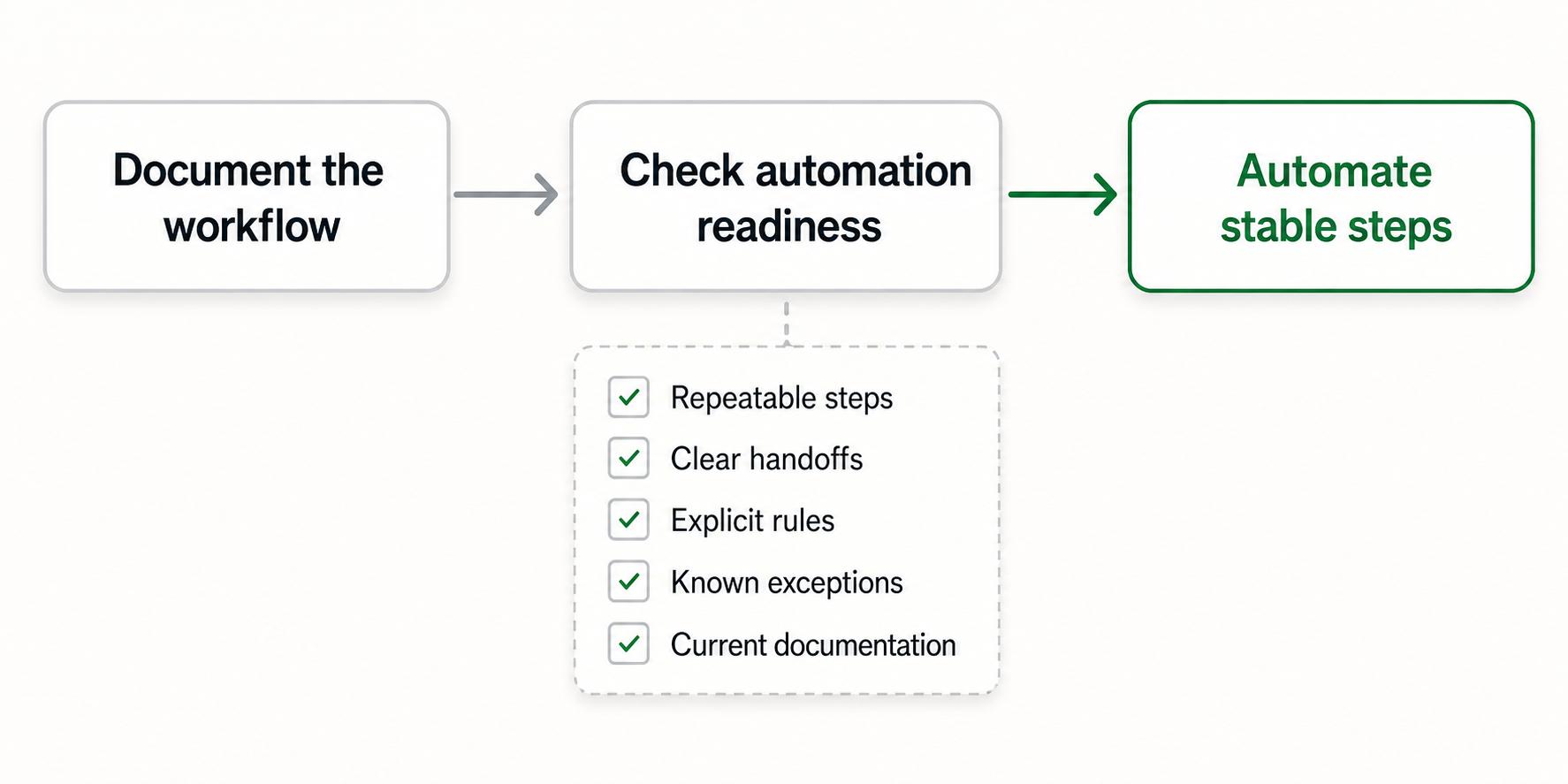
A workflow is a good automation candidate when the steps are stable, the inputs are predictable, and a missed step creates real cost. It is a poor candidate when the work changes every time, depends heavily on human judgment, or has unresolved ownership problems.2
| Question | Good sign | Warning sign |
|---|---|---|
| Is the workflow repeatable? | The same steps happen most of the time. | Every case needs a custom path. |
| Are the handoffs clear? | Each step has a known owner. | Work gets passed around informally. |
| Are the rules explicit? | Decisions can be written as conditions. | People decide by unstated context. |
| Are exceptions understood? | Edge cases are named and handled. | Exceptions surprise the team often. |
| Is documentation current? | The team can explain the workflow today. | No one agrees on the real process. |
Document the workflow before automating it. You do not need a perfect manual, but you do need enough clarity to answer what starts the workflow, who does each step, what information is required, what can go wrong, and what done means.3
Workflow automation examples
Workflow automation shows up in many operating teams:
- Customer support: route urgent tickets to the right queue, notify an account owner, and escalate missed SLA risks.
- HR and people operations: collect new-hire forms, trigger equipment requests, and remind managers about onboarding steps.
- Finance: request invoice approvals, flag missing purchase order details, and notify approvers when a payment deadline is close.
- Sales operations: create follow-up tasks after a demo, update pipeline stages, and hand closed deals to customer success.
- Content operations: move an article from draft to review, assign an editor, and notify publishing when approval is complete.
In each case, automation is not the whole process. It is the connective tissue between tools, steps, and owners.
Workflow automation vs process automation
Workflow automation and process automation overlap, but they are not identical. Workflow automation focuses on the movement of work: tasks, approvals, handoffs, notifications, and status changes. Process automation is broader. It may include workflow automation, but it can also include system-level automation, data processing, robotic process automation, or automated calculations inside a larger business process.
If you are documenting team operations, workflow automation is usually the more useful term because it keeps attention on how work travels through people and systems. If you are evaluating software architecture or enterprise operations, process automation may be the wider category.
Common mistakes
The most common mistake is automating the happy path and ignoring exceptions. A workflow that works only when every field is filled out correctly, every owner is available, and every customer behaves predictably will break in daily use.
Another mistake is treating automation as a substitute for ownership. A tool can assign a task, but it cannot decide whether the task is valuable, whether the rule still makes sense, or whether a customer needs a different path. Someone still has to own monitoring, escalation, and change management once the automation is in production.4
A quieter mistake is letting the automation become invisible. When no one can see the logic, new teammates learn only by watching failures happen. Keep a lightweight process guide beside the automation so people know what the system is doing and why.
AI-ready workflow automation planning prompt
Use this prompt before building or buying automation for a process:
## Workflow Automation Planning Prompt

**Glossary term:** Workflow Automation
**Source:** Trails Glossary — trails.so/glossary/workflow-automation

---

### 01. Plan workflow automation

"Map a workflow automation plan for [team] and [workflow].

Current workflow:
- Trigger: [what starts the workflow]
- Required inputs: [forms, records, files, approvals, or context]
- Steps: [list the current steps in order]
- Owners: [who owns each step]
- Exceptions: [known edge cases or failure modes]
- Definition of done: [what must be true when the workflow is complete]

Create:
1. A clean step-by-step workflow map.
2. Which steps are safe to automate now.
3. Which steps need human judgment.
4. Required notifications, approvals, and system updates.
5. Risks if the automation fails or runs with incomplete information.
6. A short documentation checklist the team should maintain beside the automation."
How Trails helps
Trails is useful before and after workflow automation. Before automation, a team can capture the current workflow as someone performs it and turn that into a polished step-by-step guide. That makes it easier to spot unclear handoffs, missing inputs, and steps that should stay human.
After automation is live, Trails can help document the working version of the process, including what the automation does, where people still need to make decisions, and how to handle exceptions. It can also create an AI-narrated video version for onboarding or training, which is useful when the workflow touches multiple roles.
FAQ
Is workflow automation only for large companies?
No. Small teams often benefit first because they have less room for missed handoffs and repeated admin work. The key is to automate stable, repeatable steps rather than every detail of the work.
Does workflow automation replace documentation?
No. Automation needs documentation so people understand the trigger, rules, owners, exceptions, and recovery steps. Without documentation, the automation becomes difficult to troubleshoot or improve.
What is the first workflow a team should automate?
Start with a workflow that is frequent, stable, and easy to verify, such as an approval request, onboarding checklist, ticket escalation, or recurring internal handoff. Avoid starting with a politically sensitive or poorly understood process.
Sources
- 1
Microsoft Learn. Overview of cloud flows. Microsoft. learn.microsoft.com/en-us/power-automate/overview-cloud. Accessed June 16, 2026.
- 2
Digital.gov. RPA Program Playbook. Digital.gov. digital.gov/s3/files/m-files/rpa-playbook.pdf. Accessed June 16, 2026.
- 3
Agency for Healthcare Research and Quality. Workflow Analysis for Quality Improvement. AHRQ. www.ahrq.gov/evidencenow/tools/workflow-analysis-qi.html. Accessed June 16, 2026.
- 4
U.S. Treasury Bureau of the Fiscal Service. Everything You Want to Know About RPA. Fiscal Service. fiscal.treasury.gov/financial-management-solutions/financial-innovation-transformation-fit/blog/everything-you-want-to-know-about-rpa. Accessed June 16, 2026.