
Glossary
Onboarding Checklist
 ChatGPT
 Perplexity
 Gemini
 Claude
What is an onboarding checklist?
An onboarding checklist is a structured task list that tracks what needs to happen before, during, and after a person starts in a new role. OPM's sample new employee checklist uses a time-based sequence and completion dates to help the employee and supervisor keep track of first-year activities.1 In employee onboarding, the checklist helps HR, IT, managers, trainers, and the new hire see what is complete, what is blocked, and who owns the next action.
The checklist is the control surface for onboarding. Used well, it prevents missed details. Used poorly, it turns onboarding into a box-checking exercise where everything is technically complete but the new hire still feels lost.
What should an onboarding checklist include?
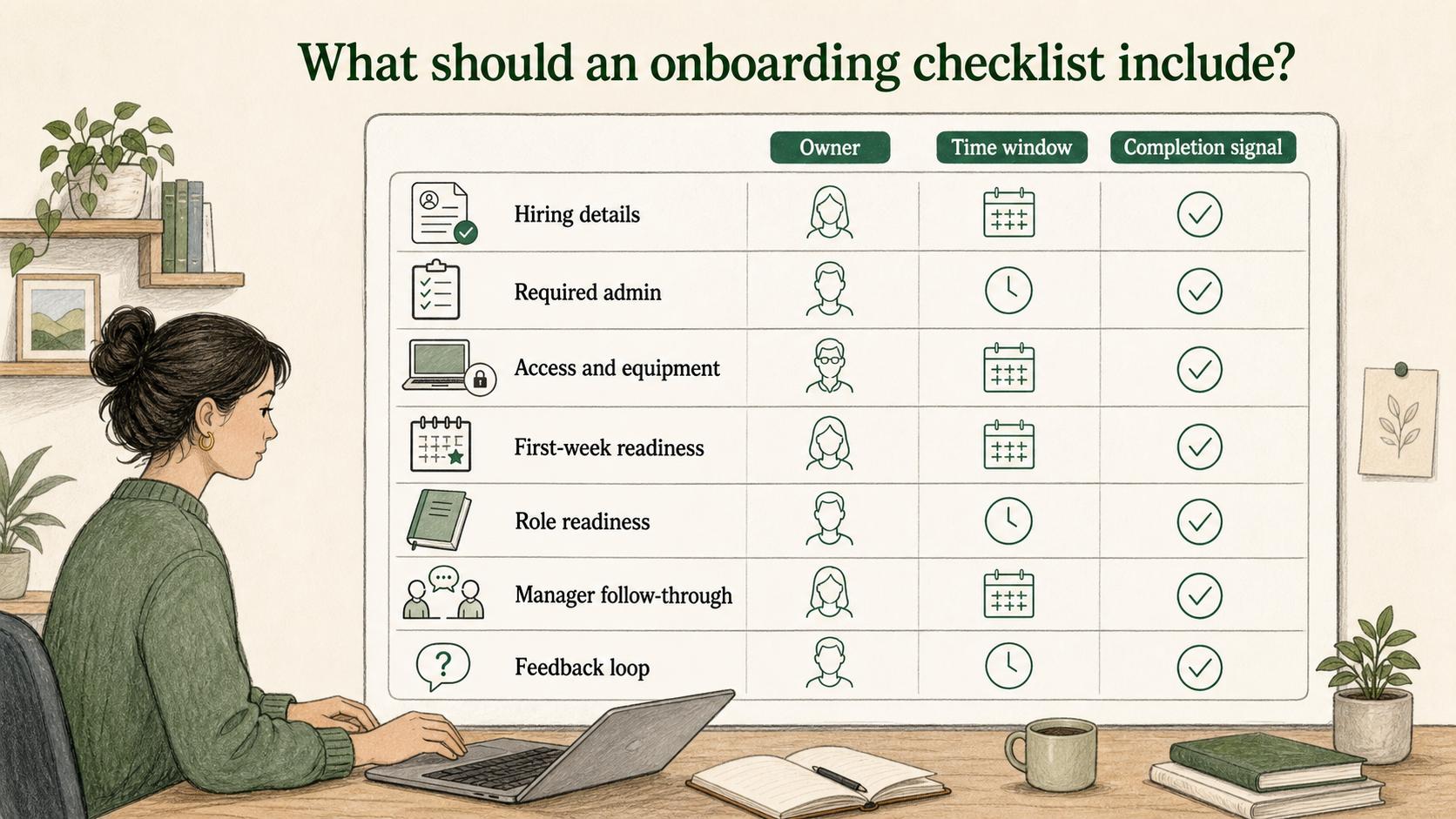
An onboarding checklist should include tasks that need a clear owner, time window, and completion signal. OPM orientation guidance also calls out manager-owned checklists as part of new employee orientation materials.2 That is the difference between a useful checklist and a vague reminder list.
Build the checklist around the risks that usually slow onboarding down:
- Hiring details: offer accepted, start date confirmed, and employment details finalized
- Required admin: forms, payroll, tax, benefits, compliance, and policy acknowledgments
- Access and equipment: hardware, accounts, permissions, security setup, and first login verification
- First-week readiness: schedule, orientation, manager welcome, team introductions, and first priorities
- Role readiness: required training, role-specific SOPs, job aids, practice tasks, or shadowing sessions
- Manager follow-through: week-one, day-30, and later milestone check-ins
- Feedback loop: delayed tasks, repeated questions, and missing documentation to fix before the next hire
The important part is not the number of tasks. It is whether each task reduces a real risk: late access, unclear expectations, missing paperwork, stale training, or a manager who is not ready.
The checklist needs a proof of done
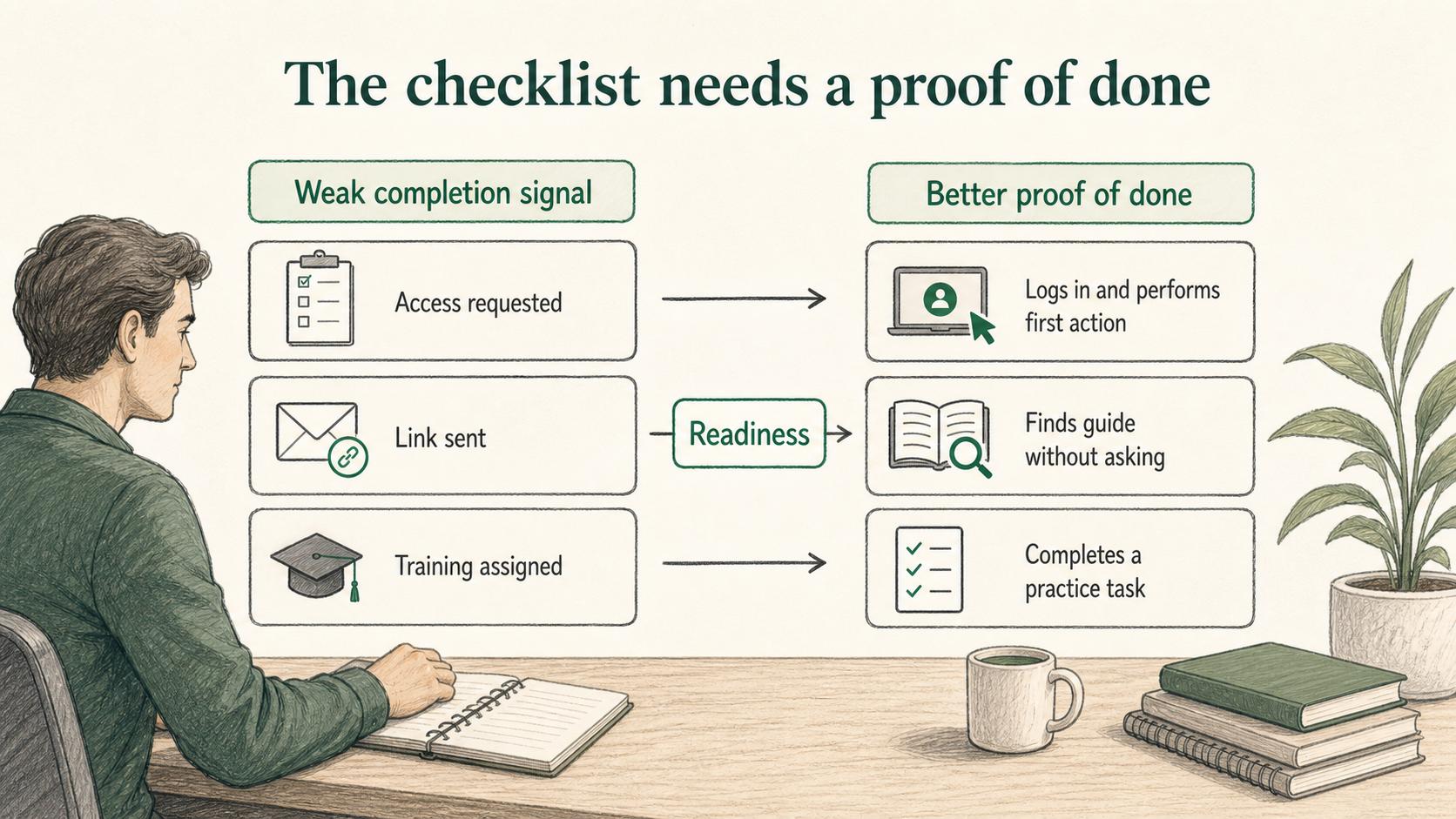
A weak onboarding checklist says "set up laptop" or "review CRM." A stronger checklist defines what done means.
| Checklist item | Weak completion signal | Better proof of done |
|---|---|---|
| Create tool access | Access requested | New hire successfully logs in and can perform the first required action |
| Share onboarding materials | Link sent | New hire can find the relevant guide from the portal without asking for help |
| Complete role training | Training assigned | New hire completes a practice task or explains the workflow back to the manager |
| Schedule manager check-in | Calendar invite sent | Manager reviews expectations, first milestone, and blockers with the new hire |
This proof-of-done mindset keeps the checklist tied to readiness. Otherwise, teams mark tasks complete when they have only moved work to the new hire.
Onboarding checklist vs. SOP vs. portal
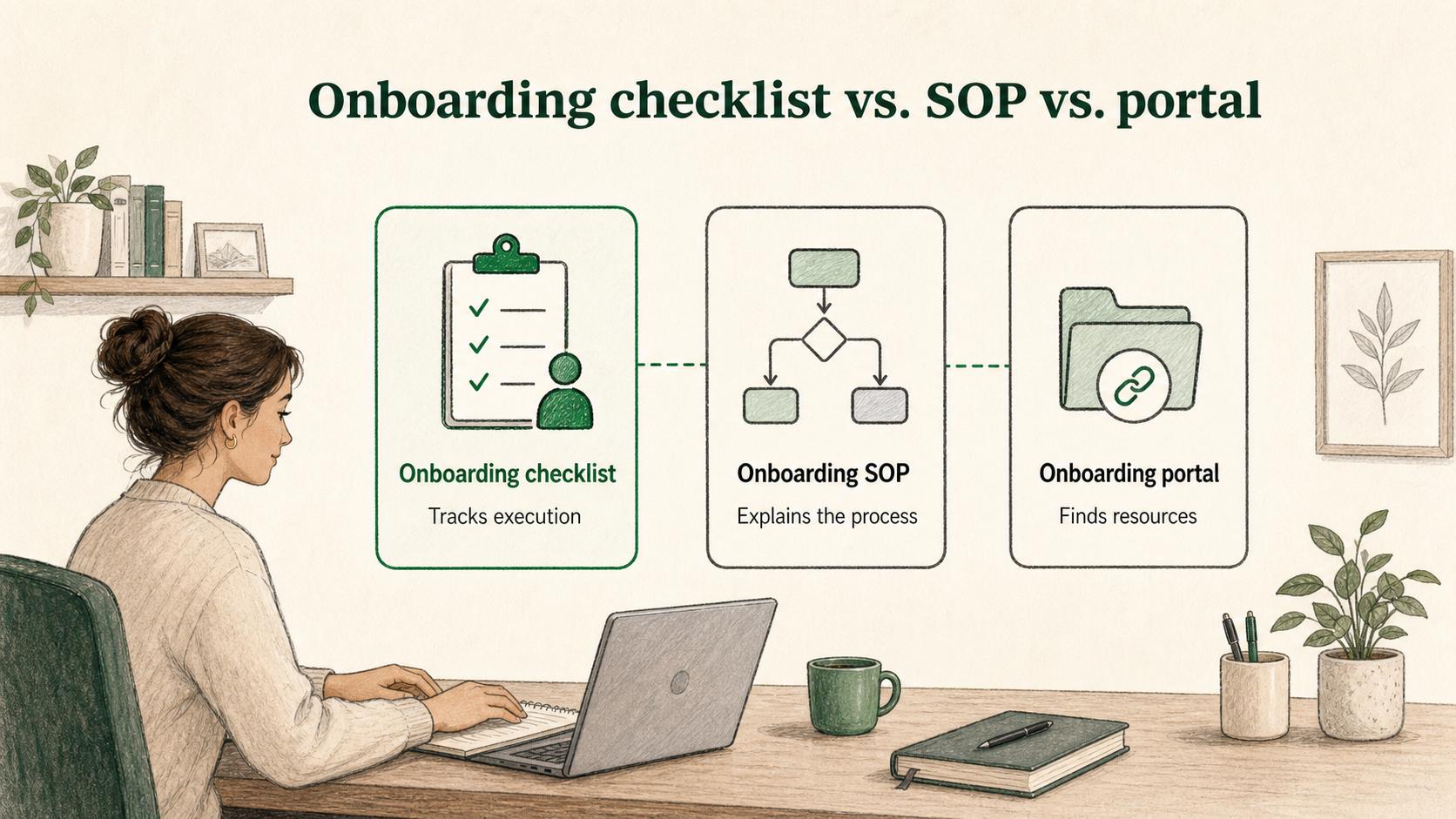
An onboarding checklist is easiest to understand when compared with the related artifacts around it.
The onboarding SOP explains how the company runs onboarding: owners, timing, handoffs, exceptions, and escalation paths. The onboarding portal gives new hires one place to find links, schedules, guides, forms, and training. The onboarding checklist tracks the execution of those steps for a specific person or cohort.
In practice, the checklist should link out to the SOP or portal instead of trying to contain everything. If a checklist item needs three paragraphs of explanation, the instruction probably belongs in a guide, SOP, or job aid.
How to organize an onboarding checklist
Most checklists work best when organized by time, because onboarding has real deadlines. A typical structure is:
- Before day one: confirm start date, complete forms, prepare equipment, set up accounts, send schedule, prepare manager plan, and share the portal.
- Day one: confirm access, complete orientation, meet the manager and team, review first-week priorities, and verify the new hire knows how to ask for help.
- Week one: complete required training, review role-specific guides, shadow or practice core tasks, attend team rituals, and hold a manager check-in.
- First 30 days: complete role milestones, review progress, identify knowledge gaps, collect feedback, and update documentation where onboarding created repeated questions.
Time-based structure works because it prevents teams from hiding urgent work in a long general list. SHRM describes onboarding as a process that can include preboarding, orientation, and longer-term learning, so timing matters as much as task content.3 The new hire and the process owner can both see what matters now.
Common mistakes
The biggest mistake is using one universal checklist for every role. Some steps should be shared across the company, but role-specific work matters. A support hire, finance hire, and operations manager may all need the same payroll setup, but they need different systems, examples, shadowing, and first tasks.
Other mistakes include:
- Assigning tasks to teams instead of people
- Leaving due dates vague or tied only to the start date
- Tracking new hire actions but not manager or IT actions
- Including reference links as tasks even when no action is required
- Treating completion as proof that the new hire understood the work
- Failing to review delayed tasks after the onboarding cycle ends
A checklist should expose friction. Checklist research from high-risk clinical settings shows that checklists work best when implementation supports adherence and team behavior, not just when a form exists.4 If the same tasks are repeatedly late or confusing, the process needs repair, not more reminders.
AI-ready onboarding checklist prompt
Use this prompt to generate a first draft that your team can review:
## Onboarding Checklist Prompt

**Glossary term:** Onboarding Checklist
**Source:** Trails Glossary — trails.so/glossary/onboarding-checklist

---

### 01. Create an onboarding checklist

"Create an onboarding checklist for [role] on the [team] team.

Organize it by:
- Before day one
- Day one
- Week one
- First 30 days

For each task, include:
- Task name
- Owner
- Due date or timing window
- Required link, SOP, or resource
- Proof that the task is actually done
- Whether it is company-wide or role-specific

Context:
- Tools involved: [tools]
- Teams involved: [HR, IT, manager, training, payroll, other]
- Common onboarding problems: [problems]

Keep required tasks separate from optional reading."
How Trails helps
Trails helps teams connect checklist tasks to clear instructions. A checklist can say "set up CRM access" or "complete the support workflow practice task," but the new hire still needs to know how to do the work. Trails captures a workflow as someone performs it and turns it into a polished step-by-step guide.
Trails can also create an AI-narrated video version for training or sharing. That gives checklist items a practical path to completion instead of leaving new hires with vague task names.
Sources
- 1
U.S. Office of Personnel Management. New Employee Checklist. U.S. Office of Personnel Management. www.opm.gov/policy-data-oversight/human-capital-management/hiring-reform/sample-employee-checklist.pdf. Accessed July 24, 2026.
- 2
U.S. Office of Personnel Management. Orientation elements guidance. U.S. Office of Personnel Management. www.opm.gov/policy-data-oversight/human-capital-management/hiring-reform/orientationelements/. Accessed July 24, 2026.
- 3
SHRM. Complete Employee Onboarding Guide. SHRM. www.shrm.org/topics-tools/topics/onboarding. Accessed July 24, 2026.
- 4
Brigid M. Gillespie and Andrea P. Marshall. Implementation of safety checklists in surgery: a realist synthesis of evidence. Implementation Science, 2015. pmc.ncbi.nlm.nih.gov/articles/PMC4587654/. Accessed July 24, 2026.