
Glossary
Contextual Help
 ChatGPT
 Perplexity
 Gemini
 Claude
What is contextual help?
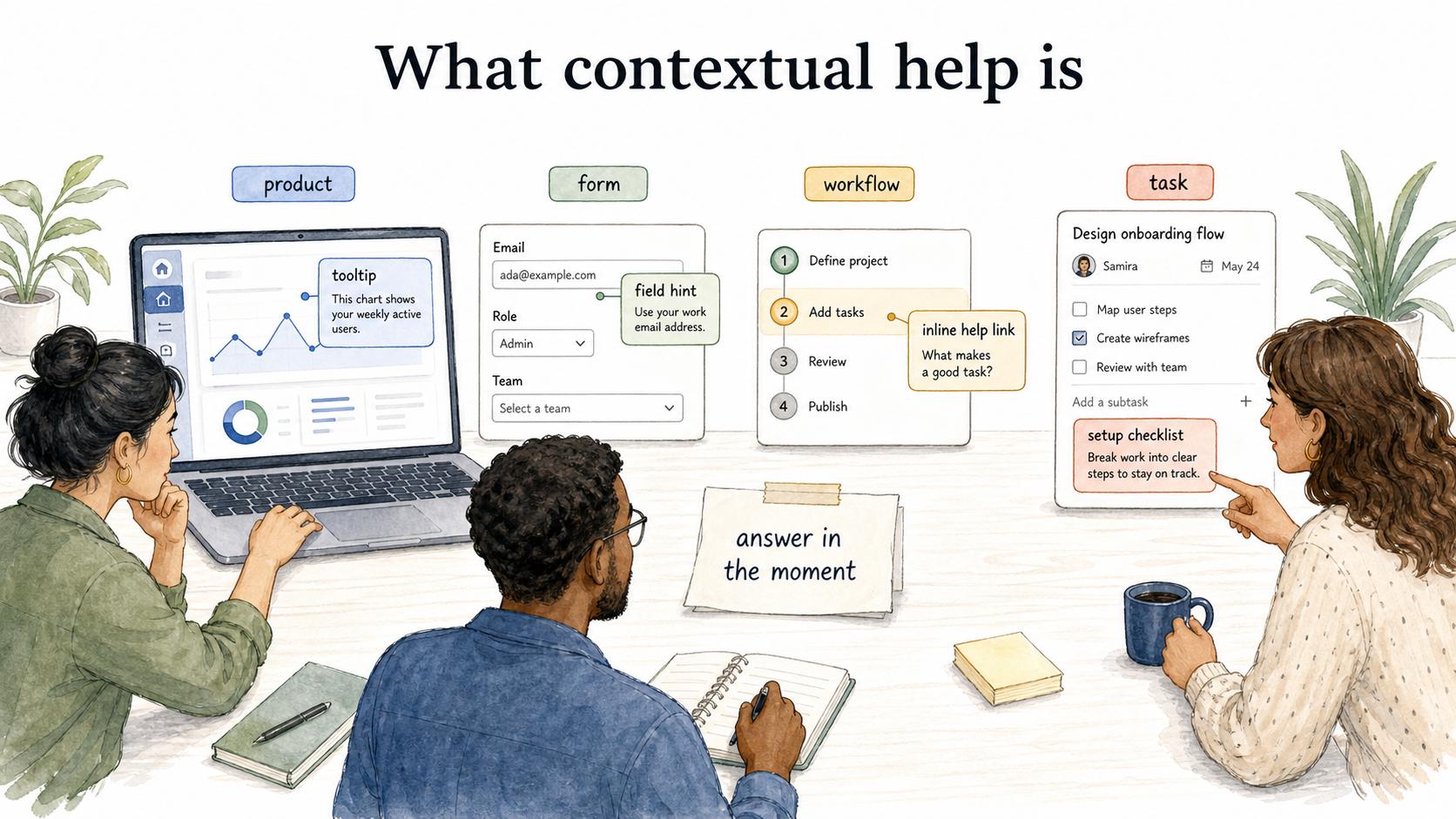
Contextual help is guidance that appears inside the product, form, workflow, or task where a user needs it. It answers the immediate question created by that moment instead of sending the user to search a separate manual first. 1
Examples include tooltip explanations, field-level hints, empty-state guidance, embedded walkthroughs, inline help links, setup checklists, and short messages that clarify an error or next step. Strong contextual help feels like part of the workflow, not a lecture layered on top of it.
Why contextual help matters
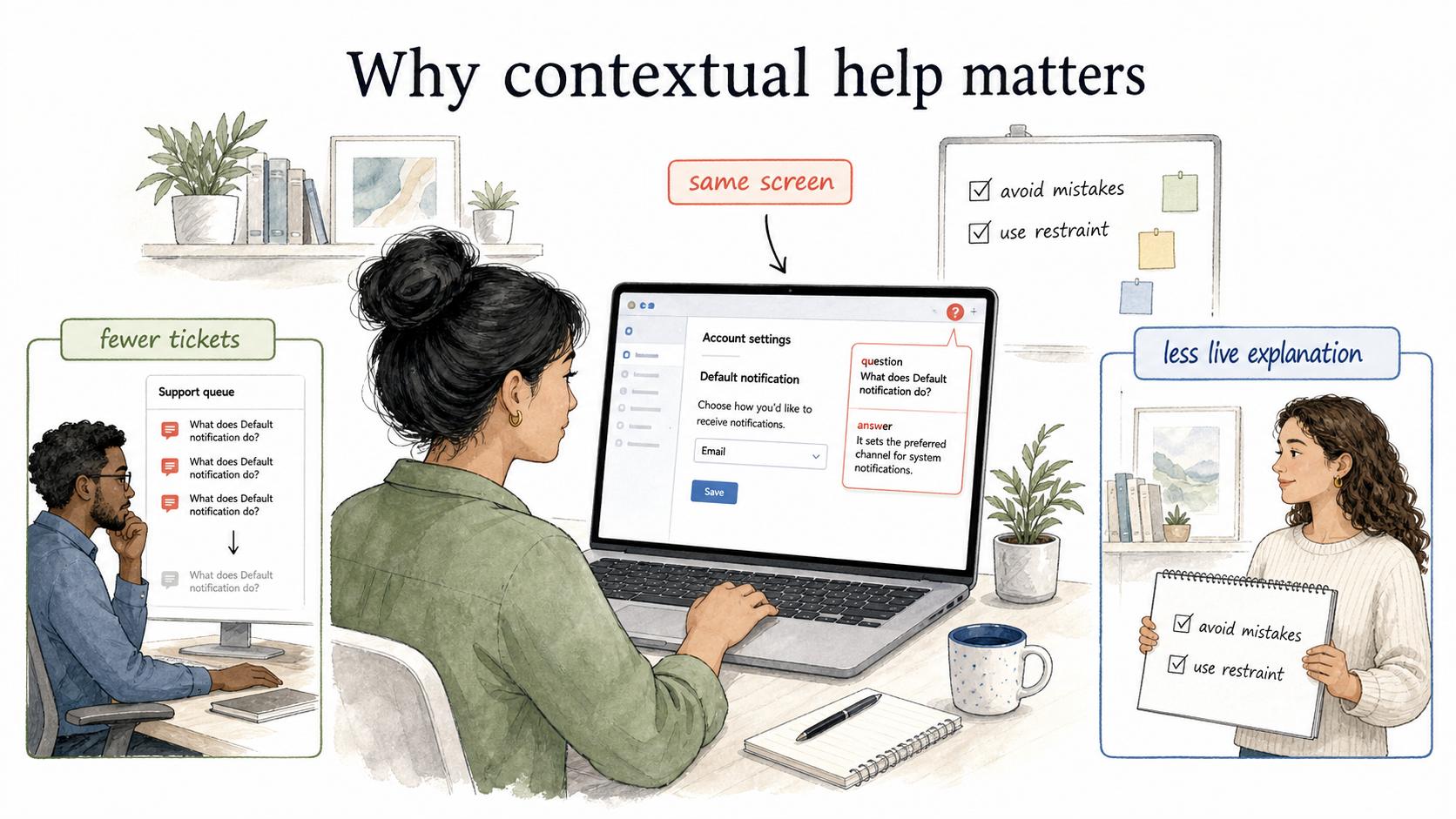
Users rarely want to stop and search documentation. They want enough guidance to finish the task in front of them. Contextual help reduces the gap between the question and the answer, so the user does not have to leave the screen, guess the right search term, or read a long article to find one missing detail. 2
For teams, contextual help also protects support and onboarding time. If the same question appears every time someone reaches a confusing setting, permission, approval, or form field, the product or process is creating avoidable friction. A well-placed hint can prevent repeated support tickets and make training less dependent on live explanation.
The tradeoff is restraint. Too much contextual help makes an interface feel noisy and patronizing. Too little leaves users stranded. Good teams identify the moments where the user is likely to pause, misunderstand a consequence, or make an avoidable mistake. 3
Common examples of contextual help
Contextual help can be lightweight or structured depending on the task.
| Format | Best for | Watch out for |
|---|---|---|
| Tooltip or info icon | Short definitions, labels, or constraints | Hiding essential instructions behind hover-only behavior |
| Field hint | Forms, settings, required inputs, formatting rules | Repeating what the label already says |
| Empty state | First-time setup or no-data screens | Turning the empty state into a marketing panel |
| Inline link | A short answer with an optional deeper guide | Sending users away before they can finish the task |
| Guided checklist | Multi-step setup or onboarding | Treating every workflow as onboarding after the user is experienced |
| Error help | Failed submissions, validation issues, permission problems | Describing the problem without giving the recovery step |
Use the smallest format that removes the uncertainty. A definition may need one sentence. A high-risk configuration may need a warning plus a link to a full guide.
How contextual help works in practice
Strong contextual help starts with the hesitation point: a term the user does not understand, a decision with consequences, a blocked step, or a recurring support question. The help should answer the specific question created by that moment. 4
For example, a payroll settings page might have a field called "effective date." A weak tooltip says, "Choose the effective date." A useful hint explains whether the date affects the next payroll run, historical records, or only future changes. The difference is relevance to the decision, not length.
Contextual help also needs an escape route. If the short answer is not enough, the user should have a clear path to a deeper article, video, or step-by-step guide. That layered approach keeps the interface clean while still supporting complex cases.
How to decide where contextual help belongs
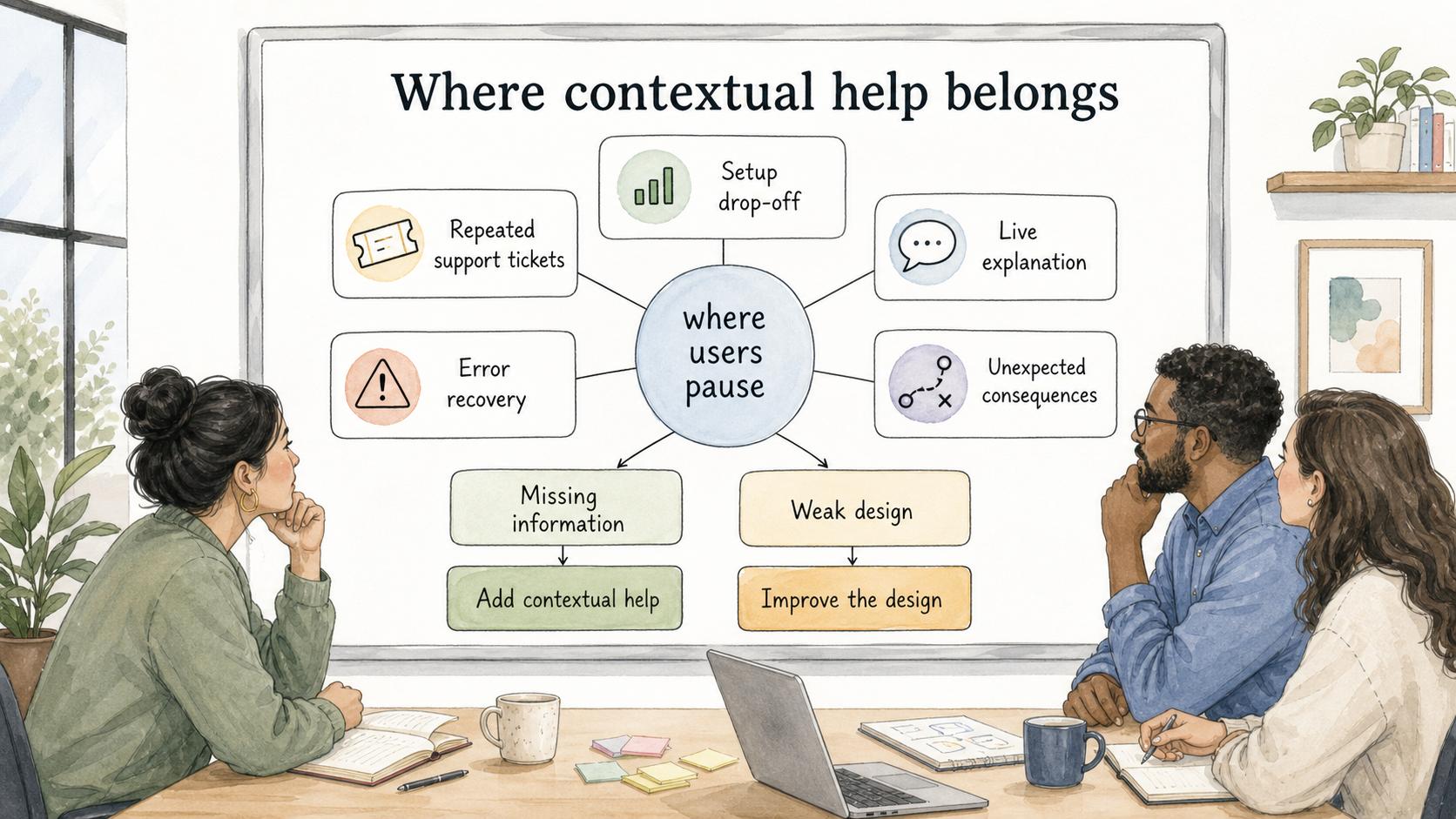
Do not add contextual help just because a screen has empty space. Add it where the user needs judgment.
Useful signals include:
- Repeated support tickets about the same field, setting, or step
- Users abandoning a setup flow at a specific point
- Internal teammates explaining the same process live
- Error messages that users cannot recover from without help
- Actions with consequences the user may not anticipate
The editorial move is to separate missing information from weak design. If every user needs a paragraph to understand a button, the button may need to change. If the user understands the button but not the consequence, contextual help is likely appropriate.
How to document contextual help
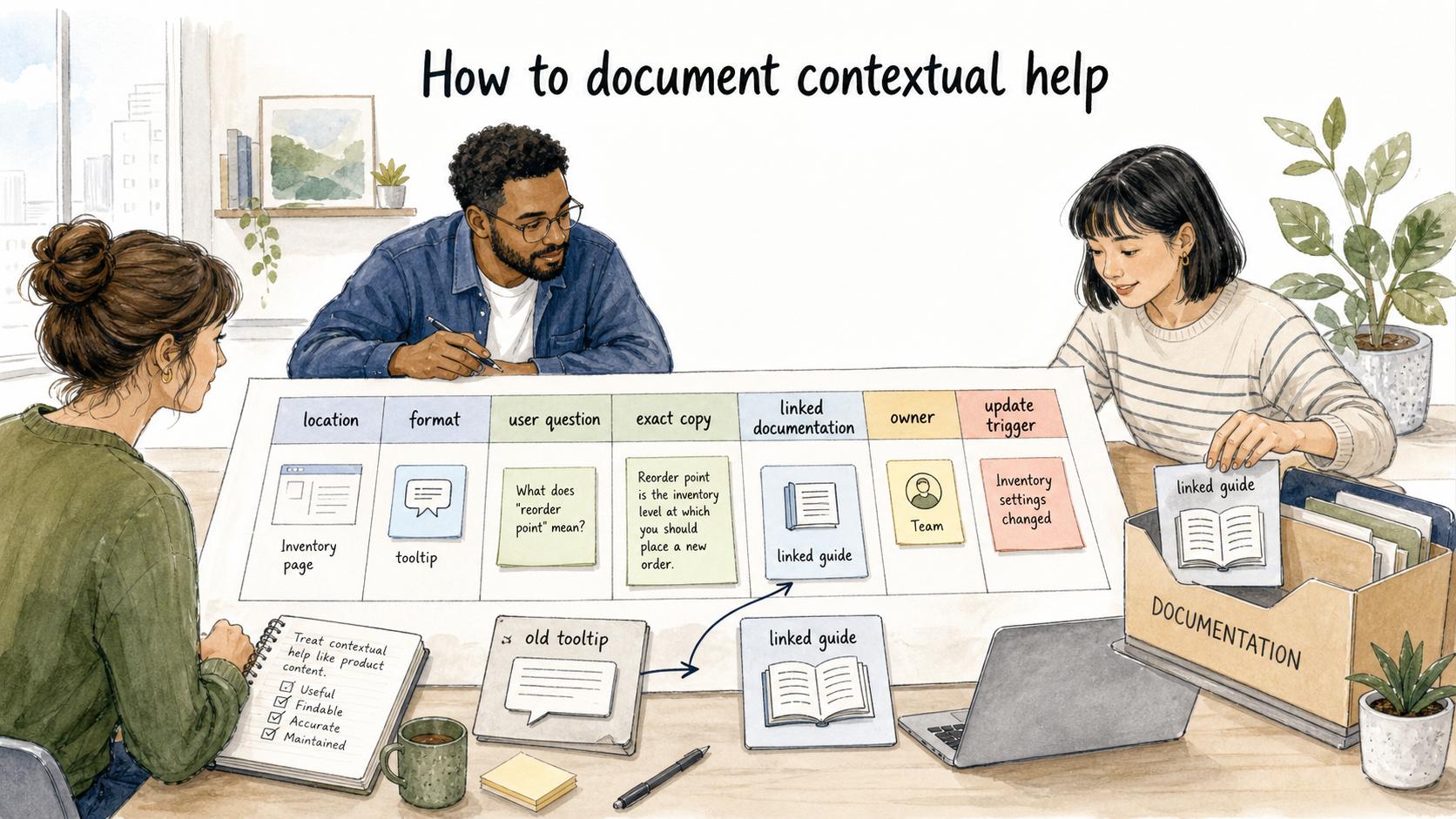
Contextual help should be documented like product content, not scattered one-off copy. Teams need to know where the help appears, what user question it answers, who owns the wording, and what deeper resource it points to.
A useful inventory captures the location, format, user question, exact copy, linked documentation, owner, and update trigger. That is enough to review the help without turning the inventory into a second help center.
This matters because contextual help ages quickly. A tooltip tied to an old setting can become more damaging than no help at all. The help still looks official, but it teaches the wrong behavior.
Documentation takeaway
Contextual help and long-form documentation should work together. Contextual help answers the immediate question. A help center article or step-by-step guide explains the larger workflow, exceptions, and examples.
The same principle applies outside software. A checklist, SOP, or internal form can include contextual guidance at the decision points where people usually get stuck.
How Trails helps
Trails can help teams create the deeper guidance that contextual help links to. When a product tooltip, internal form, or onboarding checklist needs more than a sentence, a team can use Trails to capture the workflow as someone performs it and turn that capture into a polished step-by-step guide. Trails can also create an AI-narrated video version for users or teammates who learn better by watching the process.
That keeps the inline message focused on the immediate question while the linked guide carries the full workflow.
For guidance tied to the page someone is using, explore Trails Assistant, which brings relevant videos and step-by-step guides into the application.
FAQ
What is the difference between contextual help and a help center?
Contextual help appears in or near the task where the user needs guidance. A help center is a separate documentation destination where users can browse or search for fuller explanations.
Is a tooltip always contextual help?
A tooltip can be contextual help, but only if it answers a real question in context. A tooltip that repeats the label or hides required instructions is usually poor interface copy, not useful help.
When should contextual help link to a full guide?
Link to a full guide when the user needs examples, screenshots, exceptions, setup steps, or policy context that would make the inline help too long.
Sources
- 1
Nielsen Norman Group. 10 Usability Heuristics for User Interface Design. www.nngroup.com/articles/ten-usability-heuristics/.
- 2
GOV.UK. Writing for user interfaces. www.gov.uk/service-manual/design/writing-for-user-interfaces.
- 3
Nielsen Norman Group. Tooltip Guidelines. www.nngroup.com/articles/tooltip-guidelines/.
- 4
NHS Digital. Error message. service-manual.nhs.uk/design-system/components/error-message.