
Glossary
Performance Support
 ChatGPT
 Perplexity
 Gemini
 Claude
What is performance support?
Performance support is help provided at the moment someone is trying to complete a task. It might be a checklist, job aid, short guide, tooltip, decision tree, template, example, or quick video that helps a person do the work without relearning the whole process.
Training prepares people before the work. Performance support helps them during the work. That difference changes the format: a course can explain context, but a support asset has to be fast, specific, and close enough to the workflow that someone will actually use it.
Why performance support matters
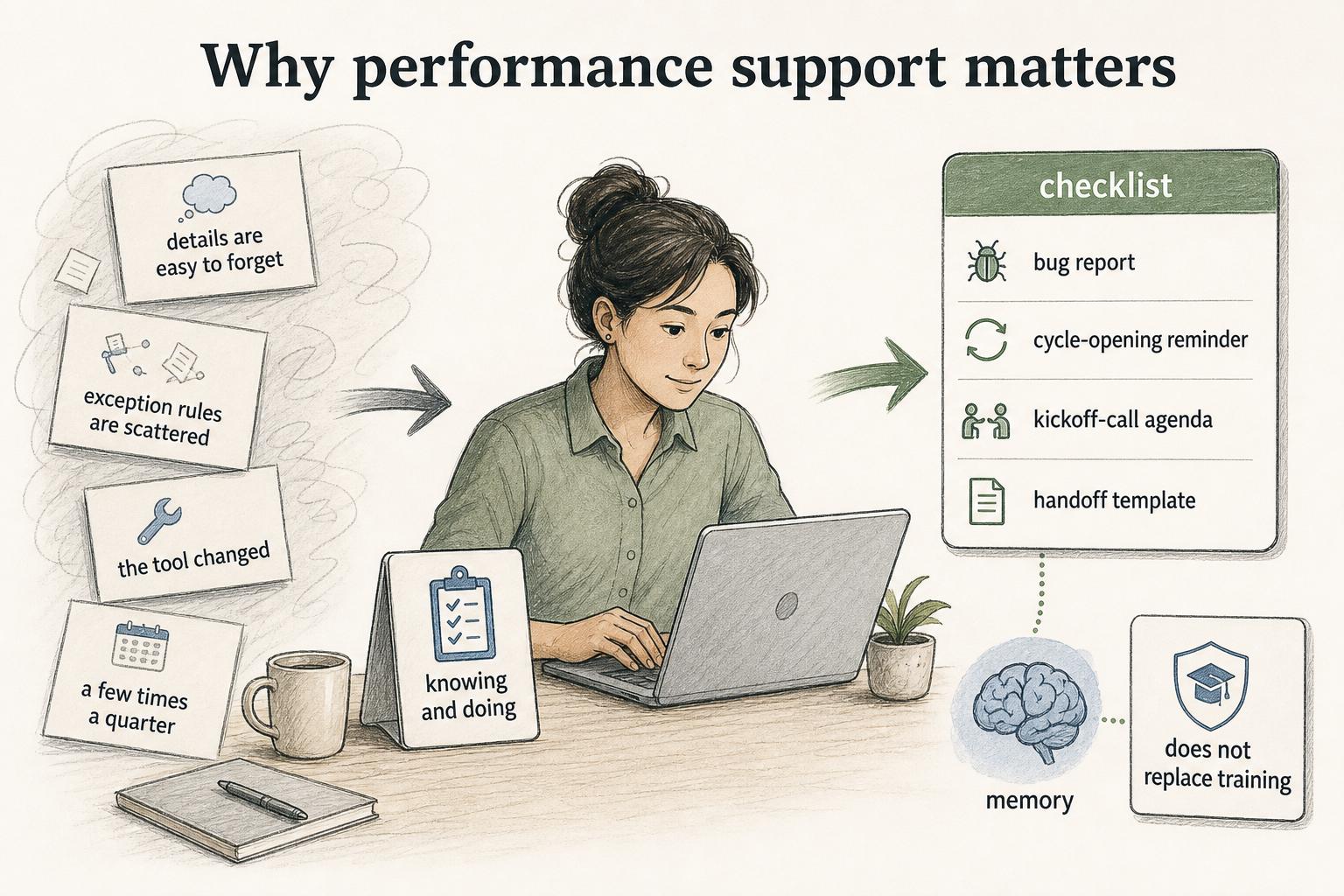
Most workplace tasks are not hard because the concept is impossible. They are hard because the details are easy to forget, the exception rules are scattered, the tool changed, or the person only performs the task a few times a quarter.
Performance support closes the gap between knowing and doing. A support rep may understand the escalation process but still need a checklist for what engineering needs in a bug report. A manager may understand performance reviews but still need a cycle-opening reminder. A customer success manager may know the onboarding plan but still benefit from a kickoff-call agenda and handoff template.
Good performance support does not replace training. It keeps training from having to carry every detail in memory. Research comparing electronic performance support with web-based training found that performance-support users could complete a workplace-like tax task effectively without the same time burden as training-only users.1
Performance support vs. training
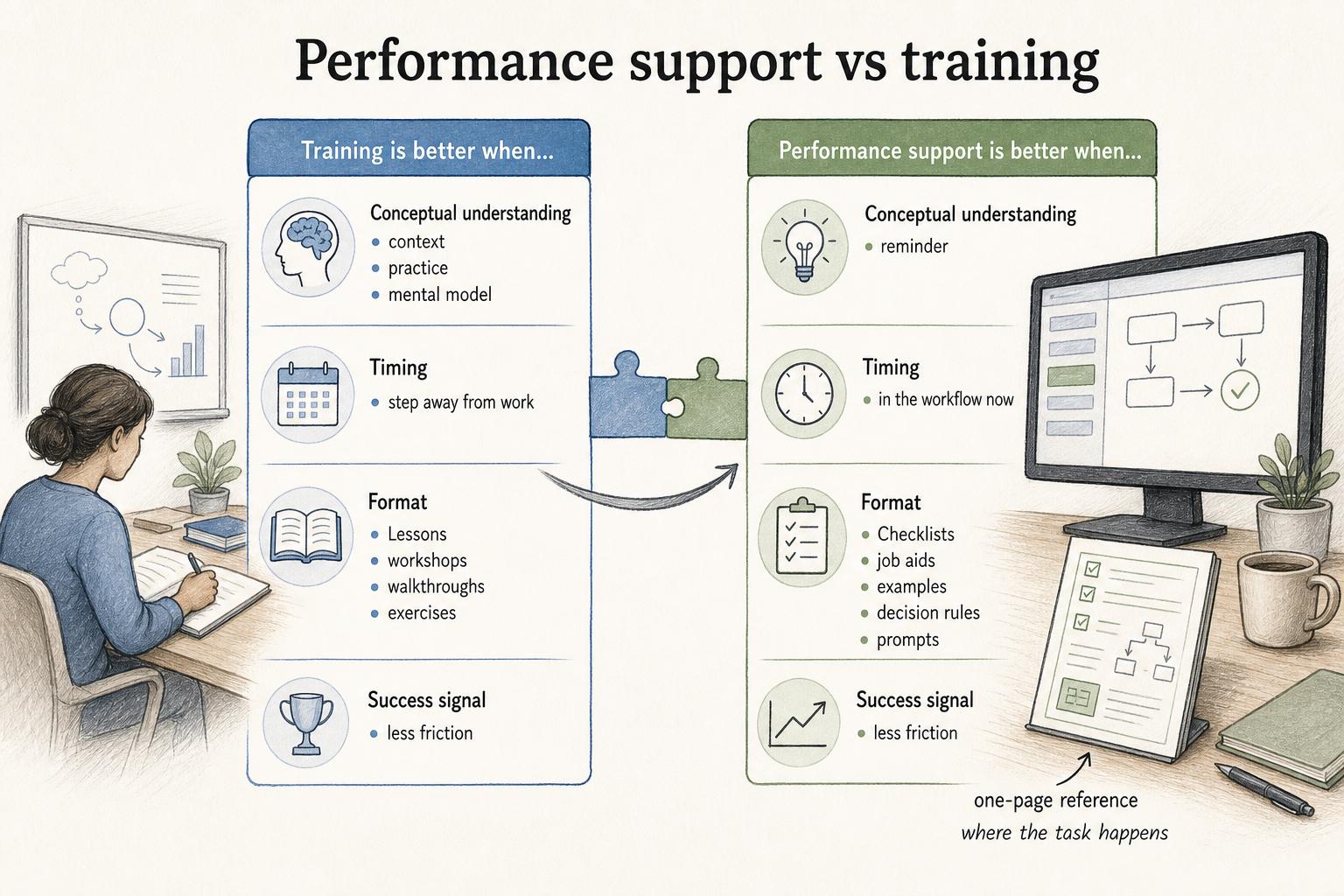
Training and performance support work best together, but they answer different needs.
| Need | Training is better when... | Performance support is better when... |
|---|---|---|
| Conceptual understanding | Someone needs context, practice, or a mental model | Someone already understands the task but needs a reminder |
| Timing | The person can step away from work to learn | The person is in the workflow now |
| Format | Lessons, workshops, walkthroughs, exercises | Checklists, job aids, examples, decision rules, prompts |
| Success signal | The person can explain or practice the skill | The person completes the task correctly with less friction |
A common enablement mistake is trying to solve every performance problem with another course. Sometimes the better answer is a one-page reference placed exactly where the task happens. Performance-support research emphasizes substantive resources delivered when and where employees need them, not just stored in a learning library.2
What performance support looks like
Performance support should be designed around the task, not the knowledge category. Useful formats include checklists, quick reference guides, job aids, step-by-step guides, tooltips, field-level instructions, templates, scripts, troubleshooting flows, decision trees, examples, and short videos.
Choose the format by the failure mode:
- If people skip steps, use a checklist.
- If they choose between paths, use a decision tree.
- If they write the same message repeatedly, use a template.
- If they forget where to click in a tool, use a short guide or walkthrough.
- If they misunderstand quality, show examples of good and weak work.
The format should be only as large as the moment requires. If a person has to read a long manual to complete a two-minute task, the support asset is too far from the work.
How to choose the right support asset
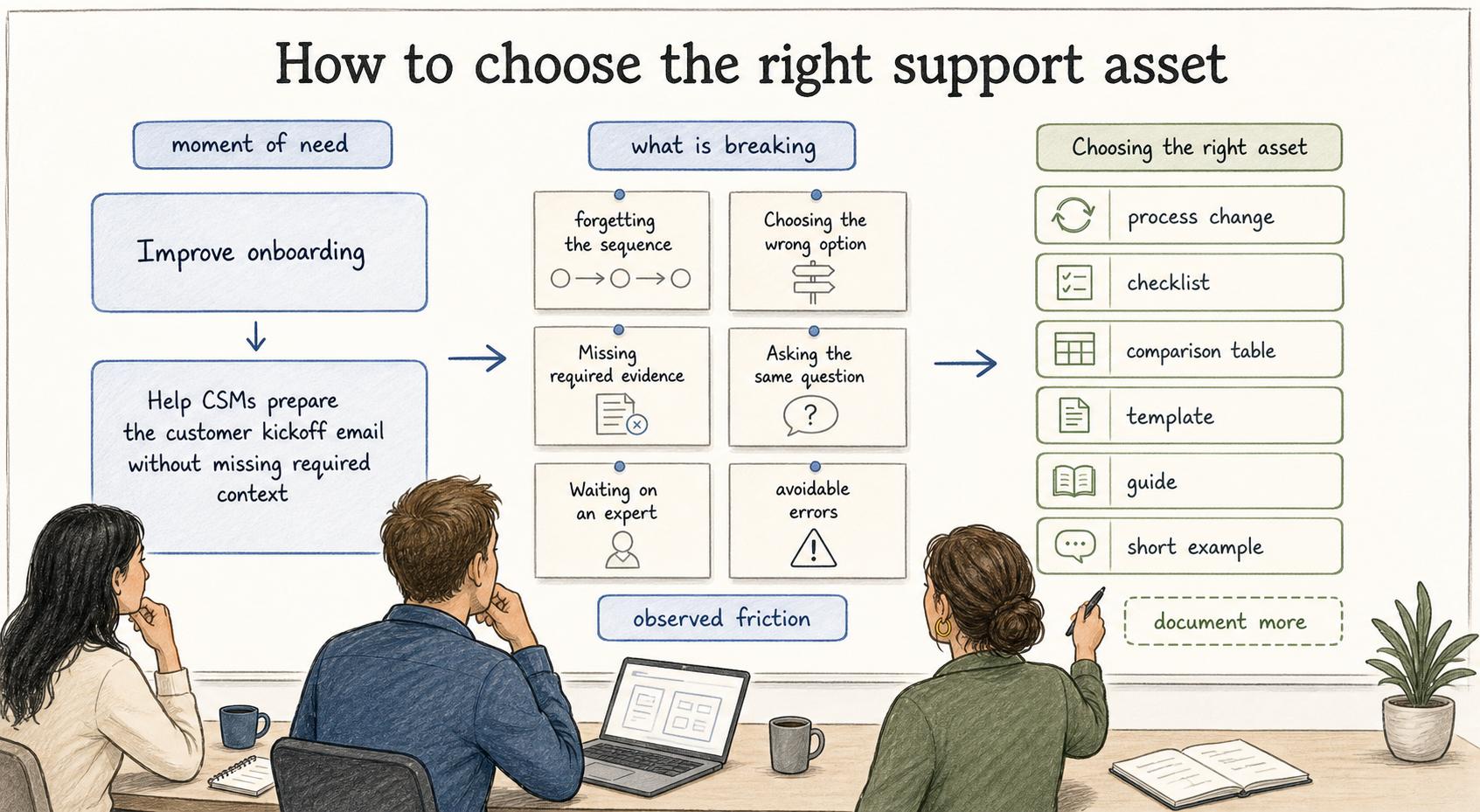
Start by naming the moment of need. "Improve onboarding" is too broad. "Help CSMs prepare the customer kickoff email without missing required context" is specific enough to design for.
Then identify what is breaking. Are people forgetting the sequence? Choosing the wrong option? Missing required evidence? Asking the same question? Waiting on an expert? Making avoidable errors after a process change?
The answer determines the asset. A checklist helps with sequencing. A comparison table helps with choices. A template helps with repeated communication. A guide helps with tool navigation. A short example helps with judgment. Performance support is strongest when it is built from observed friction, not from a general desire to document more.
AI-ready performance support prompt
Use this prompt to identify the smallest useful support assets for a workflow:
## Performance Support Prompt

**Glossary term:** Performance Support
**Source:** Trails Glossary — trails.so/glossary/performance-support

---

### 01. Identify performance support assets

"For [team] working through [process], identify the moments where people forget steps, make inconsistent decisions, ask repeated questions, or wait for expert help. For each moment, recommend the smallest useful performance support asset: checklist, job aid, template, decision tree, example, troubleshooting guide, or step-by-step guide. Include where the asset should live so it appears at the moment of work."
After the first draft, validate the recommendations with people who perform the workflow. They will know whether the proposed asset solves the actual friction or just adds another document.
A 2025 TechTrends study of learning leaders found that performance support and workflow learning are commonly evaluated through real workflow strengths and adoption barriers, not only training completion.3
Common mistakes
One mistake is making performance support too comprehensive. If the asset tries to explain the whole process, it becomes training material. The person in the moment often needs the next decision, the next step, or the exact example.
Another mistake is storing the asset somewhere people never look. A refund checklist belongs near the refund workflow, not buried three folders deep in a knowledge base. Performance support succeeds when it is easy to find at the point of need.
A third mistake is failing to retire stale support. Nothing teaches a team to ignore documentation faster than a job aid that reflects last quarter's process. Lightweight assets still need an owner and review trigger.
Documentation takeaway
Performance support is where documentation becomes operational. It turns process knowledge into small, usable aids that help people act during real work. The best support assets are specific, visible, maintained, and tied to the task where help is needed.
How Trails helps
Trails helps teams create performance support from real workflows. A teammate can capture a process as they perform it, turn that workflow into a polished step-by-step guide, and create an AI-narrated video version for training or sharing. Those guides can become job aids, onboarding references, or quick links inside the tools where work happens.
Sources
- 1
Klein and Nguyen. Comparing the Impact of Electronic Performance Support and Web-Based Training. www.researchgate.net/publication/302504399_Comparing_the_Impact_of_Electronic_Performance_Support_and_Web-Based_Training.
- 2
ERIC. ERIC record on performance support tools. eric.ed.gov/?id=EJ761988.
- 3
ERIC. ERIC record for TechTrends workplace performance-support study, 2025. eric.ed.gov/?id=EJ1499480.