
Glossary
Training Documentation
 ChatGPT
 Perplexity
 Gemini
 Claude
What is training documentation?
Training documentation is the written, visual, or recorded material that helps people learn and perform a job, process, system, or responsibility. It includes manuals, step-by-step guides, onboarding paths, checklists, job aids, video tutorials, assessments, examples, and reference articles.
The strongest training documentation becomes a source of truth people can return to while they are doing the work.1
Why training documentation matters
People forget details after training. Processes change. Managers explain the same task differently. Subject matter experts answer the same questions repeatedly. Training documentation reduces that drift by giving the team a shared reference for how work should be learned and performed.
Documentation also makes training easier to scale. Instead of asking every new employee to piece together knowledge from calls, chat threads, recordings, and coworker explanations, a team can give learners a clearer path through the work.
Document the work that people need to repeat, check, learn, or improve.
What training documentation includes
Training documentation should match the learner's moment of need. Some documents are for initial learning. Others are for reference during live work. Others help a manager assess readiness.
Common formats include:
- Training manuals for role, program, or process orientation.
- Step-by-step guides for repeatable tasks.
- Onboarding checklists and learning paths.
- Video walkthroughs for visual or screen-based workflows.
- Job aids and decision rules for point-of-need support.
- Practice scenarios and example responses.
- Assessments, quizzes, and manager observation forms.
- Knowledge base articles for searchable reference.
- SOPs and process documentation that define the standard work.
A slide deck can be part of training documentation, but it is rarely enough by itself. Slides often support delivery. Documentation must support performance after delivery.2
Training documentation vs. training materials
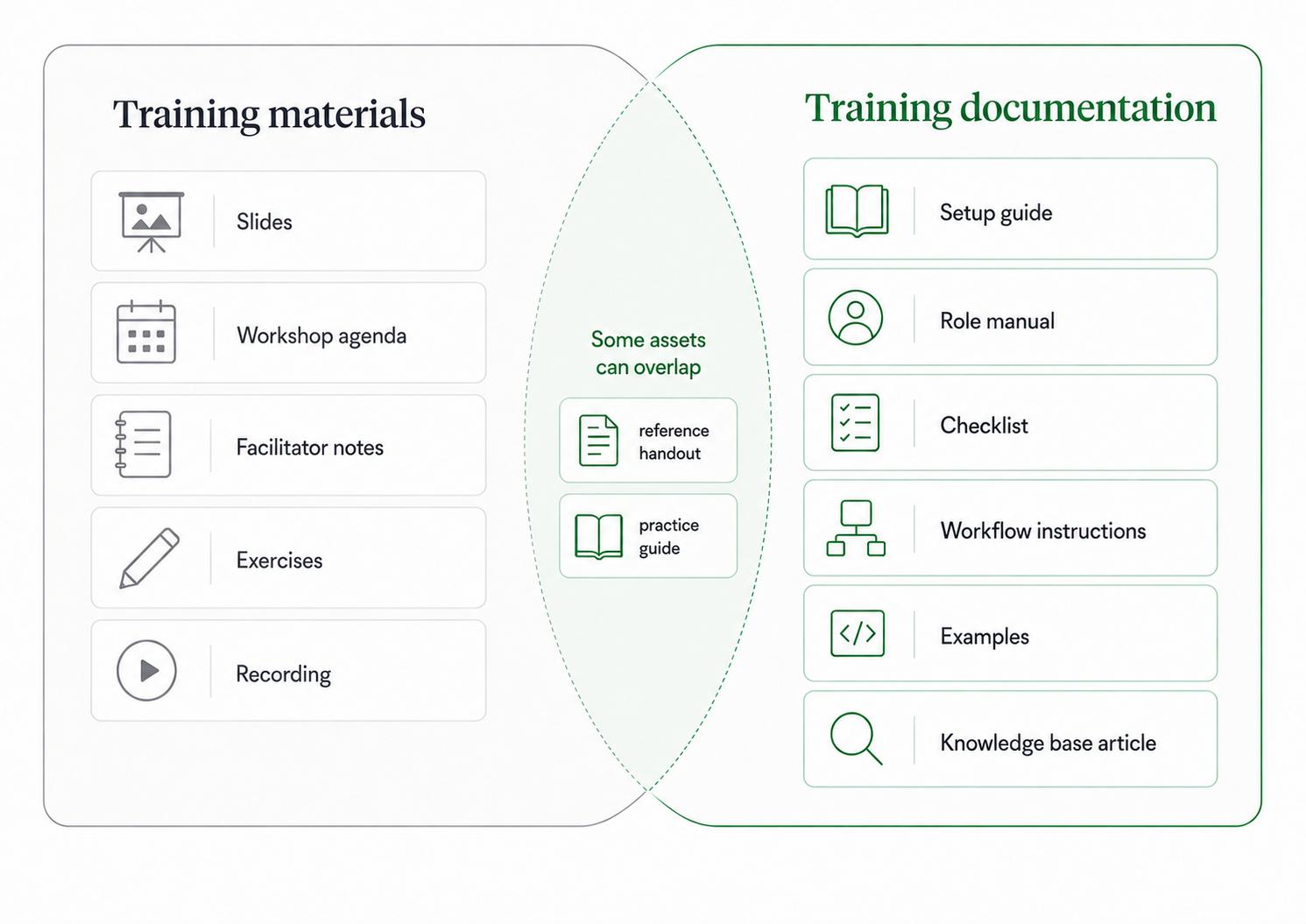
Training materials are the broad set of assets used in a training program. Training documentation is the portion that preserves instructions, references, standards, and examples so people can use them again.
For example, a live onboarding workshop might include slides, a facilitator guide, exercises, and a recording. The training documentation would include the new hire checklist, system setup guide, core workflow instructions, role manual, examples, and links employees need after the workshop.
Teams often over-invest in the training event and under-invest in the working reference. The event may feel polished while the documentation employees actually need is scattered or stale.
How to create training documentation
Start with the work itself. Interviews with experts are useful, but the best documentation often comes from watching or capturing the process as it happens.
A practical creation workflow is:
- Choose the task, process, role, or system that needs documentation.
- Identify who will use it and what they need to accomplish.
- Capture the actual steps, decisions, tools, and common mistakes.
- Turn the capture into the smallest useful format: guide, checklist, video, manual section, or job aid.
- Review it with a subject matter expert.
- Test it with someone who is less familiar with the work.
- Assign an owner, review cadence, and update trigger.
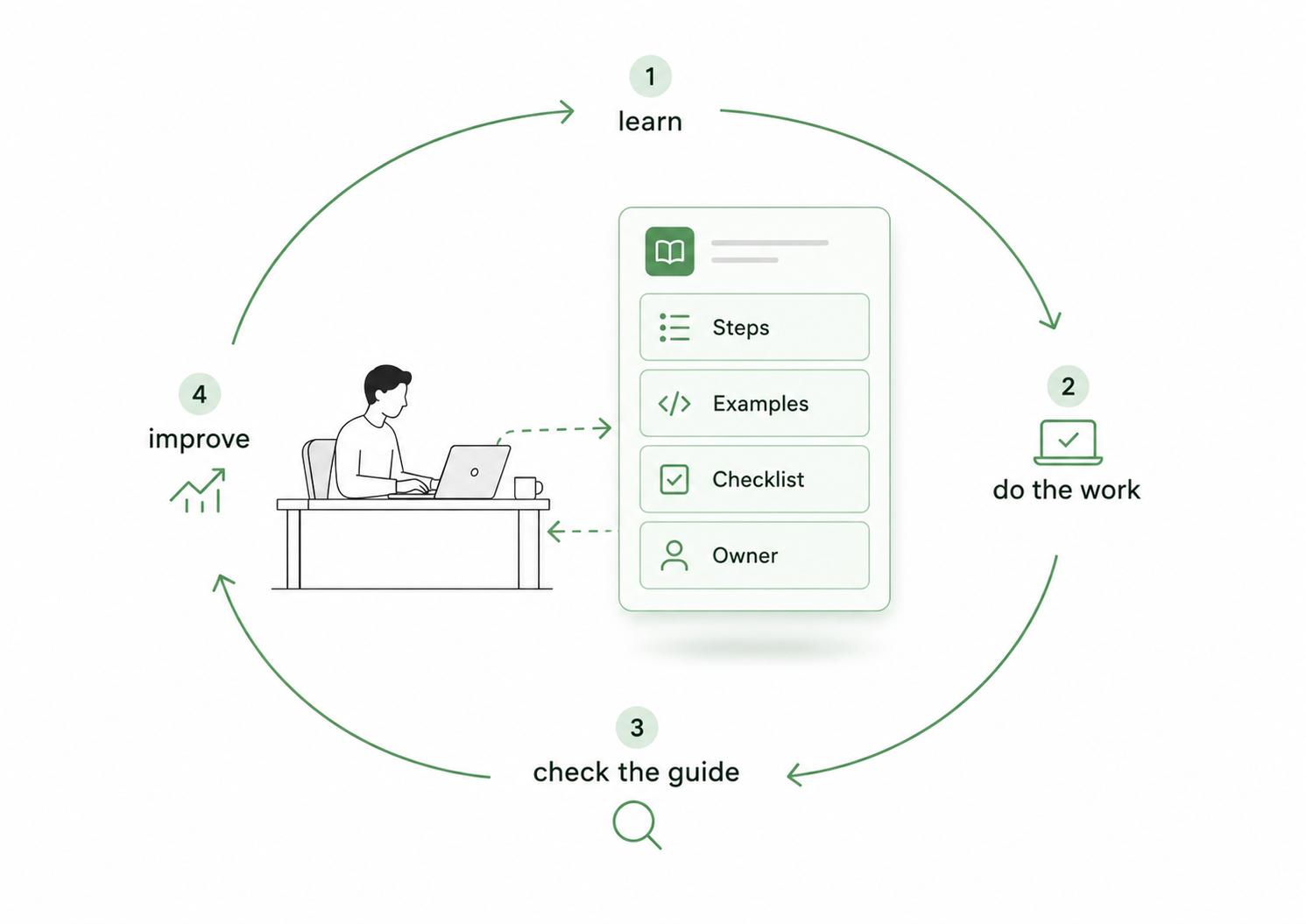
The testing step is important. If a newer employee cannot use the documentation without extra explanation, the document is not finished.3 It may be accurate from the expert's view but incomplete for the learner.
Common mistakes
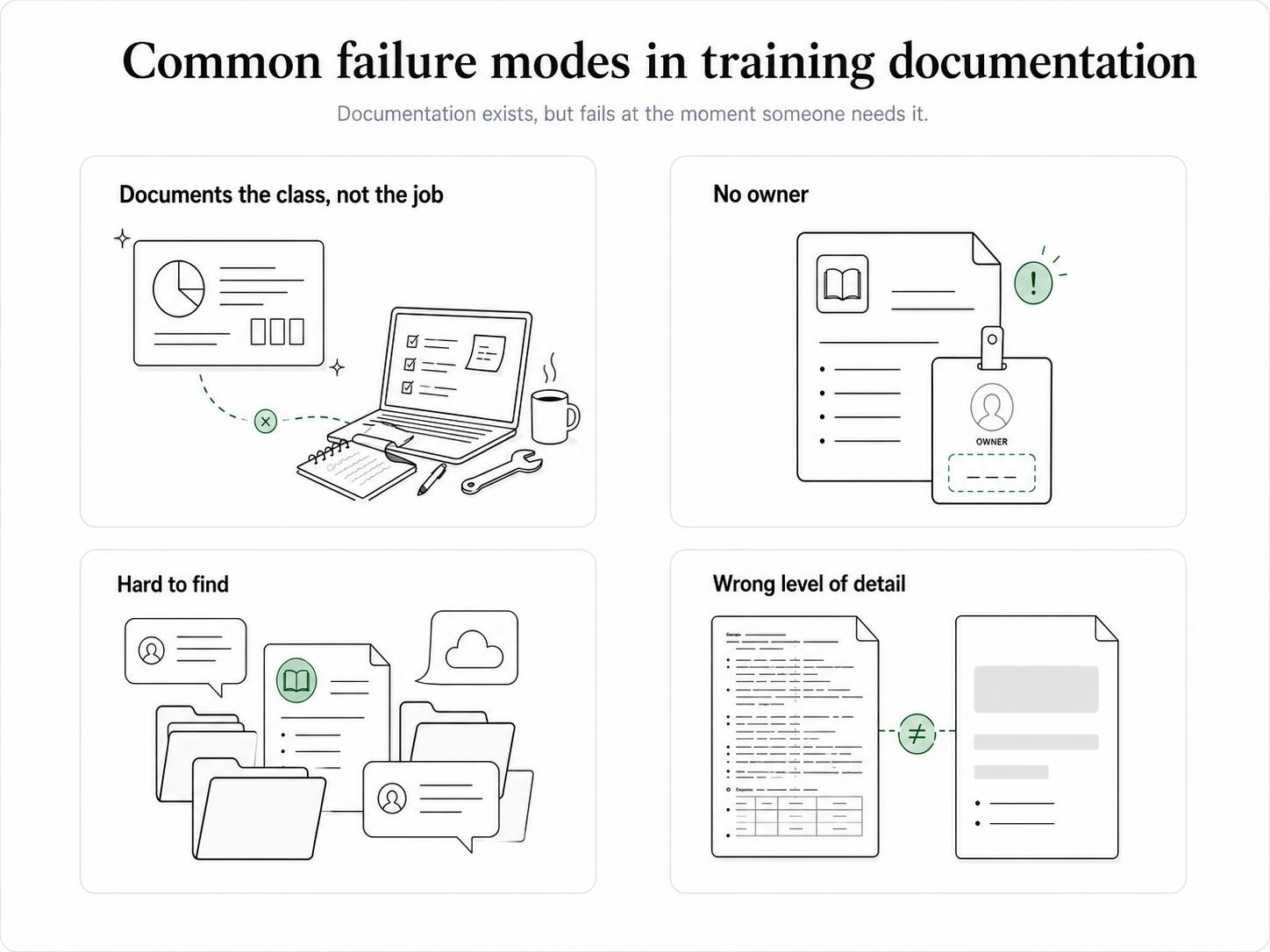
The first mistake is documenting the class instead of the job. A workshop agenda or slide deck may describe the session, but employees need help completing real tasks later.
The second mistake is letting documentation age without ownership. Training documentation should have a named owner and a clear trigger for review when tools, policies, products, or workflows change.4
The third mistake is hiding documentation where learners cannot find it. If people need to ask where the guide lives, the training system is already leaking.
The fourth mistake is using one level of detail for everything. Some tasks need detailed step-by-step instructions. Others need a short checklist, decision rule, or example. Good documentation respects the complexity of the work.
A training documentation prompt
Use this prompt to create or improve a training document:
## Training Documentation Prompt

**Glossary term:** Training Documentation
**Source:** Trails Glossary — trails.so/glossary/training-documentation

---

### 01. Create or improve a training document

"Create training documentation for [task, process, role, or system].
Audience: [learner group]
Current skill level: [beginner, intermediate, or experienced]
Goal: after using this, the learner should be able to [outcome].
Context: [when and why this work happens]

Include:
- When to use this process
- Required tools, access, or prerequisites
- Step-by-step instructions or decision rules
- Common mistakes, exceptions, or edge cases
- Example of a completed task
- Quality or readiness checklist
- Owner and review trigger

Write for someone doing the work during a real task."
This prompt is a starting point. It still needs review against the real workflow.
Documentation takeaway
Training documentation is operating infrastructure. When the process changes, the documentation should change. When the documentation reveals confusion, the process may need to be clarified.
Good documentation makes training easier to deliver, easier to measure, and easier to maintain.
How Trails helps
Trails helps teams create training documentation from actual workflows. A team member can capture a process as they perform it, turn that capture into a polished step-by-step guide, and create an AI-narrated video version for training or sharing. That is useful for onboarding, support enablement, operations training, software rollout, and any team that needs practical guides without rebuilding every step from memory.
Sources
- 1
Centers for Disease Control and Prevention. Measuring Training Effectiveness. CDC. www.cdc.gov/training-development/php/about/evaluate-training-measuring-effectiveness.html. Accessed July 1, 2026.
- 2
Centers for Disease Control and Prevention. Quality Training Standards. CDC. www.cdc.gov/training-development/php/qts/index.html. Accessed July 1, 2026.
- 3
National Institute of Standards and Technology. Training Within Industry. NIST MEP. www.nist.gov/mep/training-within-industry-twi. Accessed July 1, 2026.
- 4
Centers for Disease Control and Prevention. Building a Training Evaluation Plan. CDC. www.cdc.gov/training-development/php/about/evaluate-training-building-an-evaluation-plan.html. Accessed July 1, 2026.