
Glossary
PDF Export
 ChatGPT
 Perplexity
 Gemini
 Claude
What is PDF export?
PDF export is the ability to save content as a Portable Document Format file. In documentation and software tools, a PDF export turns a page, report, guide, manual, SOP, or record into a fixed file that can be shared, printed, archived, or opened outside the original system. The ISO 32000 specification defines PDF as a digital form for electronic documents that can be exchanged and viewed independently of the environment where they were created. 1
PDF export is useful because it creates a stable copy. That is also its main limitation. A PDF is good for distribution, but it is usually weaker as the living source of truth for a process that changes over time.
What PDF export is used for
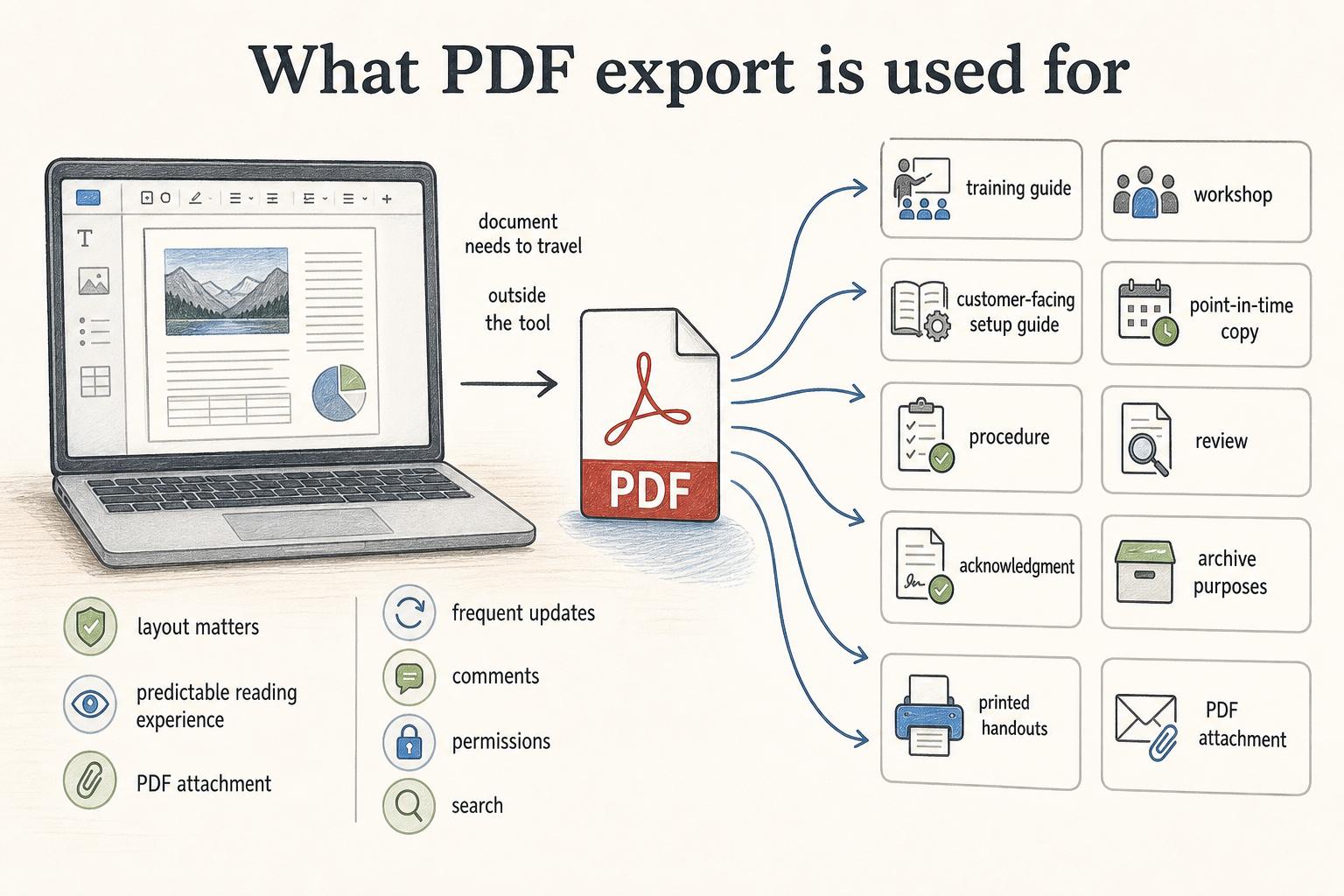
Teams use PDF export when a document needs to travel outside the tool where it was created. A manager may export a training guide for a workshop. A support team may send a customer-facing setup guide. An operations team may keep a point-in-time copy of a procedure. A compliance or HR team may need a static document for review, acknowledgment, or archive purposes.
PDFs are especially helpful when layout matters. They preserve a predictable reading experience across devices and make printed handouts easier to manage. They are also familiar: most stakeholders know what to do with a PDF attachment.
The format is less helpful when the document needs frequent updates, embedded workflow context, comments, permissions, or search across a large documentation system.
PDF export vs live documentation
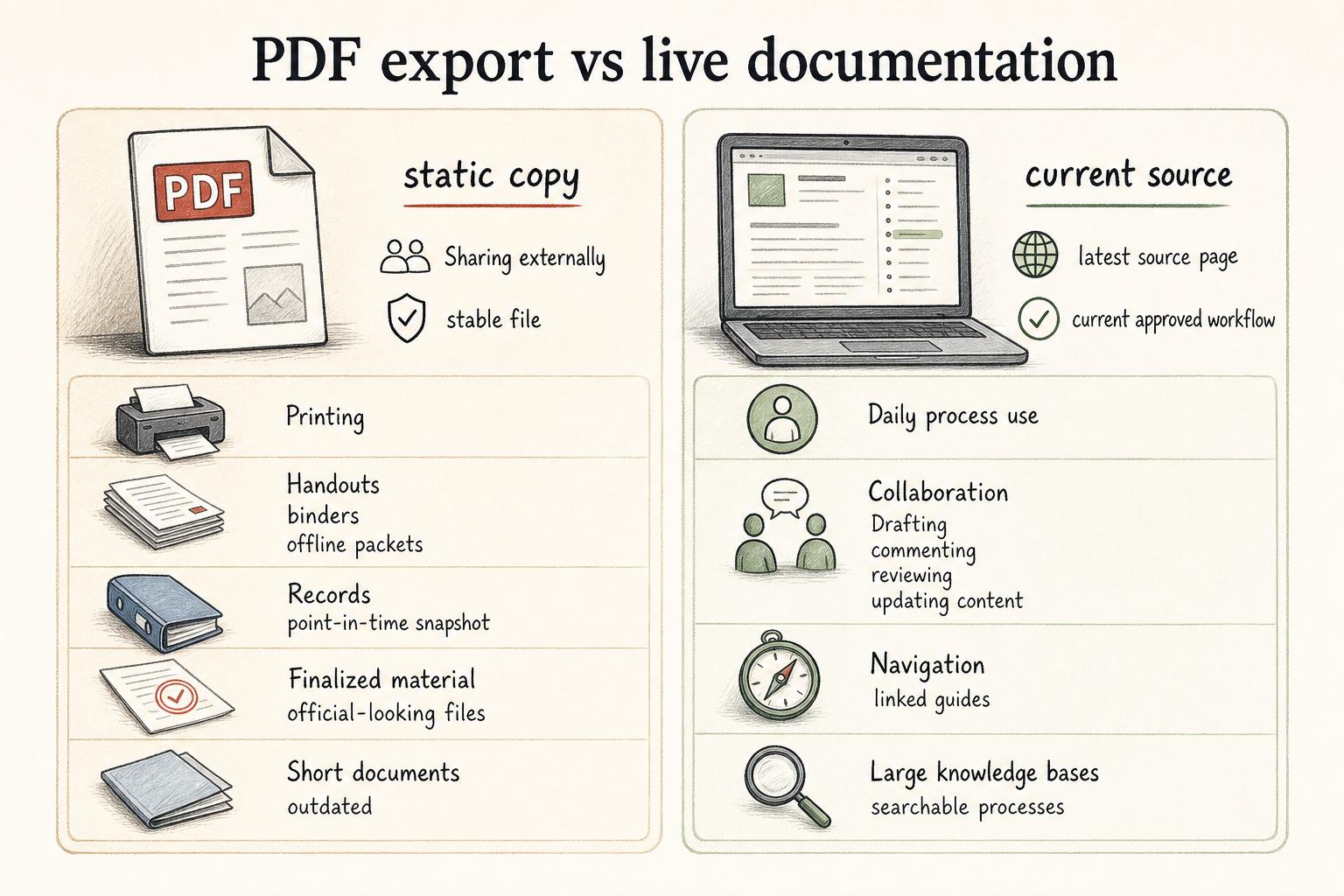
The decision is not whether PDFs are good or bad. The useful question is whether the reader needs a static copy or the current source.
| Need | PDF export is a good fit | Live documentation is a better fit |
|---|---|---|
| Sharing externally | Sending a stable file to a customer, vendor, or reviewer | Giving someone access to the latest source page |
| Printing | Handouts, binders, signed copies, offline packets | Daily process use where updates matter |
| Records | Keeping a point-in-time snapshot | Maintaining the current approved workflow |
| Collaboration | Finalized material that only needs distribution | Drafting, commenting, reviewing, or updating content |
| Navigation | Short documents with predictable sections | Large knowledge bases, linked guides, and searchable processes |
A common mistake is using a PDF because it feels official, then forgetting that official-looking files can become outdated faster than editable guides.
Benefits of PDF export
PDF export is strongest as a delivery and archive format. It gives teams a fixed file that is easy to attach, upload, store, print, or send to someone who does not use the source system. For long-term records, the Library of Congress describes PDF/A as a constrained ISO-standardized form of PDF intended for preserving page-oriented documents. 2
That fixedness can be useful. If a team needs to show what a policy looked like on a particular date, a dated PDF can act as a snapshot. If a field team needs a printed checklist, a PDF can be more practical than a live wiki page. If a customer needs a setup packet, a PDF may be easier than asking them to navigate an internal documentation tool.
Keep the relationship clear: the live source is where the document is maintained; the PDF is a copy created for a specific purpose.
Risks and tradeoffs
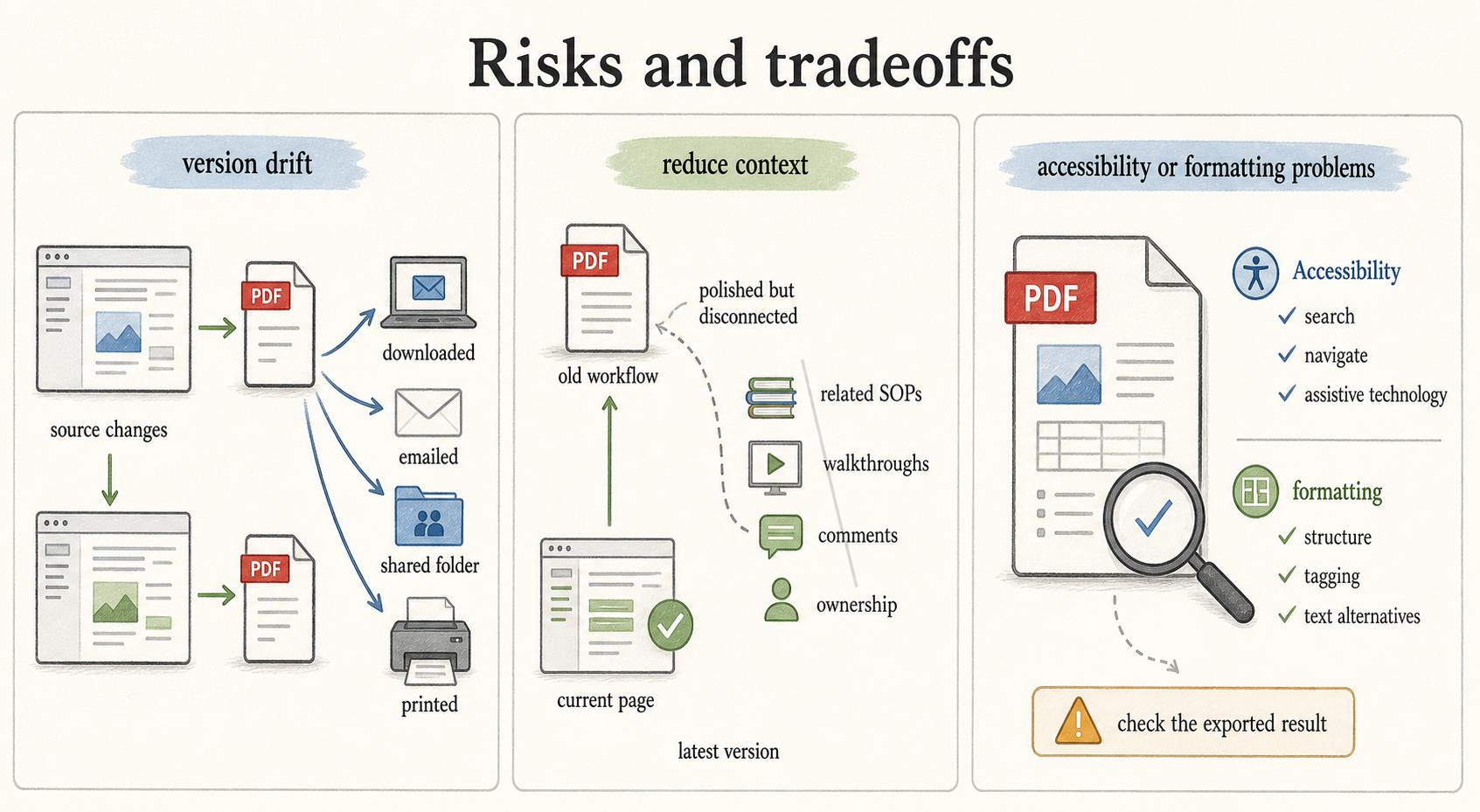
The biggest risk of PDF export is version drift. Once a PDF is downloaded, emailed, saved in a shared folder, or printed, it can keep circulating after the source changes. People may follow an old workflow even though the current page has been updated.
PDFs can also reduce context. Live documentation can link to related SOPs, embed walkthroughs, show comments, display ownership, and point readers to the latest version. A static PDF may flatten those connections. The file can be polished but disconnected from the system where the work actually happens.
Accessibility and formatting also depend on how the PDF is generated. A visually clean PDF is not automatically easy to search, navigate, or use with assistive technology. W3C's PDF techniques for WCAG treat PDF accessibility as a specific implementation concern, including structure, tagging, navigation, and text alternatives. 3 Teams should check the exported result when the document is important.
How to use PDF export without creating stale documentation
Use PDF export intentionally. Keep the editable source in a system your team maintains, then export a PDF only when the static format helps the reader.
A practical rule: every exported PDF should answer three questions. Where is the source document? When was this copy exported? Who owns updates? Those details prevent the file from becoming an unmanaged duplicate.
For process documentation, add a version date, review date, or source link when possible. Store PDFs in a predictable location. Remove or archive outdated copies. If the process changes often, train people to use the live guide for daily work and the PDF only for distribution or records.
Common mistakes
One mistake is treating PDF export as the documentation workflow. Exporting can make content look finished, but it cannot fix unclear steps, missing screenshots, weak ownership, or an outdated process.
Another mistake is sending PDFs when readers need the latest version. If the document changes weekly, a static attachment may create more confusion than it solves.
A third mistake is exporting without testing the reader experience. A guide that looks fine in the source tool may have awkward page breaks, tiny screenshots, broken links, or missing context after export.
Documentation takeaway
PDF export is best for distribution, printing, offline access, and point-in-time records. It is not a replacement for a maintained documentation system. Treat PDFs as controlled copies: useful when the format serves the reader, risky when the file becomes detached from the current source.
How Trails helps
Trails helps teams create clear process documentation from real workflows before deciding how to share it. A teammate can capture a workflow as they perform it, turn it into a polished step-by-step guide, and create an AI-narrated video version for training or sharing. That live guide can stay easier to update, while static copies can be used when the situation calls for them.
Sources
- 1
PDF Association. ISO 32000-1. pdfa.org/resource/iso-32000-1/.
- 2
Library of Congress. PDF/A-1, PDF for Long-term Preservation, Use of PDF 1.4. www.loc.gov/preservation/digital/formats/fdd/fdd000318.shtml.
- 3
W3C. PDF Techniques for WCAG 2.0. www.w3.org/TR/WCAG20-TECHS/pdf.