
Glossary
Markdown Export
 ChatGPT
 Perplexity
 Gemini
 Claude
What is markdown export?
Markdown export is the ability to download or save content as Markdown files. Markdown is a plain-text formatting language that uses simple characters for headings, links, lists, code blocks, and other common document structure. 1
For documentation teams, markdown export is less about how a page looks and more about where that page can go next. It gives the team an editable source file that can move into a repository, static site, help center, backup folder, or another documentation tool without depending completely on the original editor. 2
Why markdown export matters
Documentation often outlives the tool where it was first written. A process guide may start in a knowledge base, move into a docs-as-code workflow, get reviewed in Git, and later become a public help article. 3 A clean Markdown file makes that movement easier.
The practical value is portability. If the export keeps headings, lists, links, code blocks, images, and metadata intact, the team has a useful source file. 4 If it flattens everything into loose text, the export technically worked but created a cleanup project.
A good markdown export preserves the shape of the documentation: sequence, hierarchy, links, examples, and reusable source text.
Markdown export vs PDF export vs HTML export
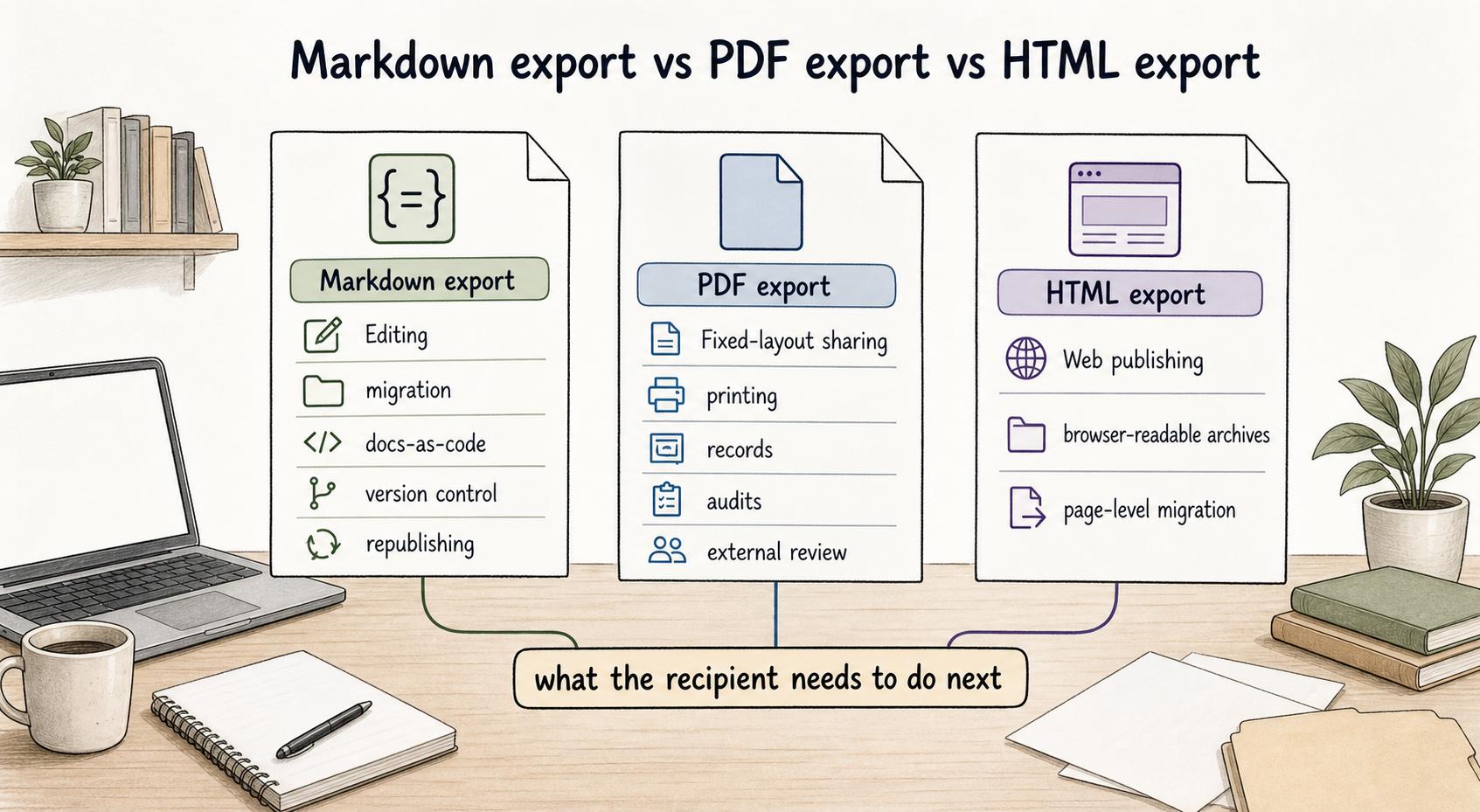
Different export formats are useful for different follow-up jobs. The mistake is choosing the format based on what is familiar instead of what the recipient needs to do next.
| Export format | Best for | Watch out for |
|---|---|---|
| Markdown export | Editing, migration, docs-as-code, version control, and republishing | Rich layouts, embeds, comments, and advanced blocks may be simplified |
| PDF export | Fixed-layout sharing, printing, records, audits, and external review | Hard to edit, compare, or reuse as source content |
| HTML export | Web publishing, browser-readable archives, and page-level migration | Styling and generated markup can be noisy or tool-specific |
If the next step is reading only, PDF may be enough. If the next step is editing, migrating, or publishing elsewhere, Markdown is usually the better starting point.
What a useful markdown export should preserve
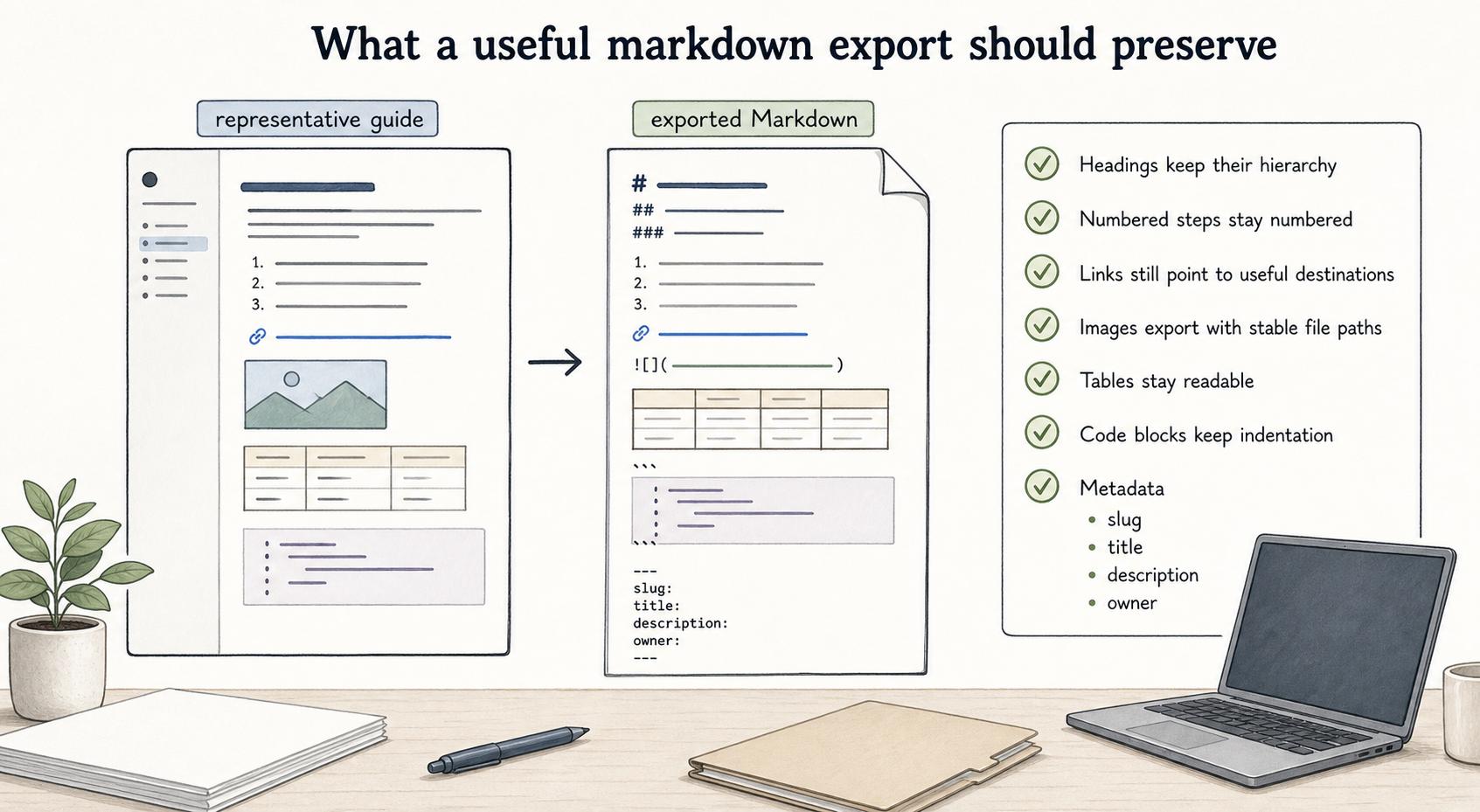
The most useful exports keep the document's operating structure. For a process guide, the exported Markdown should still show the sequence of work, not just a pile of paragraphs.
Before you trust an export workflow, check whether:
- Headings keep their hierarchy, so sections are still scannable.
- Numbered steps stay numbered, especially when order matters.
- Links still point to useful destinations after the content moves.
- Images export with stable file paths or clear asset references.
- Tables stay readable, even if they need light cleanup.
- Code blocks, commands, and examples keep indentation.
- Metadata such as slug, title, description, or owner is available when the destination needs it.
A quick export of a simple page won't tell you much. Test with a real article that includes screenshots, links, nested sections, tables, and any blocks your team uses heavily.
Common failure modes
Markdown export can be deceptively clean. The file opens, the text is readable, and the headings look fine. Then the team discovers the pieces that matter in production didn't survive.
Common failures include broken internal links, missing image files, flattened callouts, lost comments, awkward tables, and context loss. The exported file may not include who owns the document, when it was last updated, what product area it belongs to, or which process it supports.
For SOPs and internal guides, that metadata can matter as much as the body copy. A procedure without ownership or review context is easy to archive and hard to maintain.
When markdown export is the right choice
Markdown export is a good fit when the team wants editable source material. It works well for engineering runbooks, knowledge base migrations, internal SOP backups, product documentation, help center content, and review workflows where text changes need to be compared over time.
It is a weaker fit for highly designed documents, heavily visual walkthroughs, or final read-only artifacts. In those cases, the team may still want Markdown as a source format, but screenshots, videos, diagrams, and embedded media need their own handling plan.
A practical rule: use Markdown when the next person needs to change the documentation, not just consume it.
Documentation takeaway
Treat markdown export as portability first and preservation second. It protects the parts of documentation that are easiest to reuse: structure, text, links, examples, and source-friendly formatting.
Before a migration or backup depends on it, run a small export test with one representative guide. Check the exported file, linked assets, and destination preview. The point is to find the specific cleanup work your team will inherit before the migration is already underway.
How Trails helps
Trails helps teams capture real workflows as they happen and turn them into polished step-by-step guides. Those guides can also become AI-narrated videos for training or sharing.
Markdown export is useful when that process documentation needs to move into another system, such as an internal wiki, repository, static docs site, or content operations workflow. The stronger the original guide structure is, the more useful the exported source becomes.
Sources
- 1
CommonMark. CommonMark specification. spec.commonmark.org/current/.
- 2
Google. Google Markdown style guide. google.github.io/styleguide/docguide/style.html.
- 3
GitBook. What is docs as code?. www.gitbook.com/blog/what-is-docs-as-code.
- 4
GitHub. Basic writing and formatting syntax. docs.github.com/github/writing-on-github/getting-started-with-writing-and-formatting-on-github/basic-writing-and-formatting-syntax.