
Glossary
Learning Path
 ChatGPT
 Perplexity
 Gemini
 Claude
What is a learning path?
A learning path is a sequenced training plan that moves someone from their current level of knowledge to a specific skill, role, or performance outcome. It shows what to learn, what to practice, what to reference, and how readiness will be checked along the way.
A strong learning path does more than collect training links. It gives the learner a route through the work. The order matters because people rarely become capable by consuming content in whatever order it happens to appear.
Why learning paths matter
Use a learning path when training needs to produce reliable performance, not just completion records. Common uses include onboarding, enablement, reskilling, compliance refreshers, customer support ramping, sales training, manager development, and tool rollouts.
Without a path, learners get too much information at once or scattered resources with no clear sequence. Both slow ramp time and make training quality depend on whoever happens to be helping that person.
A learning path gives managers, trainers, and learners the same map. It shows what progress means, where someone is stuck, and what needs to happen before they move on.
What a learning path should include
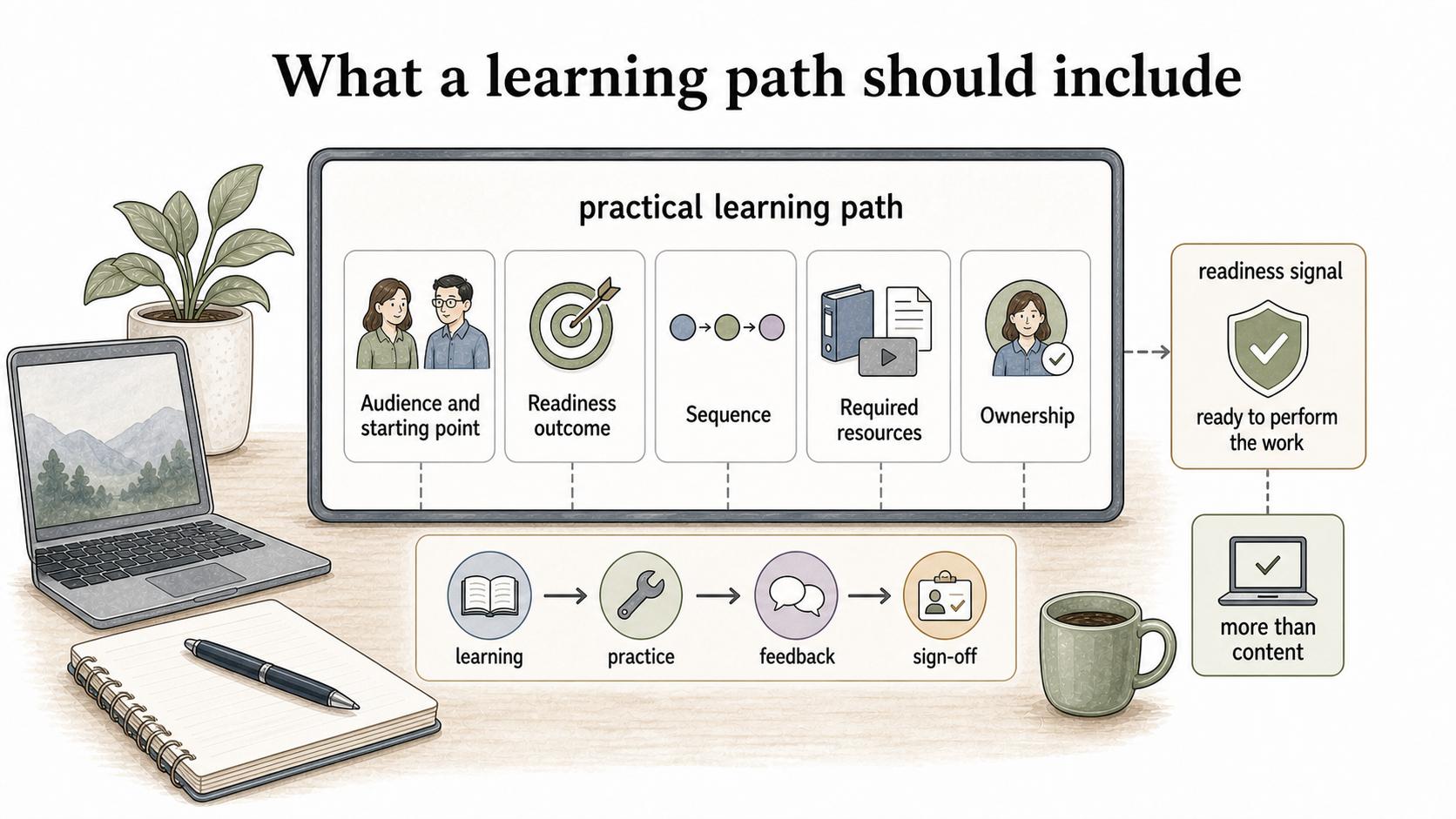
A practical learning path needs more than content. It should define the operating decisions behind the path:
- Audience and starting point: who the path is for, what they already know, and what access or context they need before they begin
- Readiness outcome: the work they should be able to perform by the end
- Sequence: the ordered stages of learning, practice, feedback, and sign-off
- Required resources: courses, SOPs, videos, job aids, examples, and reference material, separated from optional enrichment
- Ownership: who maintains the path as tools, processes, and expectations change
The readiness signal is the part many teams skip. Finishing a module is useful, but it is not the same as being ready to perform the work. A support rep might complete a product course and still need to shadow tickets, draft replies, handle supervised cases, and pass a quality review before working independently.
Learning path vs course vs checklist
Learning paths often include courses and checklists, but the path has a different job.
| Format | What it does best | Where it falls short alone |
|---|---|---|
| Learning path | Guides progression toward a role, skill, or outcome | Can become bloated if every resource gets added |
| Course | Teaches a defined topic in a contained format | May not connect clearly to real work |
| Checklist | Tracks required steps or completions | Can measure activity without measuring readiness |
| SOP or job aid | Supports someone while doing the task | Usually does not explain the full learning sequence |
For example, a customer support onboarding path might combine product lessons, ticket workflow SOPs, response-quality examples, shadowing sessions, practice queues, and manager sign-offs. The path connects those pieces so the learner doesn't have to guess how they fit together.
How to design a learning path
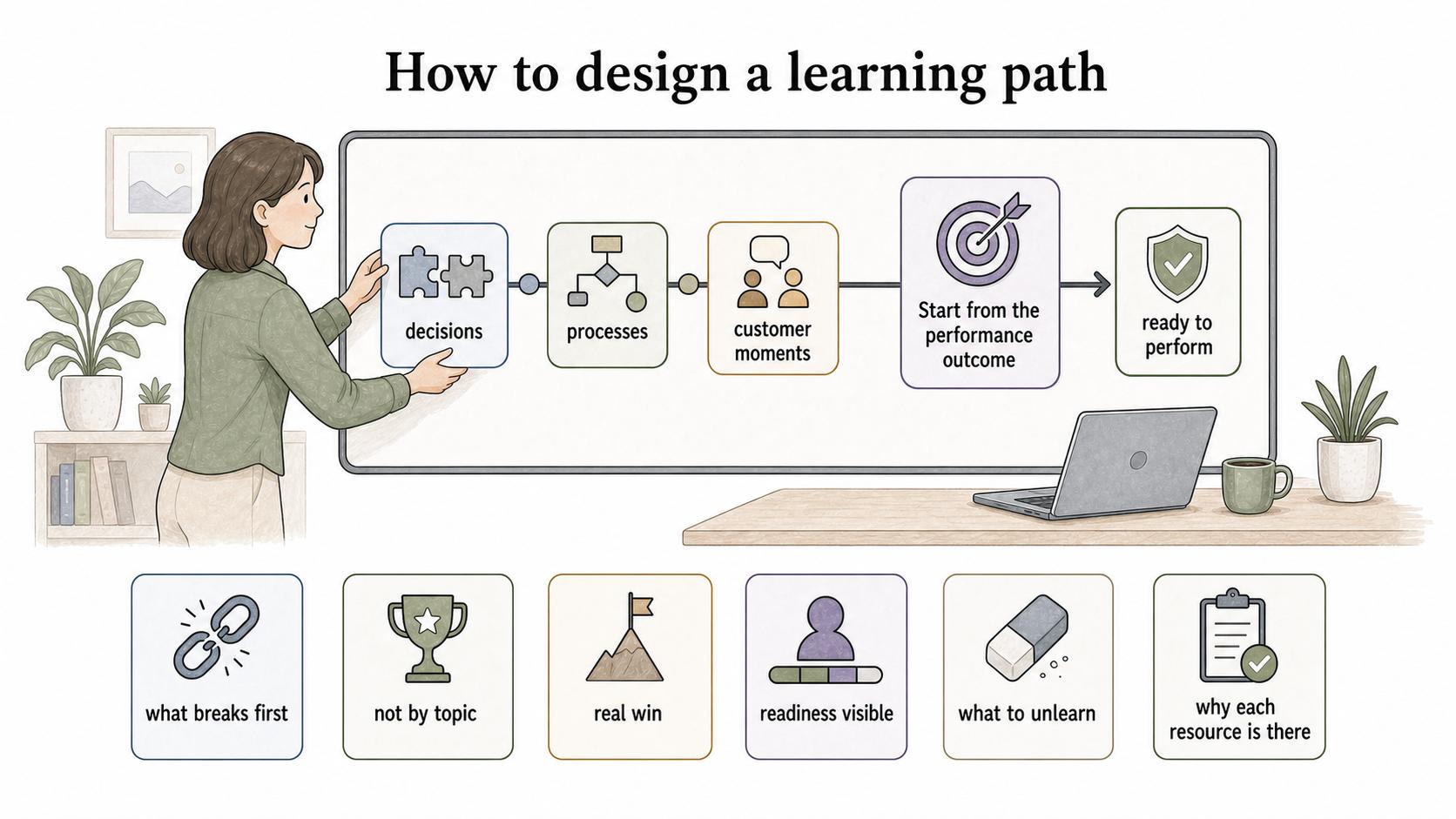
Start from the performance outcome. If the goal is “new implementation specialists can run a kickoff call without supervision,” build the path around the decisions, processes, and customer moments that make that outcome possible.
Use a few rules to keep the path tied to performance:
- Sequence by what breaks first, not by topic. Most paths run basic, intermediate, advanced. Real work doesn't fail in that order. Teach the moments where new people stall, escalate, or make expensive mistakes early enough that they still have support.
- Build in a real win. Have the learner complete one small, low-risk piece of the actual job before they clear a wall of foundational content. One real outcome creates more momentum than three theory modules.
- Make readiness visible. “Finished the course” measures attendance. Tie each stage to something the learner produces or performs: a drafted reply, a mock call, a supervised ticket, or a manager-reviewed workflow.
- Name what to unlearn. People bring habits from previous roles, and some of those habits fight the new work. A good path says what to stop doing, not just what to start.
- Document why each resource is there. Paths get stale when nobody remembers why a lesson, SOP, or video made the list. A short note helps the next owner cut outdated material without guessing.
Common mistakes
The common mistake is treating the learning path as a content inventory. That creates a tidy-looking page, but the learner still has to figure out priority, sequence, and application.
Other mistakes usually come from the same problem: the path measures activity instead of readiness. It has no clear end state, front-loads too many resources, skips practice, treats optional material as required, or never hands the learner from training into manager-owned performance.
A good learning path removes interpretation work from the learner. At each stage, it should answer two questions: “What do I do next?” and “How do I know I'm ready?”
AI-ready learning path prompt
Use this prompt to draft a learning path around a role or skill outcome:
## Learning Path Prompt

**Glossary term:** Learning Path
**Source:** Trails Glossary — trails.so/glossary/learning-path

---

### 01. Create a learning path

"Create a learning path for [role, team, or skill]. The learner starts with [starting context] and needs to be able to [final performance outcome]. Organize the path into stages. For each stage, include the goal, required resources, practice tasks, SOPs or job aids, feedback points, readiness signals, estimated timing, and owner. Separate required materials from optional enrichment. Keep the path focused on performance, not just content completion."
How Trails helps
Trails helps teams turn real workflows into training-ready documentation. A team can capture a process as someone performs it, turn it into a polished step-by-step guide, and create an AI-narrated video version for training or sharing.
That gives a learning path better building blocks: guides that show the actual workflow, screenshots, handoffs, and decisions learners need to practice.