
Glossary
Training Platform
 ChatGPT
 Perplexity
 Gemini
 Claude
What is a training platform?
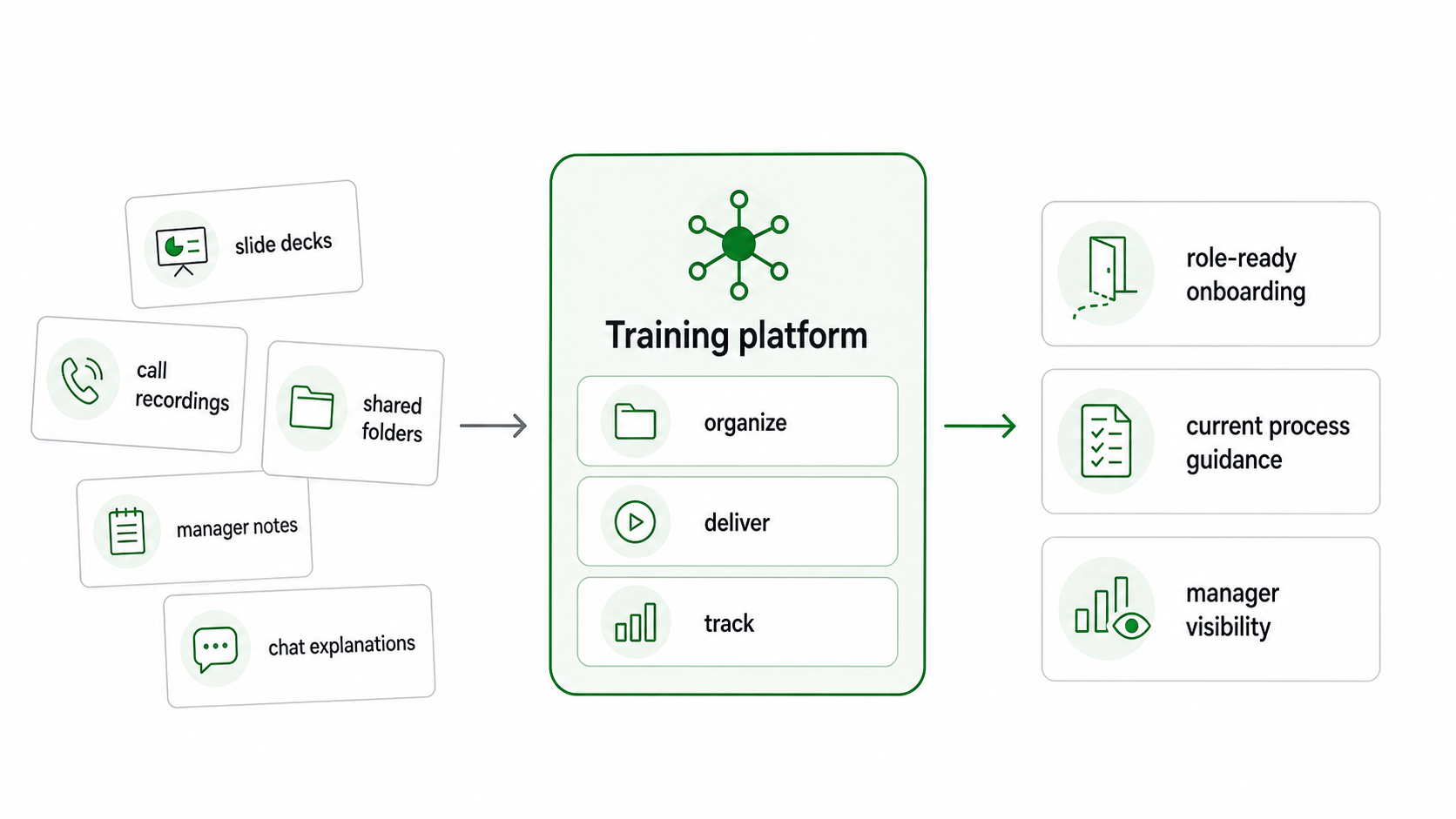
A training platform is software that helps an organization create, organize, deliver, manage, and track training. Teams use training platforms for employee onboarding, compliance training, process training, customer education, partner enablement, product training, and role-specific learning.1
The buying question is simple: can the platform keep training close to the real work as that work changes? A system with a long feature list still fails if it becomes a storage cabinet for outdated courses.
What a training platform does
A training platform gives structure to learning that would otherwise live in scattered slide decks, call recordings, shared folders, manager notes, chat threads, and one-off explanations.
At minimum, it should help a team answer practical questions:
- What does each role need to learn?
- Which training is required, optional, or role-specific?
- Who has completed training?
- Where is the current version of the material?
- How should managers check whether someone can perform the work?
- Who updates the training when the workflow changes?
The last two questions are where many systems struggle. Training is not only content delivery; it is the operating structure that helps people do the job correctly after the lesson ends.2
Training platform vs. LMS
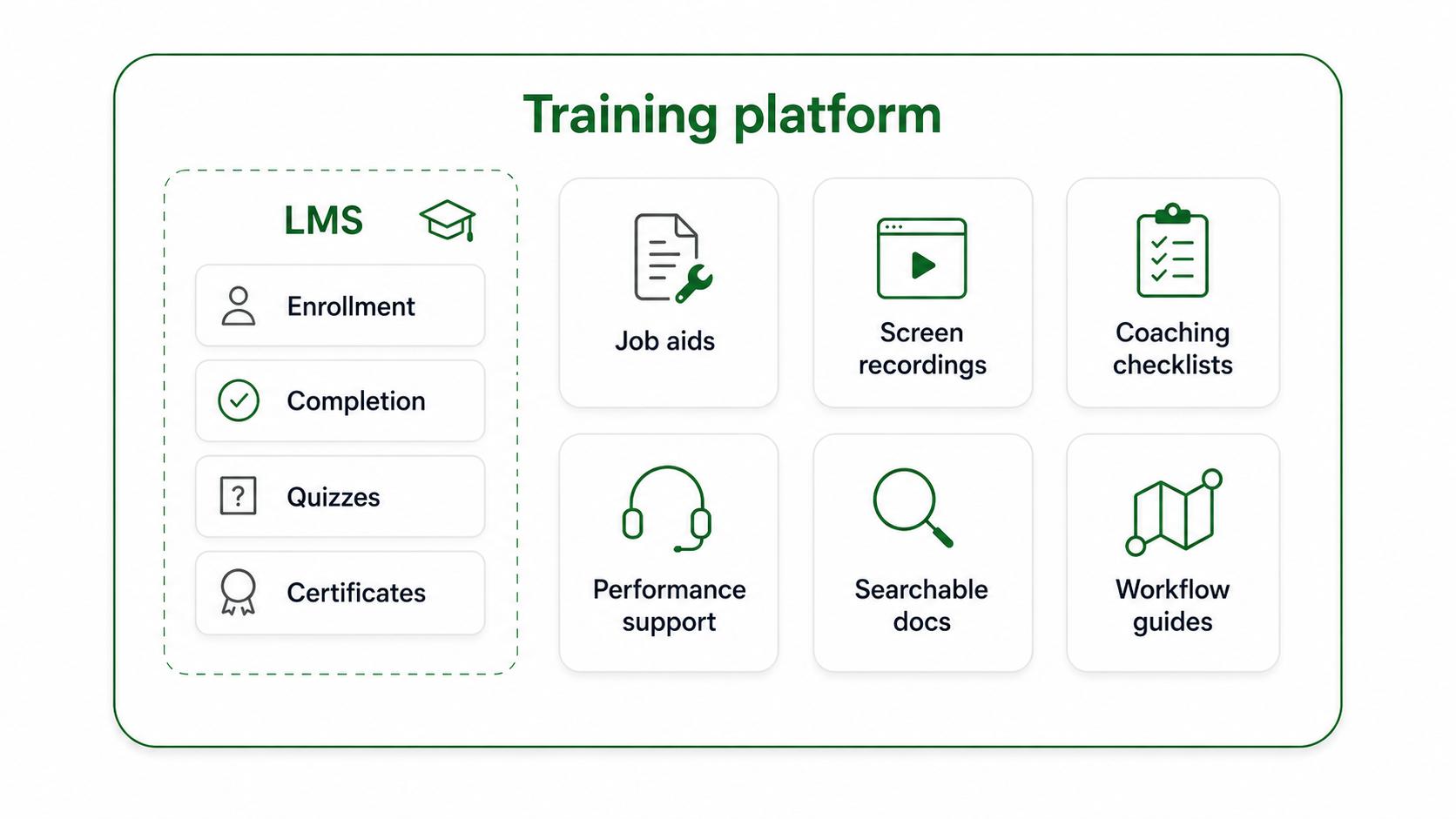
A learning management system, or LMS, is one common type of training platform. An LMS is usually built around course administration: enrollment, completion tracking, quizzes, certificates, learner records, and compliance reporting.
A broader training platform may include LMS features, but it may also support job aids, searchable documentation, workflow guides, screen recordings, coaching checklists, product enablement assets, and in-the-flow performance support.
The distinction matters because teams buy for different kinds of training work. A regulated team may need strong completion records. A fast-moving support or operations team may care more about keeping process documentation current enough for daily use.
How to choose a training platform
Start with the training workflow, not the demo. Demos make every platform look tidy. Real training programs are messier: subject matter experts are busy, managers interpret standards differently, and processes change right after the training launches.
A strong evaluation starts with four questions:
- What behavior should improve? If the desired behavior is unclear, the platform will only organize confusion.
- What type of asset does that behavior require? A policy may need a course. A software workflow may need a step-by-step guide. A judgment-heavy role may need examples and coaching notes.
- How often will the content change? Frequent change raises the value of fast creation, easy editing, and clear ownership.
- What proof do managers need? Completion may be enough for some training. Other programs need assessments, observation, quality reviews, or operational metrics.
The best platform is the one that matches the shape of the work, the risk of getting it wrong, and the people who will maintain the content.
Features that matter in practice
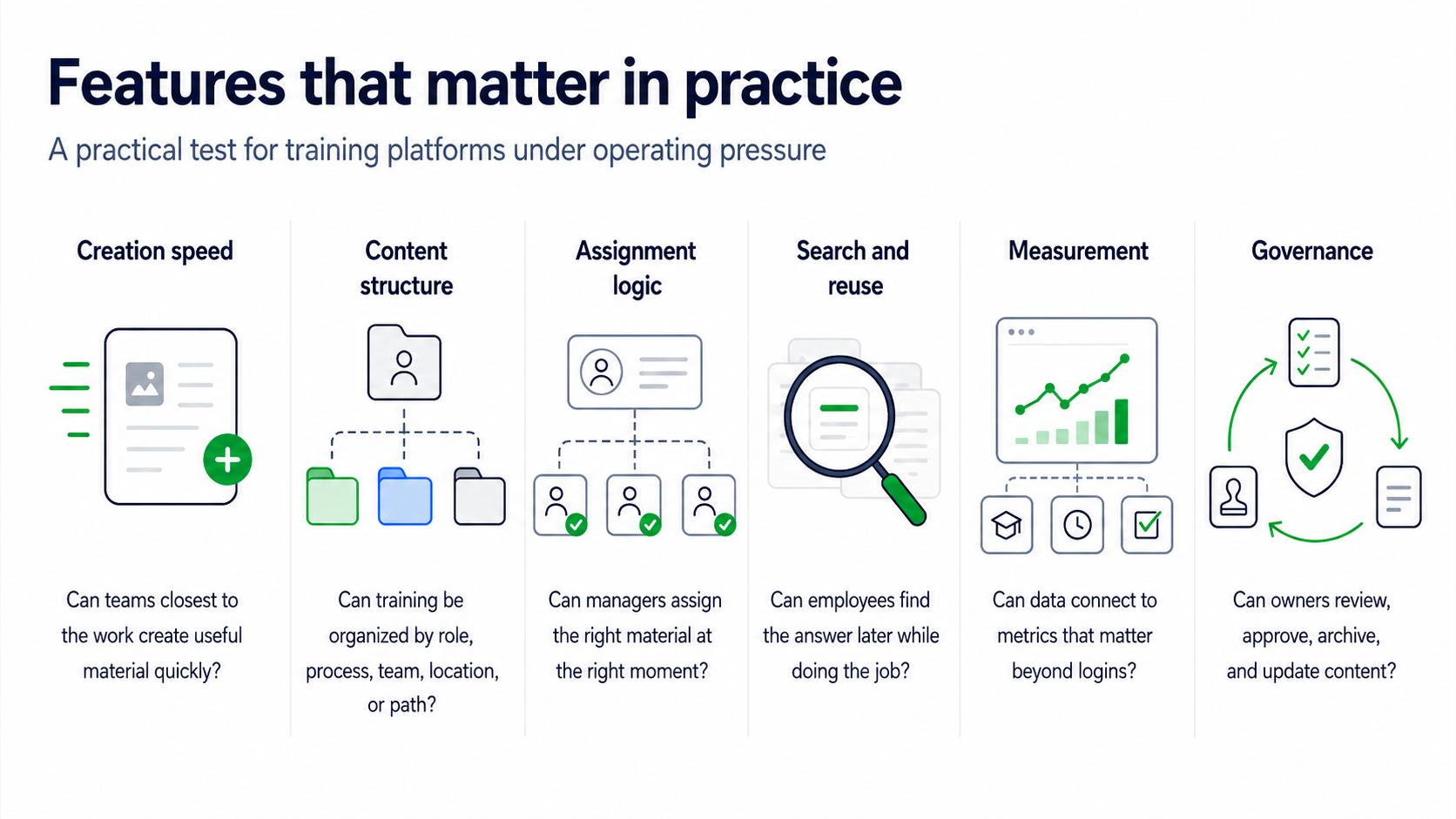
Most training platforms can claim content hosting and progress tracking. The better test is whether those features survive normal operating pressure.
Look closely at:
- Creation speed: Can the people closest to the work create useful material without waiting on a long production process?
- Content structure: Can training be organized by role, process, team, location, customer segment, or learning path?
- Assignment logic: Can managers assign the right material at the right moment instead of pushing everyone into the same course list?
- Search and reuse: Can employees find a specific answer later, when they are doing the job?
- Measurement: Can platform data connect to training metrics that matter, not just logins and completions?
- Governance: Can owners review, approve, archive, and update content before it quietly becomes wrong?
Creation speed is often underrated. A platform with excellent reporting but slow content creation can still fail because the training library never catches up with the actual process.
Common mistakes
The first mistake is choosing for administrators only. Administrators need reporting, permissions, and assignments. Learners need clarity at the moment of work. A platform that satisfies the admin dashboard but frustrates employees will produce clean records and weak adoption.
The second mistake is treating completion as competence. Completion tells you someone reached the end of a module. It does not prove they can handle a real customer conversation, follow a nuanced procedure, or make the right judgment under time pressure.3
The third mistake is ignoring maintenance. Training platforms usually fail gradually: the screenshots are a little old, process names are slightly wrong, the best example lives in a manager's head, and employees learn to ask a coworker instead of checking the system.
Training platform evaluation prompt
Use this prompt before selecting or reorganizing a training platform:
## Training Platform Evaluation Prompt

**Glossary term:** Training Platform
**Source:** Trails Glossary — trails.so/glossary/training-platform

---

### 01. Choose platform capabilities by training workflow

"We need a training platform for [team, audience, or program].
The primary training use cases are [onboarding, compliance, process training, customer education, product enablement, etc.].
The work people must perform after training is [specific tasks or decisions].
The content types we need are [courses, guides, videos, checklists, job aids, assessments].
The content changes [daily/weekly/monthly/rarely] because [reason].
The people who will create and maintain content are [roles].
The proof we need is [completion, assessment, manager observation, quality metric, operational outcome].
Recommend the must-have platform capabilities and the capabilities we should treat as optional."
The prompt keeps the buying conversation tied to the job. A platform should support a training operating model, not win because it has the most settings.
Documentation takeaway
A training platform is only as useful as the material inside it. Teams that document real workflows clearly have better building blocks for onboarding, coaching, compliance refreshers, and process updates.4
When training content is easy to create and maintain, the platform becomes a living reference. When content is hard to update, the platform becomes a record of how the work used to be done.
How Trails helps
Trails helps teams capture a workflow as someone performs it, turn that workflow into a polished step-by-step guide, and create an AI-narrated video version for training or sharing. That makes it useful alongside a training platform when teams need practical, current, job-level training material instead of another static course asset.
Sources
- 1
Association for Talent Development. ATD Research. ATD. www.td.org/atd-research. Accessed June 30, 2026.
- 2
Centers for Disease Control and Prevention. Quality Training Standards. CDC. www.cdc.gov/training-development/php/qts/index.html. Accessed June 30, 2026.
- 3
Kirkpatrick Partners. The Kirkpatrick Model. Kirkpatrick Partners. www.kirkpatrickpartners.com/the-kirkpatrick-model/. Accessed June 30, 2026.
- 4
Centers for Disease Control and Prevention. Measuring Training Effectiveness. CDC. www.cdc.gov/training-development/php/about/evaluate-training-measuring-effectiveness.html. Accessed June 30, 2026.