
Glossary
Knowledge Management System
 ChatGPT
 Perplexity
 Gemini
 Claude
What is a knowledge management system?
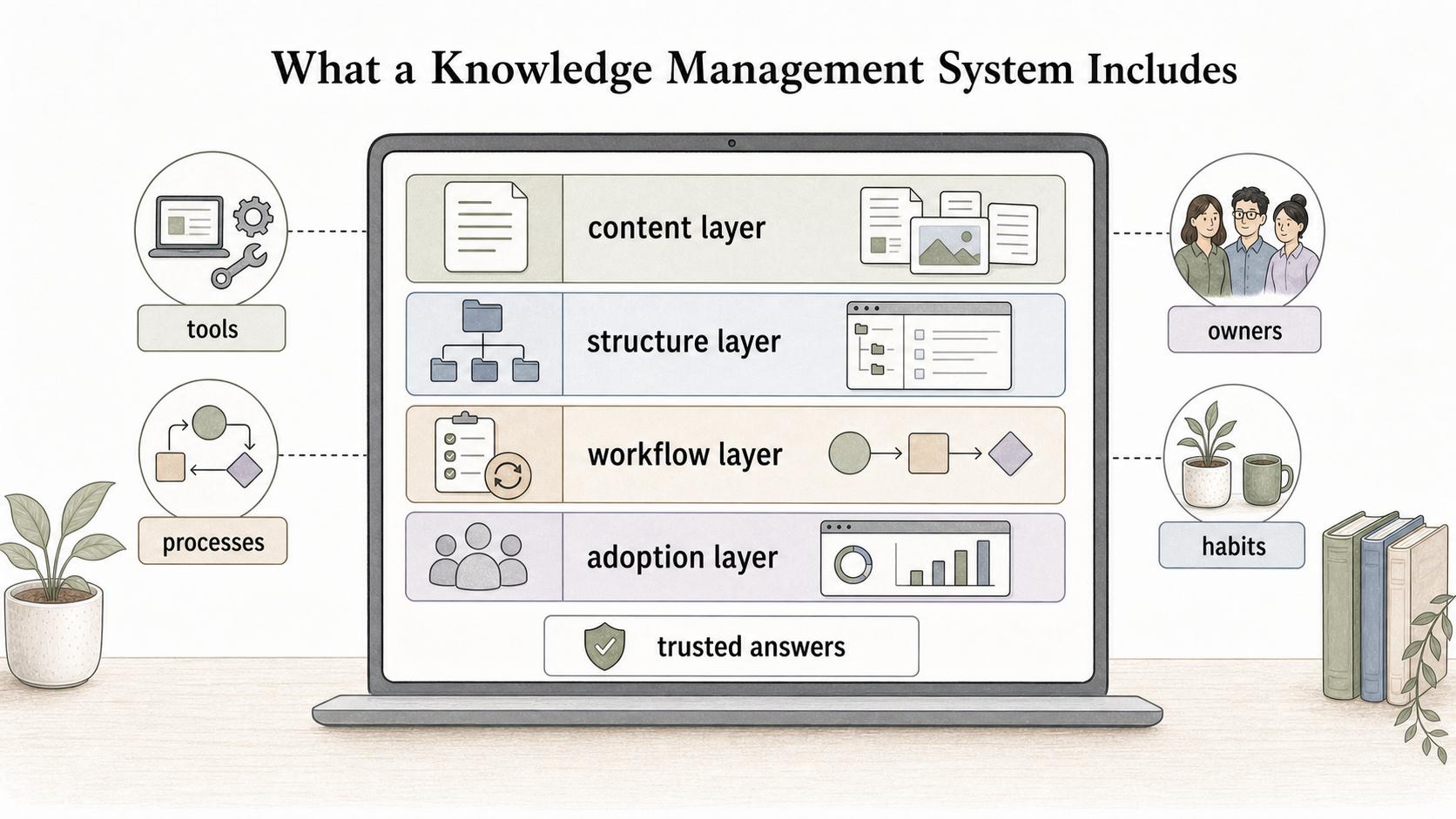
A knowledge management system is the combination of tools, processes, owners, and habits a team uses to capture, organize, share, and maintain important knowledge. The term often points to software, but the software only works when the team also has clear ownership, standards, and review habits. 1
It should make trusted answers easier to find and repeatable work easier to learn. If it simply stores more pages, it is a repository with a nicer interface.
What a knowledge management system includes
A useful system has four layers: content, structure, workflow, and adoption. Content includes articles, guides, policies, process documentation, FAQs, decision records, recordings, and templates. Structure includes categories, tags, search, permissions, ownership, and links between related topics. 2
The workflow layer controls how knowledge gets captured, reviewed, and updated. Adoption depends on people trusting the system enough to use it before asking a teammate. 3
Common examples
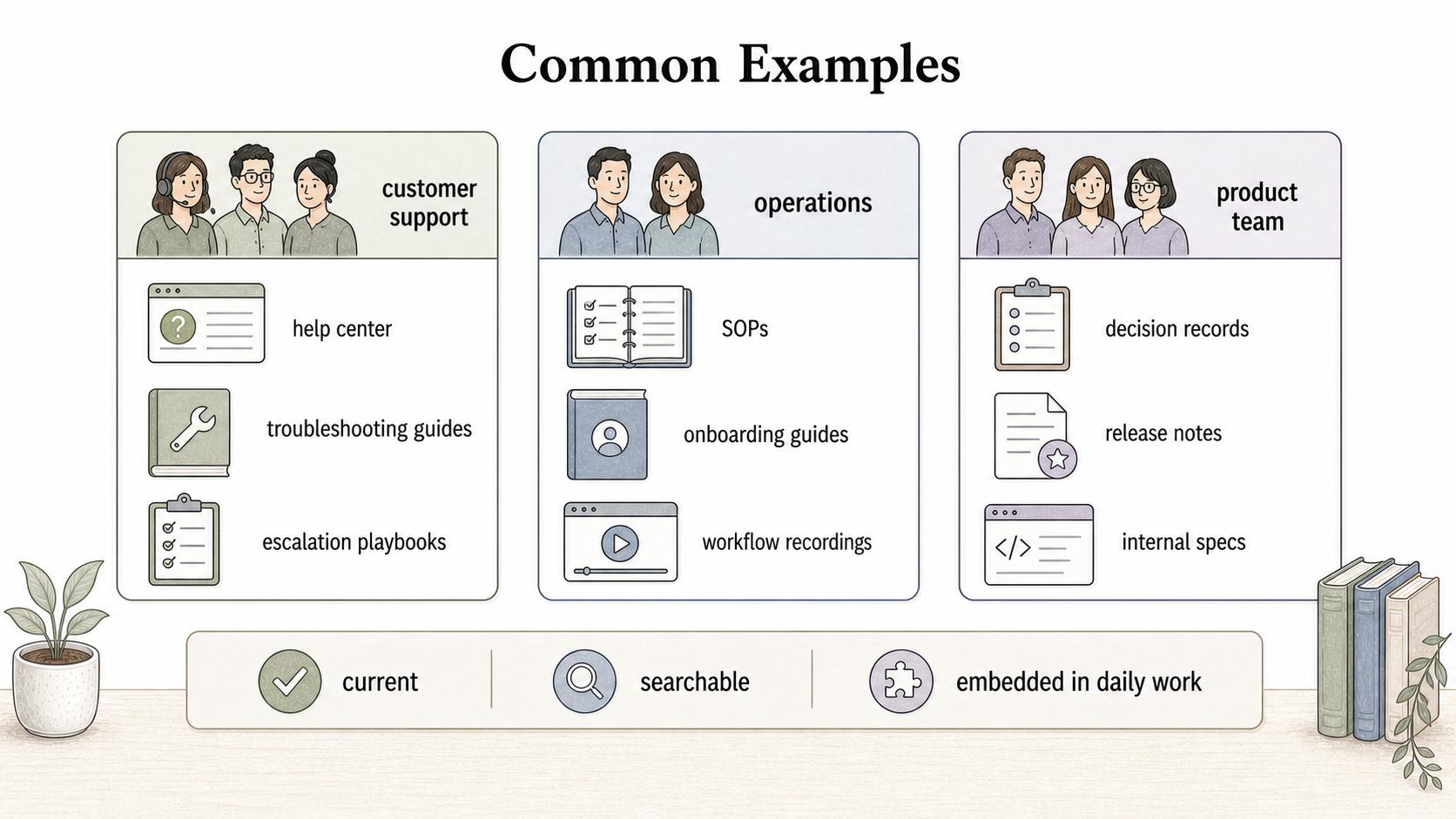
Support teams might use a help center, internal macros, troubleshooting guides, and escalation playbooks. Operations teams might use process documentation, SOPs, onboarding guides, and workflow recordings. Product teams might use decision records, release notes, customer research, and internal specs.
A small, well-owned workspace can outperform a large knowledge base if the smaller system is current, searchable, and embedded in daily work.
Features that matter
| Feature | What it helps with | Watch out for |
|---|---|---|
| Search and navigation | Finding the right answer quickly | Search cannot fix unclear titles or duplicate pages |
| Ownership and review dates | Keeping content current | Review reminders fail if no one has authority to update the page |
| Permissions | Showing the right content to the right people | Over-restricting knowledge can recreate silos |
| Templates | Making new content consistent | Templates can produce tidy but shallow documentation |
| Workflow capture | Turning real work into guides or training material | Capturing clicks without context misses decision logic |
The strongest systems combine findability with maintenance. If people can find a page but cannot tell whether it is still valid, the system will slowly lose credibility. 4
Knowledge management system vs knowledge base
A knowledge base is a collection of articles or answers. A knowledge management system is broader: it includes the knowledge base plus the workflows, ownership model, review practices, access rules, and habits that keep knowledge useful.
How to choose or improve a knowledge management system
Start with the work, not the tool list. Identify where people lose time or consistency because knowledge is missing, hard to find, or trapped with one person, then choose the smallest system that can make those moments better.
Migrate less than you think. Start with high-use, high-risk, or high-friction knowledge and make that excellent first.
How Trails helps
Trails supports a knowledge management system by turning a performed process into a polished step-by-step guide or AI-narrated video, supplying clear process documentation that would otherwise stay in someone’s head.
FAQ
Is a knowledge management system always software?
No. Software is usually part of the system, but the full system also includes ownership, standards, review rhythms, and team behavior.
What makes a knowledge management system fail?
Treating storage as the goal. Without ownership of freshness, structure, and adoption, old information accumulates.
Sources
- 1
ISO. ISO 30401:2018, Knowledge management systems - Requirements. www.iso.org/standard/68683.html.
- 2
APQC. Building Your Knowledge Management Capabilities. www.apqc.org/resource-library/resource-collection/building-your-knowledge-management-capabilities.
- 3
APQC. Managing Knowledge Starts with Knowledge Flow. www.apqc.org/blog/managing-knowledge-starts-knowledge-flow.
- 4
APQC. What is Big Data and Knowledge Management?. www.apqc.org/resources/blog/what-big-data-and-knowledge-management.