
Glossary
FAQ
 ChatGPT
 Perplexity
 Gemini
 Claude
What is an FAQ?
An FAQ, short for frequently asked questions, is a collection of common questions and direct answers about a product, service, policy, process, or topic. FAQs help people get quick clarification without reading a full guide or contacting support. 1
A good FAQ is curated: it answers questions that are common, specific, and short enough to resolve in place. FAQ quality is a matter of strategy and usable question-and-answer design rather than a miscellaneous question collection. 2
When an FAQ is useful
An FAQ works best when users have predictable questions that do not require a long workflow—for example billing, account access, plan limits, file exports, setup requirements, benefits deadlines, or onboarding logistics.
Its strength is speed. If an answer requires actions, screenshots, decision criteria, or troubleshooting branches, it probably belongs in a guide, workflow, or knowledge base article instead.
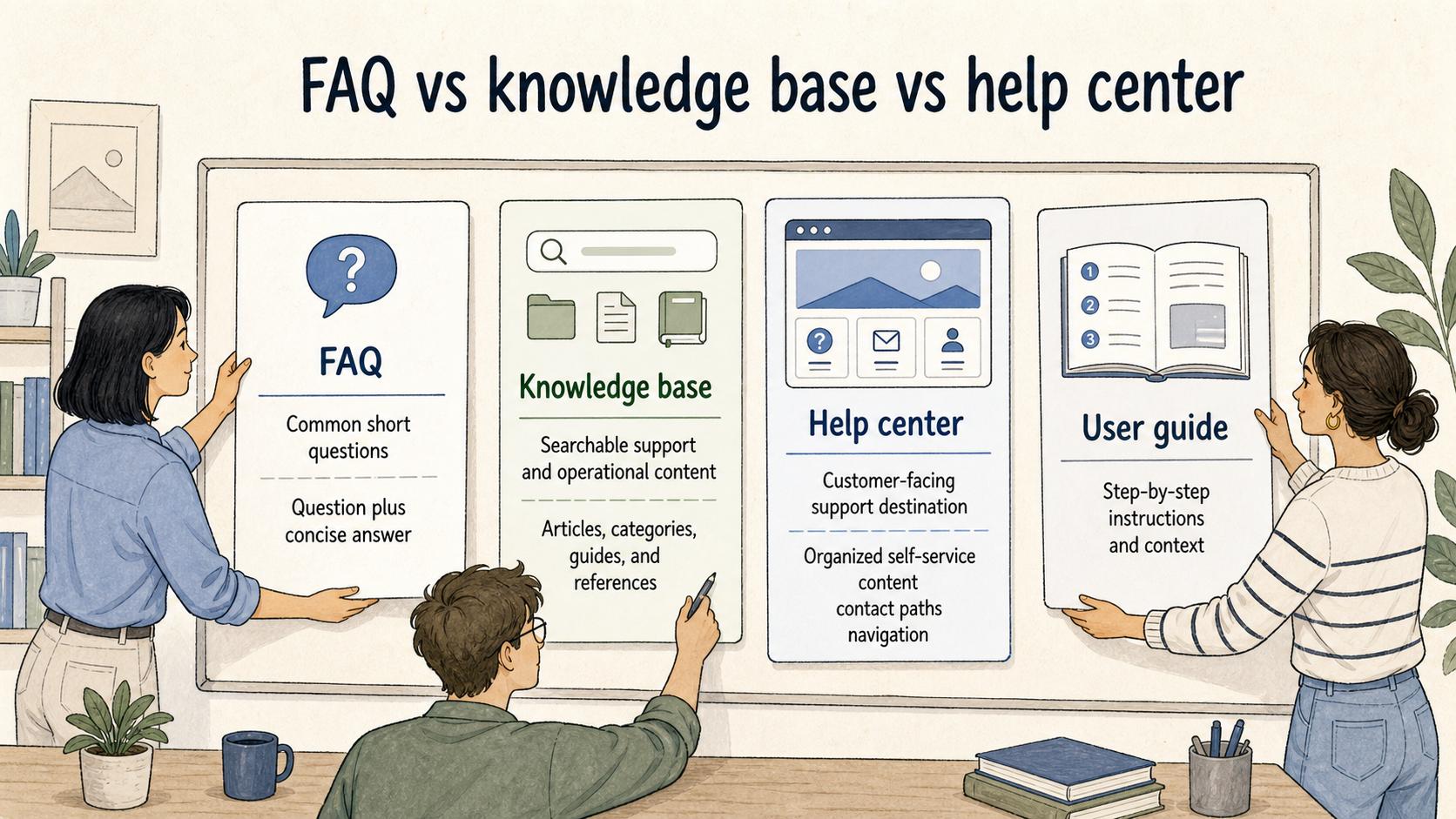
FAQ vs. knowledge base vs. help center
| Format | Best for | Typical shape | Weak version |
|---|---|---|---|
| FAQ | Common short questions | Question plus concise answer | A dumping ground for miscellaneous content |
| Knowledge base | Searchable support and operational content | Articles, categories, guides, and references | Too many articles without clear ownership |
| Help center | Customer-facing support destination | Organized self-service content and contact paths | Hiding the answer users need |
| User guide | Learning a product or workflow | Step-by-step instructions and context | Too long for quick clarification |
A strong pattern is to answer the immediate question in a few sentences, then point to a full article when the reader needs steps, examples, or exceptions.
What makes a good FAQ answer
- Start with the answer: do not bury yes, no, timing, eligibility, or ownership under background context.
- Name the condition: if it depends on role, plan, location, account type, timing, or permission, say so early.
- Point to the next step: tell the reader what to do if the short answer is not enough.
A useful answer resolves likely confusion and gives the reader a next action; it should not force people to decode policy language or click through several pages for basic clarity.
How to decide what belongs in an FAQ
Not every repeated question deserves an FAQ entry. Some questions reveal a problem in the product UI, onboarding flow, or documentation hierarchy. An FAQ can help temporarily, but the better fix may be a renamed setting, better navigation, or an updated main guide.
## FAQ diagnostic

**Glossary term:** FAQ
**Source:** Trails Glossary — trails.so/glossary/faq

---

### 01. Decide whether to create an FAQ

"Assess this question for an FAQ.

Question: [exact user question]
Frequency: [how often it appears]
Answer length: [one sentence, short paragraph, or full guide]
Root cause: [missing information, confusing UI, policy ambiguity, or product issue]

Recommend whether it belongs in an FAQ, guide, knowledge base article, or product improvement, and explain the shortest useful answer and ownership needed to keep it current."
Documentation takeaway
An FAQ should answer the quick question and route the reader to deeper documentation when the answer requires steps or judgment. The best candidates often come from repeated tickets, onboarding calls, sales handoffs, and poor search results.
How Trails helps
Trails helps when an FAQ answer needs to point users toward repeatable steps. Teams can capture a workflow, turn it into a maintained guide, and provide an AI-narrated video for readers who need more than a short answer.
FAQ
What does FAQ stand for?
FAQ stands for frequently asked questions.
Should every documentation site have an FAQ?
No. An FAQ is useful for repeated short questions; if most questions require steps, a knowledge base or help center structure may be better.
How long should an FAQ answer be?
Long enough to answer the specific question without forcing the reader elsewhere for basic clarity. If it becomes a procedure, link to a guide instead.
Who should maintain FAQs?
The team closest to the changing information should own the relevant entries, whether that is support, product, finance, legal, HR, or operations.
Sources
- 1
Microsoft. Global State of Customer Service report. marketingassets.microsoft.com/gdc/gdcPiLLQw/original?ocid=mkto_eml_EM582302A1LA1.
- 2
Nielsen Norman Group. FAQ design research. www.nngroup.com/reports/strategic-design-faqs/.
- 3
UK Government. Identify user needs. guidance.publishing.service.gov.uk/writing-to-gov-uk-standards/plan-manage-content/identify-user-needs/.