
Glossary
Embed Code
 ChatGPT
 Perplexity
 Gemini
 Claude
What is embed code?
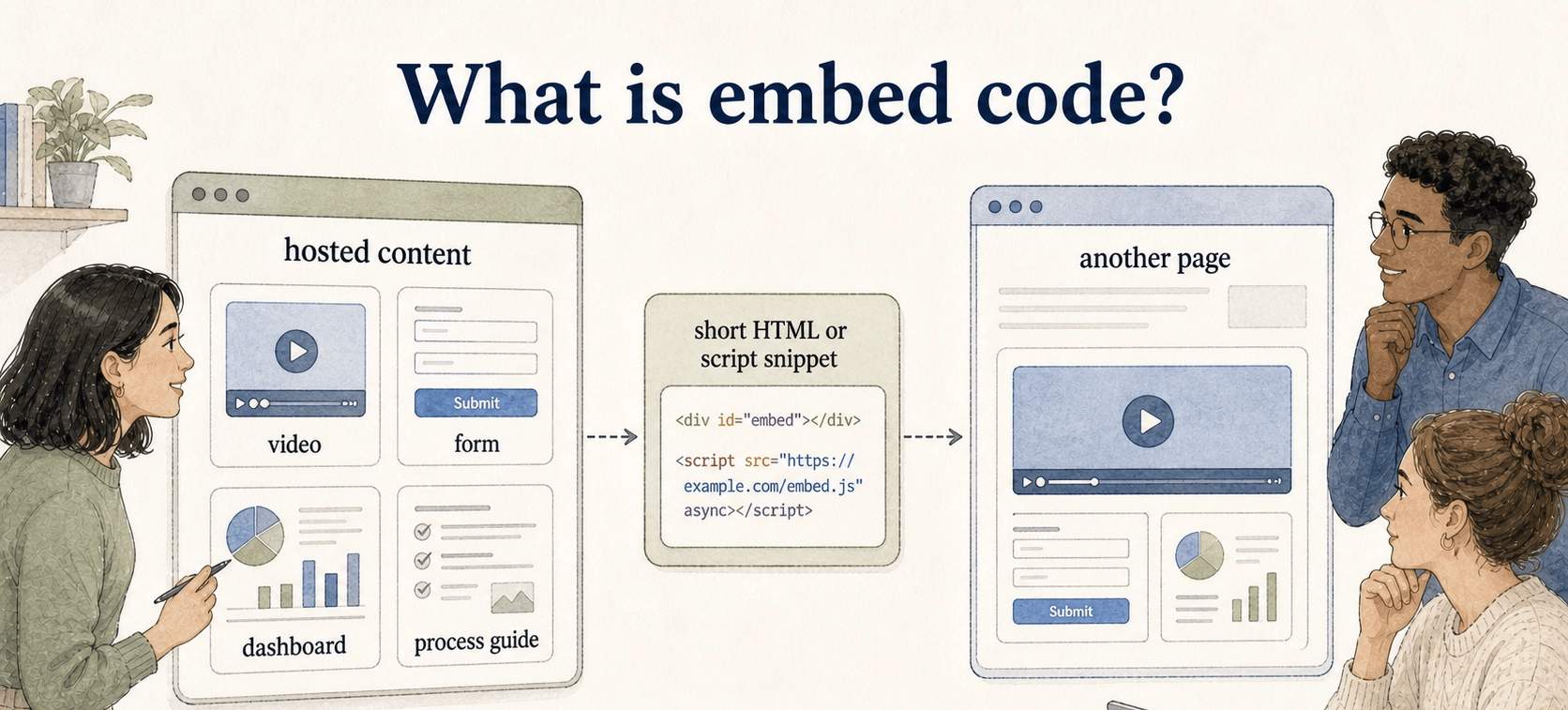
Embed code is a short HTML or script snippet that places hosted content from one system inside another page. Teams use it to show videos, forms, maps, dashboards, help articles, product tours, and process guides without rebuilding the same asset in every destination.
That convenience creates a dependency. If the source asset changes, permissions break, or the hosted item is removed, the destination page can fail even though nobody edited that page directly.
How embed code works
Most embed snippets load content through an HTML element such as an iframe, a script tag, or a vendor-specific block. MDN describes the iframe element as a nested browsing context that embeds another HTML page inside the current one, which is the pattern behind many embed snippets. 1
A simplified embed might include a source URL, width, height, and title so the hosted guide or page can load in context. Real embed code may also include sizing rules, sandbox or permission settings, tracking parameters, and supporting scripts.
Third-party embeds can add subresources and compete for network bandwidth, so teams should treat embed code as a managed publishing artifact instead of a harmless paste-once snippet. 2
Embed code vs link vs export
The decision is whether the embedded model fits the job the content has to do.
| Option | Best when | Watch out for |
|---|---|---|
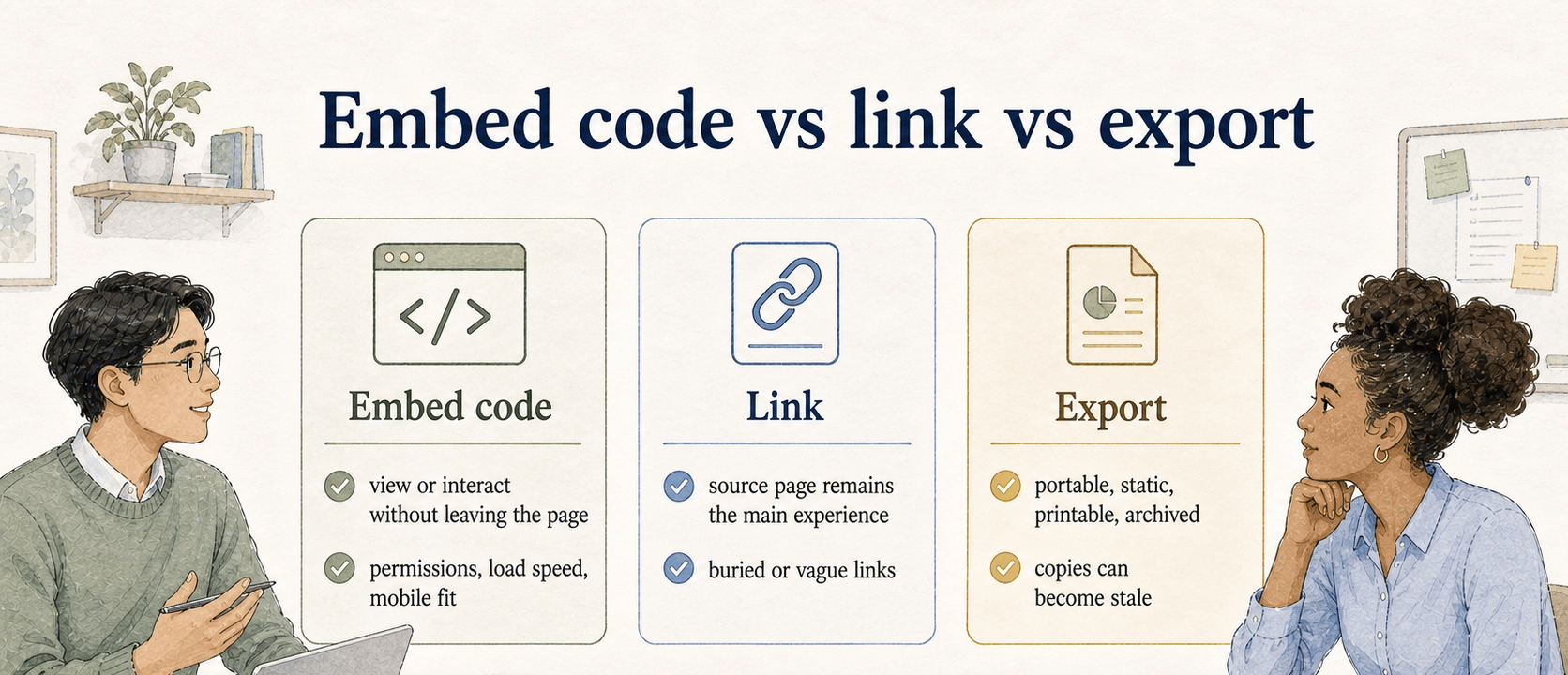
| Embed code | The reader needs to view or interact with the content without leaving the page | Permissions, load speed, mobile fit, and source-tool availability |
| Link | The source page should remain the main experience | Readers may miss the content if the link is buried or vague |
| Export | The content needs to be portable, static, printable, or archived | Exported copies can become stale quickly |
Embedding works best when context matters: a troubleshooting video inside a support article, a process guide inside an onboarding page, or a dashboard inside an internal wiki. It is weaker when the content must be preserved exactly as it existed on a certain date. For audits, contracts, offline training packets, or formal approvals, a static export may be the better artifact.
What teams should document before using embed code
The failure mode with embed code is usually ownership, not syntax. Someone pastes a working snippet into a help center, then months later nobody knows which account owns the source asset, whether the link is public, or why the embedded block stopped loading.
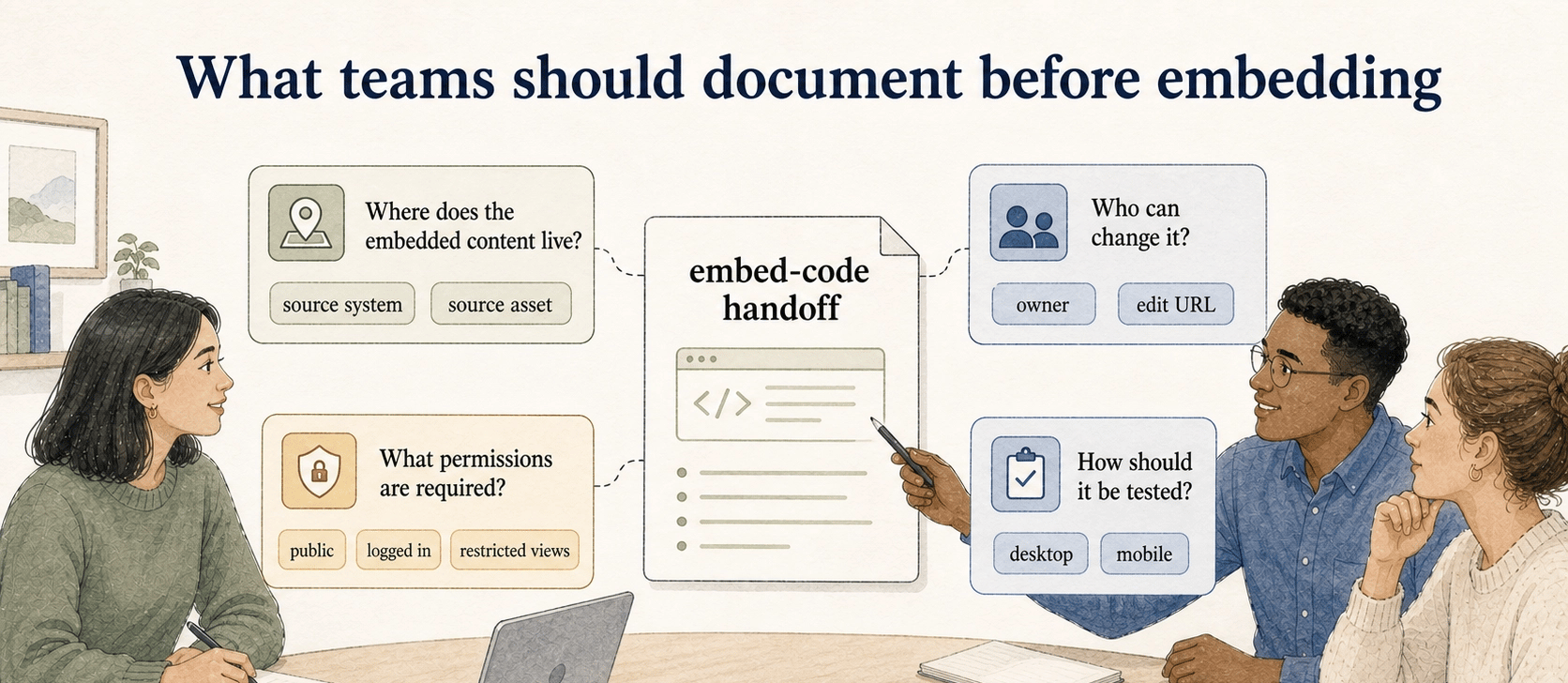
Where does the embedded content live? Name the source system, source asset, owner, and edit URL. The public embed URL alone is not enough.
Who can change it? If the embedded guide, video, form, or dashboard can be edited after publishing, the destination page inherits those changes. That is useful for maintenance and risky when no review step exists.
What permissions are required? Document whether viewers need to be logged in, whether the asset is public, and whether the destination site allows third-party embeds. Security controls such as `frame-ancestors` or `X-Frame-Options` can intentionally prevent a page from loading inside a frame, so embed testing should include the source system's framing rules. 3
How should it be tested? Check desktop, mobile, logged-in, logged-out, and restricted-permission views. Many embeds look fine for the creator and fail for the actual audience.
Example of embed code in documentation
Imagine a customer success team has a step-by-step onboarding guide in a process documentation tool. Instead of copying screenshots into a knowledge base article, the team embeds the live guide directly in the article. When the product UI changes, the team updates the guide once in the source tool and the knowledge base stays current.
That is a good use of embed code because the embedded asset is the canonical version. The article still needs a small amount of surrounding context: what the reader is trying to do, when to use the guide, and who owns it if something looks wrong.
Documentation takeaway
Embed code is a publishing contract between two systems. The source tool hosts and updates the asset. The destination page displays it in context. If either side changes quietly, the reader sees the break.
Before embedding anything important, document the owner, source asset, review cadence, fallback link, and audience permissions. That small handoff record prevents a common maintenance problem: embedded content that technically exists but nobody can confidently repair.
How Trails helps
Trails helps teams capture a workflow as someone performs it and turn that workflow into a polished step-by-step guide. When a team wants to share that guide in another system, embed code can make the guide available inside a help center, internal wiki, onboarding page, or training resource without forcing readers to jump between tools.
For a collection of guides rather than a single embed, explore Trails knowledge bases and embedding options to see how the library can fit into an existing documentation site.
Sources
- 1
MDN. iframe element reference. developer.mozilla.org/en-US/docs/Web/HTML/Reference/Elements/iframe.
- 2
web.dev. Third-party embed performance guidance. web.dev/articles/embed-best-practices.
- 3
OWASP. Clickjacking Defense Cheat Sheet. cheatsheetseries.owasp.org/cheatsheets/Clickjacking_Defense_Cheat_Sheet.html.