
Glossary
Documentation Software
 ChatGPT
 Perplexity
 Gemini
 Claude
What is documentation software?
Documentation software is any tool that helps people create, organize, publish, search, and maintain documentation. Teams use it for internal knowledge bases, SOPs, customer help centers, technical docs, onboarding guides, product instructions, and any process that needs to happen the same way more than once.
But here's the thing to know before you start comparing tools. The important word is "documentation," not "software." No tool will make your team clear on its own. What a good one does is give you a better way to capture what people know, turn it into guidance someone can actually follow, and keep it from quietly rotting after the first version goes out.
What documentation software is designed to do
Shared knowledge scatters. That isn't a failing of any particular team; it's just what knowledge does when nobody gives it a home. A support answer lives in Slack. A process sits in one person's head. A product rule is buried in a meeting note. A checklist gets copied into three different docs, and only one of them ever gets updated. Microsoft's 2023 Work Trend Index found that 62% of surveyed workers struggled with how much time they spent hunting for information, which is precisely the kind of friction documentation systems are supposed to reduce.1
A documentation tool's job is to slow that drift. Most options give teams a place to write, structure, search, permission, and update information. Depending on the product, you may also get screenshots, video, approvals, version history, AI search, analytics, localization, or integrations with tools like Slack, help desks, CRMs, and project management systems.
Consider a customer success team documenting its renewal handoff. The page might explain when to start the handoff, what account context to include, where to log next steps, which email template to use, and who owns follow-up. Without a shared system, every CSM does the handoff a little differently. With a good one, the workflow becomes something the team can repeat, review, and improve.
Documentation software vs. related tools
Documentation software is a sprawling category, and the confusion is understandable. The same buyer might compare a knowledge base, a wiki, a help center, an SOP tool, and a process documentation platform in a single afternoon. We'd suggest skipping "Which category is best?" entirely. The more useful question is "What kind of knowledge are we trying to maintain?"
| Tool type | Best fit | Watch out for |
|---|---|---|
| Knowledge base software | Searchable articles for employees or customers | Becomes a dumping ground without clear ownership |
| Wiki software | Collaborative reference material and team knowledge | Tends to rely on people writing things up from memory, after the fact |
| SOP software | Formal, repeatable procedures, approvals, and compliance workflows | Can feel heavy for fast-changing operational work |
| Technical documentation software | API docs, developer docs, product specs, and release notes | Built for technical readers, not general process capture |
| Process documentation software | Step-by-step workflows, screenshots, and practical task guidance | Needs an easy capture workflow, or people stop updating it |
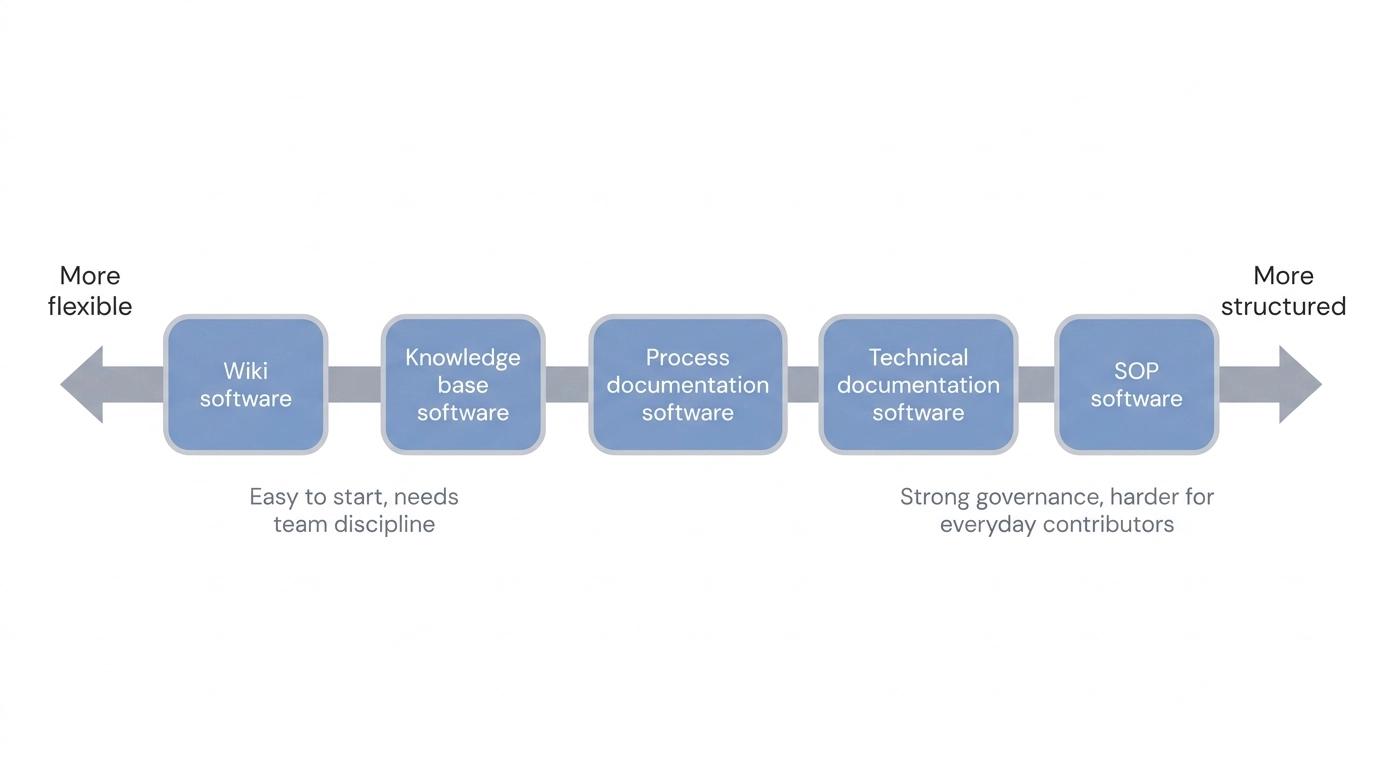
The tradeoff is straightforward. The more structure a tool imposes, the better it tends to be for governance, and the harder it is for everyday contributors to use. The more flexible it is, the easier it is to start, and the more discipline your team needs to keep the library clean.
When a team actually needs documentation software
The honest answer is this. A team needs documentation software when important work depends too heavily on memory, direct messages, or one experienced person's calendar. The signs are practical, not philosophical.
You'll recognize them. New hires asking the same questions over and over. Support agents giving inconsistent answers. Managers spending too much of their week explaining routine work. Customer-facing teams inventing their own variations of the same process. Audits that require proof the work is done consistently. Gallup has found that only 12% of employees strongly agree their organization does a great job onboarding new hires, which suggests repeatable onboarding knowledge is weaker than most teams assume.2 ISO's guidance on documented information frames documentation the same way, as a means to communicate information, share knowledge, and provide evidence that planned work actually happened.3 And sometimes the docs exist but nobody trusts them, because they're hard to find or visibly out of date.
The strongest use cases share three ingredients: repeated work, real consequences for inconsistency, and enough change that static documents go stale. A one-time brainstorm doesn't need documentation software. A monthly finance close, a customer escalation workflow, a product release checklist, or an onboarding path almost certainly does.
What good documentation software should make easier
The best documentation software lowers the cost of keeping knowledge current. That sounds unremarkable, but it's where most tools fall short. Teams don't struggle to create one clean page. They struggle because work changes, people get busy, and updating the docs becomes a separate chore from doing the work.
Look for software that helps your team:
- Capture knowledge close to the moment the work happens.
- Turn rough instructions into clear, skimmable guidance.
- Organize docs by team, workflow, role, product, or customer need.
- Search the whole library without knowing the exact title.4
- See who owns each page and when it was last reviewed.
- Add screenshots or video where text alone is too thin.
- Make updates painless enough that people do them before the doc goes stale.
A rule of thumb we like: if a tool makes documentation look polished but still asks busy people to reconstruct every workflow from memory, it's solving half the problem.
Common mistakes when choosing documentation software
The first mistake is buying for the library you wish you had rather than the habits your team actually has. If people already avoid writing docs, a more sophisticated editor won't change that. You need a capture and maintenance workflow that fits inside real work.
The second is treating this as purely a storage decision. Storage matters, but a documentation system also needs ownership, a review rhythm, naming conventions, and a clear answer to "Where should this live?" Without those, even a great tool becomes a nicer-looking junk drawer.
The third is picking one generic tool for every kind of documentation. A public help center, an API reference, a compliance SOP, and an internal step-by-step guide serve different audiences with different maintenance needs. One platform may cover several of them, but start with your use cases, not a feature checklist.
AI-ready prompt for comparing documentation software
If your tool search has turned into a mess of open tabs, this prompt can turn it into a practical shortlist:
## Documentation Software Comparison Prompt

**Glossary term:** Documentation Software
**Source:** Trails Glossary — trails.so/glossary/documentation-software

---

### 01. Compare documentation software categories

"Act as an operations documentation advisor. Help [team] choose documentation software for [audience] and [primary use case].

Context:
- Team size: [number]
- Main documentation types: [SOPs, knowledge base articles, process guides, technical docs, onboarding guides, help center articles]
- Current problem: [what is broken today]
- Must-have workflows: [capture, review, approvals, search, permissions, video, screenshots, integrations]
- Maintenance reality: [who updates docs and how often]

Create a comparison of 3 tool categories that could fit. For each category, explain what it is best for, where it may fail, and what buying questions we should ask before choosing a vendor."
The useful output isn't a vendor list. It's a clearer picture of which category you actually need.
How Trails helps
Trails makes the most sense when your documentation is tied to repeatable workflows. Instead of asking someone to write up a process from memory later, Trails captures the workflow while someone performs it, then turns that capture into a polished step-by-step guide. Teams can also generate an AI-narrated video version for training or sharing.
That makes it a particularly good fit for process documentation, onboarding, support operations, and internal how-to guides, where screenshots, sequence, and practical context do most of the work. Trails isn't trying to replace every documentation category. It handles the part most teams neglect: turning real work into clear guidance before the details disappear.
FAQ
What is documentation software used for?
Creating, organizing, maintaining, and sharing written or visual knowledge. The most common uses are internal knowledge bases, SOPs, onboarding guides, technical documentation, customer help centers, process guides, policies, and training material.
Is documentation software the same as a knowledge base?
Not quite. A knowledge base is one common type of documentation software, usually focused on searchable articles. Documentation software is the broader category, and it also covers wikis, SOP platforms, technical documentation tools, help center platforms, and process documentation tools.
Who owns documentation software inside a company?
It depends on the use case. Operations may own SOPs, support may own help center content, product or engineering may own technical documentation, and enablement may own onboarding material. The healthiest setups name both a platform owner and individual page owners.
What should small teams look for first?
Ease of capture, search, simple organization, and clear ownership, in roughly that order. Enterprise-grade governance can wait. If the software is slow to use, your team will keep answering questions in chat and the library will never earn anyone's trust.
Comparing tools? See the process documentation software comparison.
Sources
- 1
Microsoft. 2023 Work Trend Index: Annual Report. Microsoft, 2023. info.microsoft.com/rs/157-GQE-382/images/SREVM16705-CNTNT.pdf. Accessed June 10, 2026.
- 2
Gallup. Why the Onboarding Experience Is Key for Retention. Gallup. www.gallup.com/workplace/235121/why-onboarding-experience-key-retention.aspx. Accessed June 10, 2026.
- 3
International Organization for Standardization. Guidance on the requirements for documented information of ISO 9001:2015. ISO. www.iso.org/iso/documented_information.pdf. Accessed June 10, 2026.
- 4
Nielsen Norman Group. Intranet Search. Nielsen Norman Group. www.nngroup.com/articles/intranet-search/. Accessed June 10, 2026.