
Glossary
Webhook
 ChatGPT
 Perplexity
 Gemini
 Claude
What is a webhook?
A webhook is a way for one software system to send data to another system automatically when a specific event happens. Instead of repeatedly asking whether anything changed, the receiving app waits for the source app to push an event message to a receiving URL.1
Webhooks show up in workflow automation, payments, CRM updates, support tools, analytics, project management, and internal operations. They look small in a setup screen, but they can become the quiet handoff that keeps a business process moving.
How a webhook works
Most webhooks follow the same pattern:
- A user or admin chooses an event in the source system.
- The source system stores a destination URL, often called an endpoint.
- When the event happens, the source system sends an HTTP request to that endpoint.
- The receiving system reads the payload and takes an action.
- The receiving system returns a response so the source knows whether delivery worked.
For example, a form tool might send a webhook when a customer submits an onboarding form. The receiving system could create a task, update a CRM record, notify a Slack channel, or trigger a follow-up workflow.
The important detail is that a webhook is event-driven. It runs because something happened elsewhere, not because someone opened a report or manually refreshed data.
Webhook vs API polling
Webhooks and APIs are often discussed together because webhooks usually use web requests. The difference is timing and direction: an API request asks for information, while a webhook sends information when an event occurs.
| Approach | How it works | Best for | Tradeoff |
|---|---|---|---|
| Webhook | Source system pushes an event to a receiving endpoint | Near-real-time updates and workflow triggers | Requires a stable endpoint and failure handling |
| API polling | Receiving system checks the source system on a schedule | Periodic syncs, reporting, and controlled batch jobs | Can waste requests or miss immediate changes |
| Manual export | Someone downloads or copies data | One-off transfers or very low-volume work | Slow, error-prone, and hard to audit |
A webhook is usually the better fit when the next action should happen soon after an event. Polling may be better when the receiving system needs to control timing, reduce noise, or process data in batches.
Common webhook examples
A webhook often sits behind an automation that feels like "the system just did it."
Common examples include:
- A payment platform sends a paid invoice event to an accounting workflow.
- A support tool sends a new urgent ticket event to an escalation channel.
- A form submission creates a task for an operations team.
- A code hosting platform notifies a deployment tool after a change is merged.
In each case, the webhook is not the whole process. It's the handoff between systems. The downstream workflow still needs rules, owners, error handling, and a clear definition of done.
What to document before using a webhook
The common mistake is treating a webhook as self-explanatory because the setup only took five minutes. It may be easy to create, but it's hard to maintain once people depend on it.
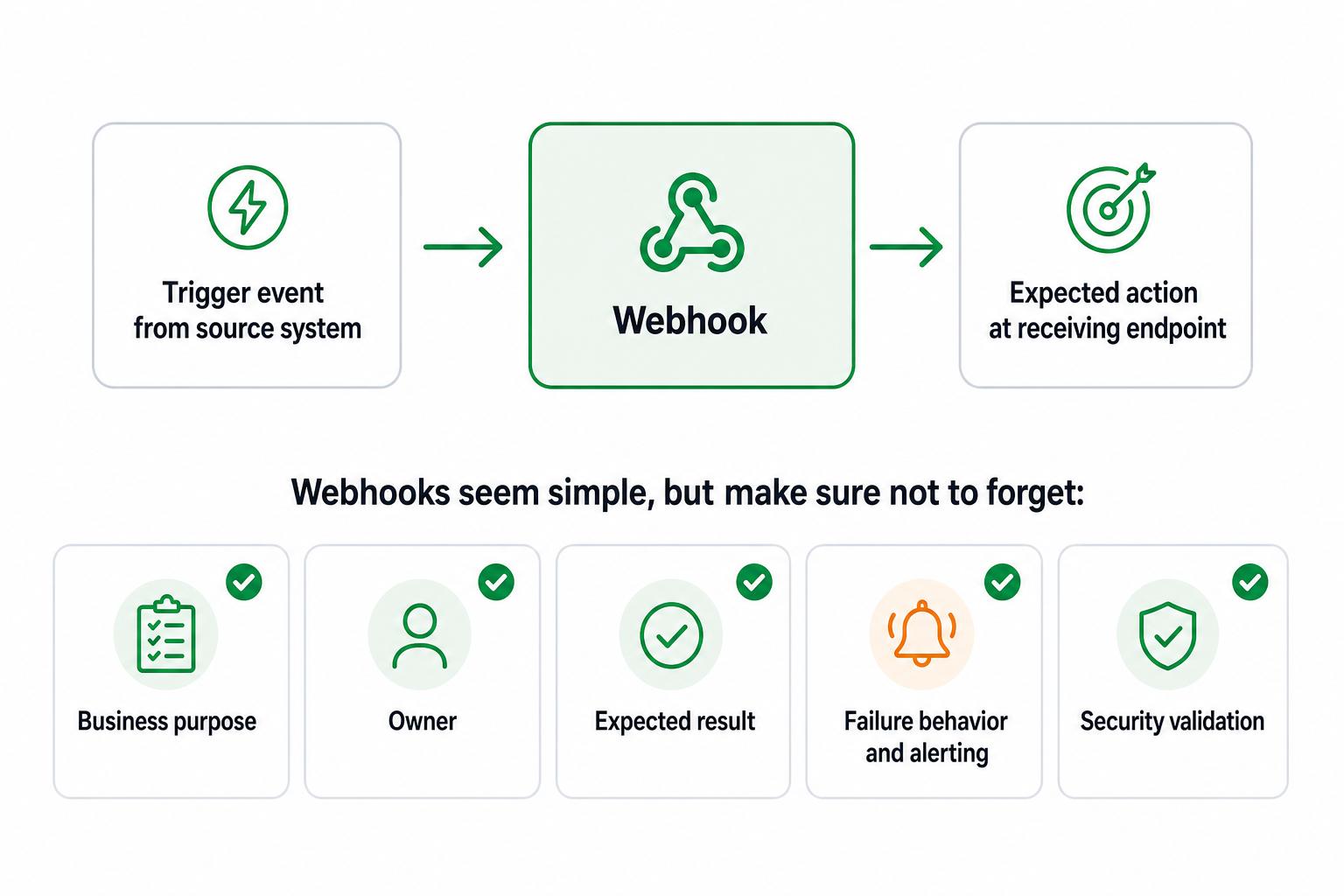
Before the webhook becomes business-critical, document the decisions someone will need when it breaks or changes:
- Event contract: the source system, exact trigger event, required payload fields, and fields the receiving process ignores.
- Delivery path: the destination endpoint, endpoint owner, and security check that confirms the request is legitimate.
- Business result: the action the receiving system should take and what "done" means downstream.
- Failure behavior: where alerts appear, how retries work, and what to do with duplicate, delayed, or missing events.
- Change ownership: who can edit the webhook, approve permission changes, and update the runbook.
The hidden risk is quiet failure. If a webhook breaks, the downstream team may not notice until a task is missing, a customer follow-up is late, or a report looks wrong.2
Common mistakes
The first mistake is using a webhook to hide unclear ownership. Automation can move data, but it can't decide who owns the result. If no team owns the downstream action, the webhook creates motion without accountability.
The second mistake is ignoring duplicate events. Receiving systems should be able to handle repeated messages without creating duplicate tasks, duplicate customer records, or duplicate notifications.3
The third mistake is testing only the happy path. Before relying on a webhook in a live workflow, test a successful event, a missing field, a delayed delivery, a duplicate delivery, and a failed endpoint.
The fourth mistake is leaving the setup in one person's memory. Field names, permissions, event names, and endpoint URLs change. Keep integration notes close to the workflow documentation so the next owner can understand the handoff.
Webhook runbook template
Use this template to document a webhook in a way operations and technical teams can both understand:
## Webhook Runbook Template

**Glossary term:** Webhook
**Source:** Trails Glossary — trails.so/glossary/webhook

---

### 01. Document a webhook handoff

"Webhook name: [name]
Business purpose: [what this webhook enables]
Source system: [tool or service]
Trigger event: [exact event name]
Destination endpoint: [system or endpoint owner]
Payload summary: [key fields and required fields]
Expected result: [what should happen downstream]
Owner: [team or person]
Failure alert: [where failures appear]
Retry or recovery path: [what to do when delivery fails]
Security validation: [signature, token, allowlist, or other check]
Change rule: [who must review changes before editing this webhook]"
The template forces the team to describe the business result, not just the technical setup. That's what makes the integration maintainable.
Documentation takeaway
A webhook is technical plumbing, but the operational risk is procedural. Someone needs to know what event started the process, what system received it, what action followed, and what to do when the chain breaks.
For operations, support, and customer success teams, the useful artifact is often a short integration runbook attached to the workflow. The runbook is what keeps the webhook understandable after the original builder moves on.
FAQ
Is a webhook the same as an API?
No. A webhook often uses an HTTP request, but it is event-driven. An API request asks a system for information; a webhook sends information when something happens.
Are webhooks real time?
They are often near real time, but delivery depends on the source system, receiving endpoint, network conditions, retries, and downstream processing. Treat them as fast event notifications, not proof that the entire workflow finished instantly.
Who should own a webhook?
Ownership should sit with the team responsible for the downstream process, with technical support from whoever manages the endpoint. If no team owns the business result, the webhook will be hard to maintain.
Sources
- 1
GitHub Docs. About webhooks. GitHub. docs.github.com/en/webhooks/about-webhooks. Accessed June 23, 2026.
- 2
Microsoft Learn. Azure Event Grid delivery and retry. Microsoft. learn.microsoft.com/en-us/azure/event-grid/delivery-and-retry. Accessed June 23, 2026.
- 3
Stripe Docs. Receive Stripe events in your webhook endpoint. Stripe. docs.stripe.com/webhooks. Accessed June 23, 2026.