
Glossary
Export Format
 ChatGPT
 Perplexity
 Gemini
 Claude
What is an export format?
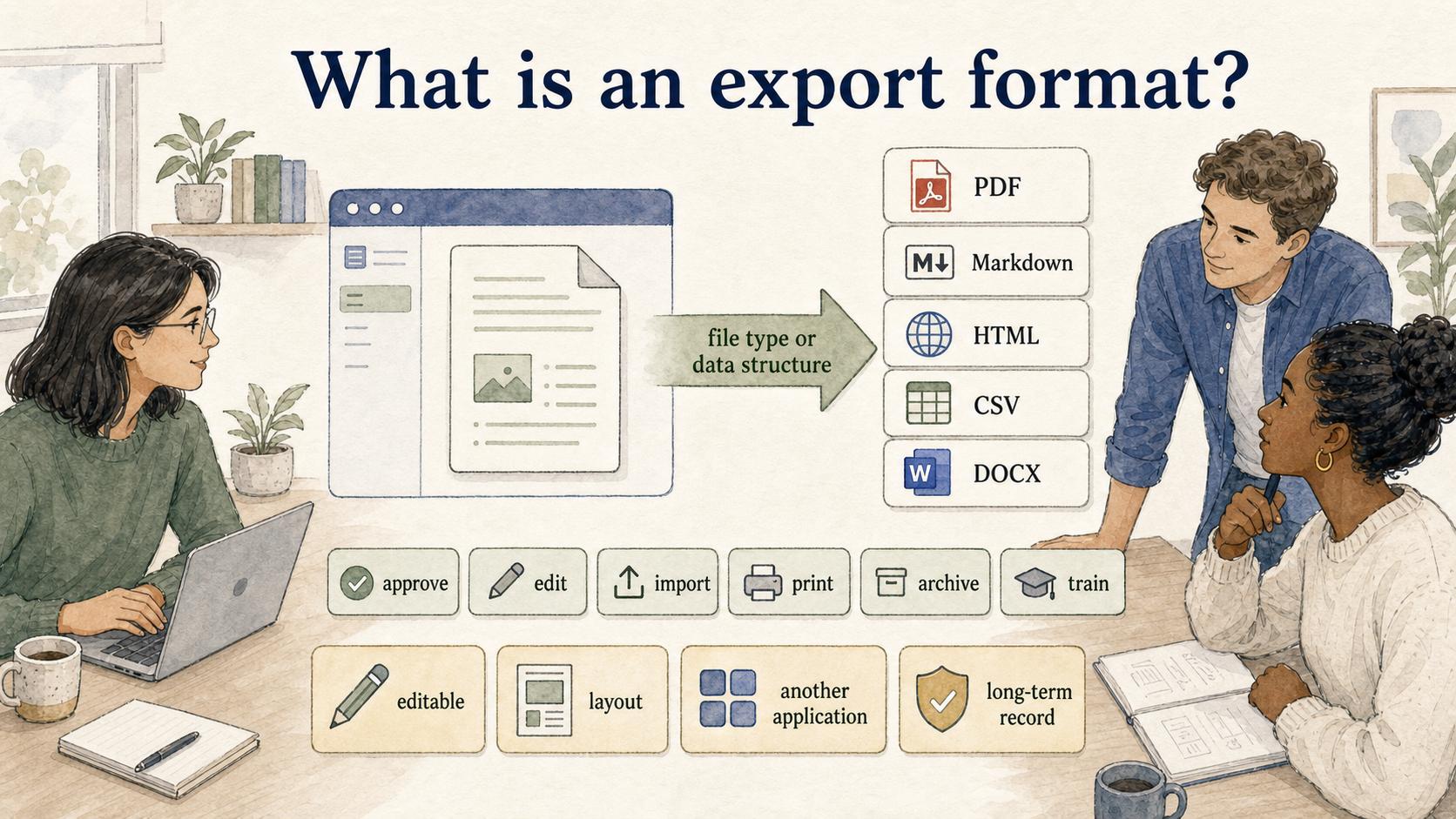
An export format is the file type or data structure a system uses when it sends information out of one tool and into another place. It determines whether the exported content stays editable, keeps its layout, works in another application, or stands up as a long-term record.
The same SOP can be exported as a PDF, Markdown file, HTML page, CSV, or DOCX document. Those formats are not interchangeable. The right choice depends on what the recipient needs to do next: approve it, edit it, import it, print it, archive it, or train from it.
Why export format matters
Documentation rarely stays in one surface. A support SOP may start in a documentation tool, get reviewed by a manager, move into a knowledge base, become a training handout, and later get imported into another system. The wrong export format can break that chain.
The common mistake is choosing the format that looks best right now instead of the one that preserves the next workflow. PDF is strong when a document needs to look stable, especially for long-term preservation. 1 Markdown is better when the content needs to stay editable, versioned, or portable across writing systems. 2 HTML works when the content needs to keep web structure, links, and browser-friendly formatting. 3
A good export format protects the part of the work that matters most: layout, editability, structure, attachments, metadata, or accessibility. If that part gets lost, the export may look fine and still fail operationally.
Common export formats and where they fit
| Export format | Best for | Watch out for |
|---|---|---|
| Final review, compliance packets, customer-facing handouts, printable SOPs | Harder to edit or reuse without losing formatting | |
| Markdown | Developer docs, process notes, AI prompts, version-controlled documentation | Visual layout is intentionally lightweight |
| HTML | Web publishing, knowledge-base migration, preserving links and headings | Styling or markup may not import cleanly |
| CSV | Tables, logs, lists, and structured records | Weak fit for narrative documentation or screenshots |
| DOCX | Editable business documents and stakeholder review | Formatting can drift across tools and versions |
Choose for the next workflow, not just the current document. If the next person needs to approve, favor stability. If they need to edit, favor structure. If they need to import, favor compatibility.
How to choose the right export format
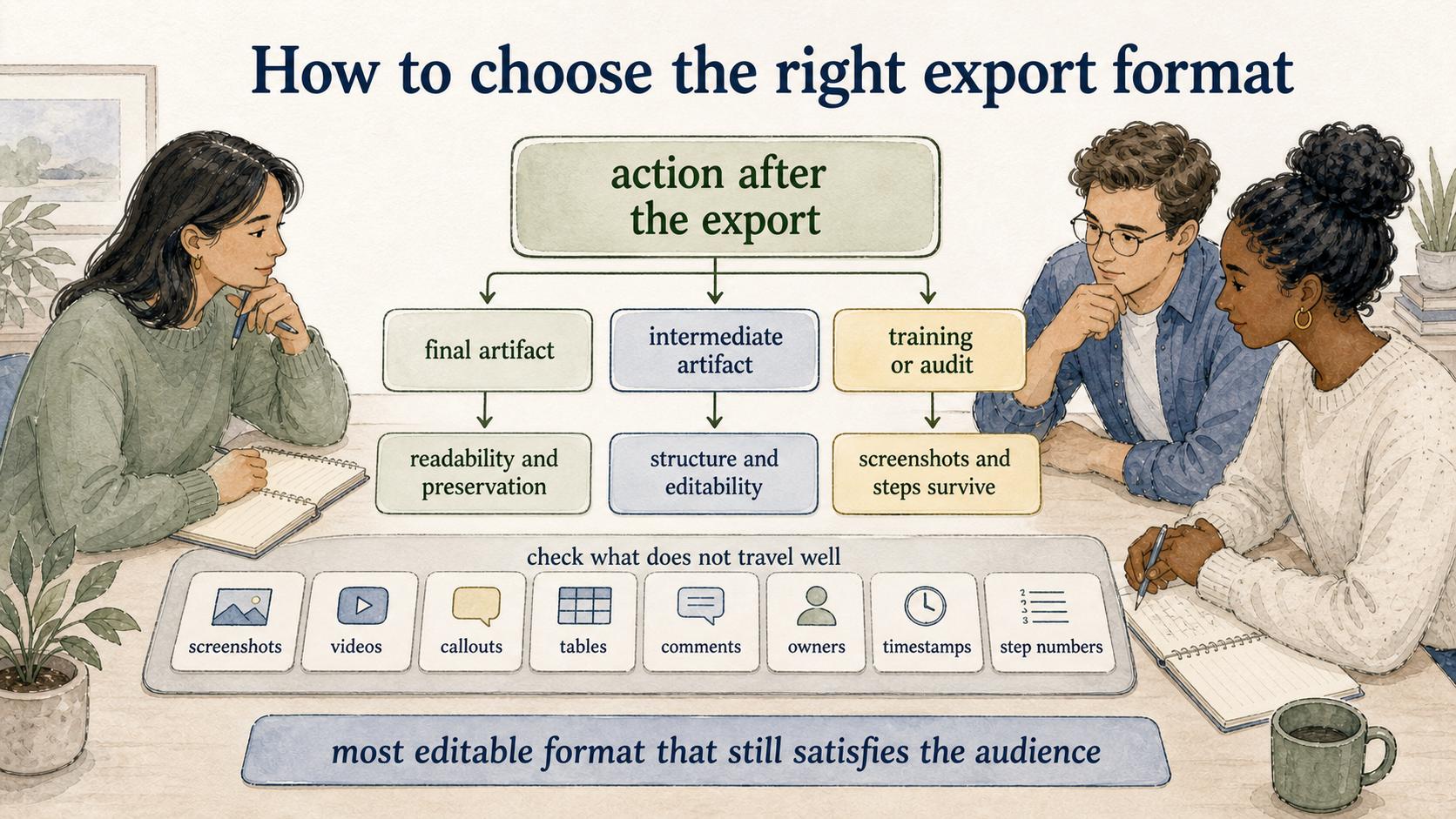
Start with the action after the export. If the file is the final artifact, prioritize readability and preservation. If it is an intermediate artifact, prioritize structure and editability.
For process documentation, use the most editable format that still satisfies the audience. A manager reviewing a hiring SOP may want a PDF because it is easy to scan and circulate. The operations team maintaining that SOP still needs an editable source or Markdown-style export so small changes do not require rebuilding the document.
Also check what does not travel well. Screenshots, embedded videos, callouts, tables, comments, owners, timestamps, and step numbers can behave differently across formats.
Export format vs file format
A file format describes the type of file, such as .pdf, .md, .html, .csv, or .docx. An export format is the option a specific tool offers when it packages content for use somewhere else.
Two tools can both export PDF files while handling links, page breaks, image compression, or metadata differently. When quality matters, test the exported output instead of trusting the file extension.
A practical export checklist
- Recipient action: Will the recipient read, edit, approve, import, print, or archive the file?
- Structure preservation: Do headings, lists, tables, links, and step numbers survive the export?
- Media handling: Are screenshots, videos, captions, and attachments included or clearly referenced?
- Change workflow: Can the team update the source later without manually rebuilding the exported version?
- System compatibility: Does the target tool import the format cleanly, or only display it?
- Record needs: Does the exported file need to prove what was approved at a specific point in time?
For living documentation, export is usually a handoff. The format should make that handoff easier, not trap useful content in a polished but brittle package.
How Trails helps
Trails captures a workflow as someone performs it and turns it into a polished step-by-step guide. Teams can then share process documentation in formats that match the next use case, whether the goal is training, review, or reuse. Trails can also create an AI-narrated video version when a team needs a watchable training artifact alongside written steps.
Sources
- 1
Library of Congress. PDF/A format description. www.loc.gov/preservation/digital/formats/fdd/fdd000318.shtml.
- 2
CommonMark. Markdown specification. spec.commonmark.org/current/.
- 3
WHATWG. HTML Standard. html.spec.whatwg.org/.
- 4
IETF. RFC 4180 for CSV. www.ietf.org/rfc/rfc4180.txt.