
Glossary
Document Management SOP
 ChatGPT
 Perplexity
 Gemini
 Claude
What is a document management SOP?
A document management SOP is a standard operating procedure that explains how a team creates, names, stores, reviews, approves, updates, archives, and retrieves business documents. It turns document handling from an informal habit into a repeatable process.
A useful document management SOP should not make every file feel bureaucratic. It should protect the documents people rely on to do work correctly: policies, procedures, templates, training materials, customer-facing assets, compliance records, and operational guides.
What a document management SOP covers
A document management SOP defines the rules of the road for documents across their lifecycle. It should make clear what counts as a managed document, where approved versions live, who can change them, and what happens when a document becomes outdated. ISO's documented-information guidance uses the same lifecycle logic: organizations should determine what documentation they need to support process operation and control. 1
For example, an operations team might use a document management SOP to control onboarding guides, customer handoff templates, finance procedures, and internal policies. Without a shared SOP, those documents may live in personal drives, chat threads, old folders, or duplicate wiki pages. The result is predictable: people use whichever version they find first.
A strong SOP usually answers these questions:
- Which documents fall under the process?
- Who owns each document or document category?
- How are new documents requested, drafted, reviewed, and approved?
- Where does the approved version live?
- How are changes tracked?
- When should documents be reviewed or archived?
- What should someone do when they find a stale or conflicting version?
The last question matters more than teams expect. Document management breaks down when people notice problems but do not know how to fix them.
Why document management SOPs matter
A document management SOP matters because documents become operational infrastructure once people depend on them. If the refund policy, safety checklist, support escalation guide, or client onboarding template is wrong, the team makes inconsistent decisions.
The hidden failure mode is duplicate authority. Two documents can each look official, but only one reflects the current process. A document management SOP reduces that ambiguity by defining a source of truth, ownership model, and update path.
It also helps teams avoid overcorrecting. Many companies respond to document chaos by adding more folders, stricter permissions, or a new tool. Those can help, but they do not replace the operating agreement: who creates, approves, updates, and retires documents.
Document management SOP vs document control SOP
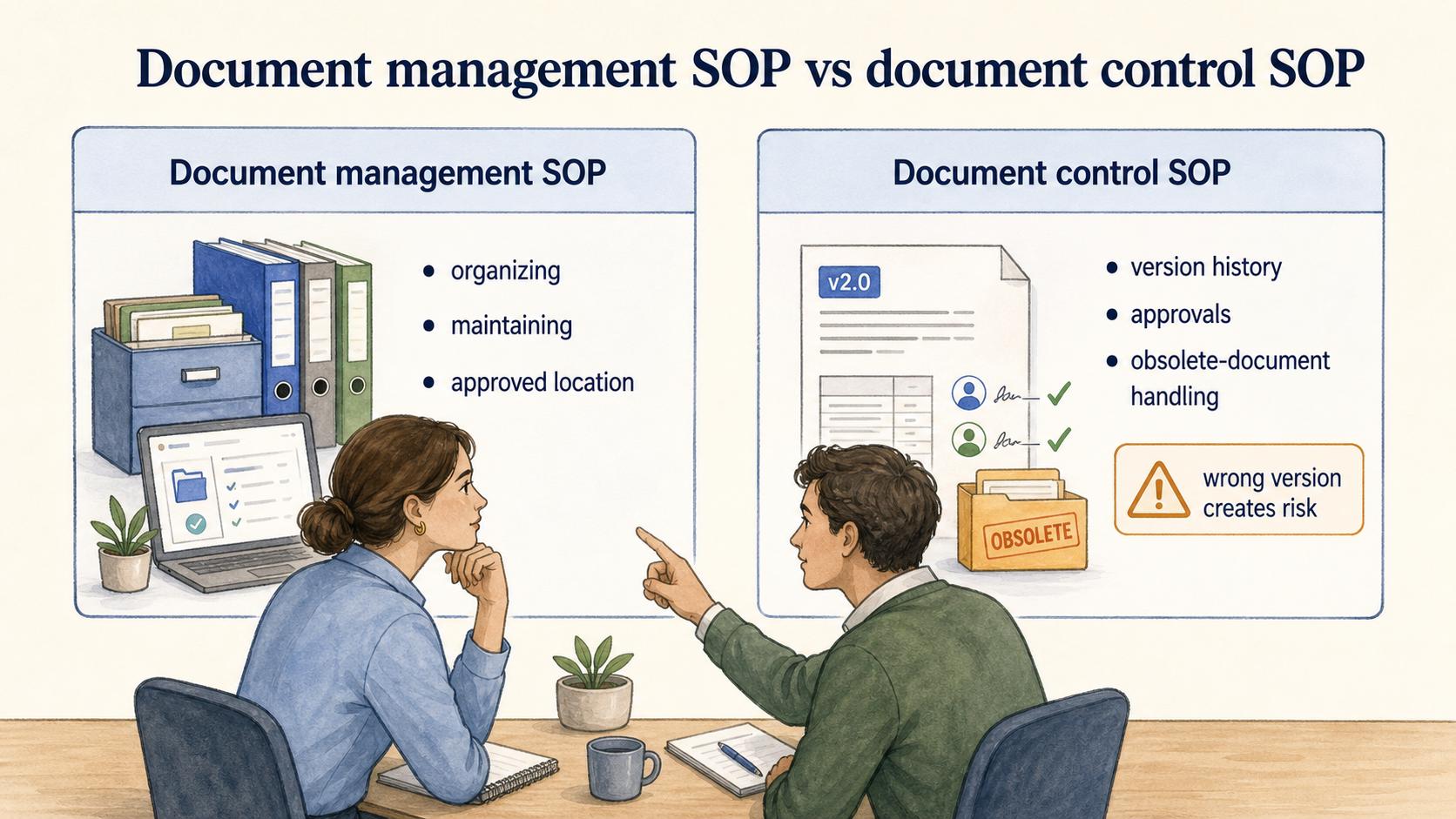
A document management SOP is often broader than a document control SOP. Document management covers the practical workflow for organizing and maintaining documents. Document control is usually more formal and emphasizes controlled documents, version history, approvals, distribution, and compliance-sensitive change management.
For a small team, one SOP may cover both. For a regulated or quality-sensitive environment, document control may need its own stricter procedure. The decision rule is simple: if using the wrong version could create legal, safety, quality, security, or customer-impact risk, treat that document as controlled, not merely organized. FDA document-control training for medical-device quality systems shows how approval, availability, and obsolete-document handling become formal requirements in higher-risk settings. 2
What to include in the SOP
The best SOPs are specific enough to change behavior and short enough that people follow them. Avoid a long policy that says every document must be reviewed, organized, and kept up to date. Everyone agrees with that. The SOP should name the decisions people otherwise handle inconsistently.
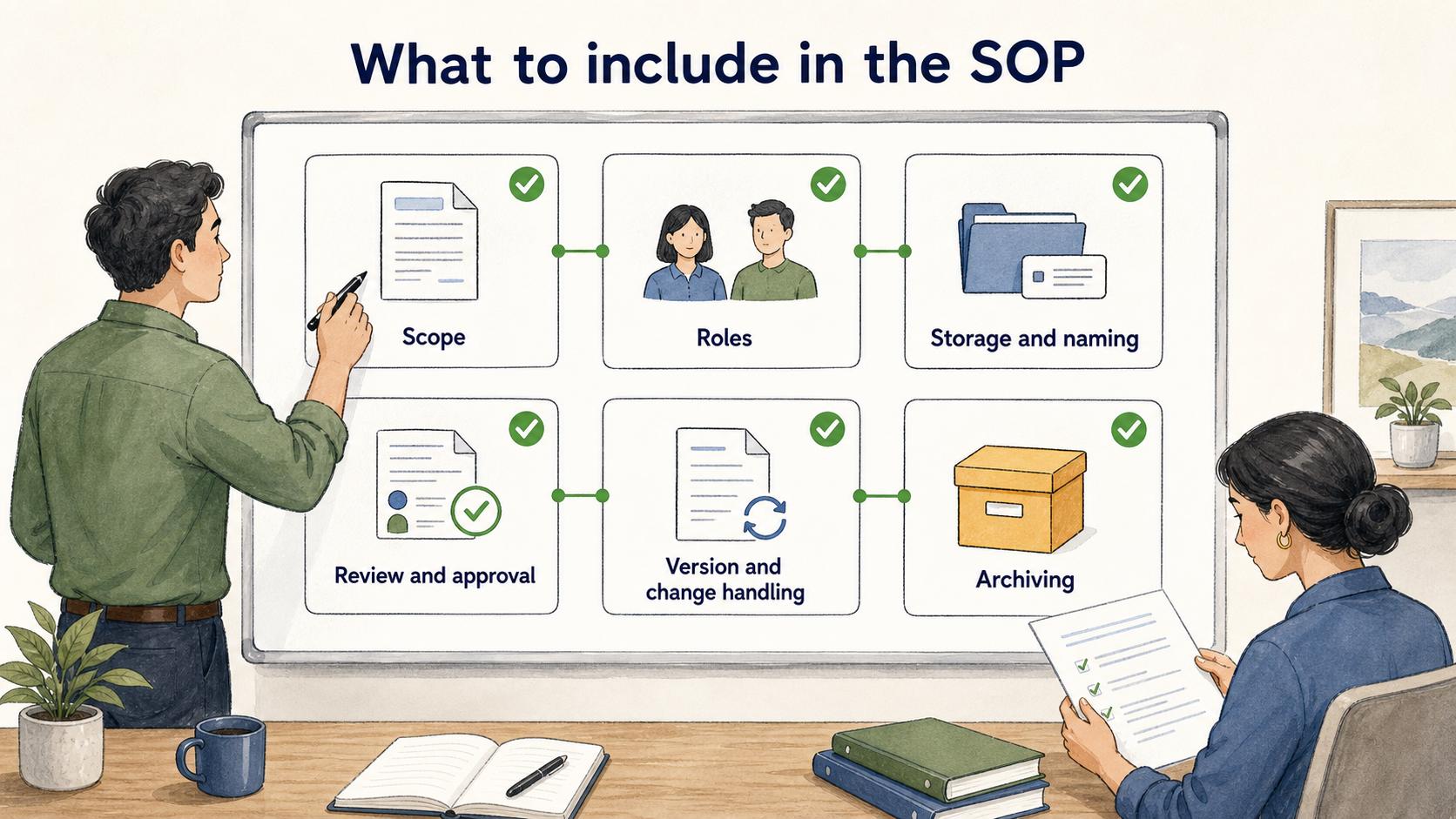
Include these sections:
- Scope. Define which documents are covered and which are not. A draft brainstorming doc does not need the same process as an approved customer escalation procedure.
- Roles. Name the document owner, reviewer, approver, and administrator if those are different people. If ownership is assigned by role rather than person, say so.
- Storage and naming. Define where approved documents live and how names signal version, purpose, audience, or status.
- Review and approval. Explain what requires review, who approves material changes, and what counts as a minor correction.
- Version and change handling. Describe how updates are tracked and how teams know which version is current.
- Archiving. Give people permission to retire documents. A document system with no archive path becomes a landfill with a search bar. NARA's records-management materials similarly treat maintenance, use, and disposition as part of the information lifecycle, not an afterthought. 3
AI-ready SOP template
Use this as a starting point when drafting a document management SOP:
## Document Management SOP Template

**Glossary term:** Document Management SOP
**Source:** Trails Glossary — trails.so/glossary/document-management-sop

---

### 01. Draft a document management SOP

"Title: Document Management SOP for [team/company]

Purpose:
Explain how [team/company] creates, stores, reviews, approves, updates, and archives managed documents.

Scope:
This SOP applies to: [document types]
This SOP does not apply to: [excluded document types]

Roles:
- Document owner: [role/person]
- Reviewer: [role/person]
- Approver: [role/person]
- System administrator: [role/person]

Procedure:
1. Create or request a new document: [how requests begin]
2. Draft using the approved template: [template/location]
3. Review for accuracy and audience fit: [reviewer and criteria]
4. Approve and publish: [approver and approved location]
5. Update or revise: [minor vs major change process]
6. Archive obsolete documents: [archive rule and location]

Source of truth:
Approved documents live in [system/location]. Copies outside this location are not authoritative.

Review cadence:
Documents are reviewed [cadence] or when [trigger events] occur.

Exceptions:
[who can approve exceptions and how they are recorded]"
Common mistakes
The biggest mistake is writing the SOP around the tool instead of the decision flow. "Store files in Drive" is not enough. The SOP needs to say which files are authoritative, who approves changes, and what happens to old versions.
Another mistake is treating all documents equally. A team lunch-planning doc should not need the same process as a customer refund policy. Over-controlling low-risk documents makes people ignore the system; under-controlling high-risk documents makes the system unsafe.
A third mistake is leaving archiving vague. If no one knows when a document should be retired, people keep adding new pages instead of resolving old ones.
How Trails helps
Trails helps teams create the process guides that often sit inside a document management system. Someone can perform a workflow, capture it with Trails, and turn it into a polished step-by-step guide with an optional AI-narrated video version. That gives the document owner or manager a clearer starting point for review, approval, and ongoing maintenance.
FAQ
Is a document management SOP only for regulated companies?
No. Regulated teams usually need stricter controls, but any team with shared policies, procedures, templates, or training materials can benefit from a simple document management SOP.
Who should own a document management SOP?
Usually operations, quality, compliance, enablement, or a documentation manager. The right owner is the role that can coordinate updates across the teams using the documents.
How often should a document management SOP be reviewed?
Review it when tools, approval flows, compliance needs, or team structure changes. For high-risk documents, set a formal review cadence instead of waiting for someone to notice a problem.
Sources
- 1
ISO. ISO guidance on documented information. www.iso.org/iso/documented_information.pdf.
- 2
FDA. FDA document control and records training. www.fda.gov/media/118202/download.
- 3
NARA. NARA records-management lifecycle basics. www.archives.gov/records-mgmt/scheduling/basics.