
Glossary
Digital Adoption
 ChatGPT
 Perplexity
 Gemini
 Claude
What is digital adoption?
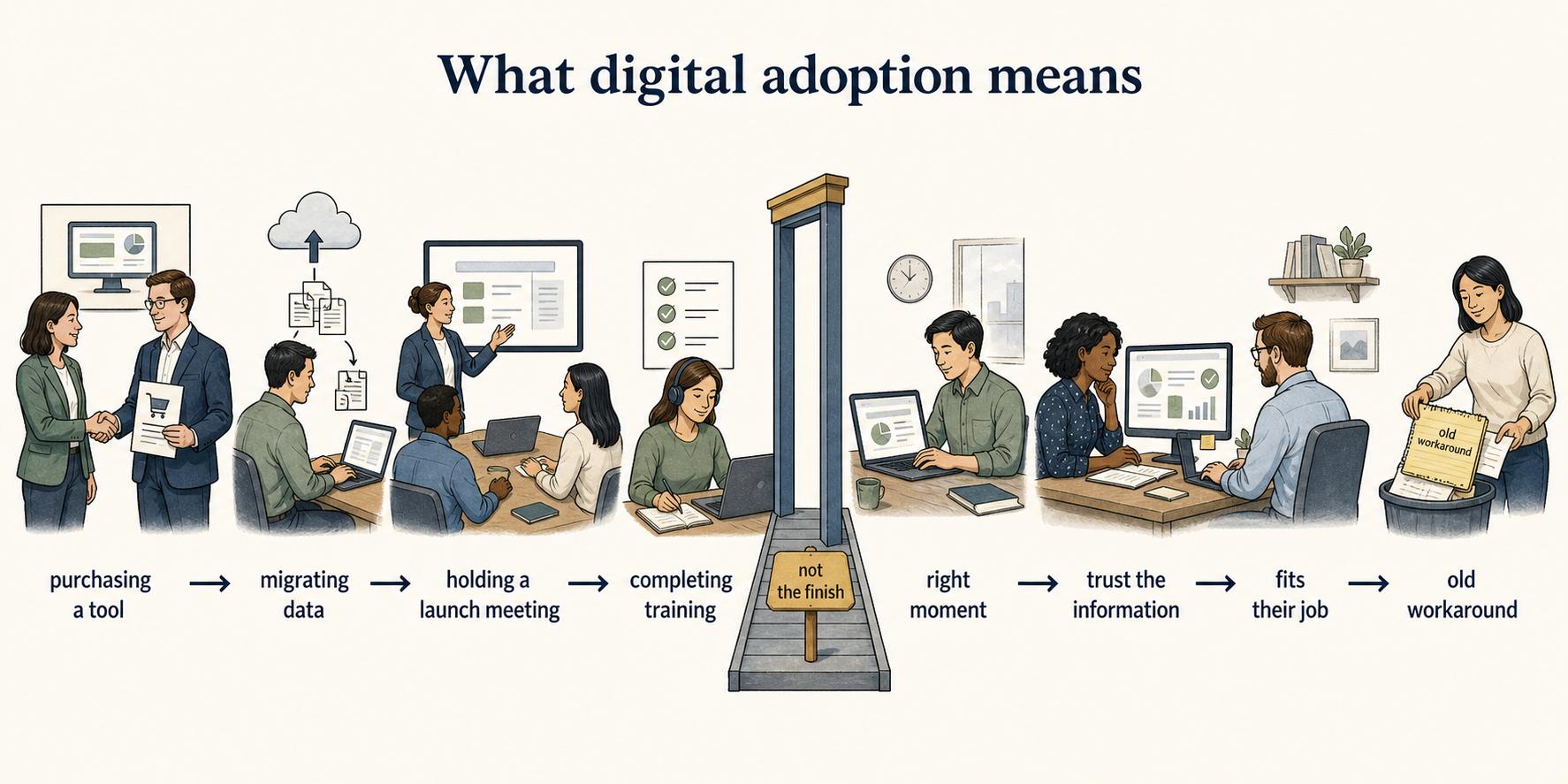
Digital adoption is the point at which people consistently use a digital tool, workflow, or system in the way it was intended to support real work. Access, account creation, and training completion only create the conditions for adoption.
A company can buy a tool, migrate data, hold a launch meeting, and still have weak digital adoption. Adoption happens when the new way becomes the normal way: employees use the system at the right moment, trust the information in it, understand how it fits their job, and stop relying on the old workaround.
Why digital adoption matters
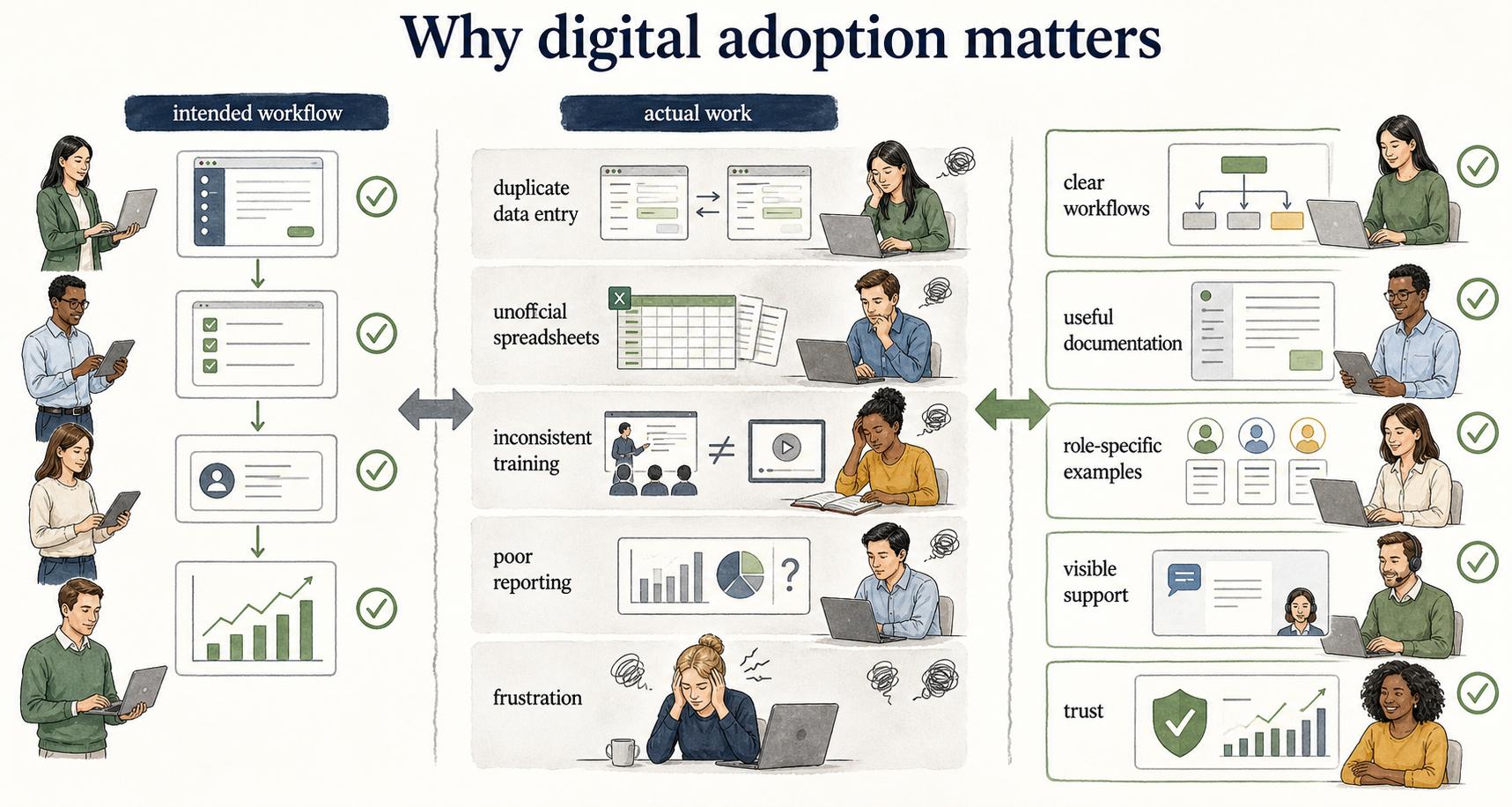
Digital adoption matters because most software value depends on behavior, not installation. 1 A CRM does not improve forecasting if sales reps update it after the fact. A knowledge base does not reduce repeated questions if employees still ask in chat. An onboarding platform does not help new hires if managers use side documents instead.
The costly part of a digital initiative is often the gap between the tool's intended workflow and the way people actually work. That gap creates duplicate data entry, unofficial spreadsheets, inconsistent training, poor reporting, and frustration from users who feel like the system was designed for someone else.
Digital adoption narrows that gap by focusing on enablement at the moment of work. 2 People need more than awareness. They need clear workflows, useful documentation, role-specific examples, visible support, and a reason to trust the new process.
Digital adoption vs software implementation
Software implementation is the technical and operational work of configuring, launching, and integrating a tool. Digital adoption is the human and workflow outcome that follows.
| Area | Software implementation | Digital adoption |
|---|---|---|
| Main question | Is the system ready to use? | Are people using it correctly in real work? |
| Primary work | Configuration, data, permissions, integrations, launch plan | Training, workflow fit, guidance, reinforcement, support |
| Success signal | Tool is live and accessible | Desired behavior becomes normal and repeatable |
| Common failure | Technical launch slips | People keep using old habits or incomplete workarounds |
Both matter. Implementation without adoption creates shelfware. Adoption without a stable implementation creates frustration. The two should be planned together instead of handed off at launch.
What digital adoption looks like in practice
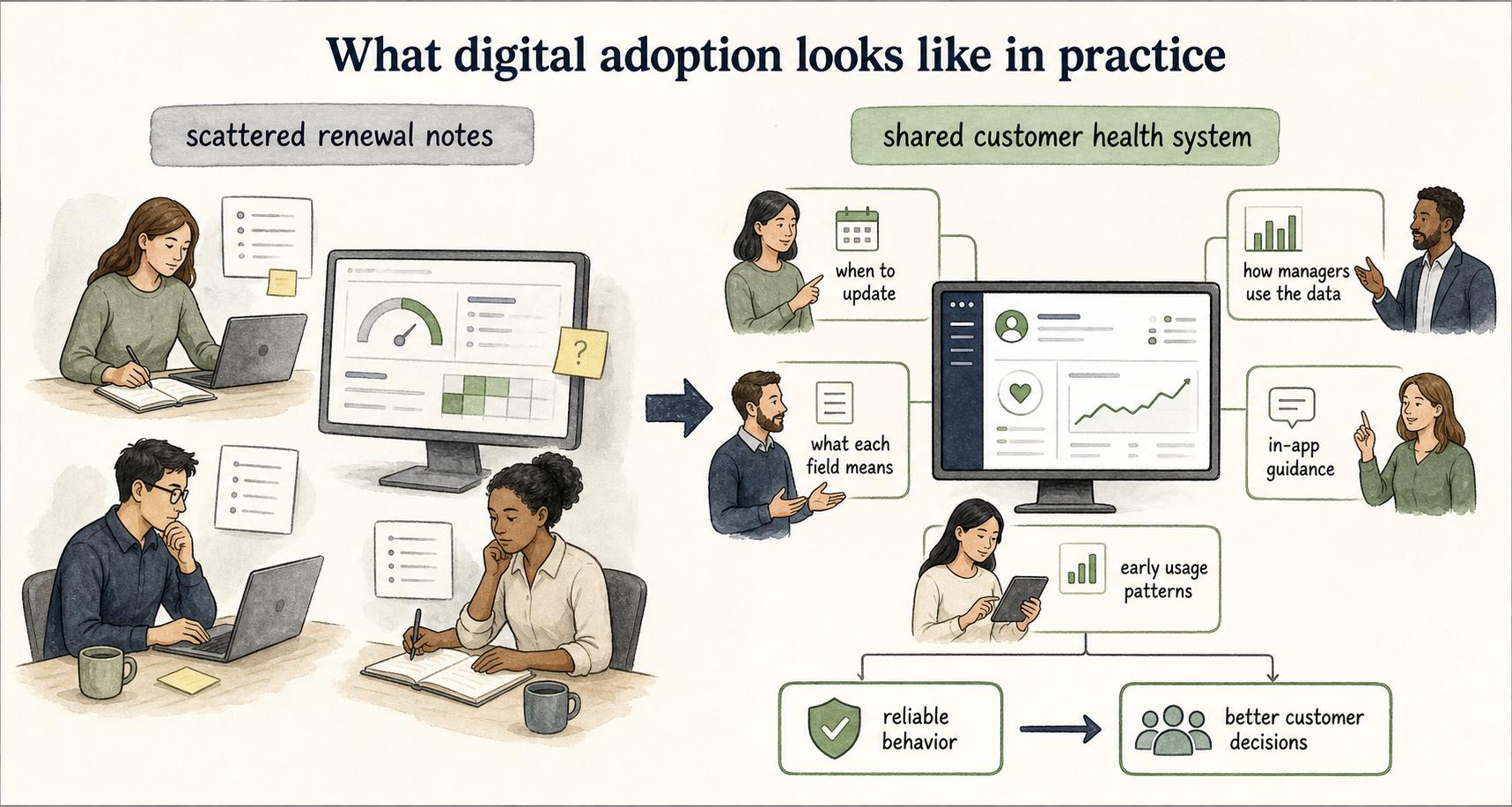
Imagine a customer success team moving from scattered renewal notes to a shared customer health system. The implementation team can configure fields, migrate accounts, and set permissions. But adoption depends on whether CSMs know when to update the account, what each field means, how managers will use the data, and what to do when a customer does not fit the standard pattern.
If the team skips adoption, CSMs may keep private notes because the new fields feel too rigid. Managers may distrust the dashboard because the data is incomplete. Operations may add reminders, which users experience as nagging rather than help.
A stronger adoption plan would document the renewal workflow, show examples of good account updates, explain which fields drive decisions, add in-app guidance for confusing moments, and review early usage patterns with the team. The adoption target is reliable behavior that supports better customer decisions.
Signals of weak digital adoption
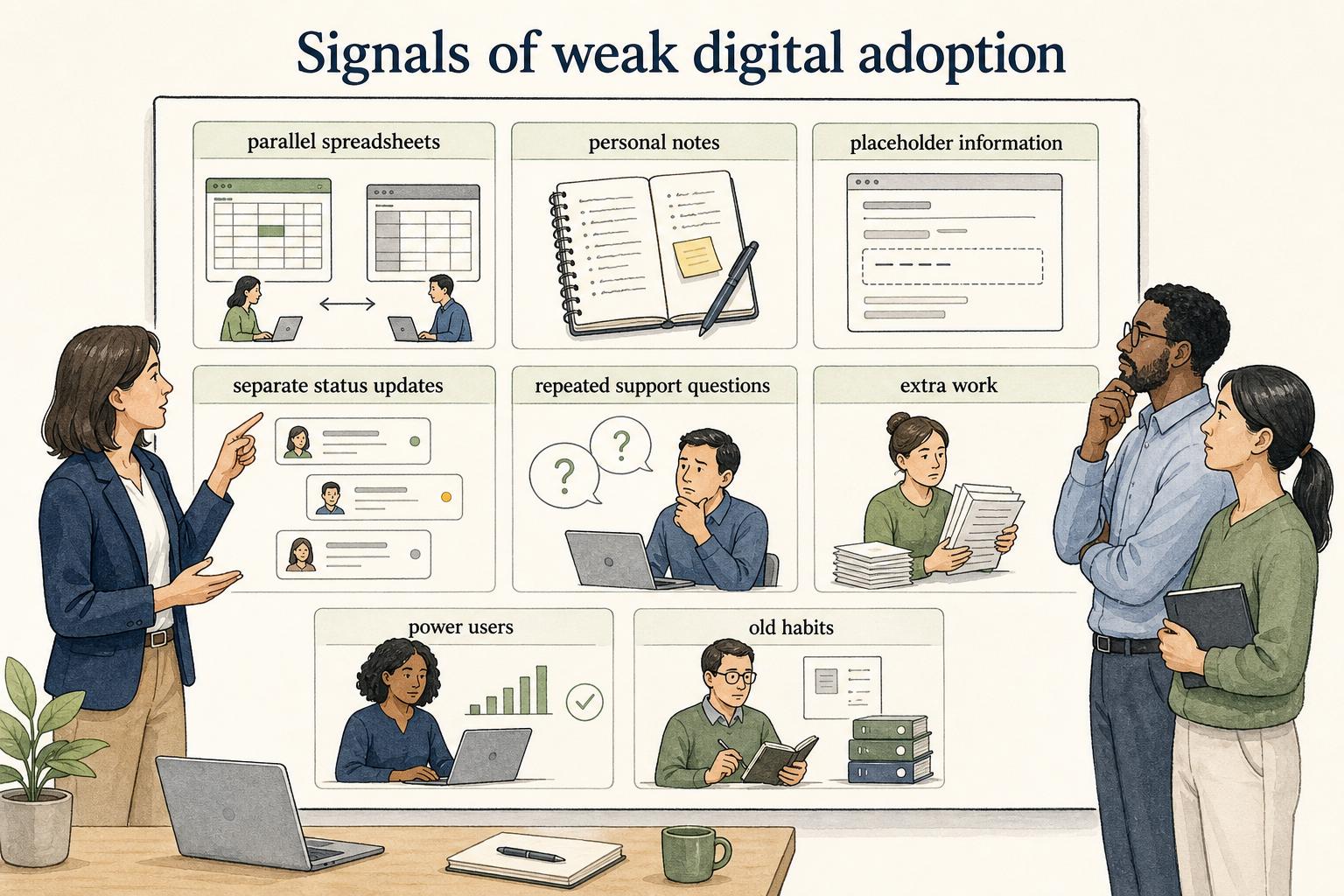
Weak digital adoption usually shows up before leaders admit the rollout is failing. Watch for these signals:
- People keep parallel spreadsheets or personal notes because the system does not match their workflow.
- Users complete required fields with vague or placeholder information.
- Managers ask for separate status updates because they do not trust the system.
- Training attendance was high, but support questions repeat every week.
- Teams describe the tool as extra work rather than part of the work.
- A small group of power users gets value while everyone else avoids the system.
These signals often point to workflow design, unclear documentation, missing examples, poor data definitions, or a launch plan that ended too early.
How to improve digital adoption
"Use the new tool" is too vague. Better adoption goals sound like: "Support agents use the refund decision guide before escalating," or "Managers update hiring pipeline stages before the weekly review." The behavior should be observable.
Next, remove friction at the point of use. If people need to leave the workflow to find instructions, adoption will suffer. 3 Use job aids, in-app guidance, short walkthroughs, and examples that answer the question people have when they are actually doing the task.
Then reinforce with operating rhythm. Review the behavior in team meetings, use the system as the source of truth, and fix confusing parts quickly. Adoption improves when users see that the organization is serious about the new workflow and responsive when it breaks down.
Finally, avoid blaming users too early. Resistance can be useful evidence. If people keep bypassing the tool, find out whether the process is slower, the fields are unclear, the data is not trusted, or the old workflow still solves a real problem.
A practical adoption prompt
Use this prompt to diagnose a rollout or workflow that is not sticking:
## Digital Adoption Diagnostic

**Glossary term:** Digital Adoption
**Source:** Trails Glossary — trails.so/glossary/digital-adoption

---

### 01. Diagnose a digital adoption problem

"Help us improve digital adoption for [tool or workflow].\nUser group: [roles or teams]\nIntended behavior: [specific behavior we want to see]\nCurrent workaround: [what people do instead]\nKnown friction: [confusing fields, handoffs, training gaps, trust issues]\nBusiness impact: [why adoption matters]\n\nReturn:\n1. The likely adoption blockers.\n2. The documentation or guidance users need at the moment of work.\n3. One behavior-based adoption metric.\n4. A 30-day enablement plan with owner, artifact, and feedback loop."
Documentation takeaway
Digital adoption depends on documentation that is close to the workflow. Long training decks can introduce a tool, but they rarely help someone make the right choice during a live task. 4 Adoption improves when users have clear step-by-step guides, examples, decision rules, and short training assets that match their role.
This is especially true when a tool changes handoffs. If the new process depends on one team entering information so another team can act on it, the documentation should explain the downstream consequence. People adopt more reliably when they understand why the step matters.
How Trails helps
Trails helps teams turn real workflows into adoption-ready documentation. A team can capture the correct process as someone performs it, turn that capture into a polished step-by-step guide, and create an AI-narrated video version for training or sharing.
That is useful when a new tool or workflow needs practical guidance after launch. Trails helps create documentation that users can follow, revisit, and share as the digital process becomes part of normal work.
For help after the initial rollout, explore Trails Assistant to make relevant guides available inside the software employees are learning.
Sources
- 1
Prosci. Prosci on change management and adoption. Prosci. www.prosci.com/change-management.
- 2
McKinsey. McKinsey on successful digital transformations. McKinsey. www.mckinsey.com/capabilities/people-and-organizational-performance/our-insights/unlocking-success-in-digital-transformations.
- 3
Nielsen Norman Group. Nielsen Norman Group usability heuristic on help and documentation. Nielsen Norman Group. www.nngroup.com/articles/ten-usability-heuristics/.
- 4
Cambridge. Cambridge article on learning in the flow of work. Cambridge University Press. www.cambridge.org/core/journals/industrial-and-organizational-psychology/article/learning-in-the-flow-of-work-designing-personcentric-learning-experiences-with-justintime-microlearning/5DF634858CC6A503EE311A428B6965DC.