
Glossary
Data Entry SOP
 ChatGPT
 Perplexity
 Gemini
 Claude
What is a data entry SOP?
A data entry SOP is a standard operating procedure that explains how information should be entered, checked, corrected, and handed off in a system of record. It defines the source data, required fields, naming rules, validation checks, roles, exceptions, and evidence needed to prove the entry is accurate.
Data entry may look repetitive, but small errors compound quickly. A typo, skipped field, duplicate record, or wrong category can create billing issues, customer confusion, bad reporting, or downstream rework. 1
Why a data entry SOP matters
Data entry work looks simple from the outside: copy the information, fill in the fields, save the record. The real risk is usually hidden in judgment calls. Which source is authoritative? What should happen when a field is missing? How should duplicate records be handled? When should the operator stop and ask for review?
A data entry SOP turns those decisions into a shared process. It helps new team members learn the work, gives experienced team members a consistent standard, and makes quality checks easier because everyone knows what "correct" means.
A strong data entry SOP reduces errors caused by ambiguity, fatigue, inconsistent source documents, and unclear ownership. It should not ask people to guess quietly when the data is messy.
What a data entry SOP should include
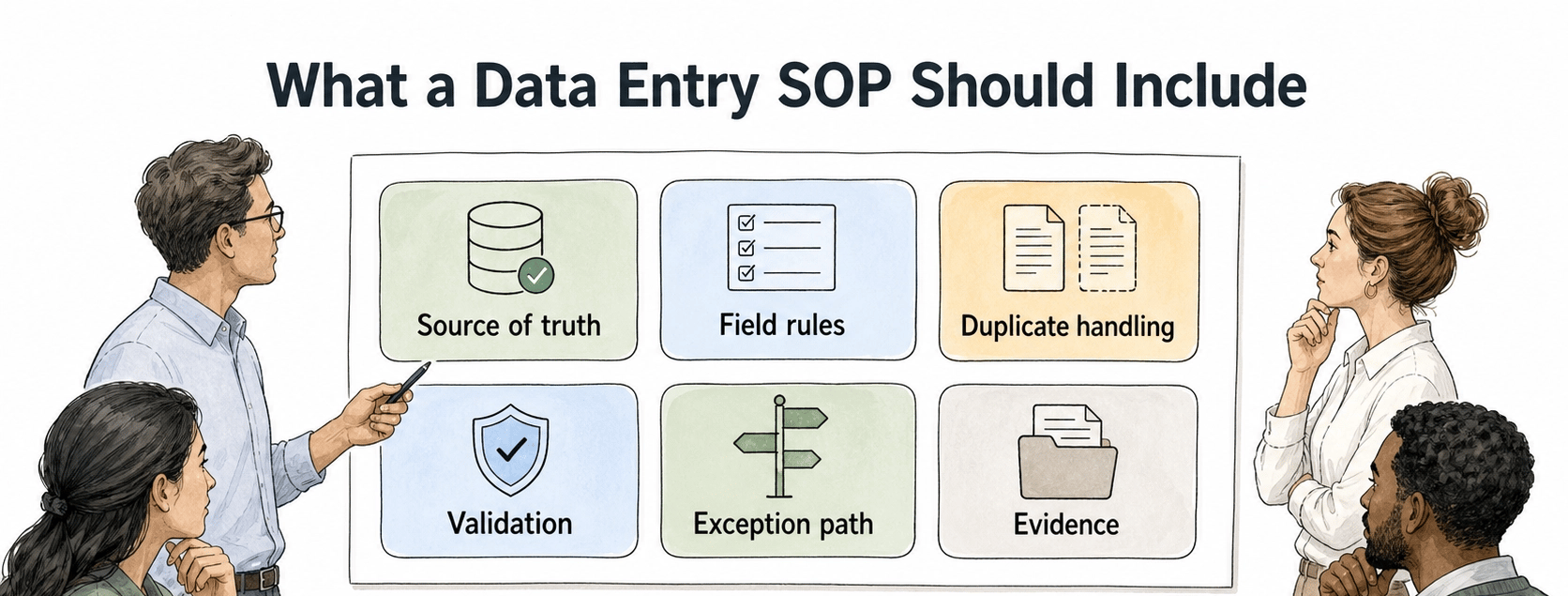
A useful data entry SOP defines the source, system, fields, sequence, and quality controls. It also explains what to do when source data is incomplete, conflicting, or suspicious. 2
| Control point | What the SOP should define | Example |
|---|---|---|
| Source of truth | Which document, form, email, or system should be trusted | Use the signed order form over the sales note |
| Field rules | Required fields, formats, naming conventions, and allowed values | Use legal company name, not nickname |
| Duplicate handling | How to search before creating a new record | Check email domain and account ID before adding a customer |
| Validation | What must be reviewed before saving or submitting | Confirm totals, date range, category, and owner |
| Exception path | When to pause, correct, or escalate | Missing tax ID goes to finance review, not guesswork |
| Evidence | What proves the entry was completed correctly | Record link, timestamp, batch ID, or audit note |
The exception path keeps the SOP honest. Clean examples are easy to document. Real data arrives incomplete, duplicated, outdated, or contradictory. The SOP needs a defined next step for those cases.
Data entry SOP examples
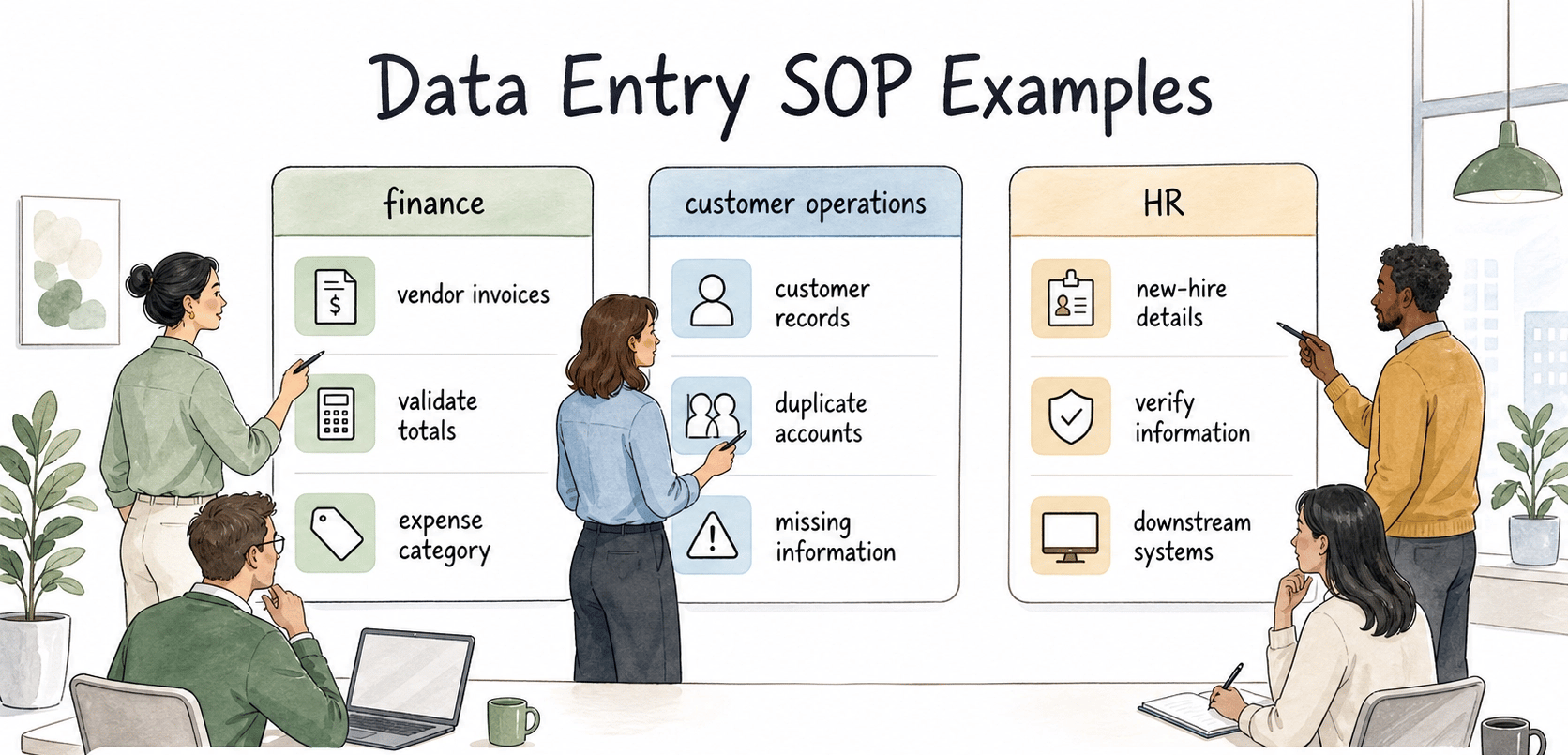
A finance data entry SOP might explain how to enter vendor invoices, validate totals, select the correct expense category, attach source documents, and route exceptions for approval.
A customer operations SOP might explain how to create or update customer records from onboarding forms, check for duplicate accounts, normalize company names, and record missing information for follow-up.
An HR data entry SOP might explain how to enter new-hire details, verify personal information, handle incomplete forms, and confirm that downstream systems received the correct record.
The department changes. The pattern stays stable: source, entry, validation, exception handling, and proof.
How to write a data entry SOP
Start with the source path. Do not begin with the software screen. Begin with where the information comes from and how the operator knows it is trustworthy. If the team receives data from forms, PDFs, emails, spreadsheets, OCR, or another system, name those sources and their priority order.
Then define the fields that matter. Required fields, optional fields, naming conventions, date formats, codes, and category rules should be explicit. If a field affects reporting, billing, compliance, customer communication, or workflow routing, give it a real rule.
Add validation where mistakes are easiest to catch. A final review step helps, but it should not be the only control. Build checks into the workflow: search for duplicates before creating a record, compare totals before submitting, confirm the owner before routing, and verify that the saved record shows the expected status.
Finally, write the stop rules. A good data entry SOP tells people when to pause instead of forcing the record through. Missing approvals, unclear source data, duplicate records, suspicious values, and system errors should trigger a defined next step.
AI-ready data entry SOP prompt
Use this prompt to create a first draft from a known workflow:
## Data Entry SOP Template

**Glossary term:** Data Entry SOP
**Source:** Trails Glossary — trails.so/glossary/data-entry-sop

---

### 01. Create a data entry SOP

"Create a data entry SOP for [process] used by [team]. The source data comes from [source], and the target system is [system]. Include purpose, scope, roles, source-of-truth rules, required fields, field formatting rules, duplicate checks, step-by-step entry process, validation checks, exception handling, completion evidence, and review cadence. Make the SOP specific enough that a new team member can avoid duplicate records, missing fields, and incorrect categories."
Common mistakes
The first mistake is documenting the screen instead of the data standard. A screenshot can show where a field is located, but it cannot explain whether "ACME Inc." and "Acme Incorporated" should be treated as the same account.
The second mistake is skipping batch controls. If a team enters records in batches, the SOP should say how to count records received, records entered, records rejected, and records needing follow-up. Otherwise, missing records can disappear quietly. 3
The third mistake is treating repeated errors as individual performance problems before checking the process. If five people make the same data-entry mistake, the SOP probably has a missing rule, confusing field name, weak validation step, or poor source format. 4
How Trails helps
Trails can capture a data entry workflow as someone performs it, then turn that workflow into a polished step-by-step guide. That is useful when the work depends on screens, field choices, and small decision points that are easy to forget after the fact. Trails can also create an AI-narrated video version for onboarding and refresher training.
If an expert has already recorded the entry process, convert the video into an SOP, then check the resulting field instructions and exception handling before sharing it.
Sources
- 1
IBM. Data accuracy vs. data integrity. www.ibm.com/think/topics/data-accuracy-vs-data-integrity.
- 2
IBM. Data quality dimensions. www.ibm.com/think/topics/data-quality-dimensions.
- 3
National Library of Medicine. Error rates of data processing methods in clinical research. PubMed Central. pmc.ncbi.nlm.nih.gov/articles/PMC10775420/.
- 4
National Institute of Standards and Technology. NIST SP 1800-11 data integrity practice guide. NIST. www.nccoe.nist.gov/publication/1800-11/VolB/.