
Glossary
Reporting SOP
 ChatGPT
 Perplexity
 Gemini
 Claude
What is a reporting SOP?
A reporting SOP is a standard operating procedure for producing, reviewing, distributing, and maintaining a recurring report or dashboard. It defines the report's purpose, data sources, metric definitions, creation steps, quality checks, approval path, delivery cadence, and exception handling.
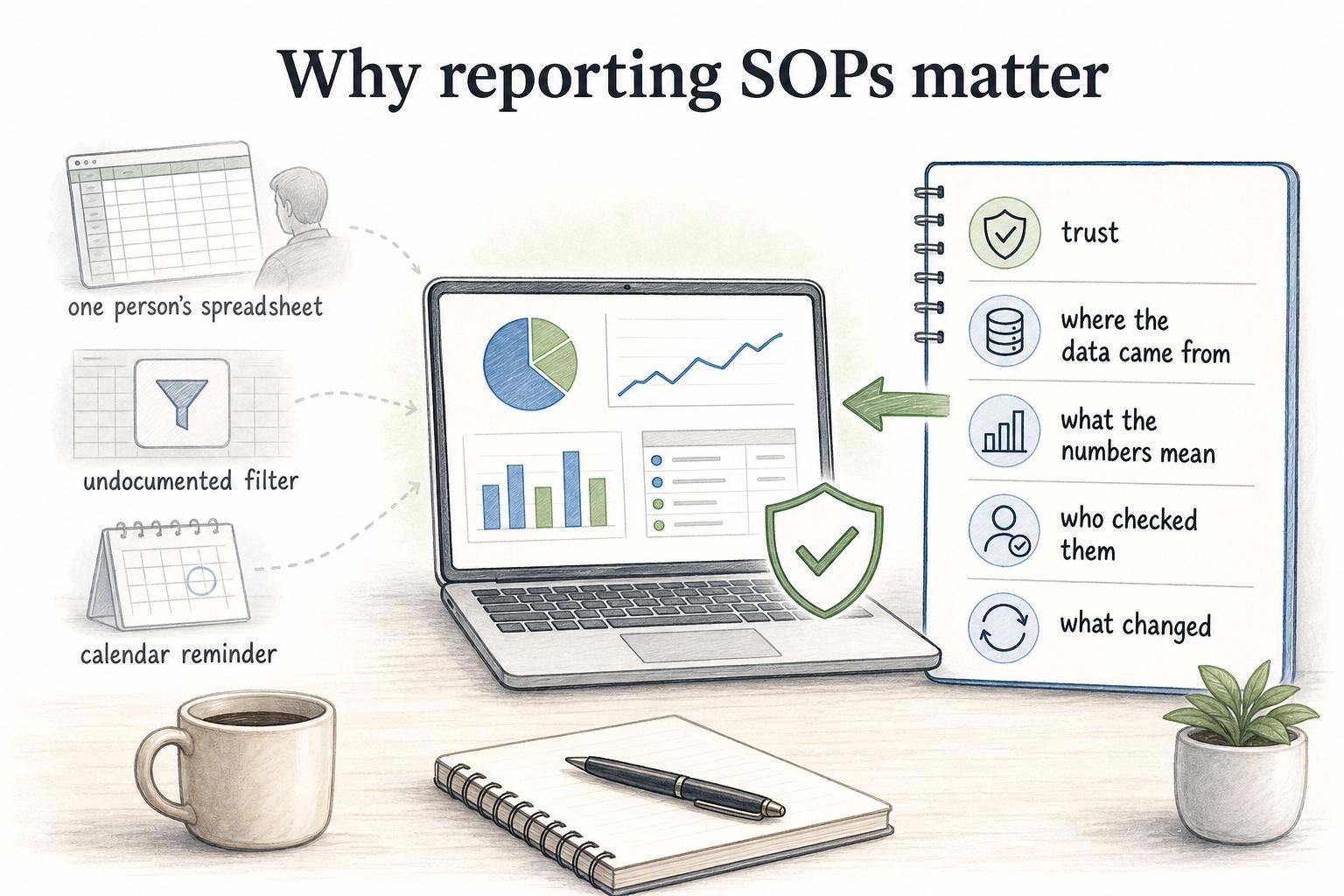
Reporting SOPs matter because reports are easy to make fragile. A recurring report may depend on one person's spreadsheet, one undocumented filter, or one calendar reminder. The SOP turns that personal routine into a process another qualified person can repeat.
Why reporting SOPs matter
A report is only useful if people trust it enough to act on it. That trust comes from more than a polished chart. Government data-quality guidance makes the same practical point: data should be fit for purpose and managed through clear quality principles.1 Teams need to know where the data came from, what the numbers mean, when they were updated, who checked them, and what changed since the last version.
Without a reporting SOP, recurring reports often fail in quiet ways. A date range shifts. A dashboard filter is left on. A source export changes. Sales and finance interpret the same metric differently. The report still goes out on time, but the audience starts making decisions from numbers that are not comparable. Gartner's data-quality guidance frames poor data quality as a business risk, not only an analyst inconvenience.2
The goal of a reporting SOP is to make the process repeatable enough that speed does not come at the cost of confidence.
What a reporting SOP should include
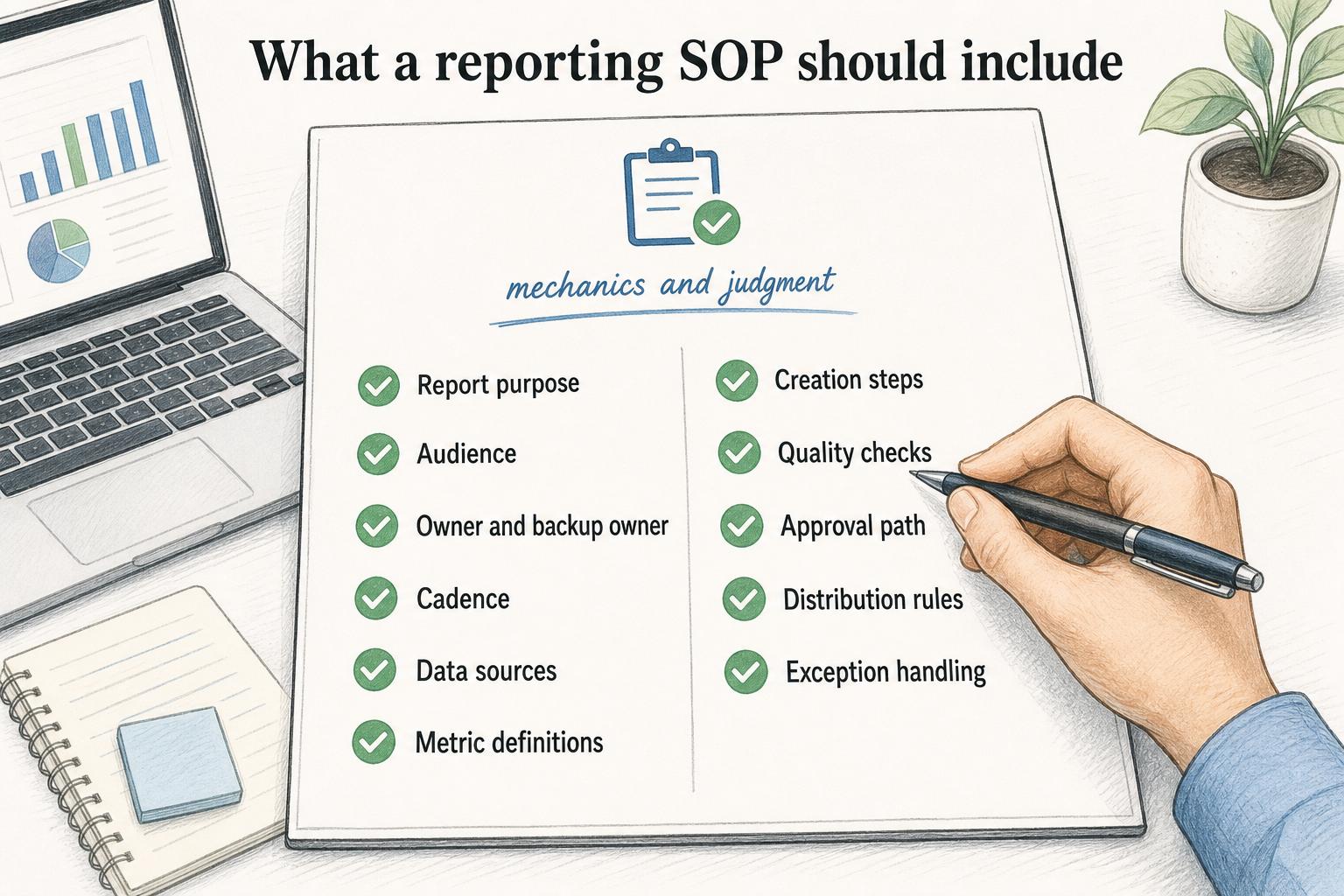
A reporting SOP should explain both the mechanics and the judgment behind the report. The click path matters, but so do the definitions, checks, and escalation rules.
Useful sections include:
- Report purpose: the decision, meeting, workflow, or obligation the report supports.3
- Audience: who receives it and what they need from it.
- Owner and backup owner: who is accountable, and who can run the report when the owner is unavailable.
- Cadence: when the report is produced, reviewed, distributed, and archived.
- Data sources: systems, exports, tables, forms, or dashboards used.
- Metric definitions: formulas, fields, filters, segments, date ranges, and exclusions.
- Creation steps: how to pull, transform, check, and format the report.
- Quality checks: reconciliation, variance review, missing-field checks, and source comparisons.
- Approval path: who reviews the report before distribution.
- Distribution rules: channel, format, recipients, and message context.
- Exception handling: what to do when data is late, incomplete, inconsistent, or surprising.
The backup owner is not a nice-to-have. If a report is critical enough to deserve an SOP, it should not stop because one person is on vacation.
Reporting SOP examples
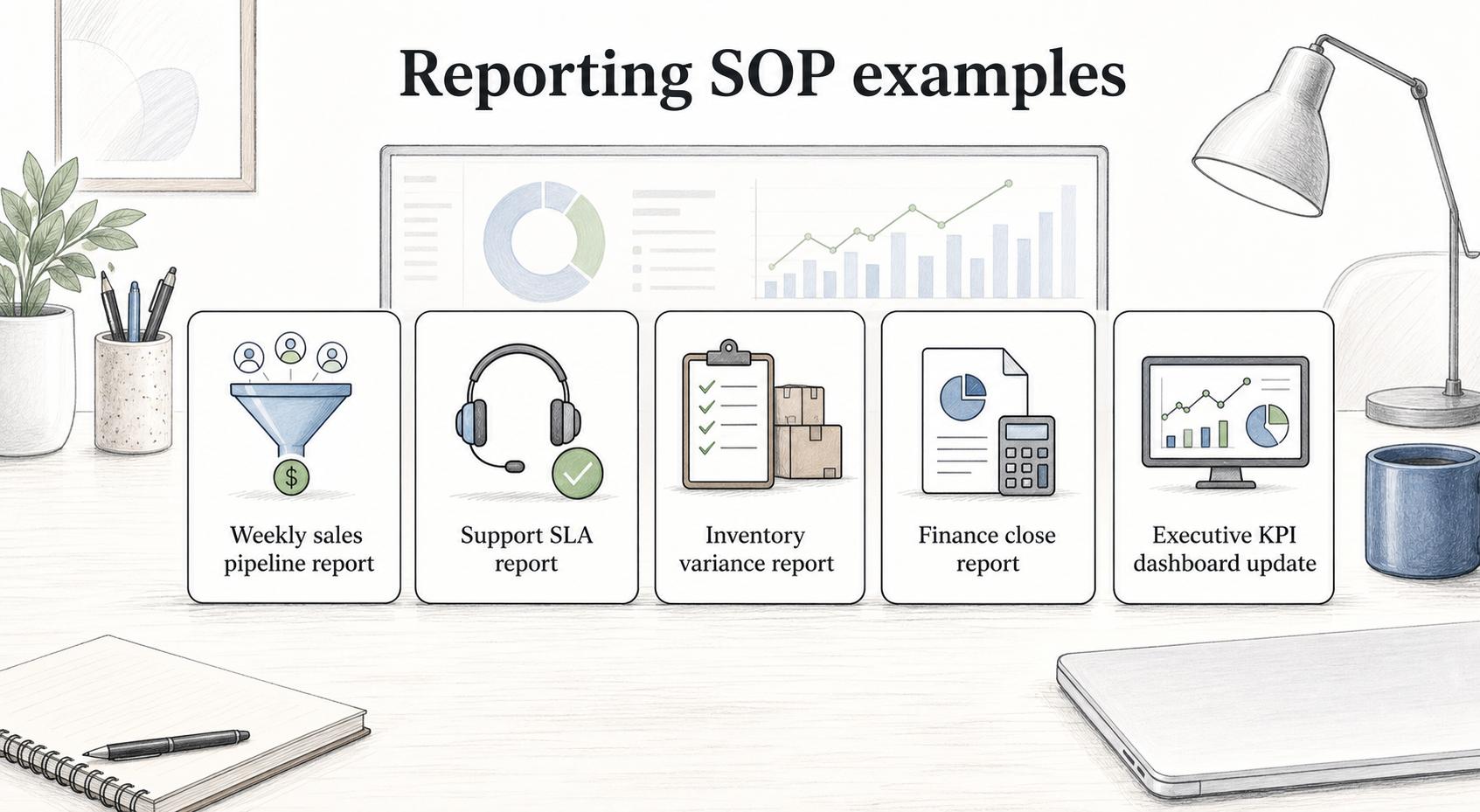
Reporting SOPs are useful for recurring reports that influence decisions, compliance, customer commitments, or leadership visibility.
| Report type | What the SOP should clarify | Common failure point |
|---|---|---|
| Weekly sales pipeline report | CRM fields, stage filters, close dates, review owner | Different teams use different pipeline definitions |
| Support SLA report | Ticket source, response-time logic, exclusions, escalation notes | Closed tickets and reopened tickets are counted inconsistently |
| Inventory variance report | Source counts, timing, reconciliation steps, discrepancy owner | Teams compare counts from different moments in time |
| Finance close report | Inputs, dependencies, reviewer, archive path | Late inputs are patched manually without documentation |
| Executive KPI dashboard update | Metric definitions, refresh cadence, commentary owner | A metric changes but the audience is not told |
A one-time analysis usually does not need an SOP. A recurring report that people rely on should have one.
Reporting SOP vs metric dictionary
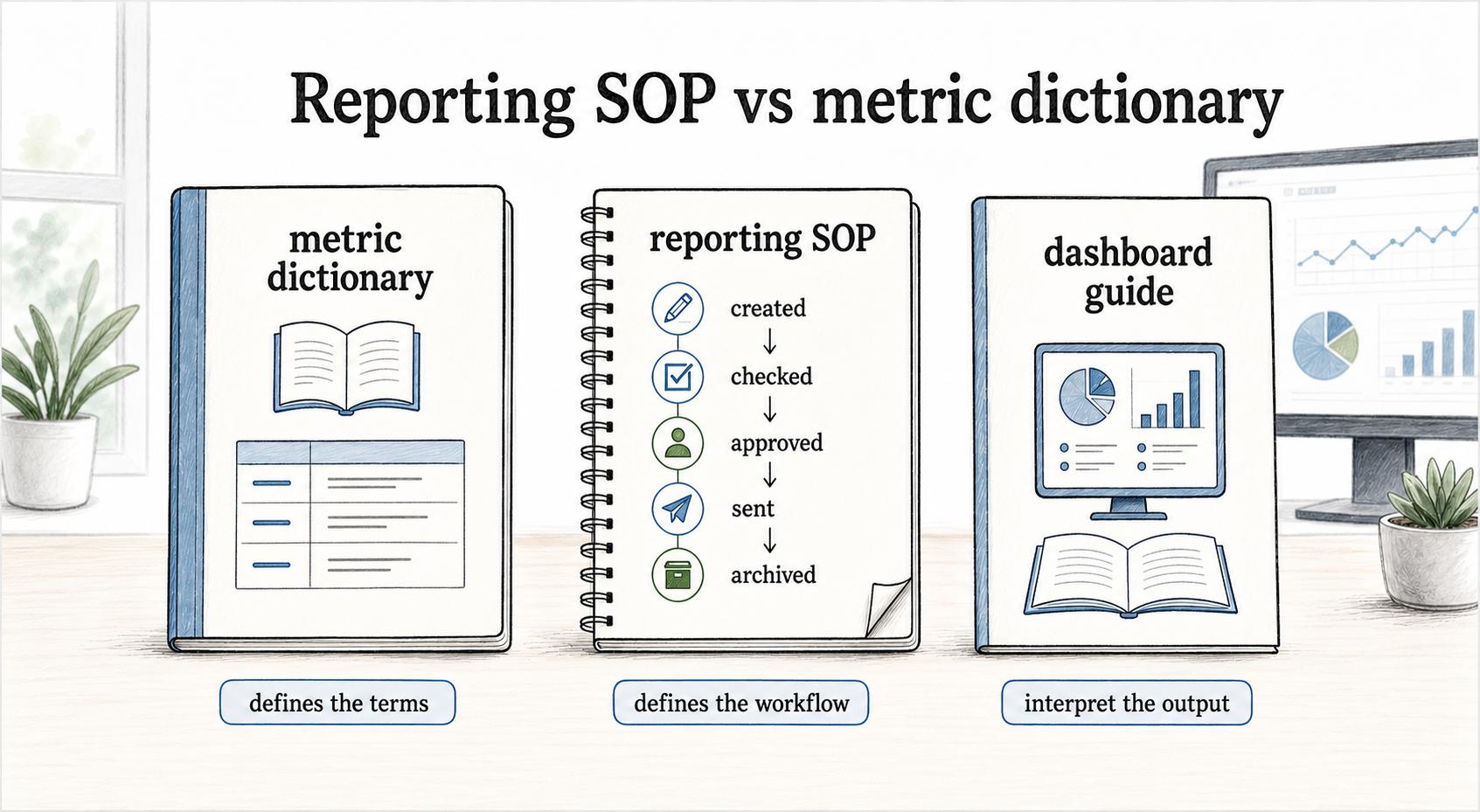
A reporting SOP and a metric dictionary solve related but different problems.
A metric dictionary defines the terms: what counts as active usage, revenue, churn, backlog, on-time delivery, or first response time.
A reporting SOP defines the workflow: how the report is created, checked, approved, sent, and archived.
A dashboard guide helps the audience interpret the output: which filters to use, what each view means, and when to avoid drawing conclusions.
Do not force all of that into one oversized document. Link the pieces together. The SOP should point to the metric dictionary and dashboard guide when they exist.
A practical reporting SOP template
Use this prompt when documenting a recurring report:
## Reporting SOP template

**Glossary term:** reporting SOP
**Source:** Trails Glossary — trails.so/glossary/reporting-sop

---

### 01. Create a reporting SOP

"Create a reporting SOP for [report/dashboard name].
Audience: [who uses it]
Decision supported: [what this report helps people decide or monitor]
Cadence: [daily/weekly/monthly/quarterly]
Owner: [role]
Backup owner: [role]
Data sources: [systems, exports, tables, forms, dashboards]
Metric definitions: [formulas, filters, date ranges, exclusions]
Procedure: [steps to create or refresh the report]
Quality checks: [reconciliation, variance checks, missing data checks]
Review and approval: [who checks it before distribution]
Distribution: [channel, recipients, format, message context]
Archive: [where final versions and notes are stored]
Exceptions: [what to do when data is late, missing, inconsistent, or unusual]
Review cadence: [when to reassess whether the report still matters]"
The strongest SOPs include screenshots, source links, and examples of normal and abnormal results. Those details help the backup owner catch issues instead of following steps mechanically.
Common mistakes
One mistake is documenting the export steps but not the definitions. If the SOP says where to click but not which fields, filters, and date ranges matter, the report can be reproduced and still be wrong.
Another mistake is hiding uncertainty. If a source system is delayed, a field is unreliable, or a large variance has not been explained, the SOP should tell the owner how to disclose that context. Silence makes the report look more precise than it is.
A third mistake is letting reports live forever. A reporting SOP should include a review trigger. If the report no longer supports a decision, it should be changed, combined, or retired.
Documentation takeaway
A reporting SOP protects the trust behind recurring reporting. It makes the process visible enough that another person can run it, reviewers can understand it, and the audience can interpret it without guessing.
For operations teams, the key is to document the decisions around the data, not only the mechanics of producing a file. The SOP should answer: what does this report mean, how do we know it is ready, and what should happen when it is not?1
How Trails helps
Trails helps teams capture a reporting workflow as someone performs it and turn that workflow into a polished step-by-step guide. That can preserve source locations, screenshots, refresh steps, quality checks, approval rules, and distribution details so recurring reports do not depend on one person's memory.
Trails can also create an AI-narrated video version of the reporting workflow for backup owners, analysts, or managers who need to learn the process quickly.
Sources
- 1
UK Government. The Government Data Quality Framework. GOV.UK. www.gov.uk/government/publications/the-government-data-quality-framework/the-government-data-quality-framework. Accessed July 13, 2026.
- 2
Gartner. Data Quality: Best Practices for Accurate Insights. Gartner. www.gartner.com/en/data-analytics/topics/data-quality. Accessed July 13, 2026.
- 3
Office of Management and Budget. Guidelines for Ensuring and Maximizing the Quality, Objectivity, Utility, and Integrity of Information. Federal Register. www.federalregister.gov/documents/2002/02/22/R2-59/guidelines-for-ensuring-and-maximizing-the-quality-objectivity-utility-and-integrity-of-information. Accessed July 13, 2026.