
Glossary
Customer Service SOP
 ChatGPT
 Perplexity
 Gemini
 Claude
What is a customer service SOP?
A customer service SOP is a standard operating procedure that explains how a support or service team handles a repeatable customer situation. It turns recurring work, such as refunds, escalations, account changes, or complaint handling, into a clear sequence of steps with owners, decision rules, and expected outcomes. 1
A good customer service SOP does not script every human interaction. It gives agents enough structure to be consistent while leaving room for judgment when a real customer situation does not fit the happy path.
Why customer service SOPs matter
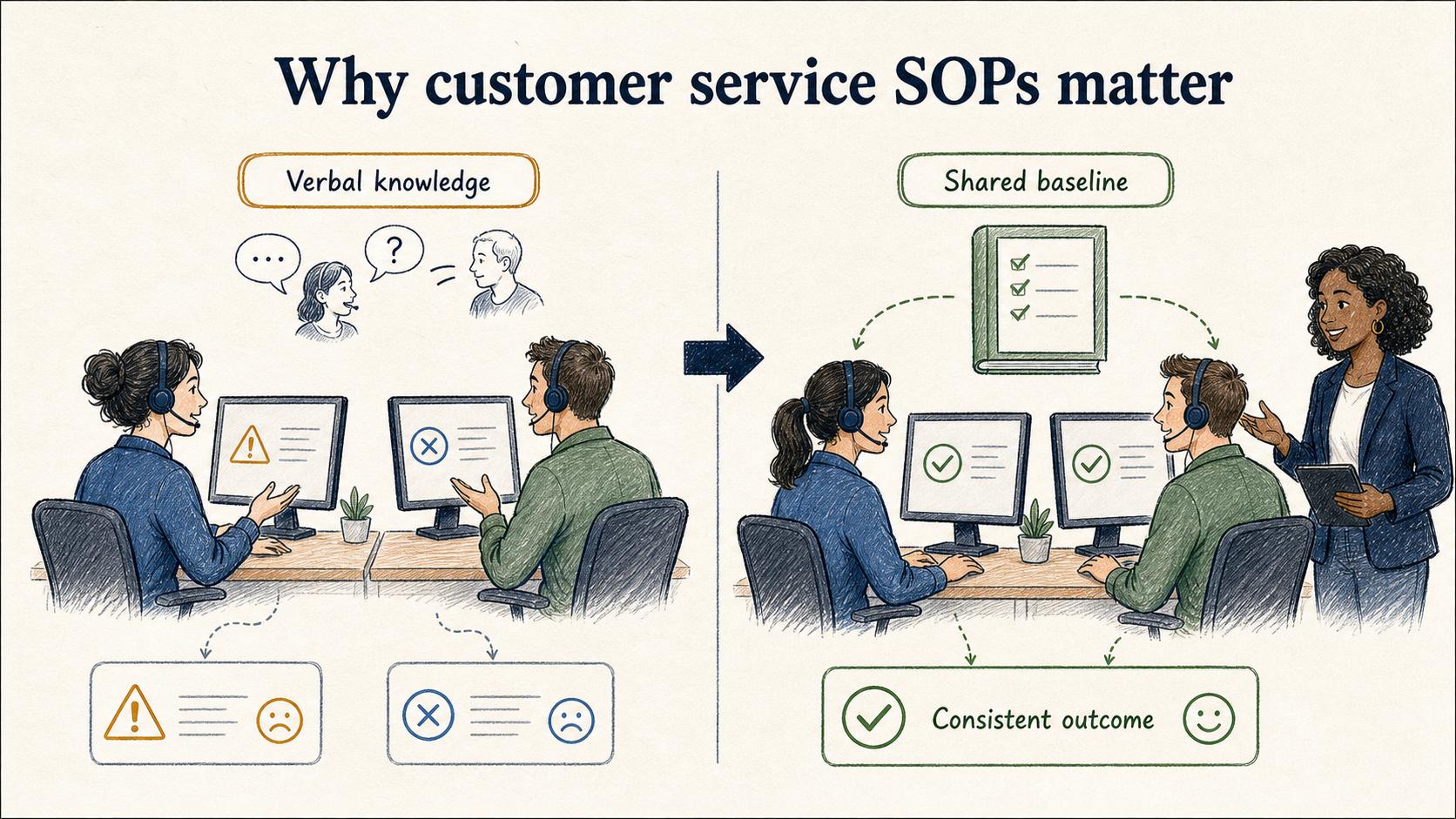
Customer service teams often grow by passing down knowledge verbally. A senior agent shows a new teammate how to handle a refund, the team lead explains an exception in chat, and someone updates a macro after a confusing case. That works for a while, but it does not scale cleanly.
A customer service SOP creates a shared baseline. It helps new agents ramp faster, reduces avoidable escalations, and gives managers a concrete artifact to improve when the process breaks. Support knowledge-management guidance makes the same point: process and people matter as much as the tool. 2 A customer with a billing issue should not get a different outcome just because they reached a different agent.
The hidden failure mode is over-documenting the easy parts and under-documenting the judgment calls. Most SOPs say obvious things like "listen to the customer" or "document the issue." The useful version explains what information must be collected, what the agent can decide alone, when to escalate, and what to say when the answer is not immediate.
What a customer service SOP should include
A strong customer service SOP is narrow enough to use during work. "Handle customer issues" is too broad. "Process a refund request for a duplicate charge" is much more usable.
Include these elements when they clarify action:
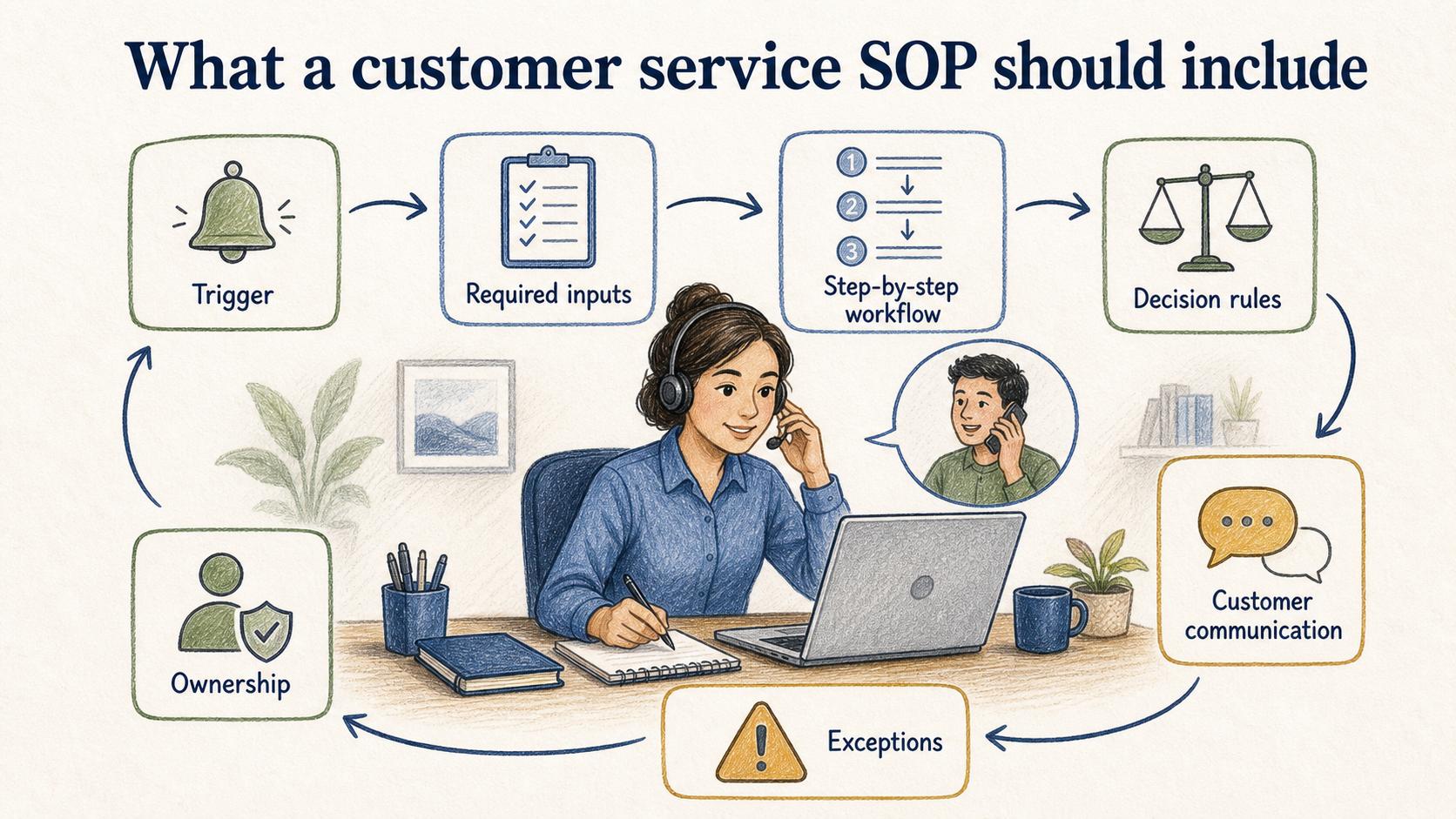
- Trigger: The situation that tells an agent to use this SOP.
- Required inputs: Customer details, account status, screenshots, order numbers, logs, or approval information needed before action.
- Step-by-step workflow: The actions the agent takes in the support tool, billing system, CRM, or internal admin panel.
- Decision rules: Criteria for approving, denying, escalating, or requesting more information.
- Customer communication: Approved language, tone guidance, and timing expectations.
- Exceptions: Edge cases that should not be handled through the normal path.
- Ownership: Who maintains the SOP and who approves changes.
The test is simple: if a trained agent can use the SOP during a live customer situation without asking where the real rule lives, the SOP is doing its job.
Example: refund request SOP
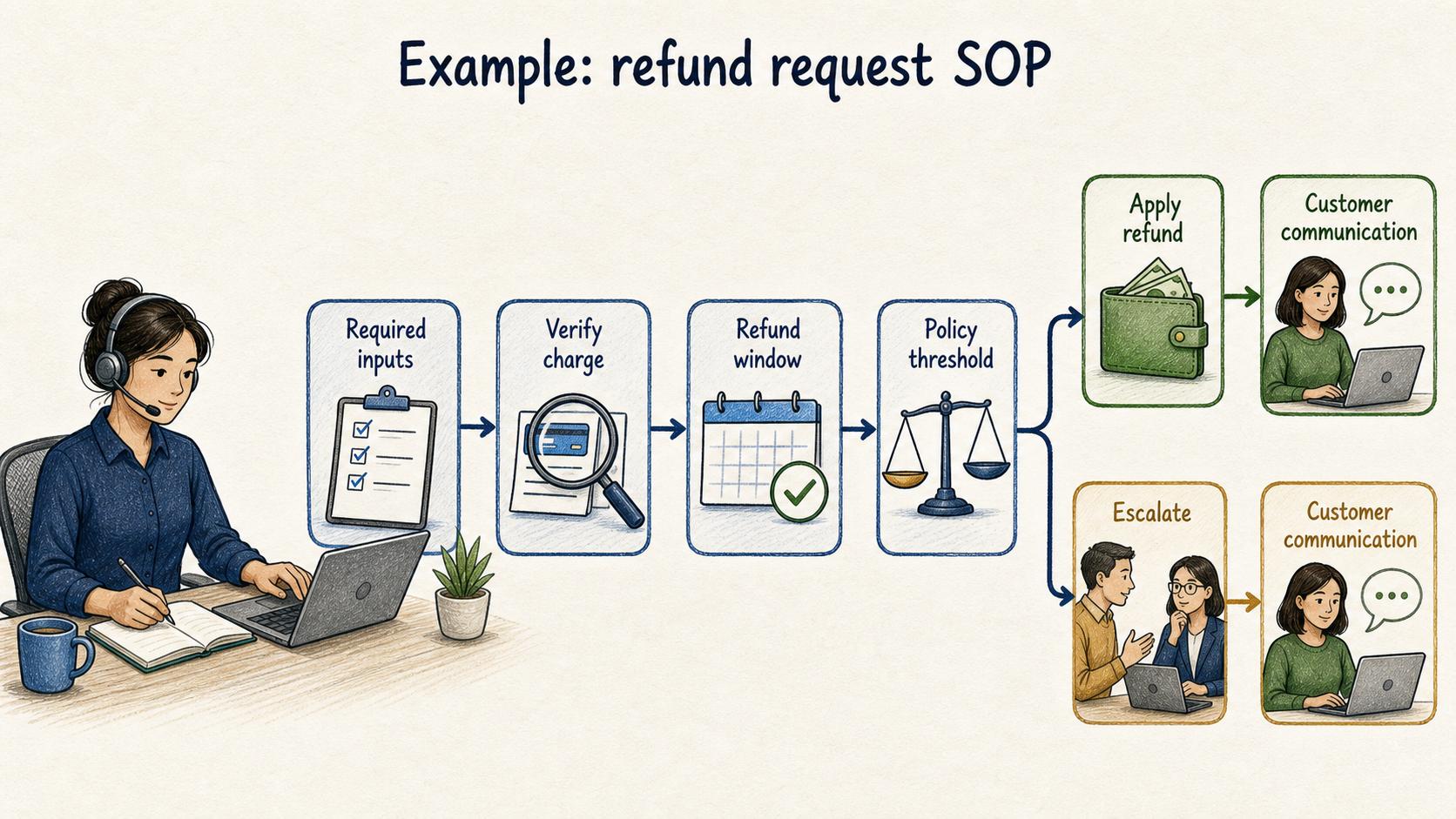
A refund request SOP might begin with a trigger: use this procedure when a customer asks for a refund on a paid invoice or duplicate charge. The required inputs could include the customer email, invoice ID, charge date, reason for refund, and account status.
The workflow would then walk the agent through verifying the charge, checking the refund window, confirming whether the customer has already received a credit, applying the refund if allowed, tagging the ticket, and sending the confirmation message.
The decision rule is the critical part. Agents may be allowed to approve refunds under a policy threshold, while requests tied to contract exceptions, suspected fraud, or enterprise accounts must be escalated. That rule prevents two bad outcomes: agents escalating everything because they are unsure, and agents making risky decisions because the procedure feels incomplete. In complaint and service-recovery research, the way customers perceive a company's recovery process is closely tied to satisfaction and future intent. 3
Common mistakes in customer service SOPs
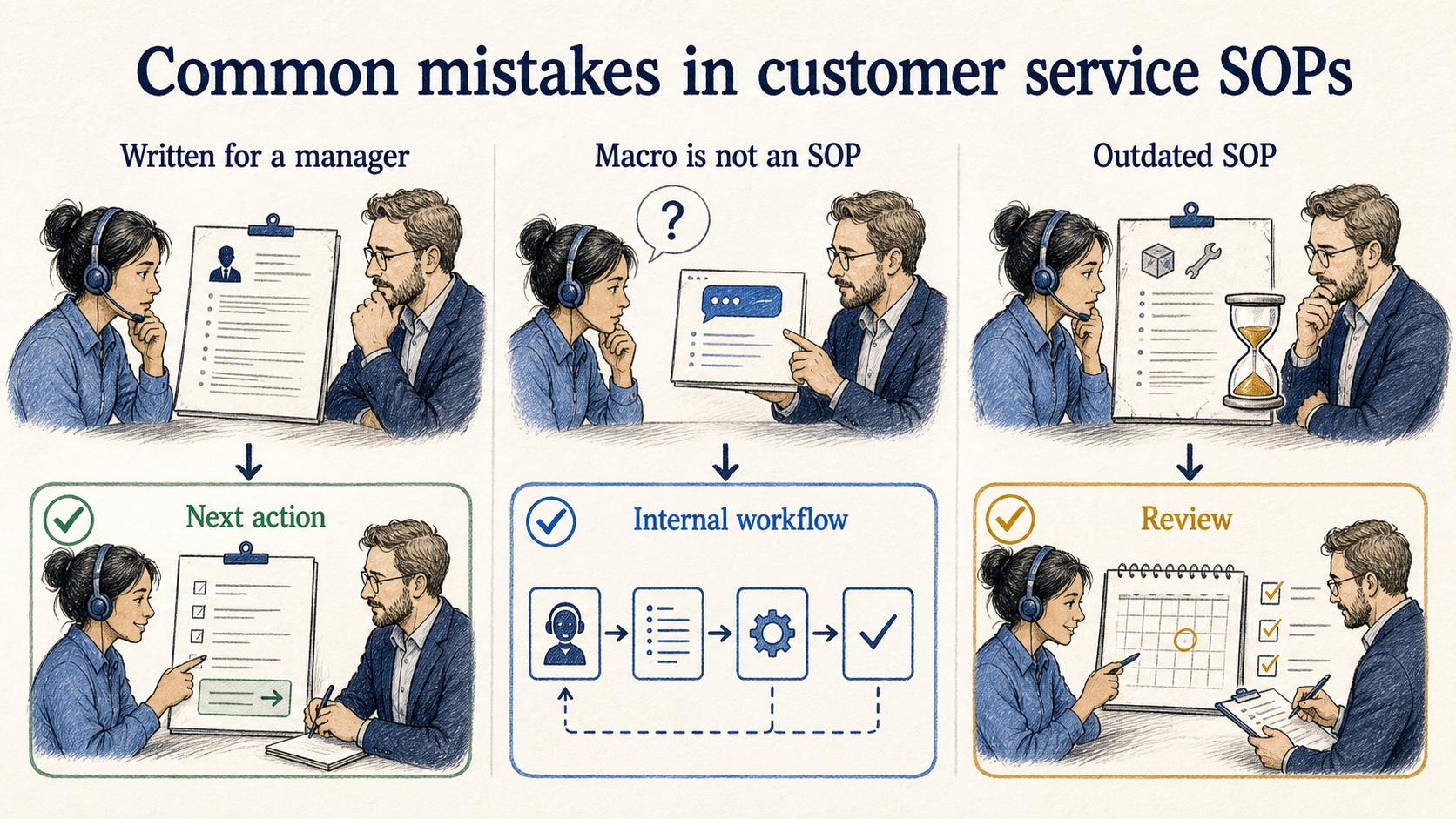
The most common mistake is writing the SOP for a manager instead of the person doing the work. A manager may care about the policy, but the agent needs the next action, the exact system path, and the escalation boundary.
Another mistake is confusing macros with SOPs. A macro helps with customer-facing language. An SOP explains the internal workflow behind the response. If a macro says "we are reviewing your request" but the agent does not know who reviews it, what qualifies for approval, or when to follow up, the process is still weak.
A third mistake is letting SOPs age quietly. Customer service processes change whenever pricing, product behavior, permissions, policies, or tooling changes. If the SOP is not reviewed after those changes, agents eventually learn to ignore it.
AI-ready customer service SOP template
## Customer Service SOP

**Glossary term:** Customer Service SOP
**Source:** Trails Glossary — trails.so/glossary/customer-service-sop

---

### 01. Create a customer service SOP

"Create a customer service SOP for this repeatable support workflow.

Workflow name: [workflow]
Customer situation: [what the customer asks or reports]
Support team: [team or role]
Tools used: [support desk, CRM, billing tool, admin panel]
Policy constraints: [refund window, approval limits, compliance rules]
Known edge cases: [exceptions, risks, ambiguous cases]
Desired customer outcome: [what should happen when the process works]

Write the SOP with:
- Trigger
- Required inputs
- Step-by-step agent workflow
- Decision rules
- Escalation criteria
- Customer communication notes
- Completion criteria
- SOP owner and review cadence

Make the procedure specific enough for a trained agent to follow during a live ticket."
How Trails helps
Customer service SOPs are strongest when they reflect the real workflow in the tools agents already use. Trails captures a workflow as someone performs it, turns that workflow into a polished step-by-step guide, and can create an AI-narrated video version for training or sharing.
That matters for support teams because many SOPs depend on exact screens, settings, and handoffs. A written policy can say what should happen; a captured workflow can show how it actually happens.
See how support teams document customer support workflows, from agent training to repeatable answers, and how a searchable knowledge base can give those guides a shared home.
FAQ
What is the difference between a customer service SOP and a script?
A script tells an agent what to say. A customer service SOP tells the agent what to do, what information to collect, which decisions they can make, and when to escalate.
How detailed should a customer service SOP be?
It should be detailed where the work can fail: required inputs, system steps, decision rules, exceptions, and handoffs. It does not need to explain obvious service behaviors that trained agents already understand.
Who should own customer service SOPs?
Usually a support operations lead, team lead, or process owner should maintain them, with input from agents who handle the work daily.
How often should customer service SOPs be reviewed?
Review them whenever the related policy, tool, product behavior, or customer promise changes. For high-volume workflows, a scheduled quarterly review is often a practical baseline.
Sources
- 1
ISO. ISO 10002:2018: Customer satisfaction and complaints handling. www.iso.org/standard/71580.html.
- 2
HDI. Knowledge Management for the Support Center. www.thinkhdi.com/knowledge-management.
- 3
Maxham and Netemeyer. Modeling customer perceptions of complaint handling over time. thecustomerconnection.nl/docs/Maxham%20III%20%26%20Netemeyer%20-%20Modeling%20customer%20perceptions%20of%20complaint%20handling%20over%20time.pdf.