
Glossary
Comments and Feedback
 ChatGPT
 Perplexity
 Gemini
 Claude
What are comments and feedback?
Comments and feedback are the notes, suggestions, questions, and reactions people leave on work in progress. Comments are usually individual messages. Feedback is the broader input that helps improve a document, design, process, training asset, or decision.
The distinction matters because comment volume is a poor proxy for useful review. Good feedback changes what happens next. It gives the owner enough context to revise, clarify, approve, reject, or escalate without guessing. 1
How comments and feedback work
Comments and feedback usually appear inside documents, project tools, design files, tickets, knowledge bases, training materials, or chat threads. They help teams review work asynchronously, reduce meeting load, and catch issues before something is published or handed off.
A comment might say, “This step is unclear.” Stronger feedback would say, “This step assumes the user already has admin access. Add a prerequisite or split the step so new hires don't get stuck.” The second version gives the owner a diagnosis and a likely fix.
That is the core job of feedback: move the work forward with less guessing.
What makes feedback useful
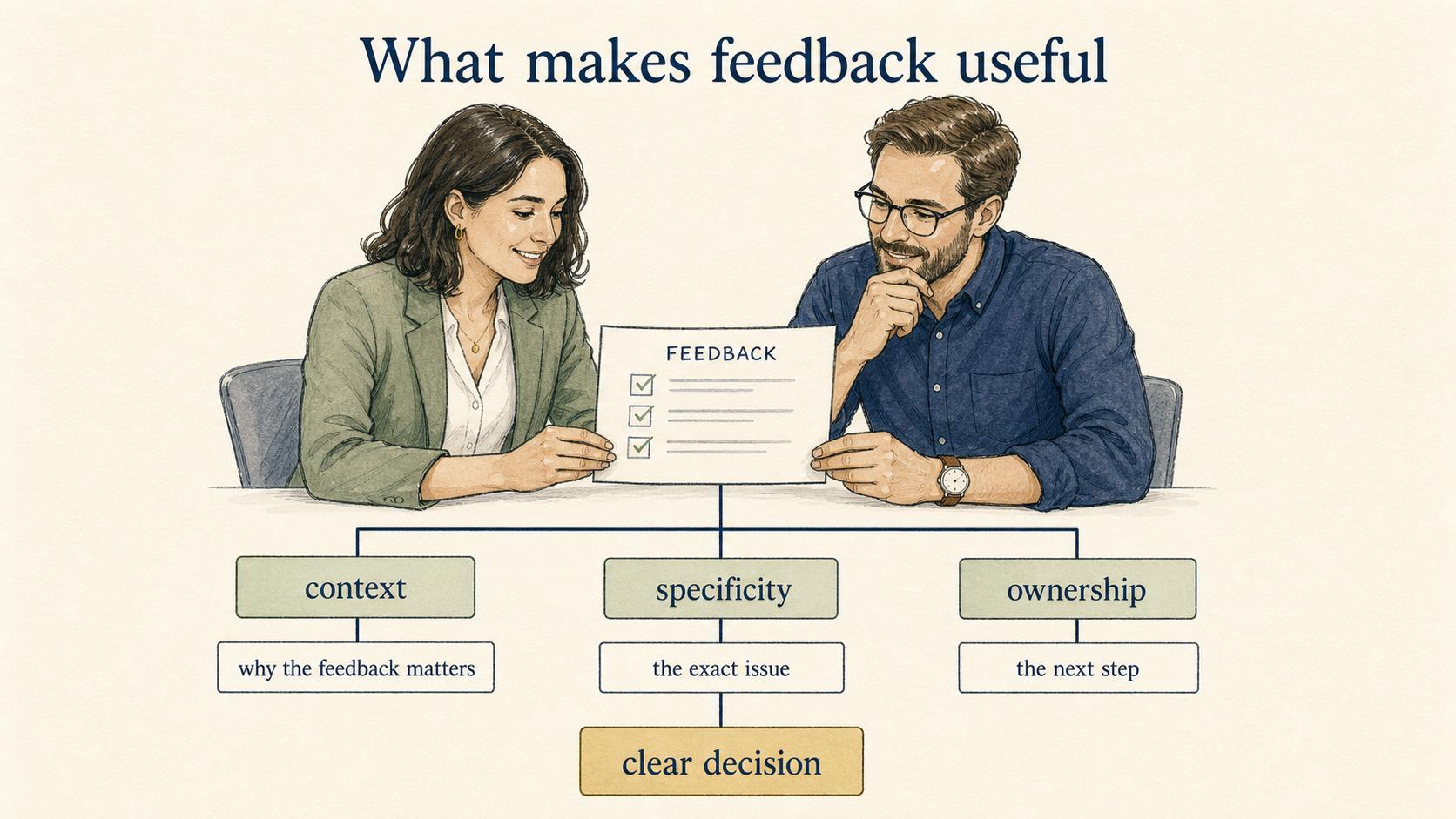
Good feedback has three qualities: context, specificity, and ownership.
Context explains why the feedback matters. A vague “can we change this?” forces the owner to infer the reason. A better version says whether the concern is accuracy, clarity, compliance, customer confusion, brand tone, or implementation risk. 2
Specificity points to the exact issue. “This is confusing” is less useful than “The screenshot shows the old settings menu, but the instructions refer to the new one.” Specific feedback reduces emotional debate because the team can inspect the artifact.
Ownership makes the next step clear. If the reviewer wants a change, who decides? If the owner disagrees, who resolves it? Feedback without a resolution path becomes permanent noise.
In a healthy review workflow, people can tell which notes matter, what decision is needed, and when the work is done. 3
Common mistakes with comments and feedback
The first mistake is using comments as a substitute for decisions. A comment thread can feel productive while avoiding the real question: who is allowed to decide? If the work needs approval, name the approver instead of letting the thread grow.
The second mistake is reviewing everything at once. Early feedback should focus on direction, structure, accuracy, or process fit. Late feedback should focus on final clarity and edge cases. When reviewers introduce strategy-level changes at the last minute, the owner either reworks too much or ignores valid concerns because timing is bad.
The third mistake is leaving resolved knowledge trapped in comments. If a comment reveals a better instruction, policy clarification, or process exception, move that learning into the document itself. Otherwise the next reader has to discover the same issue again.
How to manage feedback in documentation
For documentation, SOPs, and training content, comments should improve the durable artifact. A useful review workflow might look like this:
- Ask reviewers to label feedback as blocking, suggested, question, or approval.
- Require context for blocking comments.
- Assign one owner to resolve or reject each unresolved item.
- Move final decisions into the document body, not only the thread.
- Close comments only after the artifact reflects the decision.
This keeps feedback from becoming a side archive. The final document should carry the answer, not the debate that produced it.
Documentation takeaway
Comments and feedback are most valuable when they make work easier to trust. That means teams need a lightweight review norm: what kind of input is being requested, who can approve the work, and where final decisions live.
For process documentation, the useful move is to convert good feedback into clearer steps, examples, warnings, screenshots, or ownership rules. If the same comment appears on multiple documents, the team probably needs a documentation standard rather than another comment thread.
How Trails helps
Trails helps teams create clearer process documentation from real workflows, which gives reviewers something concrete to comment on. Instead of debating an abstract process, teams can review the actual steps, screenshots, and handoff points.
When feedback shows that a step is missing or confusing, the guide can be updated so the final artifact reflects the resolved decision. Trails can also create an AI-narrated video version, which gives reviewers another way to catch gaps before training or sharing the process.
FAQ
Are comments and feedback the same thing?
Not exactly. A comment is a single note or message. Feedback is the larger category of input intended to improve the work or influence a decision.
How do you ask for better feedback?
Ask a narrower question. Instead of “thoughts?” try “Is the sequence accurate?” or “What would confuse a new hire?” Specific prompts produce more useful feedback.
Should every comment be resolved?
Every meaningful comment should have an outcome, but the outcome does not have to be acceptance. It can be answered, rejected with a reason, converted to a task, or moved into a later backlog.
What makes feedback hard to act on?
Feedback becomes hard to act on when it is vague, late, conflicting, or disconnected from ownership. The owner needs to know what issue matters, why it matters, and who can decide.
Sources
- 1
Kluger and DeNisi. Feedback intervention meta-analysis. mrbartonmaths.com/resourcesnew/8.%20Research/Marking%20and%20Feedback/The%20effects%20of%20feedback%20interventions.pdf.
- 2
PubMed Central. The future of feedback: Motivating performance improvement. PubMed Central. pmc.ncbi.nlm.nih.gov/articles/PMC7304587/.
- 3
Gallup. Meaningful feedback and engagement. Gallup. www.gallup.com/workplace/357764/fast-feedback-fuels-performance.aspx.
Comments vs feedback vs approval
Teams often blend comments, feedback, and approvals together. That creates review loops where nobody knows whether a note is optional, blocking, or already resolved.
The practical problem is that tools make it easy to leave comments but harder to manage intent. A team can end up with twenty unresolved notes, none of which say whether they are blocking.