
Glossary
BPMN
 ChatGPT
 Perplexity
 Gemini
 Claude
What BPMN is for
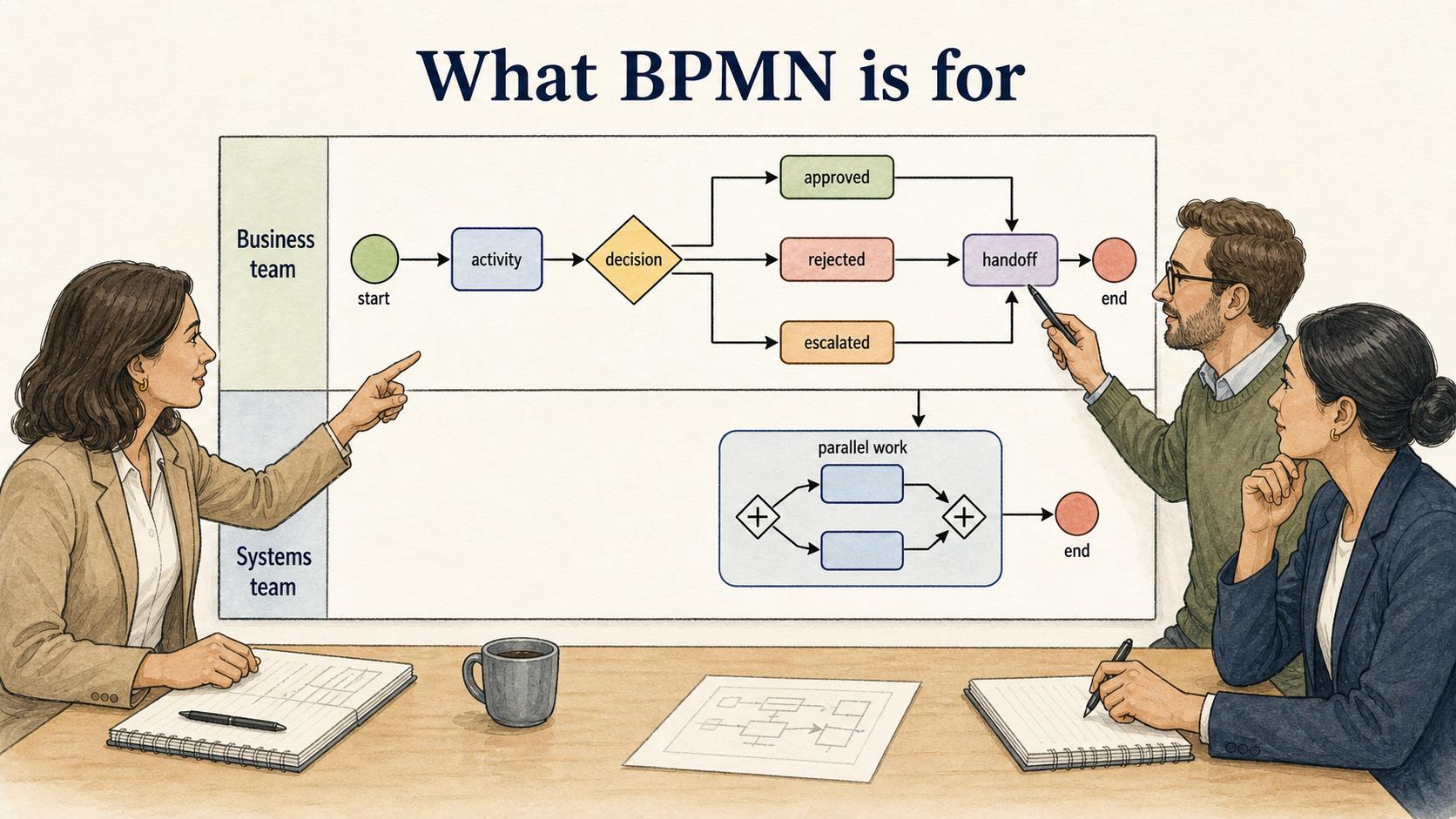
BPMN stands for Business Process Model and Notation. It is a standard visual language for showing how a business process works, using symbols such as events, activities, gateways, flows, pools, and lanes so different teams can read the same process diagram. OMG describes BPMN as an ISO/IEC 19510 standard created to standardize business process models and notation across modeling viewpoints. 1
BPMN gives teams a shared way to draw a process. Instead of writing a long explanation of who does what, when a decision happens, or how work moves between teams, BPMN turns those relationships into a diagram.
That makes it useful when a process has handoffs, exceptions, decisions, or multiple participants. A simple checklist can explain the happy path. BPMN can show what happens when a request is approved, rejected, escalated, delayed, handed to another team, or split into parallel work.
The Object Management Group describes BPMN as a notation intended to be understandable to business stakeholders while still precise enough for technical users and process tooling. 2 That dual audience is the promise of BPMN: it gives business and systems teams a common model to argue over.
How BPMN diagrams work
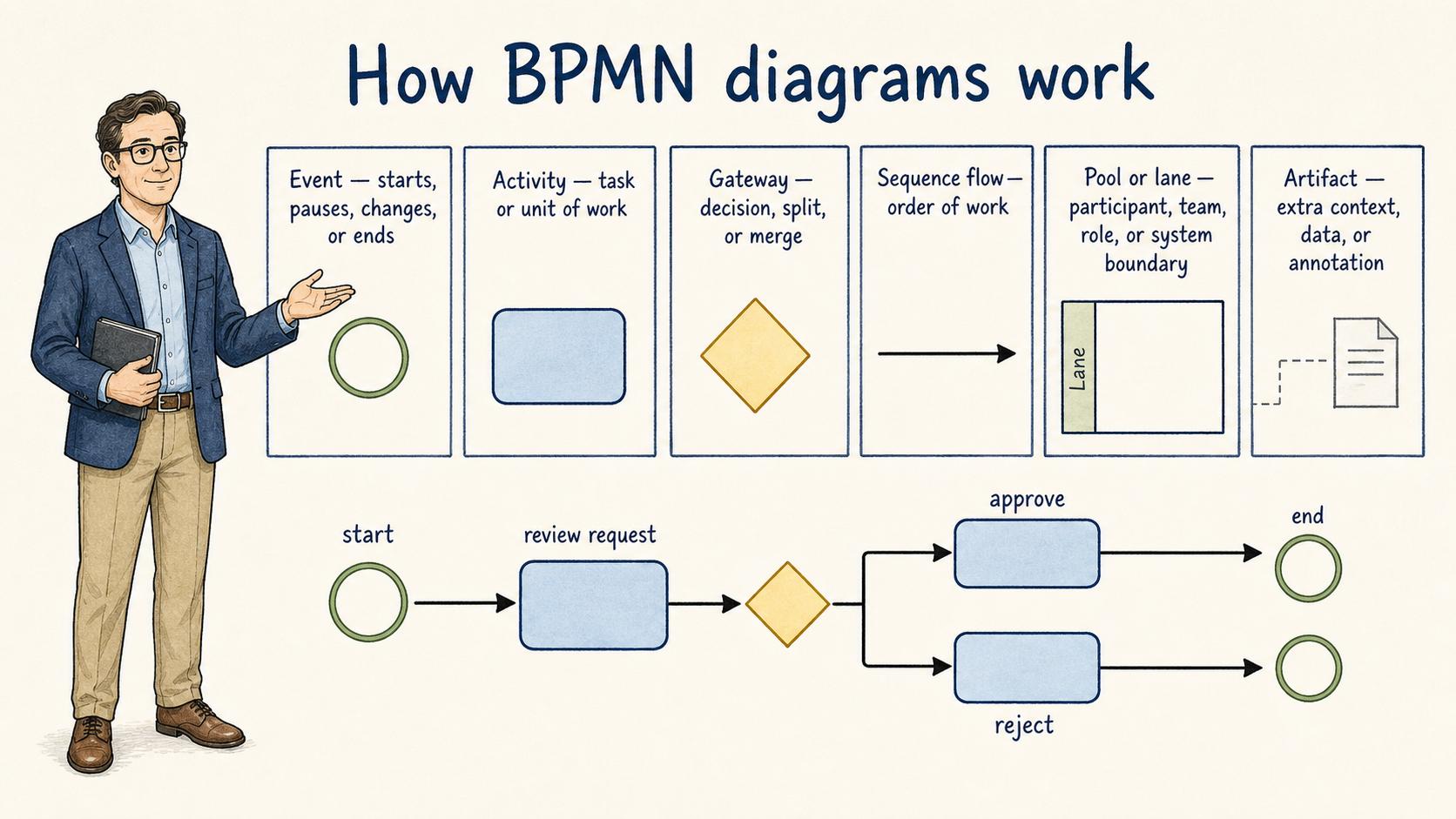
A BPMN diagram uses standardized shapes to represent different process elements. The full symbol set can get deep, but most business readers only need a few categories at first.
| BPMN element | What it usually represents | Practical reading tip |
|---|---|---|
| Event | Something that starts, pauses, changes, or ends the process | Look for circles at the beginning, middle, or end |
| Activity | A task or unit of work | Ask who performs it and what output it creates |
| Gateway | A decision, split, or merge in the flow | Check whether paths are either/or, both, or conditional |
| Sequence flow | The order of work inside one participant's process | Follow the arrows to understand the main path |
| Pool or lane | A participant, team, role, or system boundary | Use lanes to spot handoffs and ownership gaps |
| Artifact | Extra context, data, or annotation | Treat it as explanation, not the main flow |
The diagram should tell a story: what starts the work, what happens next, who owns each part, where decisions happen, and what counts as an end state. If the reader has to decode it like a puzzle, the model is probably too complex for its audience.
When BPMN is useful
BPMN is strongest when a process is important enough to model carefully. Good candidates include approval workflows, onboarding processes, customer escalations, compliance reviews, procurement, incident response, and cross-functional operations.
It is especially useful when teams disagree about the current process. A BPMN session forces the group to name the trigger, decision points, handoffs, and exceptions. The diagram is useful, but the working session often matters more because it exposes the hidden process people have been carrying in their heads.
BPMN can also help when a process may be automated later. Even if the first diagram is for humans, a structured model helps business and technical teams discuss the same workflow without mixing up requirements, exceptions, and implementation details. U.S. VA technical-reference material notes that the BPMN specification maps notation graphics to underlying execution-language constructs, which is why the diagram can matter to implementation conversations. 3
Where BPMN can go wrong
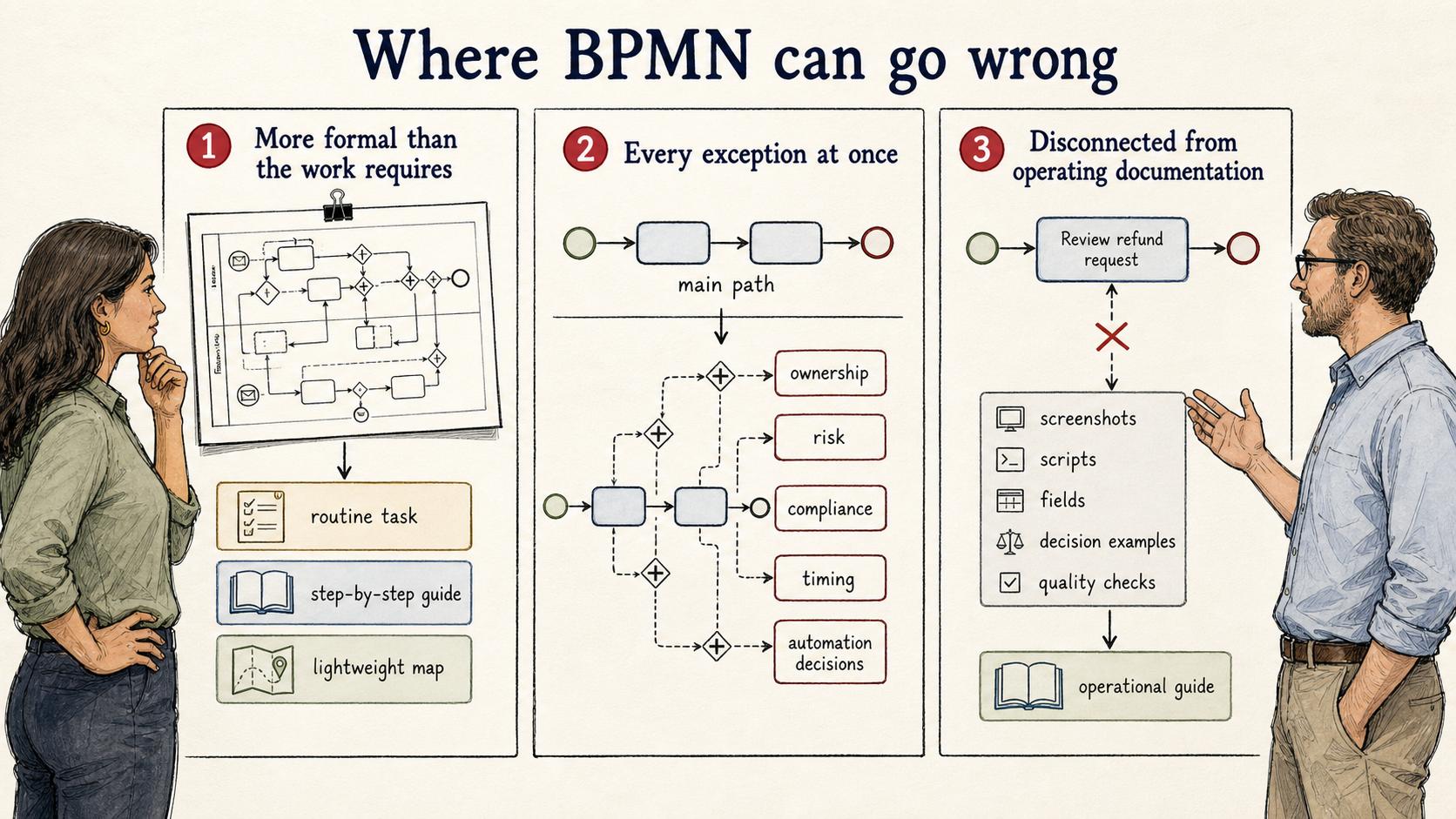
The common mistake is using BPMN because it looks official, rather than because the process needs that level of precision. If the real need is to teach a new employee a routine task, a step-by-step guide may be clearer. If the process changes every week, a lightweight map may be easier to keep current.
Another mistake is modeling every exception at once. BPMN can represent complex behavior, but the first diagram should start with the main path. Add exceptions when they change ownership, risk, compliance, timing, or automation decisions.
The third mistake is leaving the diagram disconnected from operating documentation. A BPMN diagram can show structure, but it usually doesn't contain the exact screenshots, scripts, fields, decision examples, or quality checks someone needs to perform the work correctly.
BPMN vs process mapping
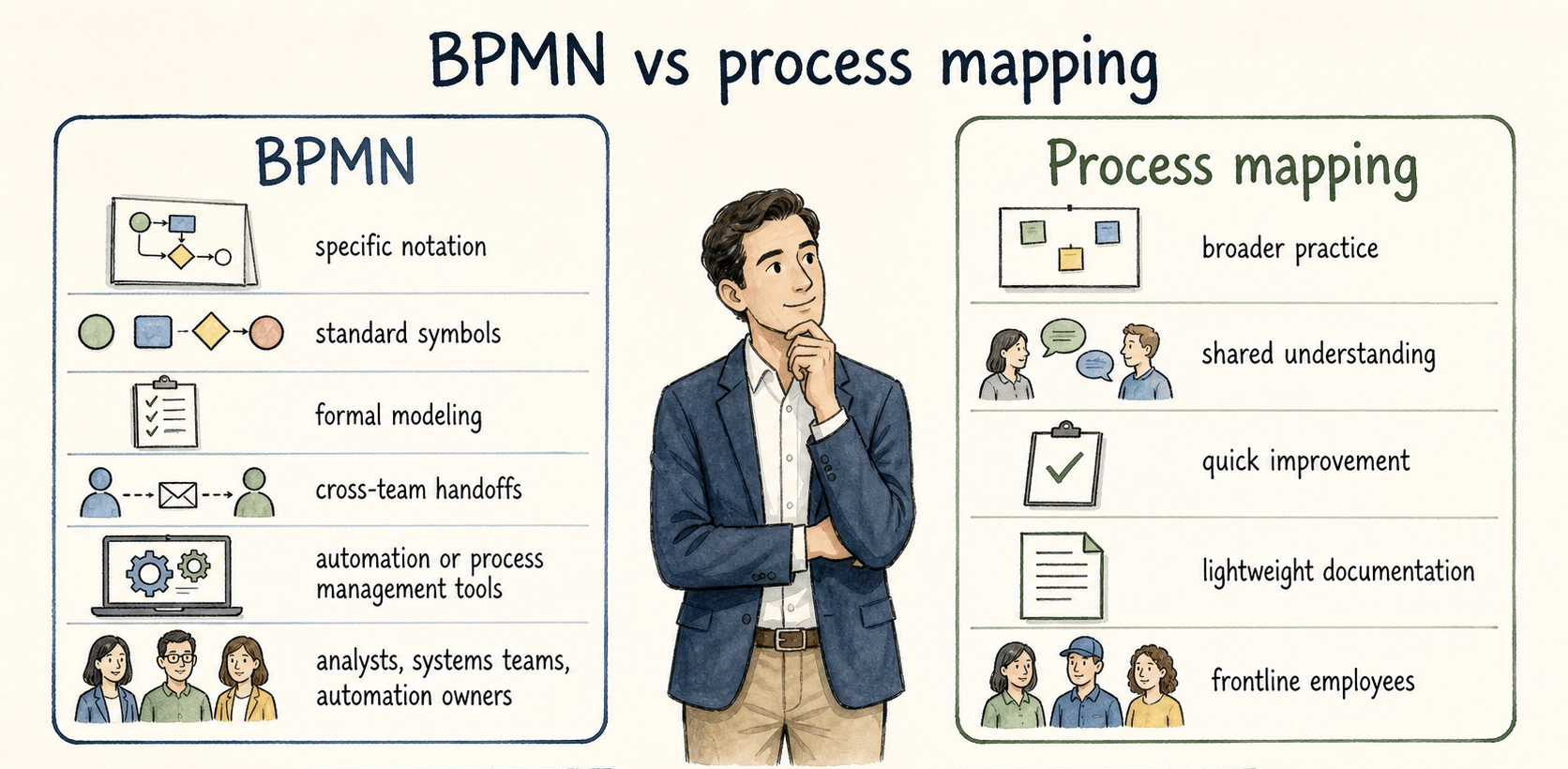
BPMN is a specific notation. Process mapping is the broader practice of visualizing how work moves through a process.
Use BPMN when you need standard symbols, formal modeling, cross-team handoffs, or a process that may connect to automation or process management tools. Use a simpler process map when the main goal is shared understanding, quick improvement, or lightweight documentation.
A practical rule: if the diagram will be used by analysts, systems teams, or automation owners, BPMN may be worth the discipline. If it will be used by frontline employees during daily work, pair the diagram with a simpler guide.
Documentation takeaway
BPMN explains the shape of a process; documentation explains how to perform it. Teams often need both.
A useful pattern is to keep the BPMN diagram as the process model, then link each important activity to the operational guide for the actual task. For example, a BPMN diagram might show "Review refund request" as one activity. The linked guide should show the support agent where to look, what evidence to check, what language to use, and what to do when the request is incomplete.
That separation keeps the model readable while giving the people doing the work enough detail to act.
How Trails helps
Trails is not a BPMN modeling tool, and it should not replace formal process modeling when a team needs BPMN. Its role is upstream and downstream of the diagram: Trails can capture a real workflow as someone performs it, turn that workflow into a polished step-by-step guide, and create an AI-narrated video version for training or sharing.
That makes Trails useful when a BPMN activity needs practical operating detail. The BPMN diagram shows where the activity fits. Trails helps document how the activity actually gets done.
FAQ
Is BPMN only for technical teams?
No. BPMN is designed to be readable by business stakeholders as well as useful to technical users. In practice, the diagram still needs to be simple enough for its intended audience.
Is BPMN the same as a flowchart?
No. BPMN can look like a flowchart, but it uses a standardized notation with specific meanings for events, activities, gateways, flows, pools, lanes, and other elements.
Should every SOP include a BPMN diagram?
No. Many SOPs are clearer as step-by-step instructions. Use BPMN when the process has meaningful branches, handoffs, exceptions, or automation requirements that a simple list would hide.
Sources
- 1
OMG BPMN overview. OMG BPMN overview. OMG BPMN overview. www.omg.org/bpmn/.
- 2
Object Management Group. Business Process Model and Notation 2.0.2. Object Management Group. www.omg.org/spec/BPMN/2.0.2/About-BPMN.
- 3
U.S. Department of Veterans Affairs technical reference on OMG BPMN. U.S. Department of Veterans Affairs technical reference on OMG BPMN. U.S. Department of Veterans Affairs technical reference on OMG BPMN. www.oit.va.gov/services/trm/StandardPage.aspx?tid=6359.