
Glossary
Audit Trail
 ChatGPT
 Perplexity
 Gemini
 Claude
What is an audit trail?
An audit trail is a chronological record of actions, changes, approvals, or events that shows what happened, when it happened, and who was involved. 1 It gives a reviewer enough evidence to reconstruct activity after the work is done, instead of relying on memory, Slack messages, or someone's recollection. 2
The strongest audit trails are built into the workflow. They show the sequence of work, the person or system responsible for each step, and the record that proves the step happened. That reviewer might be an internal auditor, a security lead, a manager investigating a mistake, or a teammate trying to understand why a process changed.
Why audit trails matter
Audit trails turn invisible work into reviewable evidence. Without one, a team may know that a change happened but still be unable to prove who made it, whether it followed the right approval path, or what the record looked like before the change.
That matters most when a process crosses teams or carries risk. A finance team may need to show who approved a vendor payment. A support team may need to trace who changed a help center article after a customer complaint. An IT team may need to identify which admin changed an access setting before an incident. In each case, the audit trail protects the facts before the story gets reconstructed by memory.
A pile of exports, timestamps, screenshots, and chat messages is not automatically a useful audit trail. The record has to answer the practical review question: could someone reconstruct the event without interviewing everyone involved?
What a useful audit trail should capture
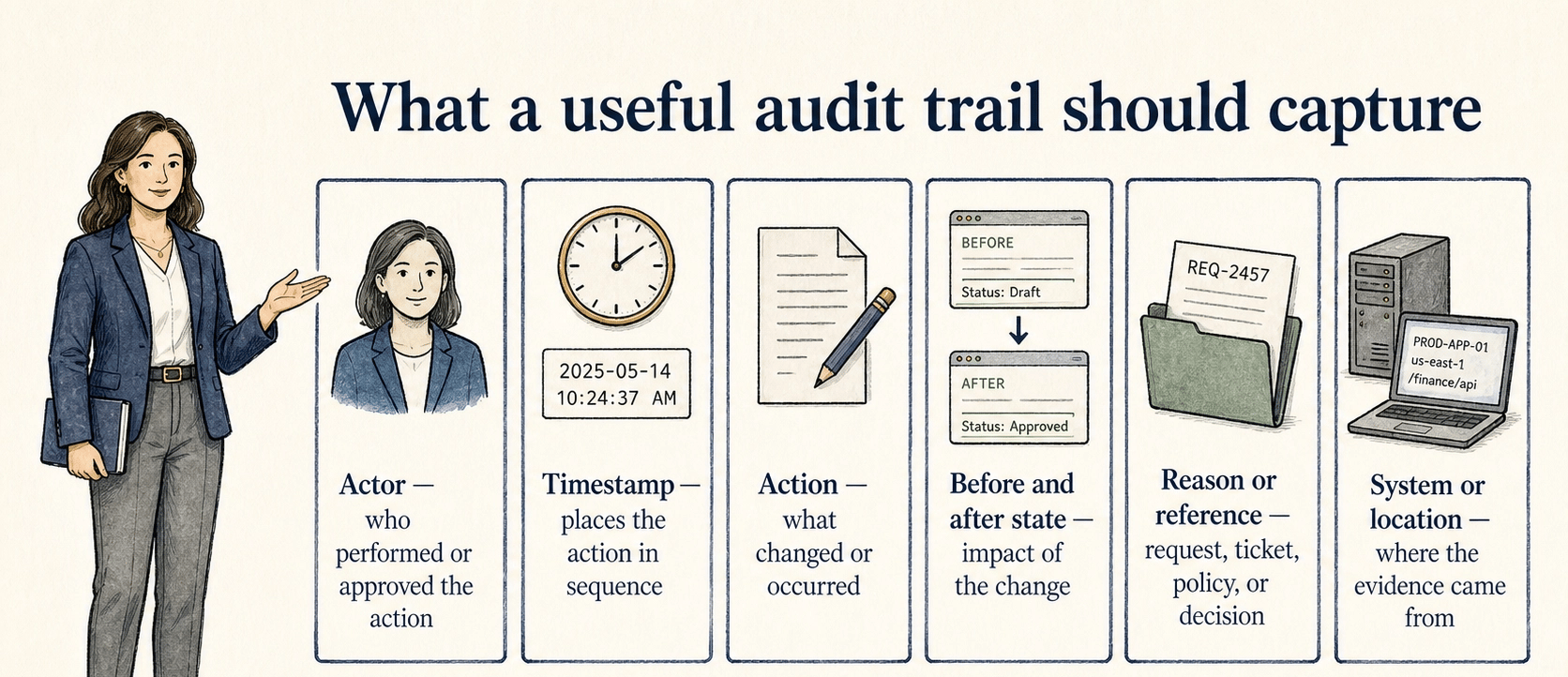
A useful audit trail does not need every possible detail. It needs the details that prove sequence, ownership, and context. 3
| Audit trail element | Why it matters | Weak version to watch for |
|---|---|---|
| Actor | Shows who performed or approved the action | Shared accounts, missing names, or only a team label |
| Timestamp | Places the action in sequence | Local times without timezone context or overwritten dates |
| Action | Explains what changed or occurred | Vague labels like "updated item" with no field-level detail |
| Before and after state | Shows the impact of the change | Only the final state is visible |
| Reason or reference | Connects the event to a request, ticket, policy, or decision | The action exists, but nobody can tell why it happened |
| System or location | Shows where the evidence came from | Screenshots or exports detached from the source system |
The right level of detail depends on risk. A low-risk content edit may need an editor, timestamp, and version note. A sensitive approval workflow may need the request, approver, decision, supporting evidence, and final system change.
Audit trail vs activity log
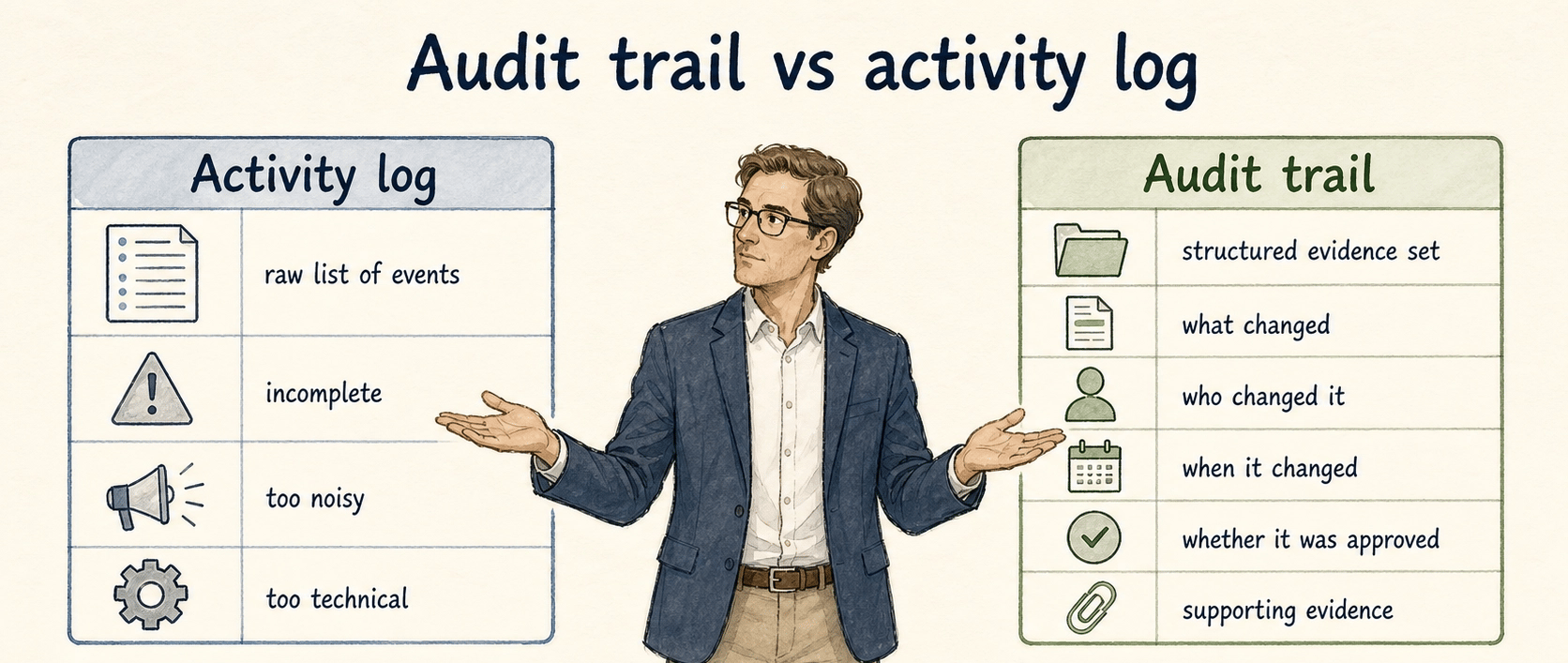
An activity log is a raw list of events. An audit trail is the evidence set that is structured enough to support review. A system activity log can still be part of the audit trail when it is reliable, retained, searchable, and tied to the process being reviewed.
The distinction matters because teams often point to any log and treat the audit requirement as solved. But an activity log may be incomplete, too noisy, or too technical for a reviewer to interpret. A useful audit trail answers the questions that matter: what changed, who changed it, when it changed, whether it was approved, and what evidence supports it.
Common audit trail mistakes
Recording events without preserving context. A timestamped change helps, but it rarely explains the whole story. If the trail does not connect the action to a request, ticket, approval, or policy, the reviewer still has to guess why it happened.
Letting shared accounts erase accountability. If three people use the same login, the audit trail shows that an account acted, not which person did the work. That may be tolerable for low-risk tasks. For approvals, access changes, finance workflows, or regulated processes, it creates a real evidence gap.
Keeping the trail outside the process. Teams often create audit evidence after the fact by collecting screenshots and messages. That approach is fragile. The strongest audit trails are produced as part of the workflow while the work is happening.
Treating retention as an afterthought. An audit trail that disappears before anyone needs it is only temporarily useful. Teams should know where the record lives, who owns it, how long it is retained, and what happens when tools or permissions change. 4
How to apply audit trails in process documentation
Process documentation should name the record that proves the process was followed. That does not mean every SOP needs a long compliance section. It means risky steps should identify their evidence of completion.
For example, an expense approval SOP might say: "The final approval record is the approval timestamp and approver name in the expense system. Slack messages are context only; they do not replace the system approval." That sentence prevents a future reviewer from treating scattered conversation as the source of truth.
A useful habit is to add an evidence line to any step where the record matters: the system record, ticket status, signed form, version history entry, or exported report. That makes the process easier to audit without turning the SOP into a compliance manual.
How Trails helps
Trails is useful when the audit trail depends on people following a repeatable workflow. A team member can capture the workflow as they perform it, turn it into a polished step-by-step guide, and create an AI-narrated video version for training or sharing. That gives the team a clearer baseline for what should happen and what evidence should exist when the work is reviewed later.
Audit trail FAQ
Is an audit trail the same as a log?
Not always. A log is a record of events. An audit trail is evidence organized well enough to support review, accountability, or investigation.
What should an audit trail include?
At minimum, it should usually show the actor, timestamp, action, affected item, and enough context to understand why the action happened. Higher-risk workflows may need before-and-after values, approvals, and supporting records.
Who uses audit trails?
Audit trails are used by operations teams, compliance teams, IT and security teams, managers, customer-facing teams, and anyone who needs to reconstruct a workflow or decision after it happened.
How do you improve a weak audit trail?
Start by identifying the review question the trail must answer. Then add the missing evidence at the point where work happens, such as a required approval record, ticket link, version note, or documented evidence-of-completion step.
Sources
- 1
NIST CSRC. Glossary definition of audit trail. National Institute of Standards and Technology. csrc.nist.gov/glossary/term/audit_trail.
- 2
FDA. Data integrity guidance on audit trails. U.S. Food and Drug Administration. www.fda.gov/media/119267/download.
- 3
NIST. SP 800-53 Rev. 5 audit-record content guidance. National Institute of Standards and Technology. doi.org/10.6028/NIST.SP.800-53r5.
- 4
Electronic Code of Federal Regulations. 21 CFR 11.10 Controls for closed systems. U.S. Government Publishing Office. www.ecfr.gov/current/title-21/chapter-I/subchapter-A/part-11/subpart-B/section-11.10.