
Glossary
Archiving SOP
 ChatGPT
 Perplexity
 Gemini
 Claude
What is an archiving SOP?
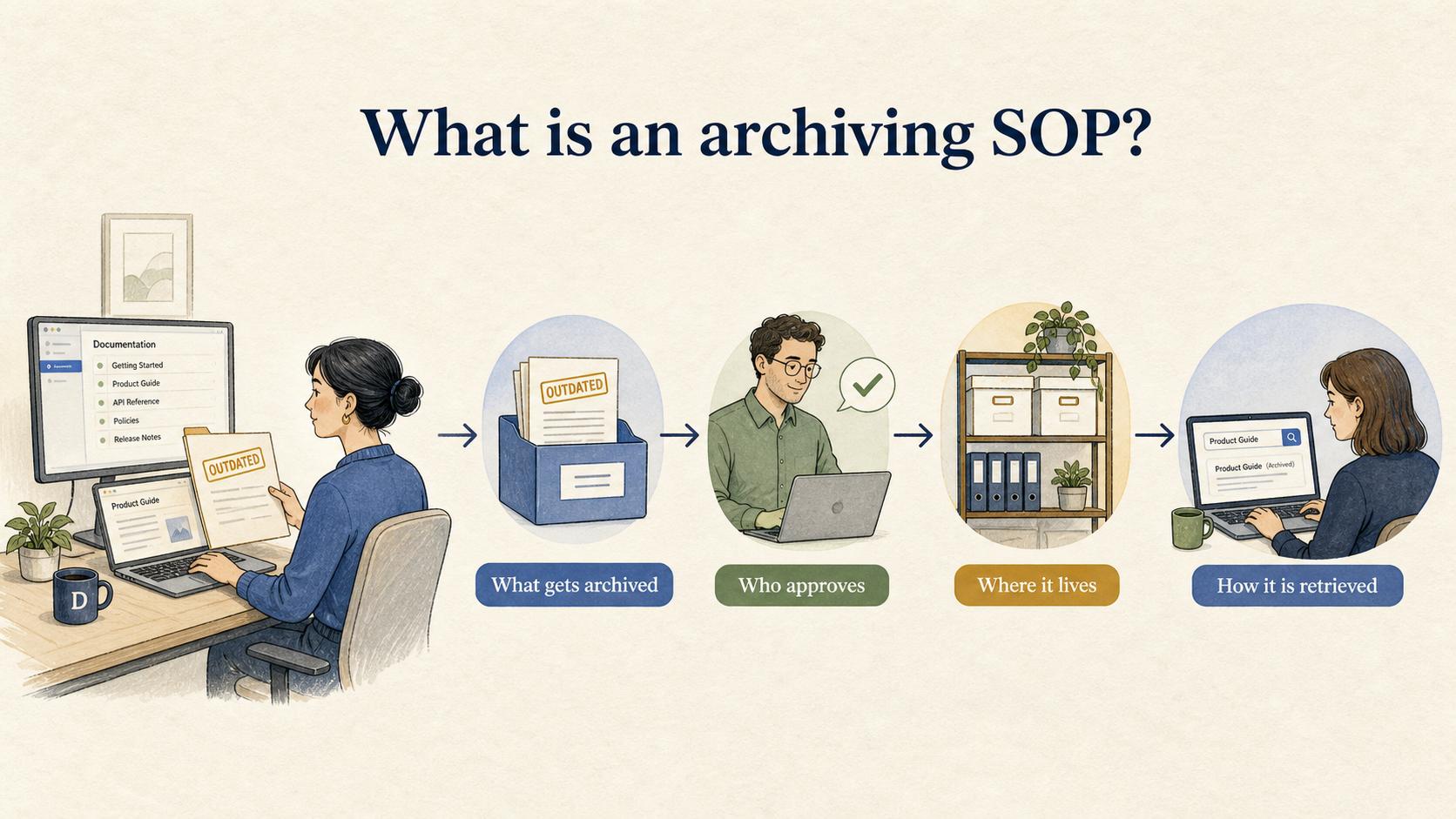
An archiving SOP is a standard operating procedure that explains how a team moves outdated, inactive, superseded, or completed materials out of everyday use while preserving the records that still matter. It defines what gets archived, who approves the archive action, where archived items live, and how people can retrieve them later. 1
Archiving SOPs are common in content governance, compliance documentation, knowledge management, operations, finance, HR, and IT. The goal is to keep active work clean without losing historical context, audit evidence, or institutional memory.
Why an archiving SOP matters
Without a clear archiving process, teams usually drift toward one of two bad habits: they keep everything visible forever, or they delete things too casually.
Keeping everything visible creates clutter. Old SOPs, retired templates, outdated product screenshots, expired policies, and abandoned project folders make it harder for people to find the current version. The team may technically have documentation, but the signal is buried under stale material.
Deleting too casually creates a different problem. The team may lose decision history, audit evidence, customer context, or examples that would have helped with future work.
An archiving SOP gives people a controlled workflow for the in-between cases. They know when to archive, when to retain, when to delete, and when to route the decision to a records, compliance, legal, or content owner.
Archive, retain, or delete?
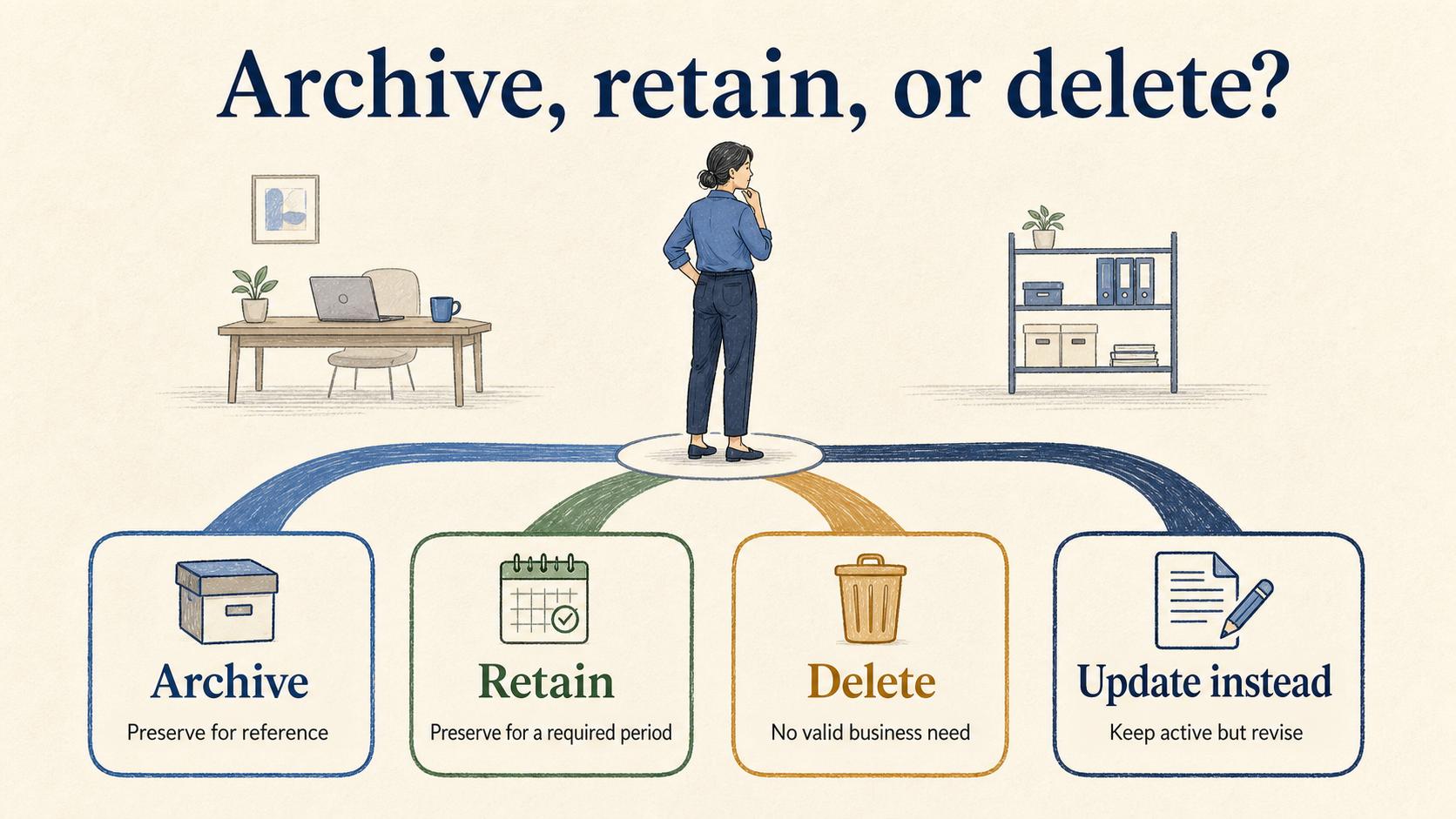
A useful archiving SOP should make the difference between archiving, retaining, and deleting explicit. Those choices often get blurred when teams clean up a messy knowledge base, shared drive, or project workspace. 2
| Decision | What it means | Use when | Watch out for |
|---|---|---|---|
| Archive | Move out of active use but preserve for reference | The item is outdated, superseded, completed, or rarely needed | Archived items still need ownership and retrieval rules |
| Retain | Preserve for a required period or known business need | The item may support audits, legal review, reporting, or historical analysis | Retention should not mean "visible to everyone forever" |
| Delete | Remove because the item has no valid business need | The item is duplicate, low-value, expired, or safe to remove | Deletion may be irreversible or inappropriate for regulated records |
| Update instead | Keep active but revise | The item is still used but has stale details | Updating without version notes can erase useful context |
The SOP should tell people which path to follow. If the team handles sensitive, regulated, or contractually important records, the SOP should route those decisions to the appropriate owner instead of leaving them to individual preference. 3
What an archiving SOP should include
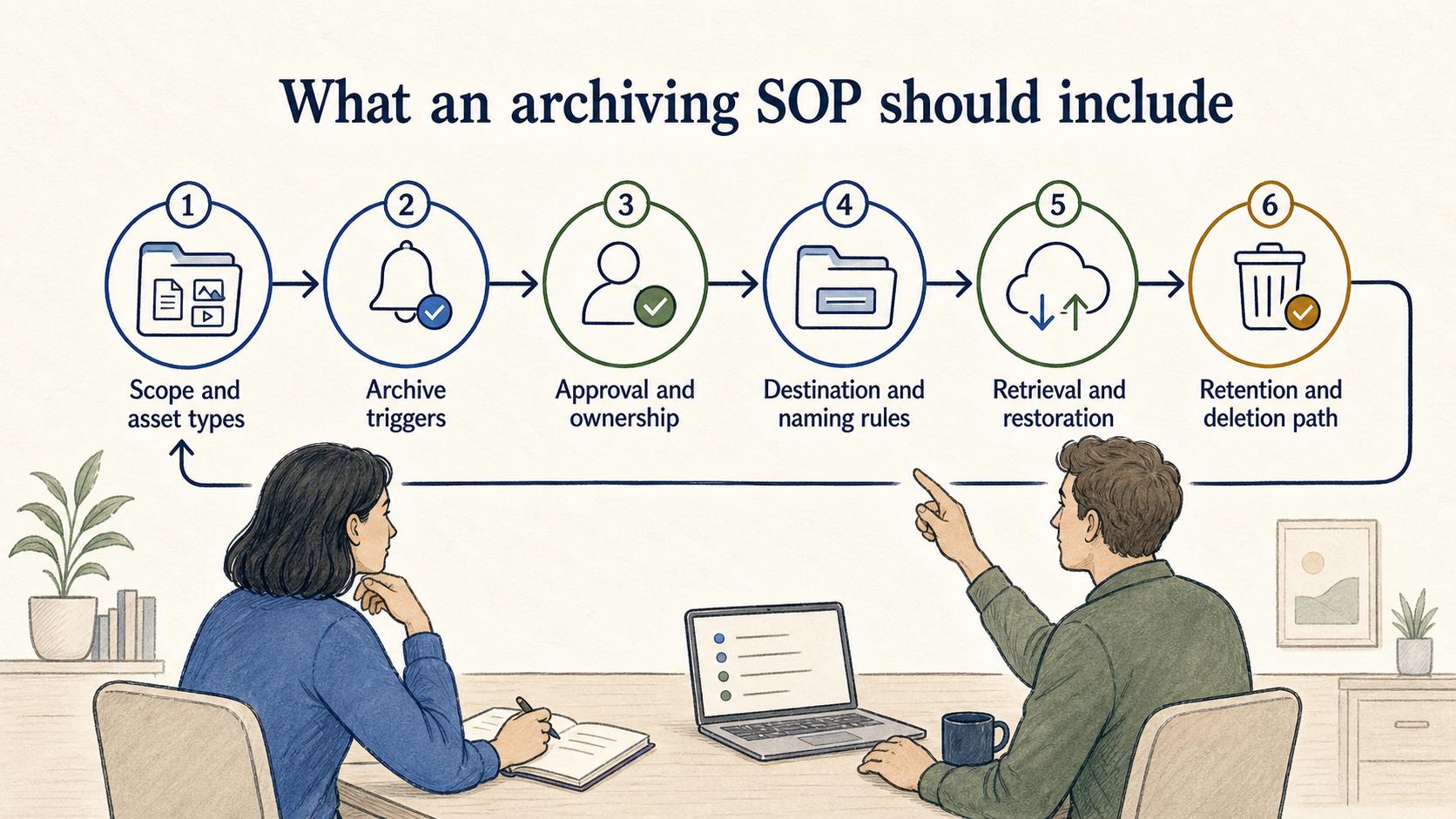
A strong archiving SOP should cover the full lifecycle of the archive decision.
Scope and asset types. Clarify whether the SOP applies to SOPs, policies, knowledge base articles, project folders, customer records, training materials, reports, tickets, screenshots, videos, or other artifacts. Different asset types may need different review rules.
Archive triggers. Name the events that start the process: a new version is published, a project closes, a customer workflow changes, a policy expires, a tool is replaced, or a content owner marks an item stale.
Approval and ownership. Define who can approve archiving and who owns the archived item afterward. Ownership still matters after an item leaves active use because someone may need to retrieve it, restore it, extend retention, or approve deletion later.
Destination and naming rules. Specify where archived items go and how they are labeled. A good archive name usually includes the original title, archive date, owner, and reason. "Old stuff" is not an archive strategy.
Retrieval and restoration. Explain how someone can find or restore archived content. If the archive is impossible to search, the team will recreate old work or avoid archiving altogether.
Retention and deletion path. If archived items may eventually be deleted, define the review cadence and approval path. Deletion rules should not live inside informal cleanup habits.
Common archiving SOP mistakes
Archiving without redirecting users. If people still land on an outdated article or template, archiving alone is not enough. The SOP should explain whether to add a redirect, replacement link, status note, or "superseded by" reference.
Using archives as a junk drawer. An archive should be organized enough to support retrieval. If every retired item goes into one folder with inconsistent names, the team has only moved the mess.
Letting stale content linger because nobody owns it. Archiving decisions often stall when ownership is unclear. A practical SOP assigns default owners by content type, department, system, or process area.
Treating archiving as a one-time cleanup. The process should be routine. If archiving only happens during an annual cleanup push, the active workspace will drift back into clutter.
How to apply an archiving SOP to documentation
For process documentation, an archiving SOP should protect current instructions from old versions. When an SOP changes, the team should be able to tell which version is active, which version was replaced, when it changed, and where the old version lives. 4
A good pattern is to add an archive note before moving the item: "Archived on [date] because [reason]. Replaced by [current document]. Owner: [team/person]." That small note saves future readers from opening an old document and wondering whether it is still valid.
For knowledge base content, use an archive review queue. Articles with low usage, expired product screenshots, old process steps, or no clear owner can be reviewed on a cadence. Some should be updated, some archived, and some deleted. The SOP should make that decision visible instead of leaving it to whichever person notices the stale page first.
How Trails helps
Trails helps teams keep process documentation easier to create and maintain. When an old workflow is replaced, a team can capture the new process as someone performs it, turn that workflow into a polished step-by-step guide, and create an AI-narrated video version for training or sharing. That gives the archiving process a clean replacement artifact instead of forcing teams to retire old content before the new version is ready.
FAQ
Is archiving the same as deleting?
No. Archiving removes an item from active use while preserving it for reference or recordkeeping. Deleting removes it entirely or makes it unavailable through normal retrieval.
Who should own an archiving SOP?
The owner depends on the material being archived. Content governance, operations, compliance, IT, HR, finance, or knowledge management teams may own the SOP. The key is to assign one accountable owner for the process.
What should be archived instead of updated?
Archive content when it is no longer the current instruction, policy, template, record, or reference, but still has historical or business value. Update content when the item is still active and should remain in use.
How often should archived content be reviewed?
Use a cadence that matches the risk and volume of the material. High-risk records may need stricter review rules, while low-risk knowledge base content may be reviewed quarterly, twice a year, or during ownership changes.
Sources
- 1
ISO. ISO 15489-1:2016 records management concepts. ISO, 2016. www.iso.org/standard/62542.html.
- 2
U.S. National Archives and Records Administration. NARA General Records Schedules guidance. U.S. National Archives and Records Administration. www.archives.gov/records-mgmt/grs.
- 3
U.S. Government. 36 CFR 1225.10 on scheduling federal records. U.S. Government. www.ecfr.gov/current/title-36/chapter-XII/subchapter-B/part-1225/section-1225.10.
- 4
ISO. ISO guidance on documented information for ISO 9001:2015. ISO, 2015. www.iso.org/iso/documented_information.pdf.