
Glossary
API Integration
 ChatGPT
 Perplexity
 Gemini
 Claude
What is API integration?
An API integration connects two software systems through an application programming interface so they can exchange data or trigger actions. Instead of copying data by hand, one system can create a customer record, send an event, or pull an updated status from another tool.
For operations, support, product, and IT teams, the definition is the easy part. The useful question is what the integration does, who owns it, what breaks first, and which system wins when two tools disagree.
How API integrations work
Most API integrations follow a request-and-response pattern: one application asks for something, another application responds, and both sides agree on format, permissions, and timing. NIST's microservices security guidance treats API gateways, authentication, authorization, and monitoring as architecture-level concerns. 1 The request might retrieve data, create a record, update a field, delete something, or subscribe to an event.
A practical integration spec should name four things:
- Endpoint: where the request is sent.
- Authentication: how the requesting system proves it is allowed to use the API.
- Payload: the data being sent or received.
- Error handling: what happens when the request fails, including retries, alerts, cleanup, and manual fallback.
Error handling deserves more attention than it usually gets. Google's API design guidance treats predictable error status and canonical error codes as part of the API contract. 2 A diagram that says ‘CRM connects to billing’ may help at kickoff, but it won't help the person untangling duplicate customers six months later.
Common API integration patterns
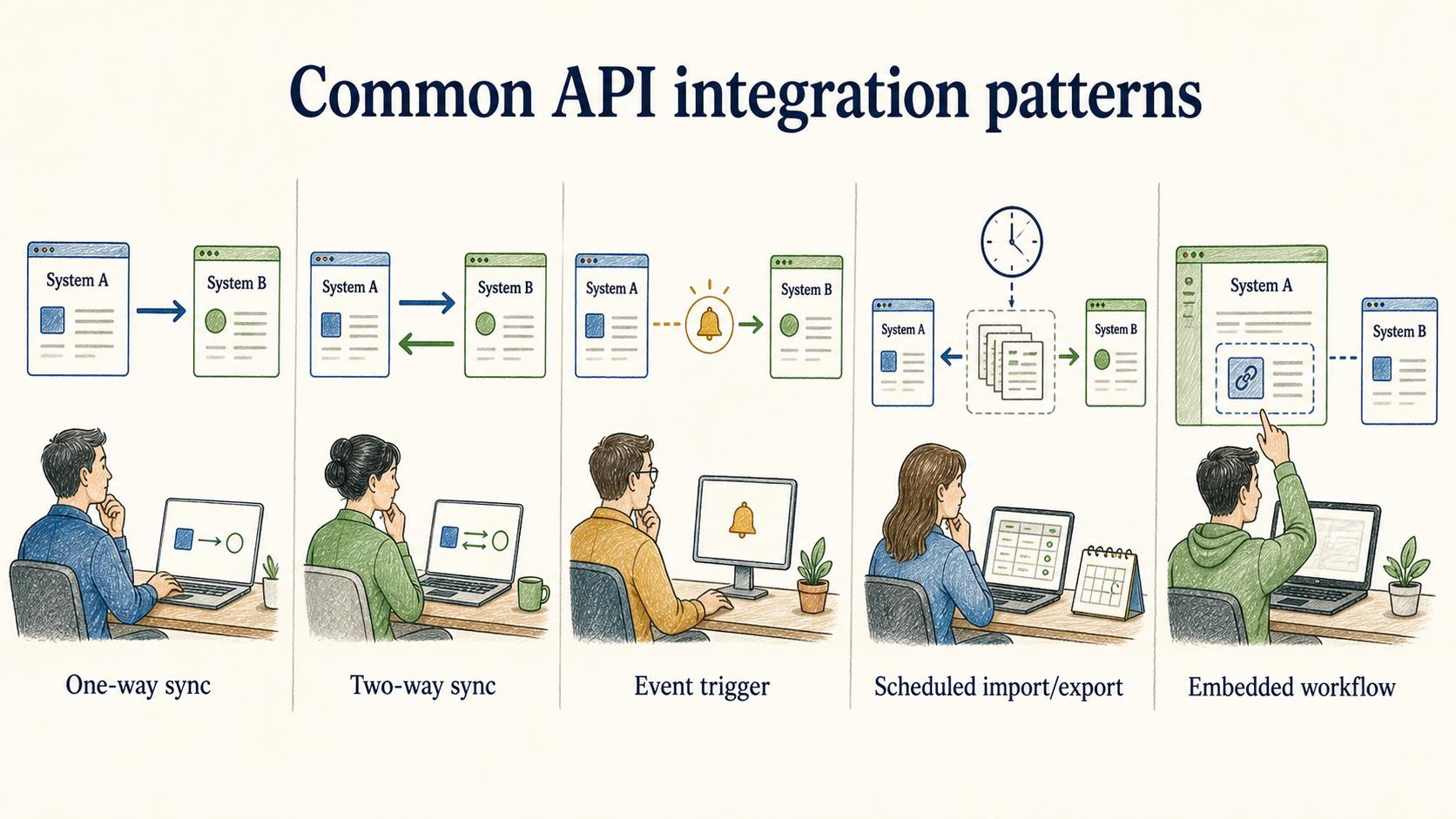
The pattern matters because it changes testing, ownership, and documentation.
| Integration pattern | What it does | Documentation risk |
|---|---|---|
| One-way sync | Sends data from one system into another | Teams forget which tool is the source of truth |
| Two-way sync | Keeps records updated in both systems | Conflicts and overwrites need clear rules |
| Event trigger | Starts an action when something happens | Failure alerts are often missing or noisy |
| Scheduled import/export | Moves data on a fixed cadence | People assume the data is real-time when it is not |
| Embedded workflow | Lets users take action inside another tool | Permissions and user context can be unclear |
Name the pattern in plain language. ‘Sync customer plan from billing to CRM every hour’ is more useful than ‘billing integration’ because it tells the next person what should happen and how fresh the data should be.
What teams should define before building
A reliable API integration starts with a few decisions that are easy to postpone and painful to reconstruct later: the business event, system of record, field mapping, authentication method, retry behavior, and owner. OWASP's 2023 API Security Top 10 lists broken object-level authorization and broken authentication among the highest-priority API risks, so access rules belong in the integration spec before launch. 3
The source-of-truth decision is usually the one that saves the most cleanup. If a customer's company name exists in the CRM, billing system, support tool, and data warehouse, which value wins? Without that answer, an integration can appear to work while spreading bad data.
Failure visibility is the second decision. Not every failed request needs a midnight alert, but every important failure needs somewhere to land: a retry queue, an error dashboard, a support runbook, or a named owner who knows when to step in.
API integration vs webhook
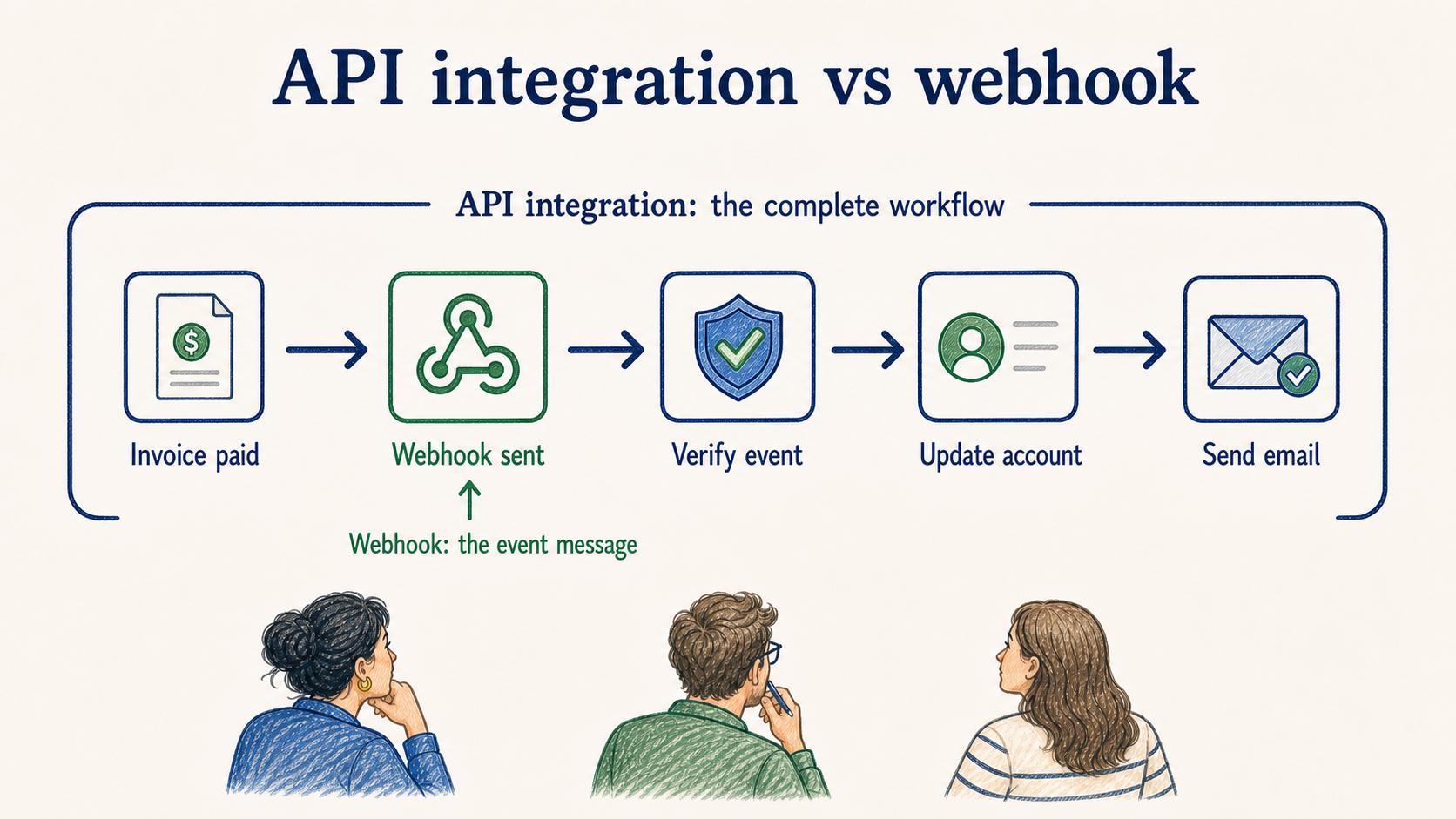
A webhook is one way to power an API integration, but the terms are not interchangeable. An API integration is the overall connection between systems. A webhook is an event-based mechanism where one system sends a message to another when something happens; Stripe's webhook documentation emphasizes endpoint setup, signature verification, and retry handling. 4
For example, a payment tool might send a webhook when an invoice is paid. Your app receives the event, verifies it, updates the customer account, and triggers a welcome email. The full workflow is the API integration. The webhook is the event delivery method.
That distinction matters in documentation. If a page only says ‘uses webhooks,’ a teammate still needs to know which events are subscribed to, which payload fields matter, what validation happens, and what downstream action is expected.
Documentation takeaway
API integration documentation should explain the operating promise, not list endpoints for their own sake. The reader needs to know what job the integration performs, when it runs, where data flows, what happens when it fails, and who owns the next decision.
A compact integration note can prevent a lot of avoidable debugging:
Integration: [system A] to [system B] Business event: [what starts the flow] Pattern: [one-way sync / two-way sync / webhook / scheduled import] Source of truth: [system and field owner] Key fields: [field mapping or payload summary] Failure behavior: [retry, alert, queue, manual fallback] Owner: [team or role] Last verified: [date]
Use the note to force real answers. Which assumptions are confirmed, which are guesses, and which need an owner before the integration becomes part of daily operations?
Sources
- 1
NIST. SP 800-204, Security Strategies for Microservices-based Application Systems. csrc.nist.gov/pubs/sp/800/204/final.
- 2
Google. AIP-193: Errors. google.aip.dev/193.
- 3
OWASP. API Security Top 10 2023. owasp.org/www-project-api-security/.
- 4
Stripe. Webhook documentation. docs.stripe.com/webhooks.