
Glossary
AI Transcription
 ChatGPT
 Perplexity
 Gemini
 Claude
Overview
AI transcription uses artificial intelligence to turn spoken audio into written text. Teams use it for meetings, interviews, calls, training videos, screen recordings, webinars, support sessions, and other recordings that need to become searchable or reusable.
The appeal is speed. Instead of typing notes by hand, a team gets a draft transcript automatically. The risk is confidence. A clean-looking transcript can still miss names, acronyms, product terms, speaker changes, or the exact meaning of a critical instruction.
How AI transcription works
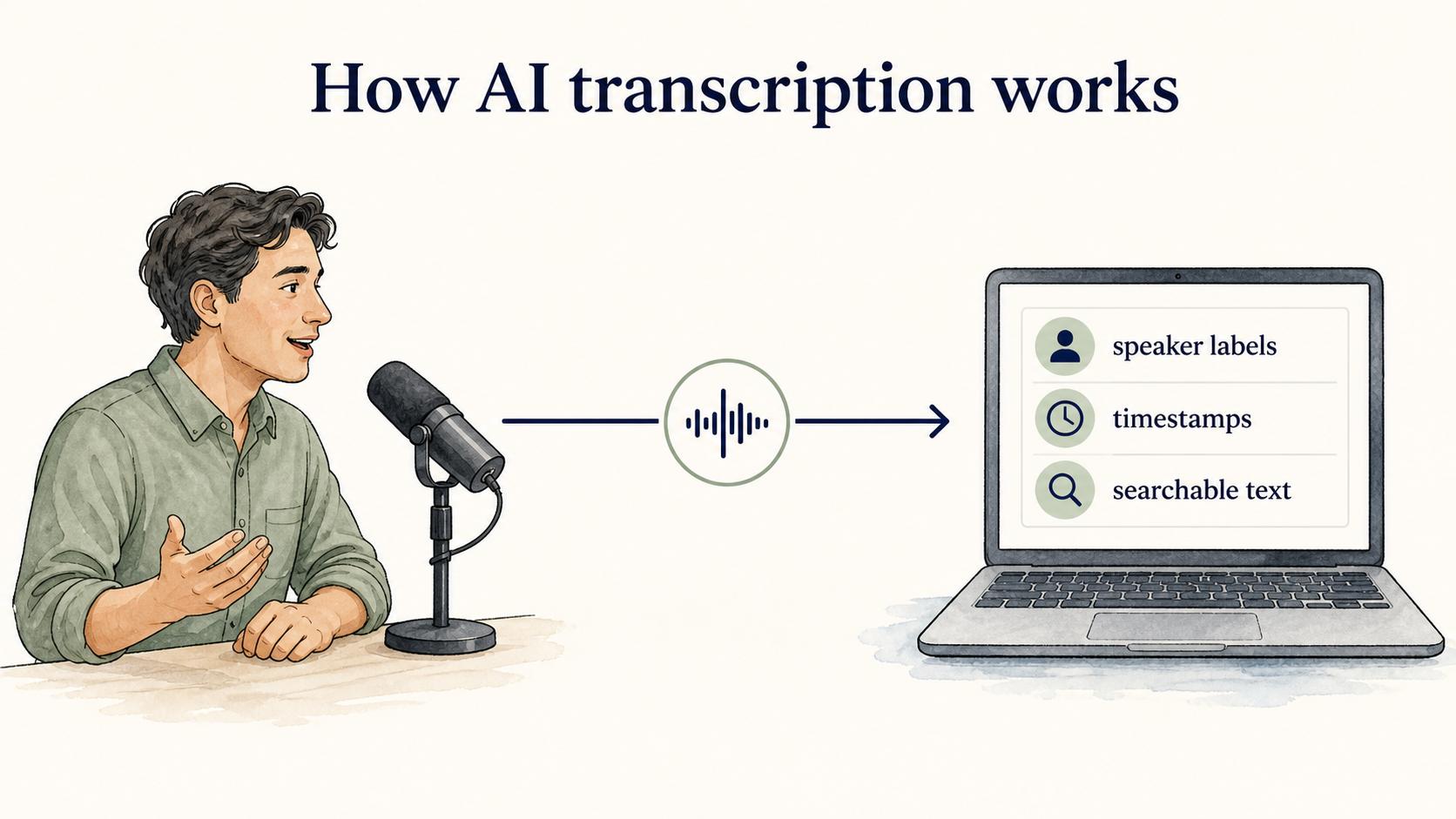
AI transcription tools analyze audio, detect speech patterns, and predict the words being spoken. Systems such as Whisper show how large-scale speech recognition models can support transcription across varied audio, languages, accents, background noise, and technical vocabulary.1
Many tools also add speaker labels, timestamps, summaries, chapter markers, searchable text, or translations. For simple recordings, the output may be close enough to use right away. For operational documentation, training, compliance notes, or customer-facing content, treat the transcript as a draft artifact. Microsoft's speech-to-text guidance recommends evaluating accuracy with representative audio and human-labeled transcripts, using word error rate as a quantitative check.2
The common failure mode is false confidence. A transcript looks official because it's neatly formatted, but a mistaken product setting, skipped negation, or confused speaker label can change the meaning of an instruction.
Where AI transcription helps
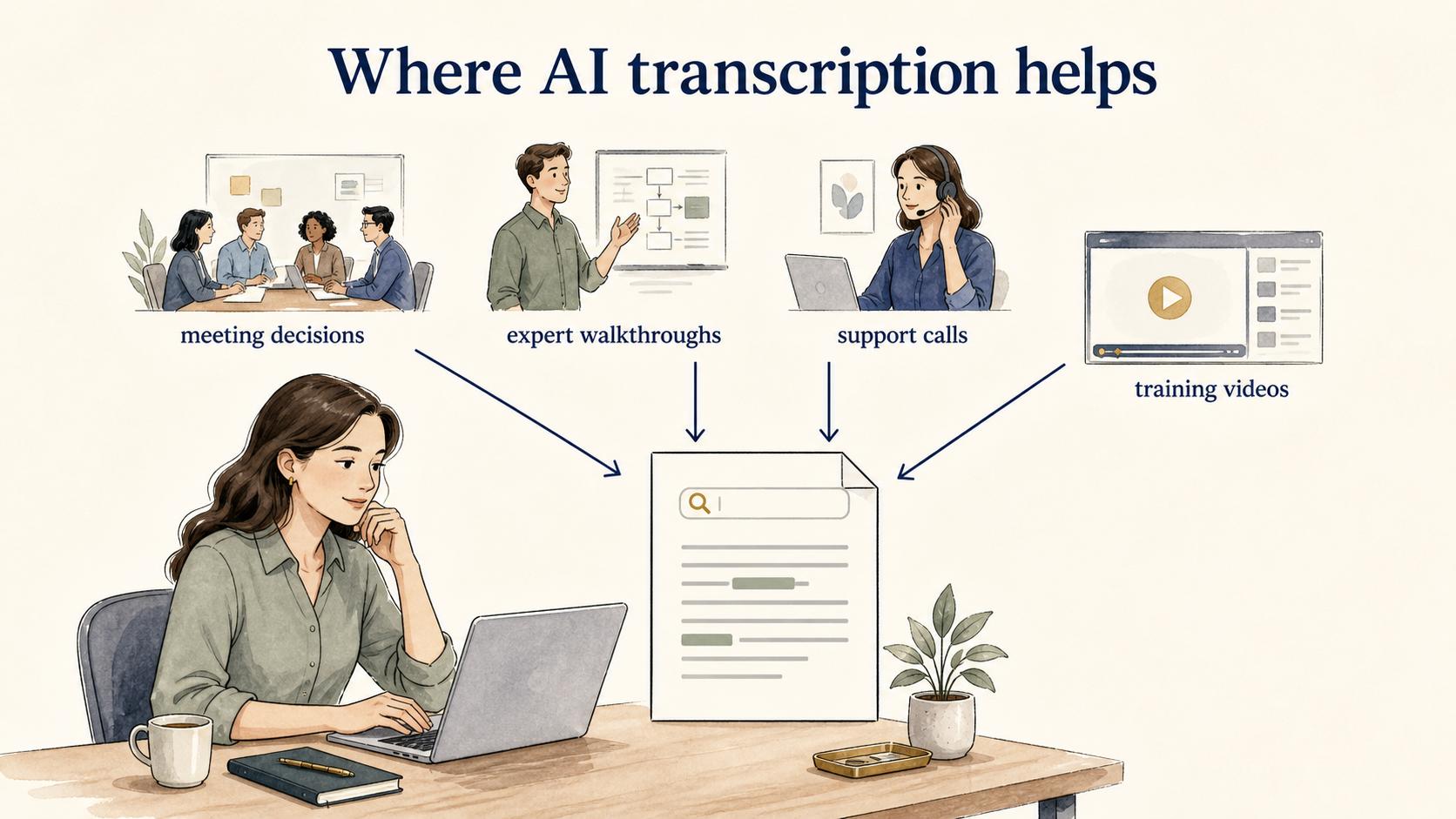
AI transcription is most useful when spoken knowledge would otherwise disappear. Teams use it to capture meeting decisions, turn expert walkthroughs into notes, document support calls, create captions for training videos, and search across recordings.
It is especially valuable when the speaker explains work while doing it. An onboarding lead might record a walkthrough of how to configure a customer account. The transcript captures the spoken reasoning while the recording preserves the screen context, giving the documentation team a better starting point than memory alone.
AI transcription is weaker when the recording is noisy, speakers talk over each other, the topic is full of specialized vocabulary, or the output must be legally exact. The transcript may still save time, but it needs stronger review. One PNAS study found substantial word-error-rate disparities across five ASR systems for Black and white speakers, which is a useful reminder to test real speaker conditions instead of assuming one accuracy number applies to everyone.3
AI transcription vs summary
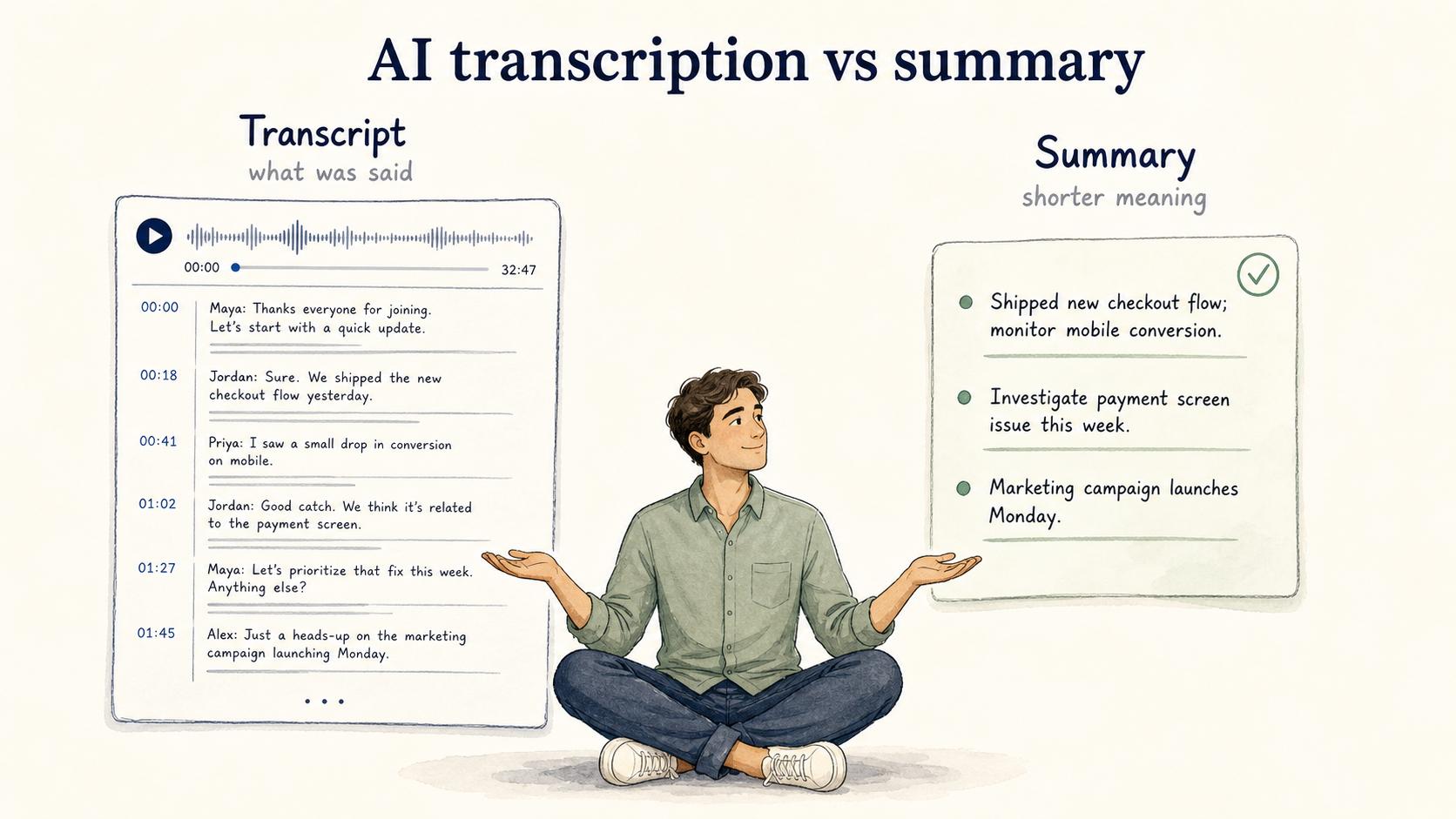
A transcript and a summary solve different problems. A transcript tries to preserve what was said. A summary compresses the meaning into a shorter version.
Teams often need both. The transcript is useful when someone needs evidence, exact phrasing, timestamps, or a searchable record. The summary is useful when someone needs the decision, next step, or training takeaway quickly.
Keep the transcript as source material and create a separate edited artifact from it. A raw transcript usually makes a poor process guide because spoken explanations include detours, corrections, filler, and assumptions that made sense live but become confusing on the page.
How to turn a transcript into useful documentation
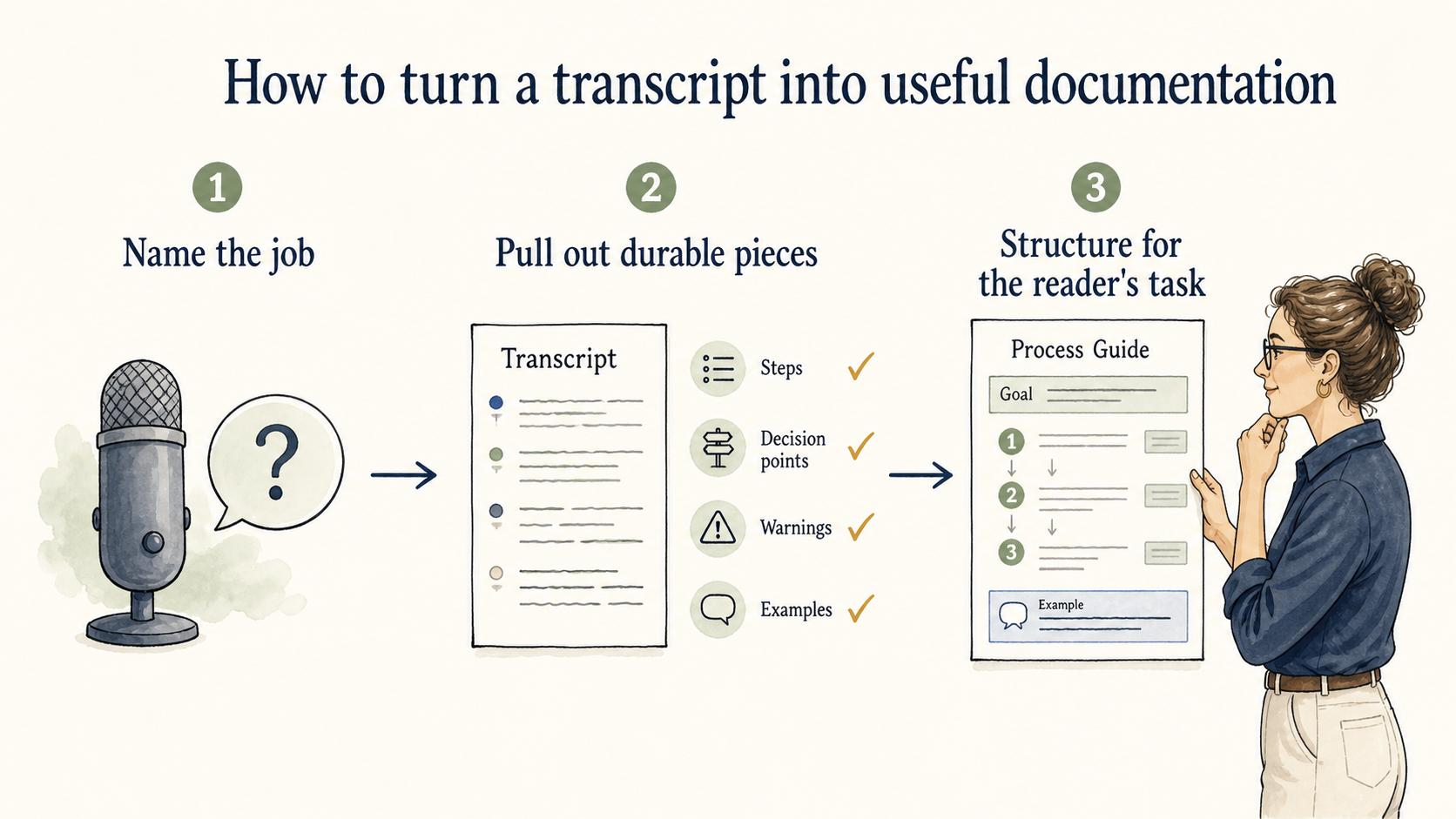
Treat the transcript as raw material. Start by naming the job the recording performed: was the speaker explaining a process, diagnosing an issue, training a new teammate, or making a decision? Then pull out the durable pieces: steps, decision points, warnings, system names, and examples.
Use the transcript to catch details you would otherwise forget, but don't let it set the structure. A spoken walkthrough often follows the speaker's screen or train of thought. A written guide should follow the reader's task.
## Turn a transcript into a process guide

**Glossary term:** AI Transcription
**Source:** Trails Glossary — trails.so/glossary/ai-transcription

---

### 01. Process guide prompt

"Turn this transcript into a clear process guide for [audience].
Preserve exact product names, settings, warnings, and decision points.
Remove filler, repeated explanations, and conversational detours.
Flag any unclear step instead of guessing.
Output:
1. Purpose
2. Prerequisites
3. Step-by-step workflow
4. Common mistakes or edge cases
5. Open questions for review

Transcript:
[paste transcript]"
The important instruction is "flag instead of guessing." AI transcription plus AI rewriting can compound uncertainty when the workflow smooths over every unclear phrase.
Quality checks before using AI transcription
Before relying on an AI transcript, check the parts where mistakes have consequences:
- Names and acronyms: Product names, customer names, field labels, and internal shorthand are common error points.
- Negations and conditions: Words like "not," "unless," "only," and "before" can change an instruction completely.
- Speaker labels: In a meeting, the decision maker and the person asking a question may be different people.
- Timestamps: If the transcript anchors training or review, the timestamp needs to point to the right moment.
- Sensitive information: Transcription can expose personal data, customer details, credentials, or confidential strategy that should not be copied into documentation. NIST guidance on PII protection is a useful baseline for deciding what needs restricted access or removal.4
Speed makes a transcript useful. Review makes it safe to reuse.
How Trails helps
Trails is relevant when AI transcription is part of workflow capture. Trails can capture a process as someone performs it, turn that workflow into a polished step-by-step guide, and create an AI-narrated video version for training or sharing.
That gives the finished guide a workflow structure instead of starting from a raw meeting transcript. The source is what the person did, not only what they happened to say while recording.
Sources
- 1
OpenAI. Robust Speech Recognition via Large-Scale Weak Supervision. cdn.openai.com/papers/whisper.pdf.
- 2
Microsoft Learn. Test accuracy of a custom speech model. learn.microsoft.com/en-us/azure/ai-services/speech-service/how-to-custom-speech-evaluate-data.
- 3
Koenecke et al.. Racial disparities in automated speech recognition. www.pnas.org/doi/10.1073/pnas.1915768117.
- 4
NIST. SP 800-122, Guide to Protecting the Confidentiality of PII. csrc.nist.gov/pubs/sp/800/122/final.