
Glossary
Training Materials
 ChatGPT
 Perplexity
 Gemini
 Claude
What are training materials?
Training materials are the resources people use to learn, practice, and remember how to perform a skill, process, policy, system, or role responsibility. They can include slide decks, manuals, videos, guides, checklists, job aids, exercises, assessments, and reference docs.
The useful test is not whether the material looks polished. It is whether someone can use it when the trainer, manager, or subject matter expert is no longer beside them.1
What counts as training materials
Training materials can be formal or informal. A polished course deck counts. So does a one-page checklist, recorded walkthrough, troubleshooting guide, screenshot-based SOP, role-play scenario, or manager coaching guide.
The format matters less than the job the material does. A training asset might introduce a concept, guide a task, give someone practice, confirm readiness, or act as a reference during live work. A slide deck may work for a guided explanation, but it is usually a weak reference when someone is stuck halfway through a detailed workflow.
Common examples include instructor notes, participant workbooks, role guides, step-by-step documentation, video tutorials, practice scenarios, quizzes, job aids, templates, and observation forms. The mistake is treating that list like a shopping cart. One clear job aid tied to the actual task is often more useful than five assets that all explain the same thing.
How training materials support learning
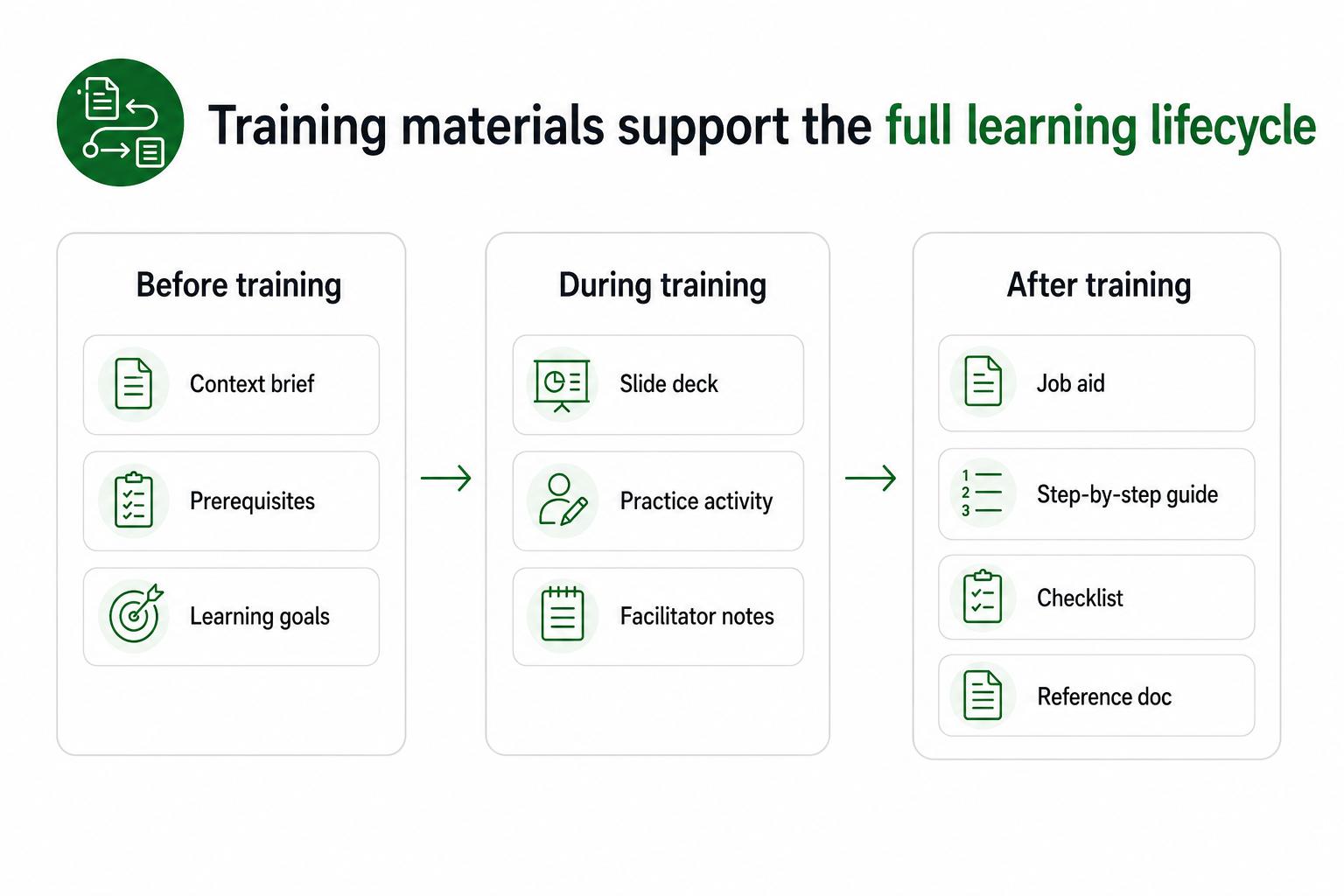
Useful materials support different moments in the training lifecycle. Before training, they set context: what the learner is about to learn, why it matters, and what they should already know. During training, they structure the lesson and keep practice focused. After training, they become the source of truth when memory fades or the real task gets messier than the classroom example.
That after-training role is often underbuilt. Teams spend time making the session look good, then leave employees with materials that are hard to search, too abstract to apply, or already out of date.
A strong training material answers one question clearly: what should I understand, what should I do, or how will I know I did it correctly?
How to choose the right format
Start with the behavior, not the artifact. If the goal is awareness, a short explanation and discussion may be enough. If the goal is accurate process execution, a step-by-step guide or checklist matters more. If the goal is judgment, realistic examples and scenarios usually beat a rule list.
Use this decision rule:
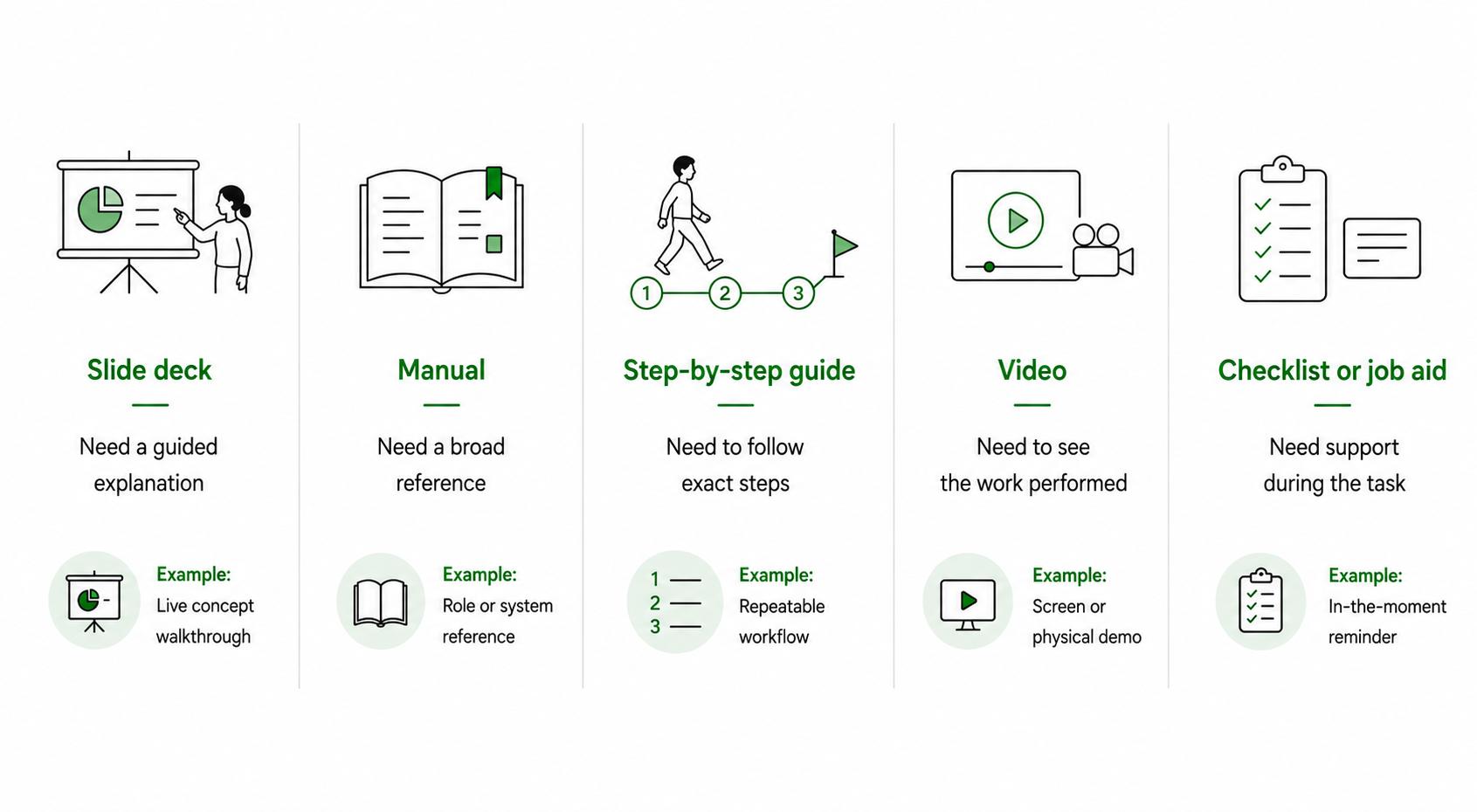
- Use a slide deck when people need a guided explanation in a live or recorded session.
- Use a manual when the learner needs a broader reference for a role, program, or system.
- Use a step-by-step guide when the work is repeatable and sequence matters.
- Use a video when visual demonstration helps, especially for screen-based or physical work.
- Use a checklist or job aid when someone needs lightweight support during the task.
- Use an assessment when readiness matters and the team needs evidence beyond attendance.
The strongest training programs combine formats intentionally: context, practice, and a reference people can actually use later.2
Common mistakes
The first mistake is overproducing materials nobody can maintain. A beautifully designed PDF may feel finished, but if updating it takes too long, it becomes risky as soon as the process changes.
The second mistake is scattering materials across too many tools. When the deck is in one folder, the recording is in another, the checklist is in chat, and the current process lives in a coworker's memory, employees stop trusting the training system.
The third mistake is writing for the trainer instead of the learner. Trainer notes can be flexible and dense. Learner materials need to be direct, findable, and usable during work.
The fourth mistake is skipping realistic practice. Materials that only show the clean version of a process leave people unprepared for exceptions, edge cases, and judgment calls.3
A training materials planning prompt
Use this prompt before creating a new training asset:
## Training Materials Planning Prompt

**Glossary term:** Training Materials
**Source:** Trails Glossary — trails.so/glossary/training-materials

---

### 01. Plan a focused training asset

"Create training materials for [audience] learning [process, skill, policy, or system].
The job outcome is [what the learner must be able to do].
The learner's current starting point is [beginner/intermediate/experienced plus known gaps].
The highest-risk mistake is [mistake or failure mode].
The material should be used [before training/during training/after training/on the job].
Recommend the best format and outline the material.
Include one realistic example, one practice activity or check for understanding, and a maintenance note for the owner."
This keeps the asset from becoming a content dump. The output should serve a specific learner, task, and moment.
Documentation takeaway
Training materials are stronger when they are connected to current documentation. If the material teaches a process, the process should exist as a guide, checklist, or SOP. If the training covers a tool, the learner should have a reference that reflects the actual screen or workflow.
Answer the maintenance question before launch: who owns the material, what changes should trigger an update, and where should learners find the latest version?4
How Trails helps
Trails helps teams create training materials from real workflows. A team member can capture a process as they perform it, turn that capture into a polished step-by-step guide, and create an AI-narrated video version for training or sharing. That is useful for software, operations, support, onboarding, and repeatable process training where the steps need to stay accurate.
Sources
- 1
Centers for Disease Control and Prevention. Measuring Training Effectiveness. CDC. www.cdc.gov/training-development/php/about/evaluate-training-measuring-effectiveness.html. Accessed June 30, 2026.
- 2
Centers for Disease Control and Prevention. Quality Training Standards. CDC. www.cdc.gov/training-development/php/qts/index.html. Accessed June 30, 2026.
- 3
Dunlosky et al.. Improving Students' Learning With Effective Learning Techniques. Psychological Science in the Public Interest. www.psychologicalscience.org/publications/journals/pspi/learning-techniques.html. Accessed June 30, 2026.
- 4
National Institute of Standards and Technology. Training Within Industry. NIST MEP. www.nist.gov/mep/training-within-industry-twi. Accessed June 30, 2026.