
Glossary
Production SOP
 ChatGPT
 Perplexity
 Gemini
 Claude
What is Production SOP?
A production SOP is a standard operating procedure that explains how a team produces a repeatable output in an approved, consistent way. FDA current good manufacturing practice regulations, for example, include production and process controls, laboratory controls, and records as part of controlled production work.1 A production SOP defines the inputs, setup, steps, quality checks, handoffs, exception rules, and records needed to complete production work correctly.
Production SOPs are common in manufacturing, fulfillment, food service, healthcare operations, media production, software releases, documentation, and other workflows where the same kind of output must be created again and again. A good production SOP makes the normal path clear so judgment can be saved for real exceptions instead of basic coordination.
What should a production SOP cover?
A production SOP should explain the full operating path from readiness to closeout. Weak SOPs often start with the first task step, but production work usually fails earlier or later: the wrong inputs arrive, setup is incomplete, a quality check is skipped, a defect is handled inconsistently, or the handoff record is missing. A useful production SOP includes:
- Purpose and scope
- Inputs, materials, files, parts, requests, or job tickets
- Tools, systems, equipment, templates, or approved versions
- Required training, access, safety checks, or setup. For production environments involving machinery, OSHA machine-guarding guidance highlights hazards and standards tied to ineffective guarding.2
- Roles for production, review, approval, and handoff
- Step-by-step production sequence
- In-process checks and stopping points
- Quality criteria and acceptance rules
- Exception paths for defects, shortages, tool failure, or rework
- Required records, logs, timestamps, batch details, or final links
- Cleanup, storage, release, or handoff instructions
- SOP owner and review cadence
The strongest production SOPs make three thresholds explicit: ready to start, acceptable to continue, and complete enough to release.
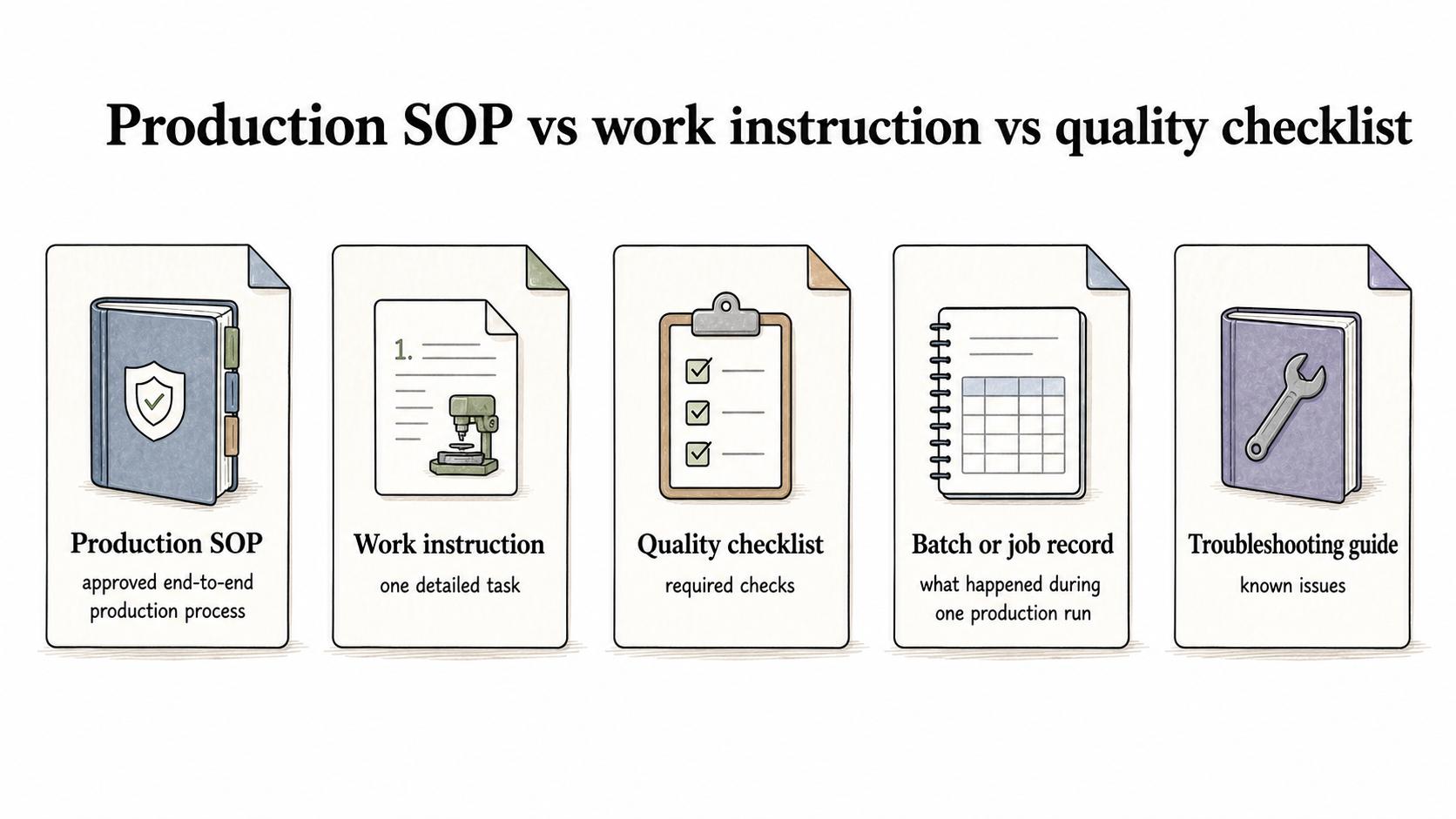
Production SOP vs work instruction vs quality checklist
Production documentation usually works best as a small system instead of one giant document.
| Document | Main purpose | Good use case |
|---|---|---|
| Production SOP | Defines the approved end-to-end production process | How a team prepares, produces, checks, and releases a recurring output |
| Work instruction | Explains one detailed task inside the process | How to calibrate a machine, export a file, or package one order type |
| Quality checklist | Confirms required checks were completed | Pre-run setup, in-process inspection, final acceptance, or post-production QA |
| Batch or job record | Captures what happened during one production run | Quantity produced, exceptions, approvals, timestamps, and final disposition |
| Troubleshooting guide | Helps resolve known issues | What to do when an input is missing, equipment fails, or output does not pass review |
The SOP gets harder to use when it carries every microscopic detail. Put task-level detail in work instructions, then link those instructions from the SOP.
How to write a production SOP
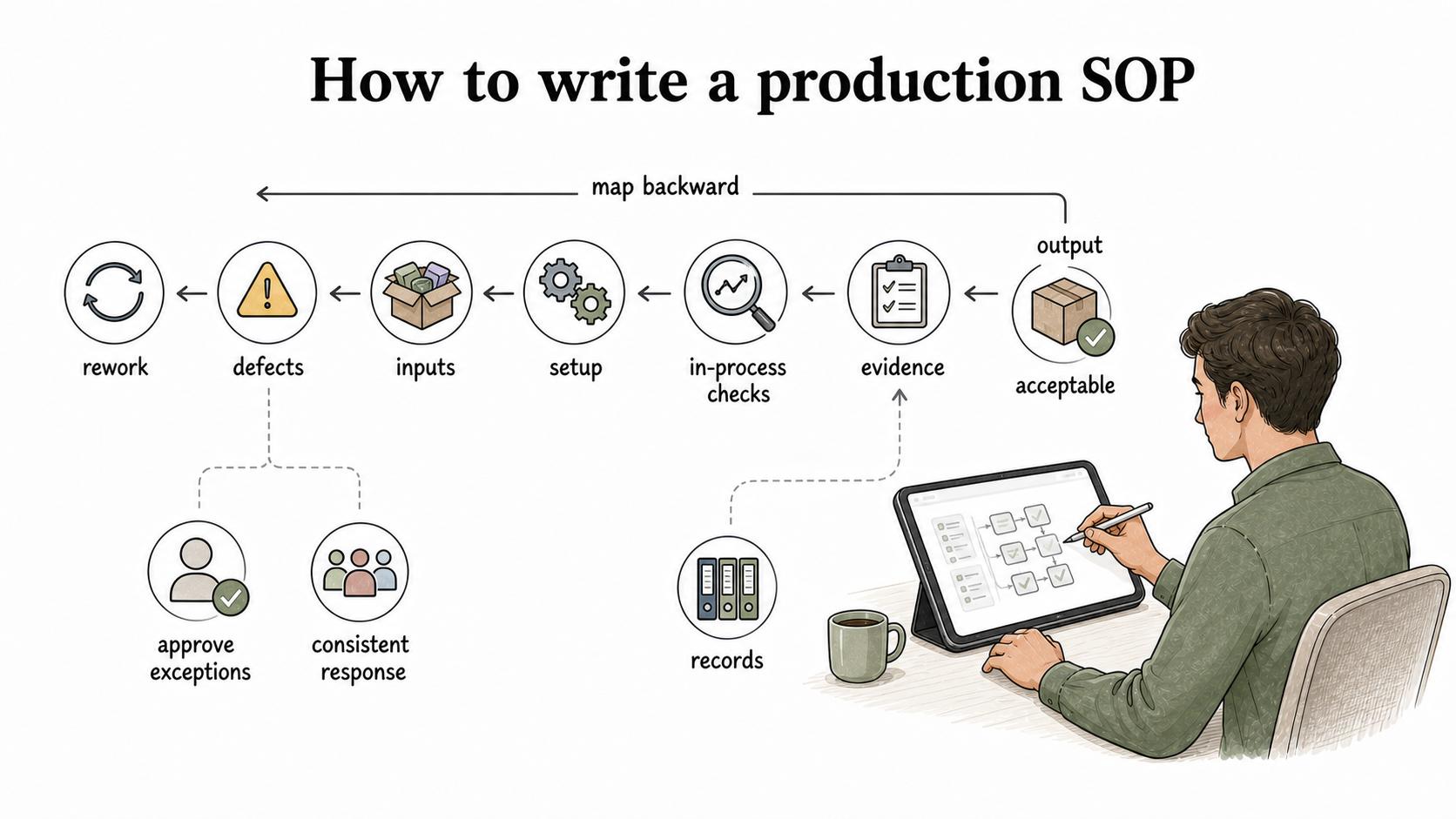
Start with the output before the steps. What is being produced? Who receives it? What makes it acceptable? What evidence proves it was completed correctly?
Then map the process backward. ISO guidance on documented information says organizations should determine the documented information needed to demonstrate effective planning, operation, and control of their processes.3
- What inputs must be present before work starts?
- What setup or safety checks must happen first?
- Where can defects or rework enter the process?
- Which checks must happen during production, not only at the end?
- Who can approve exceptions?
- What records will someone need later to audit, troubleshoot, or improve the process?
This backward view prevents a common mistake: writing the SOP as if production always goes smoothly. Production SOPs are most valuable when something is slightly off and the team needs a consistent response.
Production SOP template
Use this compact template as a starting point:
## Production SOP Template

**Glossary term:** Production SOP
**Source:** Trails Glossary — trails.so/glossary/production-sop

---

### 01. Production SOP Template

"Production SOP: [process or output name]

Purpose:
This SOP explains how [team] produces [output] consistently, safely, and to the required quality standard.

Scope:
Applies to [products, outputs, locations, shifts, tools, systems, content types, or order types].

Roles:
Producer/operator: [role]
Reviewer/quality owner: [role]
Supervisor/approver: [role]
Handoff owner: [role]

Inputs:
[materials, files, job ticket, request, parts, template, approved source, access]

Prerequisites:
[training, PPE, tool access, setup checks, approved version, safety requirement]

Procedure:
1. Confirm the job, request, or production order.
2. Gather and verify required inputs.
3. Complete setup and readiness checks.
4. Run the production steps in order.
5. Complete required in-process checks.
6. Record quantities, versions, defects, or exceptions.
7. Complete final quality review.
8. Release, store, ship, publish, or hand off the accepted output.
9. Close the job and save required records.

Quality criteria:
[what must be true for the output to pass]

Exceptions:
[defect, shortage, missing input, failed check, equipment issue, rework, escalation]

Records:
[logs, checklist, batch record, approval, timestamp, final location, link]

Owner and review cadence:
[owner, review date, update trigger]"
Edit the template for the real workflow. A production SOP for a shop floor, video team, fulfillment operation, and software release shouldn't all look identical.
Common production SOP mistakes
One mistake is documenting only the ideal path. The SOP needs to say what happens when materials are missing, the request is incomplete, a tool fails, the output doesn't pass review, or the customer requirement changes.
Another mistake is pushing every quality check to the end. Final inspection matters, but in-process checks catch problems before the team produces more bad output.
A third mistake is leaving records vague. "Document the result" is weaker than naming the exact log, field, file, system, or final link that must be updated. FDA guidance notes that CGMP records needed to demonstrate compliance are subject to inspection, which is why records need to be specific and retrievable.4 Records make the SOP useful for audits, training, troubleshooting, and continuous improvement.
How Trails helps
Trails helps teams capture production workflows as they are performed and turn them into polished step-by-step guides. That is useful for screen-based production tasks, setup routines, release steps, quality checks, fulfillment workflows, and cross-team handoffs.
Trails can also create an AI-narrated video version for training or sharing, which helps production SOPs stay close to the actual work when tools, handoffs, or review rules change.
Sources
- 1
U.S. Food and Drug Administration. eCFR 21 CFR Part 211: Current Good Manufacturing Practice for Finished Pharmaceuticals. Electronic Code of Federal Regulations. www.ecfr.gov/current/title-21/chapter-I/subchapter-C/part-211. Accessed July 24, 2026.
- 2
Occupational Safety and Health Administration. OSHA machine guarding overview. OSHA. www.osha.gov/machine-guarding. Accessed July 24, 2026.
- 3
International Organization for Standardization. ISO guidance on documented information for ISO 9001:2015. ISO. www.iso.org/iso/documented_information.pdf. Accessed July 24, 2026.
- 4
U.S. Food and Drug Administration. FDA CGMP records and reports Q&A. FDA. www.fda.gov/drugs/guidances-drugs/questions-and-answers-current-good-manufacturing-practice-requirements-records-and-reports. Accessed July 24, 2026.