
9 Best Training Documentation Software Tools in 2026 [Tested]





A new hire finishes onboarding, opens the CRM, and asks you how to update an account. You walked them through it on Tuesday. But unfortunately that doesn't help much when they need to find the right button on Friday.
Training documentation software gives people something useful to come back to. The challenge is that the tools in this category solve surprisingly different problems. Some turn a quick recording into instructions. Others help you assign training and check understanding. And yet others give your company's knowledge a home.
If your immediate need is documenting repeatable tasks, our SOP software comparison looks more closely at capture speed, editing, and maintaining the finished procedure.
Most tool comparison guides put it all into a single list, but that’s like comparing apples and oranges. Instead, here I’ll take the top tools and break them down by the job they do best.
The quick answer
First, figure out the part of training that takes the most work. Then, dive into the tools that tackle that problem.
- Speed up training creation: Compare Trails, Scribe, and Tango. They help turn software workflows into reusable instructions.
- Create training programs: Consider Trainual, Whale, Process Street, and Articulate 360. Trainual and Whale organize assigned learning, Process Street manages practical tasks and sign-offs, and Articulate gives you more control over course design.
- Organize internal knowledge: Consider Confluence or Notion. They give training materials a home alongside policies, project context, and other company knowledge.
These categories often work together, but you’ll only ever use one tool per category.
How I compared
I focused on three jobs: creating training materials, turning them into a program people can follow, and keeping those materials easy to find later. I created a sample training doc in each of the platforms and shared it with a coworker to get a sense of the experience on the other side. All pricing has been checked as of September 2026.
And also a few notes on what I deliberately chose not to include: I didn’t include generic document and video tools, since most people know about them and they do a worse job than purpose-built tools. I also excluded LMS platforms focused on course delivery, HR onboarding software, and specialized compliance platforms. Just focused training software that will benefit the typical organization.
Software to speed up training creation
These tools are the ones to take a look at if the biggest barrier is creating the training itself.
Trails
Best for: creating screenshot guides and narrated training videos together
Trails turns a recorded process into a step-by-step guide with screenshots and an AI-narrated video. You can capture work in a browser or desktop app, or turn an existing recording into a guide.
That combination is useful for training that people revisit. A new employee can watch the walkthrough to see the full sequence, then return to the written steps when they only need a reminder.
The editing workflow is the main reason I'd put Trails on the shortlist. You can correct the guide's text, remove an unnecessary step, or replace an image, then regenerate the video from the revised guide. You still need to supply an accurate screenshot when the interface changes, but you don't have to maintain a separate narration script and video project.
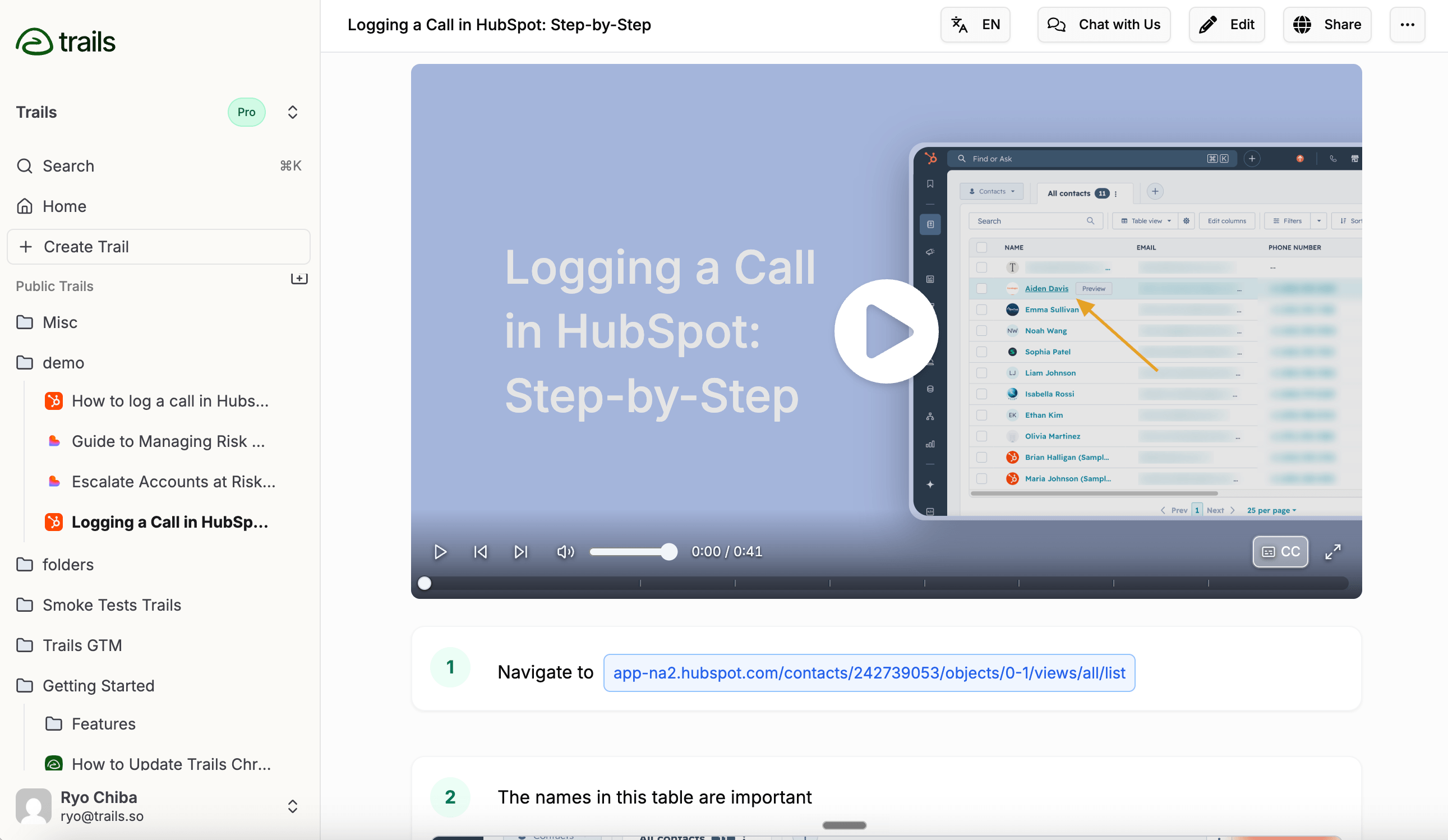
For example, a support lead could document how to escalate a ticket, add a note explaining when escalation is appropriate, and share the guide from the team's onboarding page.
Trails is a good fit for creating those instructions. If your training also needs graded assessments, required learning paths, and employee completion records, plan to pair the guides with a training platform.
Pricing: Creator is $29/month for one user and 20 guides per month. Team is $49/month for five users and unlimited guides, with additional users at $10/month. Enterprise pricing is custom. Annual billing is 20% less. Trails pricing
Choose Trails if: You want an editable screenshot guide and narrated video from the same recording, especially for software training that changes frequently.
Skip Trails if: Your main requirement is designing interactive courses or managing an entire employee training program.
Scribe
Best for: quickly creating screenshot instructions employees can scan
Scribe captures a workflow and turns it into a guide with screenshots and written steps. It's a useful starting point when the alternative is taking screenshots, pasting them into a document, and writing every instruction yourself.
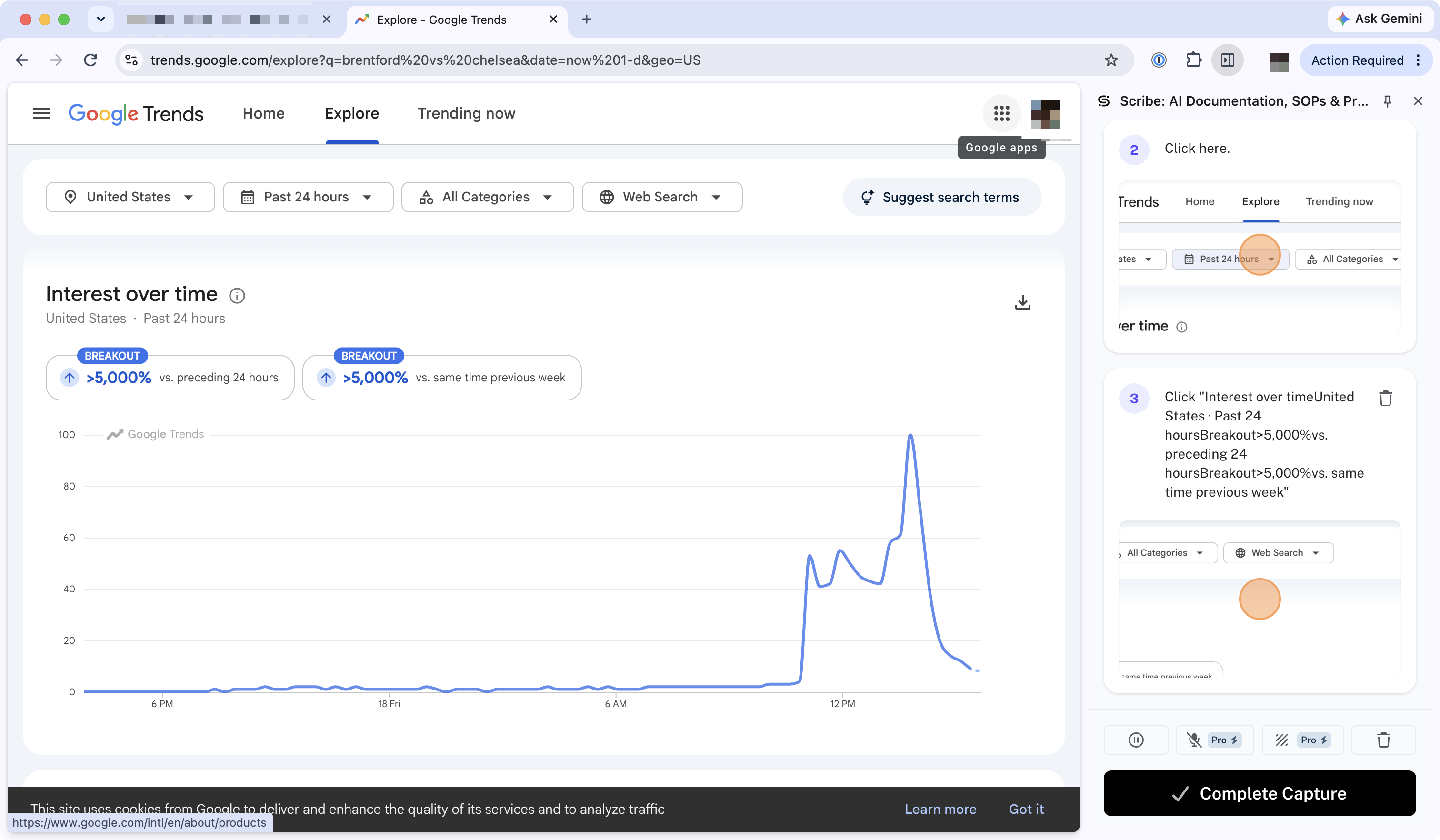
For training, the appeal is how directly a guide can answer a question. Someone who's forgotten how to export a report can jump to the relevant step without replaying a long recording. Scribe Capture
Scribe Pages adds room for the surrounding explanation. You can combine guides with text and other content to build a longer resource, such as a collection of the tasks a new account manager needs in their first week. Scribe's AI tools also help draft and revise that material. Scribe AI
Scribe also supports narrated movie viewing formats, so it's worth checking the delivery experience alongside the screenshot guide. Scribe viewing formats
The tradeoff is that a collection of instructions still needs a training plan around it. Decide what employees should learn first, where they should practice, and how you'll check their work.
Pricing: Basic is free. Pro Personal is $35/user/month, or $25 with annual billing. Pro Team is $29/user/month with a five-seat minimum ($145/month), or $23 with annual billing. Enterprise uses custom pricing. Scribe pricing
Choose Scribe if: Your team mainly needs clear screenshot references and a way to assemble related guides into training resources.
Skip Scribe if: Assigning courses, grading assessments, and tracking a complete onboarding curriculum are your primary requirements.
Tango
Best for: turning software instructions into guidance employees can follow while working
Tango starts with workflow capture, producing screenshot instructions from the steps you take. Its stronger training use case appears when those instructions need to help someone inside the software itself.
Guide Me highlights the next step in the application. Pins can place a note, warning, or link beside the field where someone needs it. For a new sales rep learning a CRM, that means the explanation can appear while they're updating the account.
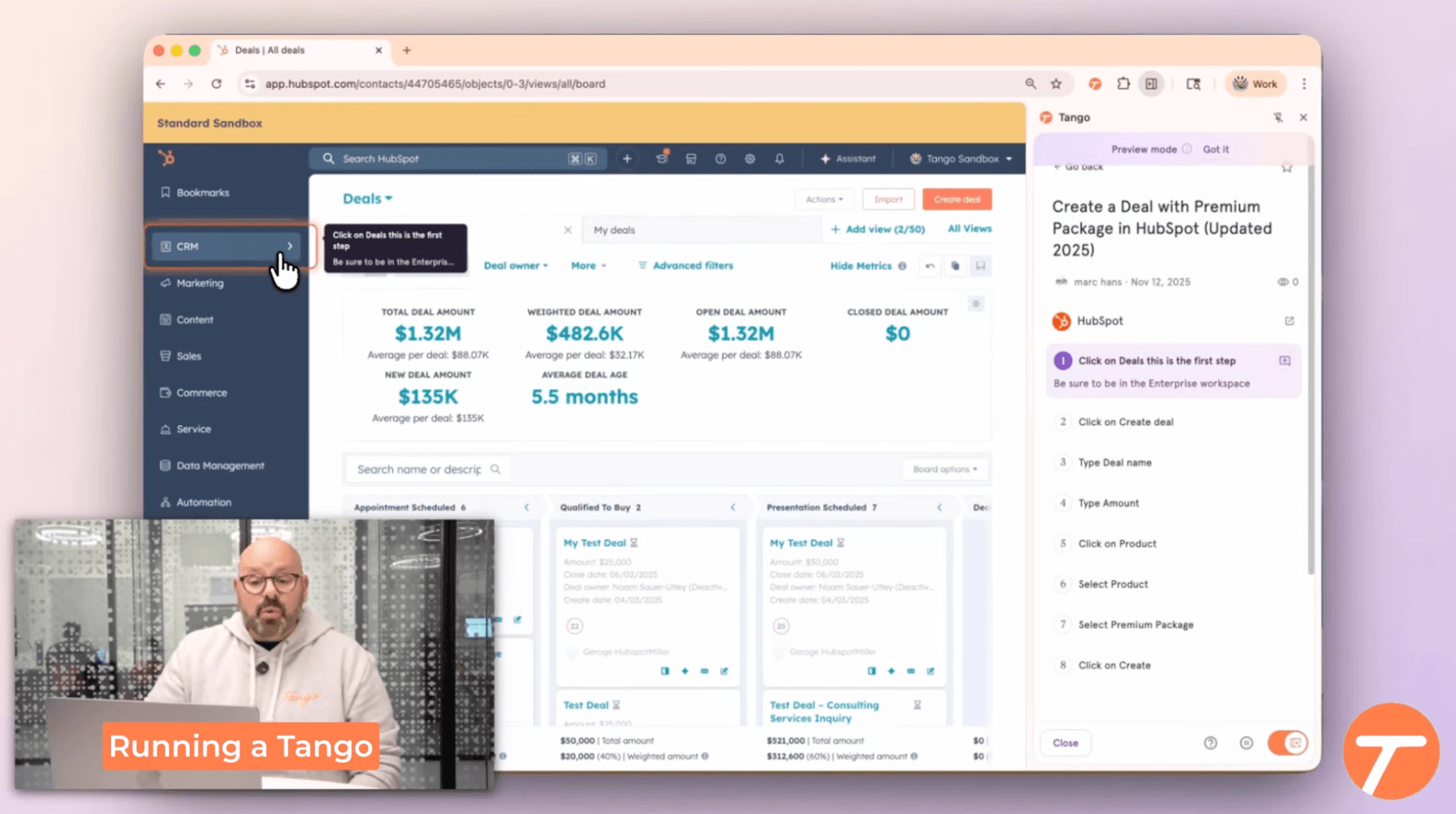
I'd consider Tango when people have already attended training but still struggle to apply it. Guidance at the point of work can help close that gap.
The main tradeoff is packaging. Guide Me, Pins, and browser automation sit in Enterprise. Pro can help you create and share documentation, but the in-app experience requires a broader purchase.
Pricing: Free includes five shared workflows and up to 10 workspace users. Pro costs $26/user/month for one or two users, or $20 for three or more. Annual equivalents are $22 and $15 respectively. Enterprise is custom-priced. Tango pricing
Choose Tango if: Employees need help following the right steps inside business software, and in-app guidance is worth an Enterprise plan.
Skip Tango if: You mainly need a library of standalone guides and won't use its software-adoption features.
Software to create training programs
Once you have the instructions, these platforms help you organize learning and check understanding.
Trainual
Best for: assigning role-specific onboarding and tracking who completed it
Trainual makes sense when onboarding depends too much on who happens to train the new hire. It brings company policies, procedures, and responsibilities into a training system, with assignments by role, department, or location.
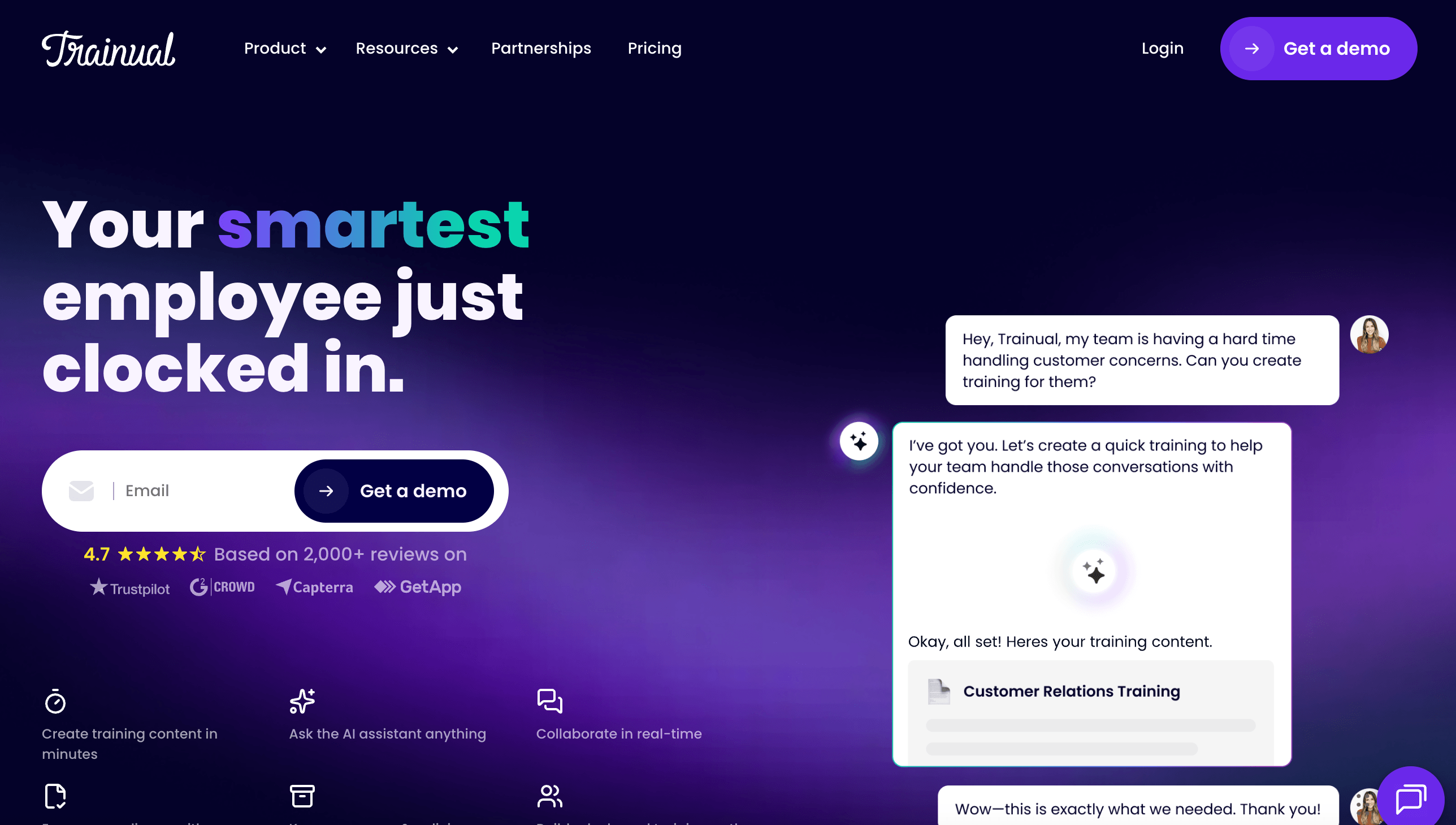
You can add due dates, tests, and completion reporting. Higher tiers add individual training paths, completion nudges, and e-signatures. A manager can see what someone's finished instead of chasing updates across a spreadsheet. Trainual features and plans
For example, everyone might need the company introduction and security training, while only the support team needs the ticket-escalation module. Trainual gives you a way to manage those differences as the team grows.
It also includes an editor, templates, AI-assisted writing, and screen recording, so you can create content inside the platform. The distinction is the work around that content: deciding who needs it, assigning it, and checking understanding.
The tradeoff is setup. Someone needs to organize the material into subjects, map it to roles, and maintain the assignments. That effort is easier to justify when you're onboarding regularly than when you only need to explain a handful of software tasks.
Pricing: Generally the most expensive of the bunch. Core, Pro, Premium, and Enterprise use quote-based pricing. Trainual also lists a one-time $1,000 implementation fee. Individual training paths and e-signatures start on Pro. Trainual pricing
Choose Trainual if: You want a company playbook that doubles as assigned, trackable employee training.
Skip Trainual if: Your immediate problem is producing a few walkthroughs quickly and you don't need the training administration.
Whale
Best for: building training around a maintained procedure library
Whale connects documenting a procedure with teaching it. You can create SOPs, organize them into training flows, add quizzes, and use reporting to see how they're progressing.
Its review cycles are particularly relevant for training. Assigning an expert to review a procedure gives you a way to keep the underlying material current as employees continue learning from it. Alice, Whale's AI assistant, also answers questions from the company's knowledge, making the library useful after onboarding ends. Whale product features
A good example is a team that changes its order-handling process regularly. The procedure needs an owner, employees need to learn the change, and they need somewhere to check the details afterward. Whale brings those jobs into one system.
Whale has its own step recorder and video-to-SOP tools, and Advance adds video editing and AI voiceovers. I'd compare those creation tools using a real process, then judge Whale on the complete document-to-training workflow.
The tradeoff is the limits within each plan. Training flows, quizzes, and AI creation credits have allowances, so count the programs you need as well as the people creating them.
Pricing: Scale is $249/month billed annually, or $399 monthly, with three creators. Advance is $499/month billed annually, or $799 monthly, with five creators. Whale's published pricing guide lists unlimited members on paid plans, although the interactive page labels member limits differently; confirm that allowance in your quote. Whale pricing details
Choose Whale if: You want procedures, review ownership, employee training, and searchable answers in one platform.
Skip Whale if: You only need a lightweight way to create and share occasional software tutorials.
Process Street
Best for: training programs with practical tasks, handoffs, and manager sign-offs
Process Street is strongest when training involves work that several people need to complete. The main primitive within the tool are Workflows, which when run can notify specific users and ask them to take action and log those actions.
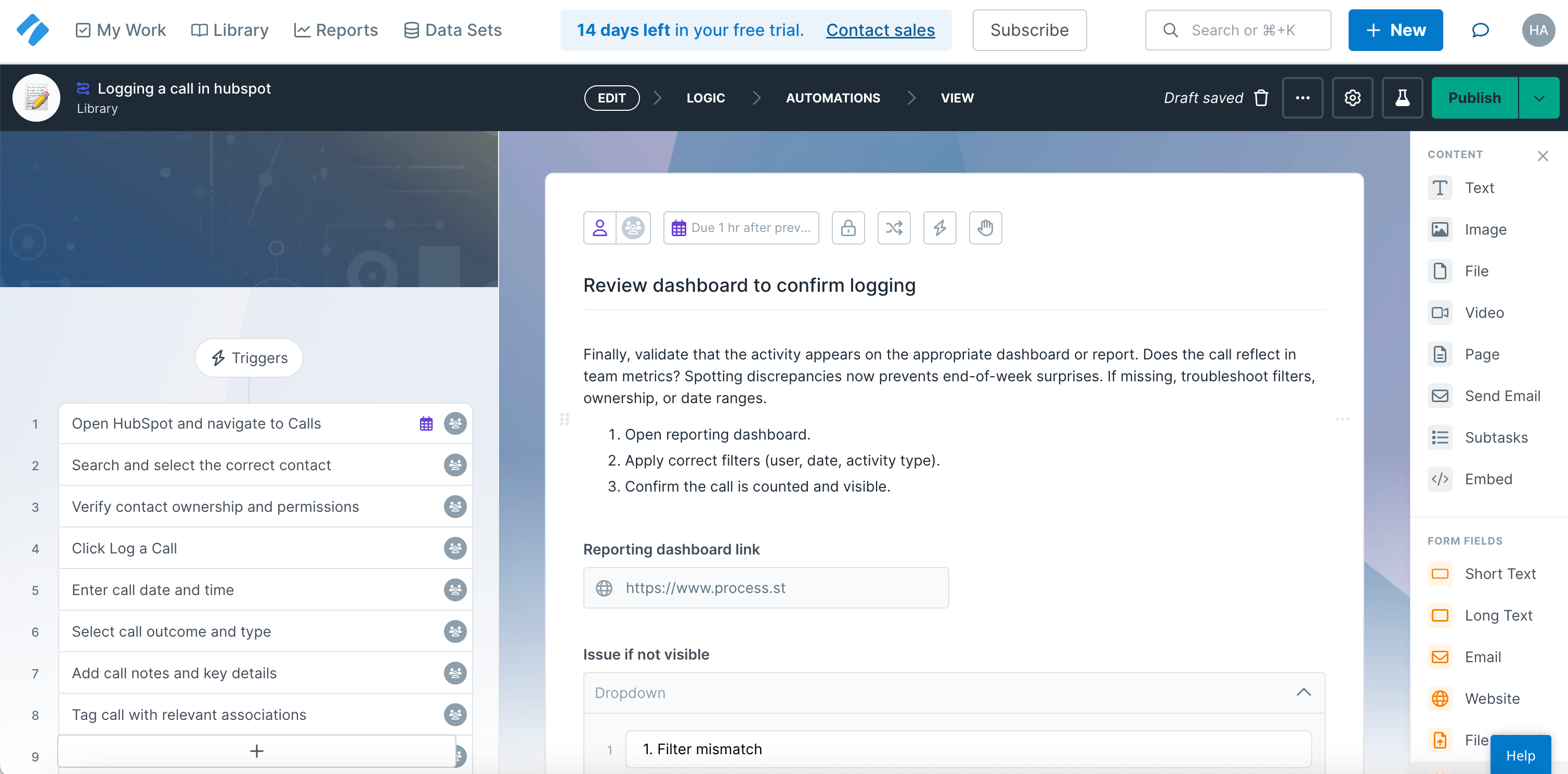
For example, IT can confirm that an account's ready, the employee can complete a practice task, and a manager can review the result before the next stage begins. Conditional logic and enforced task order help the workflow reflect those dependencies.
This is most useful when “training complete” means more than reading the material. You can ask someone to submit an example, collect the manager's approval, and keep a record of the handoff.
The tradeoff is that you need to design and maintain the workflow. Assignments, conditions, and approvals add decisions before the program's ready to run. You also need to create the supporting tutorials or embed them from another tool. It’s quite a bit of overhead, but worth it if you’re trying to scale a process big.
I'd choose Process Street for an onboarding or training process with real operational dependencies. For interactive lessons and graded learning scenarios, Articulate is the more relevant comparison.
Pricing: Startup, Pro, and Enterprise use custom pricing. Startup includes five users and 10 guests. Pro offers a 14-day free trial. Process Street pricing
Choose Process Street if: Training requires assigned work, evidence of completion, and approvals across several people.
Skip Process Street if: Your main job is building courses or publishing a searchable collection of how-to guides.
Articulate 360
Best for: creating interactive courses, assessments, and software simulations
Articulate 360 is the strongest candidate in this group when you need to design a comprehensive learning experience. Its two main authoring tools serve different needs: Rise lets you assemble responsive lessons in a browser, while Storyline gives you more control over interactions and learner choices. Articulate Rise
Storyline can turn screen recordings into software simulations and build branching scenarios. For training, that means someone can practice a decision or action instead of only reading about it. A support course could ask the learner to choose how to handle a refund request and show different feedback depending on the answer. Articulate Storyline
Review supports stakeholder feedback, while Reach provides training delivery and tracking. You can also export supported course packages to a learning management system, or LMS, using formats such as SCORM. Articulate 360
The tradeoff is the authoring work. Someone still needs to decide what to teach, build useful practice, and check that the interactions work. A simple Rise lesson can be approachable; a custom Storyline simulation is a more involved production task.
Pricing: Articulate 360 AI Teams is listed at $1,749 per author seat per year. Confirm learner-delivery allowances and additional AI costs for your rollout. Articulate's separately priced Frontline product has different tools and should be evaluated separately. Articulate pricing
Choose Articulate 360 if: You need interactive courses, assessments, or simulations and have someone responsible for course design.
Skip Articulate 360 if: Most of your training consists of short software instructions that need to be captured and revised quickly.
Software to organize internal knowledge
These tools help when training materials are scattered or difficult to find. They're also natural places to keep guides created elsewhere.
Confluence
Best for: organizing training knowledge in a team that already uses Atlassian
Confluence gives training documentation a place beside the rest of the team's work. You can organize pages into spaces, connect them to Jira context, and use comments and version history to review changes. Confluence features
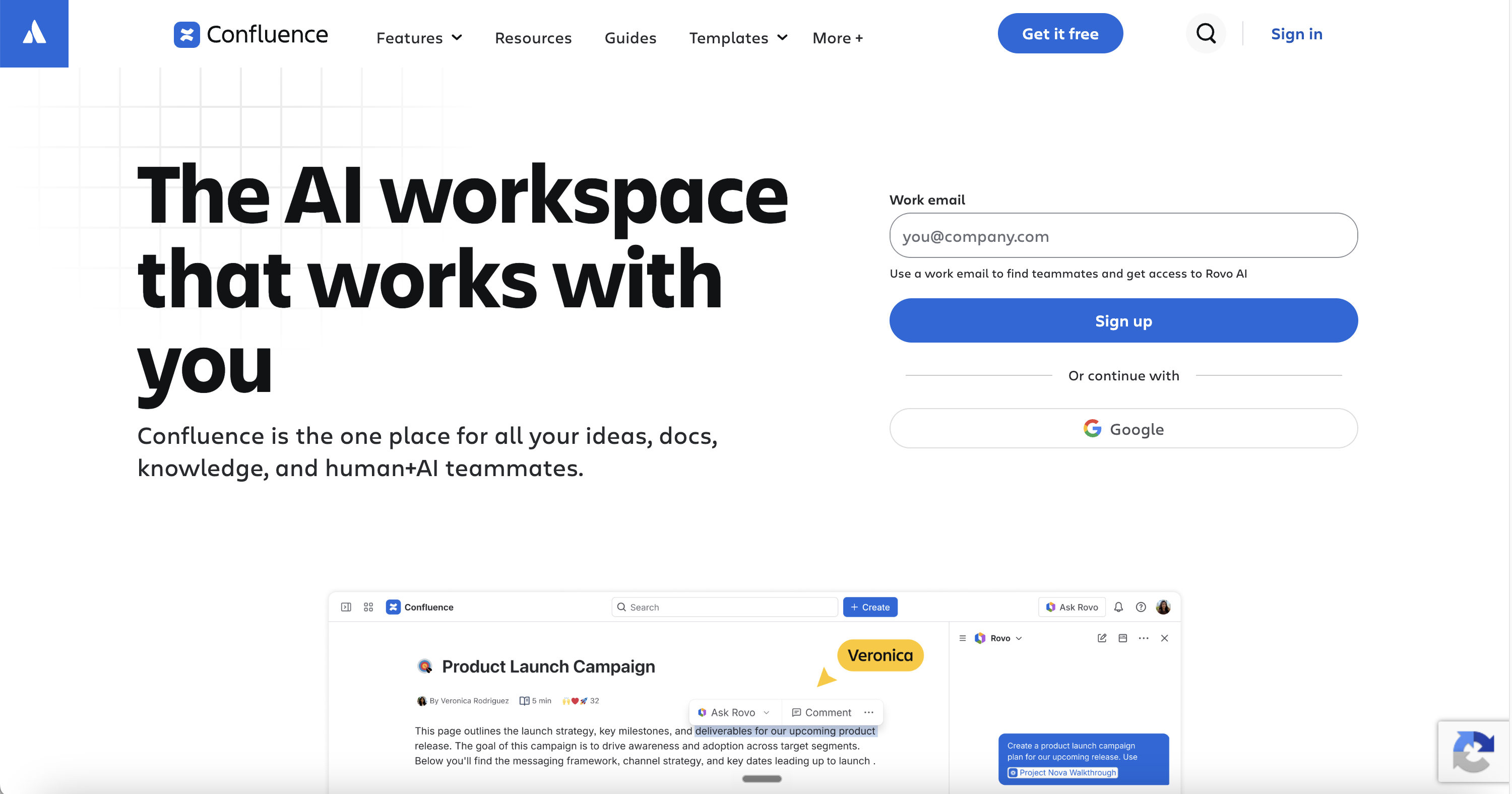
For a support or IT team, that can put onboarding guides beside escalation procedures, system information, and the decisions behind them. Employees can return to the same resource after their initial training is over.
I'd consider Confluence first when the team already works there. Adding a clear onboarding path and linking to the right guides may solve more than introducing another place for people to search.
The tradeoff is that the knowledge base needs structure. Someone has to decide which page is authoritative, how it's organized, and when it should be reviewed. Uploading a large collection of tutorials doesn't automatically make it easy to navigate.
Confluence also leaves you responsible for creating the instructional material or bringing it in from another tool. Native pages and tasks can support an onboarding checklist, but formal course assessments and learning records generally require additional tooling.
Pricing: Free supports up to 10 users. Standard and Premium pricing varies with team size and billing cycle; use Atlassian's calculator for the total. Marketplace apps can add to the cost. Confluence pricing
Choose Confluence if: Your team already uses Atlassian and needs training guides connected to its wider operational knowledge.
Skip Confluence if: You're mainly buying software to capture tutorials automatically or run a formal training curriculum.
Notion
Best for: creating a flexible home for training and company knowledge
Notion is a good fit when training needs to live beside the employee handbook, team responsibilities, meeting notes, and project information. Pages and databases let you organize that material around the way your team works.
For example, a new-hire page could explain what to do in the first week, link to role-specific resources, and contain guides created in Trails or Scribe. You can keep the surrounding context in Notion while maintaining the tutorial in its capture tool.
Notion also has more support for maintenance than a loose collection of documents. Wikis can have page owners and verification dates, with notifications when verification expires. That gives someone a clear responsibility to check the material. Notion wikis and verified pages
The flexibility creates its own work. You need to choose the structure, keep naming consistent, and make sure employees can find the right page. A database can track onboarding tasks, but building graded assessments and dependable learner records requires additional setup or tools.
I'd use Notion when the priority is making knowledge useful and accessible throughout someone's time at the company.
Pricing: Free is available. Plus starts at $10 per member per month and Business at $20, with annual billing. Enterprise pricing is custom. Notion pricing
Choose Notion if: You want a customizable home for training materials alongside the rest of your company knowledge.
Skip Notion if: You need automatic workflow capture or a ready-made system for assigning, testing, and reporting on employee training.
Which training documentation software should you choose?
If experts are spending too much time writing instructions, start with Trails, Scribe, or Tango. Compare the finished guide, the revision process, and how employees will use it. Trails is worth considering for maintaining a written guide and narrated video together whereas Tango becomes more compelling when guidance needs to appear inside the application.
If the materials already exist but training is inconsistent, look at Trainual or Whale. Process Street is useful when completion depends on practical tasks and manager approvals. Articulate 360 is the stronger candidate when the learning itself needs scenarios, simulations, or more sophisticated assessments.
If people mainly struggle to find the answer, Confluence or Notion may be the missing piece. They aren’t just for training though. They’re meant to be your organization’s knowledge base or internal wiki.
Of course, you can also combine these tools. Create a software guide in Trails, use it in an assigned training program, and make it available from the team's knowledge base afterward. Keep the original easy to update so every new hire doesn't inherit another outdated copy.
Frequently asked questions
What is training documentation software?
Training documentation software helps teams create, maintain, and share the materials employees use to learn their jobs. Depending on the product, it can produce screenshot guides, narrated videos, procedures, courses, or a searchable knowledge base. Some tools also assign training and track progress.
What is the difference between training documentation software and an LMS?
Training documentation software often focuses on creating and maintaining the instructions. A learning management system organizes and delivers courses, manages learners, and records progress or assessment results. The categories overlap, but a guide-creation tool doesn't necessarily provide the learning records you need.
Can I use Notion or Confluence for employee training?
Yes. Both can organize onboarding resources, policies, and how-to guides. They work particularly well when employees need to return to that information later. For graded tests, required course sequences, and formal completion reporting, evaluate a training platform or an appropriate integration.
What is the best software for creating training documents quickly?
For software workflows, start by comparing Trails, Scribe, and Tango. Each reduces the manual work of capturing steps and screenshots. Choose based on the output you need, how employees access it, and how easy it is to correct the published material.
Can AI create training documentation?
AI can help generate step descriptions, draft explanations, produce narration, and create quiz questions. It still needs accurate source material. Have someone who knows the process check the result, especially prerequisites, exceptions, and decisions that aren't visible in a screen recording.
How do I keep training documentation up to date?
Give each resource an owner and review it when the underlying software, policy, or process changes. Maintain one authoritative version, link or embed it where possible, and keep track of exported copies. If a change affects how employees do their work, decide whether they also need a new training assignment.
Is there free training documentation software?
Yes. Scribe, Tango, Whale, Notion, and Confluence offer free plans with different limits. Use them to test a real workflow, then check whether the paid features you need include private sharing, exports, training capacity, or additional users.
How much does training documentation software cost?
The products in this guide range from free plans to custom enterprise contracts. Some charge per creator, others per member, and course platforms may add learner-delivery or AI usage costs. Compare the total for everyone who needs to create, review, and use the training, including any implementation fees.