
Glossary
Template
 ChatGPT
 Perplexity
 Gemini
 Claude
What is a template?
A template is a reusable starting structure for work a team creates more than once, such as a document, email, checklist, report, project brief, SOP, training outline, or AI prompt. It gives people a consistent format so they do not have to start from a blank page every time.
A good template speeds up routine work while leaving room for judgment. A bad template makes work look consistent even when the thinking underneath is vague, incomplete, or outdated.
Why templates matter
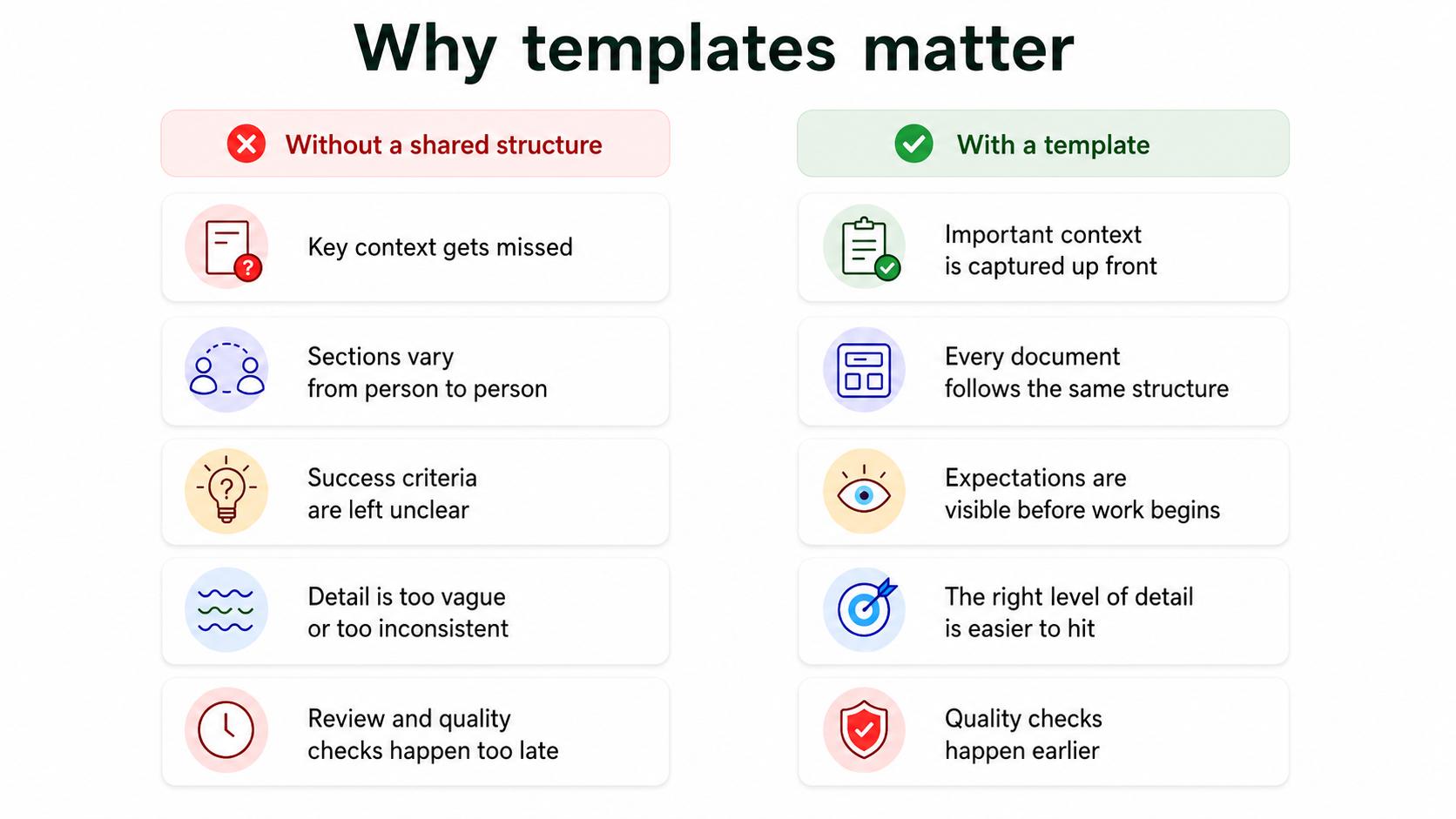
Repeated work creates repeated decisions. What sections should be included? What information is required? What order makes sense? What level of detail is enough? Without a shared structure, every person answers those questions differently.
That variation shows up in small but expensive ways: a customer handoff misses key context, a project brief leaves out success criteria, a training plan forgets assessment, or a manager writes a performance note that is too vague to act on. A template gives the team a stronger starting point.
In addition to speed, another benefit is quality control. Templates make expectations visible before the work is done. Research on template-driven best-practice documentation describes templates as a way to consolidate and structure reusable knowledge for designers, managers, and users.1
Common types of templates
Templates appear anywhere a team creates similar artifacts more than once.
| Template type | What it standardizes | Example |
|---|---|---|
| Document template | Structure, sections, and required fields | SOP, policy, meeting notes, project brief |
| Process template | Repeatable steps or workflow pattern | Onboarding plan, review workflow, escalation form |
| Communication template | Message structure and tone | Customer update, internal announcement, sales follow-up |
| Reporting template | Metrics, narrative, and interpretation | Weekly operations report, incident summary |
| Training template | Learning objectives and lesson structure | Training manual, facilitator guide, lesson plan |
| AI prompt template | Inputs, context, and output format | Generate a guide from captured workflow notes |
The format should follow the job. If people need to complete a sequence, a checklist or guide may be better. If they need to create a consistent artifact, a template is usually the right tool.
What makes a template useful
A strong template does more than reserve space. It guides the author's thinking.
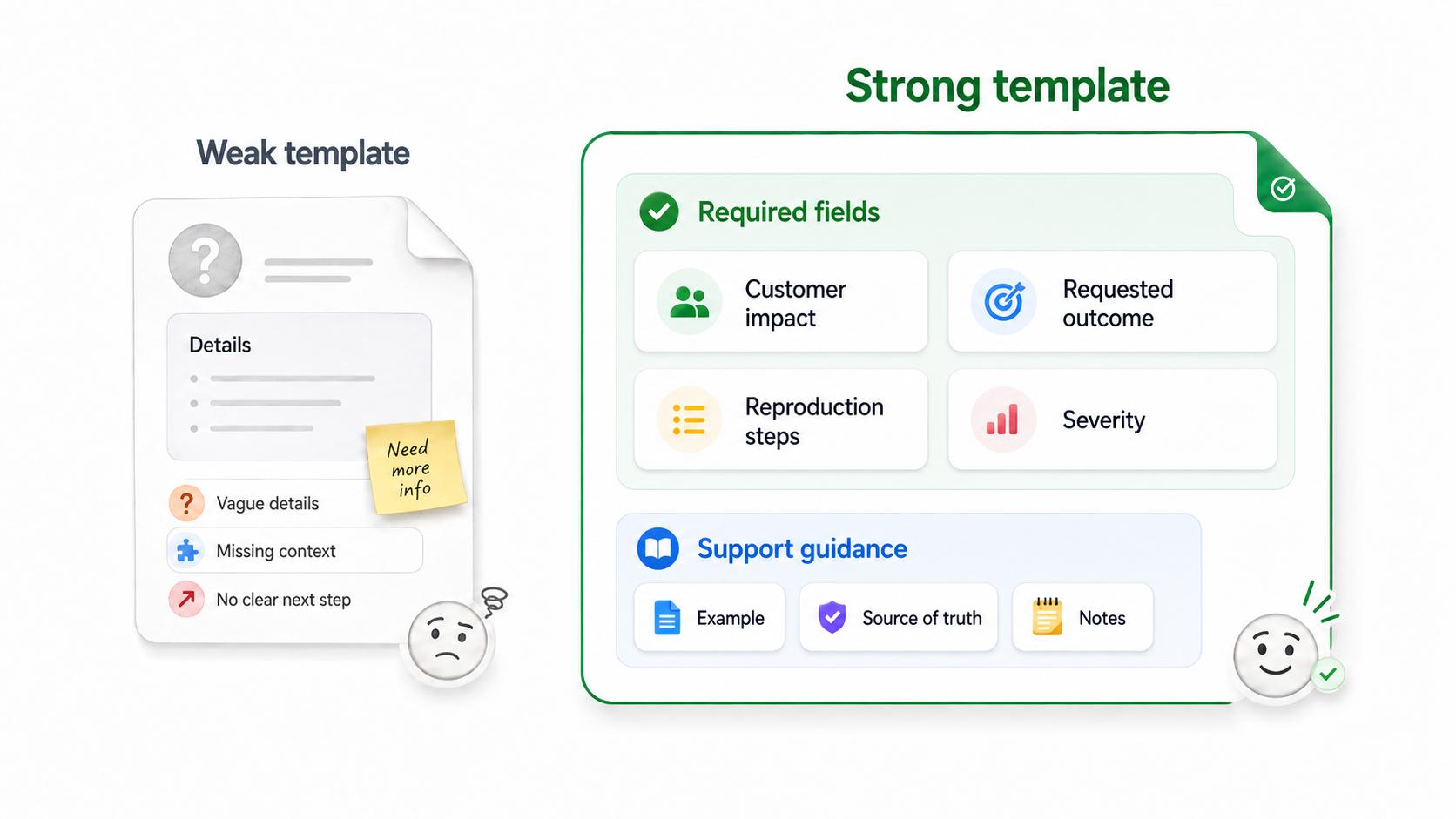
Useful templates separate required fields from optional notes. Form-usability research from Nielsen Norman Group similarly recommends making required fields clear so people know what must be completed.2 They show examples where the expected answer might be unclear, explain fields people often skip, and connect to the source of truth, such as the full SOP, style guide, policy, or process documentation.3
For example, a weak customer escalation template might ask for "details." A stronger version asks for customer impact, requested outcome, reproduction steps, severity, what has already been tried, and the decision needed from the receiving team. The second template helps the author produce a useful handoff, not just fill a box.
Template vs. checklist vs. SOP
A template helps someone create an artifact. A checklist helps someone verify that actions or criteria are complete. An SOP explains how to perform a process.
These formats often work together. A team may use an SOP to explain how to handle a customer escalation, a checklist to confirm required details before handoff, and a template to structure the escalation note itself.
The mistake is making one format do all three jobs. A bloated template becomes hard to use. A checklist without context becomes mechanical. An SOP without a usable template may leave people unsure what the final output should look like.
How to create a better template
Start with real examples. Compare strong and weak versions of the thing the template will produce. Look for the information that appears in the best examples, the mistakes that repeat in the weak ones, and the places where people usually need judgment.
Then design around the decisions that matter. Mark required fields. Add short instructions only where they prevent confusion. Include one example for the hardest field. Keep optional guidance visibly separate so people know what must be completed.
Finally, test the template with a real task. If people leave fields blank, write generic answers, or ask the same question repeatedly, the template needs revision. The problem may be the field label, the order, the missing example, or a template that is trying to cover too many use cases at once.
Template creation prompt
Use this prompt to design a practical template:
## Template Creation Prompt

**Glossary term:** Template
**Source:** Trails Glossary — trails.so/glossary/template

---

### 01. Design a practical template

"Create a template for [artifact or workflow output].
Audience: [who will use it]
Moment of use: [when they fill it out]
Purpose: [what the completed template should help someone do]
Source of truth: [policy, SOP, guide, examples, or style rules]
Common mistakes to prevent: [missing context, vague answers, wrong order]
Required fields: [fields that must be completed]
Optional fields: [fields used only when relevant]
Hardest field: [field that needs an example]
Output format: [document, form, table, prompt, checklist, message]"
The output should be shorter than the author wants and more specific than the reader expects.
Common mistakes
The first mistake is making the template too long. If every field feels required, people either rush through it or fill it with filler. A template should earn each field.
The second mistake is using vague labels. "Background" and "Notes" invite inconsistent content. Labels like "customer impact," "decision needed," or "approval criteria" produce more useful answers.
The third mistake is forgetting ownership. Templates age quietly. If nobody owns updates, a template can preserve old processes, outdated language, or broken links long after the team has moved on.
Documentation takeaway
Templates are reusable documentation assets. They need a clear owner, a version or review date, and a link to the fuller guidance they depend on. Document-control guidance for ISO 9001 emphasizes review cycles, version control, and access controls to keep documented information current and usable.4
The template should make the right work easier, not make every situation look artificially identical.
How Trails helps
Trails helps teams capture a workflow as someone performs it and turn that workflow into a polished step-by-step guide. Teams can also create AI-narrated video versions for training or sharing.
That matters for templates because the best templates are based on real work. Once a team understands the repeatable pattern, Trails can help document it clearly and keep the supporting process guide close to the template.
- Tip sheet
- Training documentation
- Training manual
- Technical manual
- Technical documentation
- SOP template
- Job aid
Sources
- 1
Lieve Aelterman. Template-driven Best Practice Documentation. DIVA. www.diva-portal.org/smash/get/diva2%3A860372/FULLTEXT01.pdf. Accessed July 2, 2026.
- 2
Nielsen Norman Group. Required Fields in Forms. Nielsen Norman Group. www.nngroup.com/articles/required-fields/. Accessed July 2, 2026.
- 3
Atlassian. Building a Single Source of Truth for Your Team. Atlassian. www.atlassian.com/work-management/knowledge-sharing/documentation/building-a-single-source-of-truth-ssot-for-your-team. Accessed July 2, 2026.
- 4
ISMS Online. ISO 9001 Clause 7.5: Documented Information. ISMS Online. www.isms.online/iso-9001/clause-7-5-documented-information/. Accessed July 2, 2026.