
Glossary
Protocol
 ChatGPT
 Perplexity
 Gemini
 Claude
What is Protocol?
A protocol is an agreed rule for how people, teams, or systems should act in a defined situation. It explains the expected response, timing, communication path, decision threshold, or sequence to follow when a certain condition occurs.
Protocols are used in operations, safety, healthcare, IT, customer support, security, communications, and technical systems. NIST incident-response guidance, for example, says organizations should define who reports incidents, how they are reported, and the reporting timeframes they must follow.1 The practical value is simple: when consistency matters, a protocol reduces how much people have to interpret under pressure.
What does a protocol do?
A protocol tells people which response rule applies. It may include steps, but the larger job is to remove uncertainty around who acts, when they act, what they communicate, and how exceptions are handled. A useful protocol defines:
- The trigger that starts the protocol
- The situation, team, system, or location it applies to
- The required roles and responsibilities
- The order of actions, if sequence matters
- The communication channel and timing
- The decision threshold or escalation rule
- The record that must be created or updated
- The exception path when the standard response is unavailable
- The owner responsible for maintaining the protocol
The trigger is the first test. If people can't tell when a protocol applies, they'll either ignore it or overuse it.
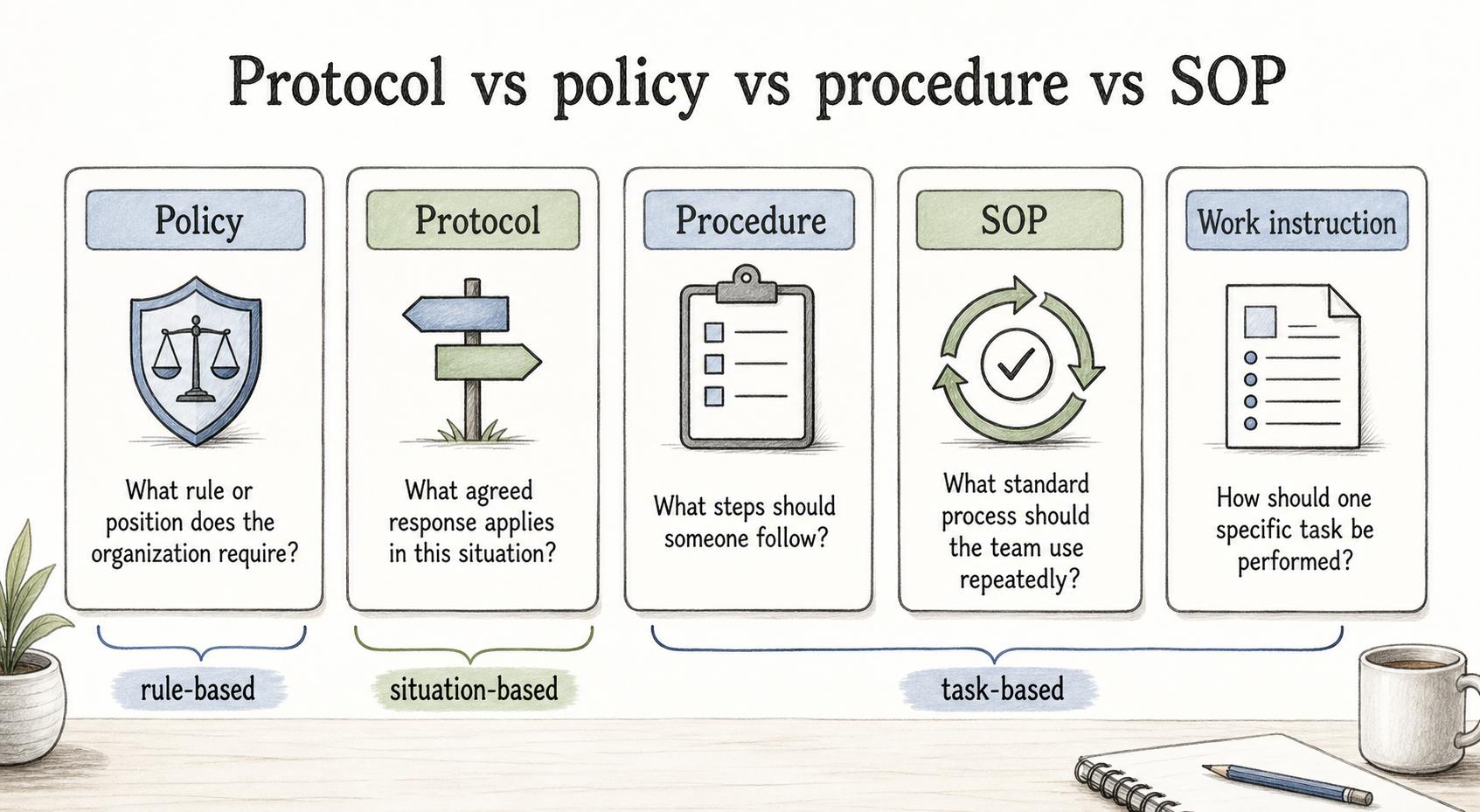
Protocol vs policy vs procedure vs SOP
These terms often sit near each other, but they answer different questions:
| Term | Main question it answers | Example |
|---|---|---|
| Policy | What rule or position does the organization require? | Customer data must stay in approved systems |
| Protocol | What agreed response applies in this situation? | If customer data is exposed, notify the security lead within 30 minutes |
| Procedure | What steps should someone follow? | How to open, classify, and route the incident ticket |
| SOP | What standard process should the team use repeatedly? | The full incident response SOP from detection through closeout |
| Work instruction | How should one specific task be performed? | How to export the incident log from one system |
A protocol can be embedded inside an SOP or procedure. The practical distinction is that a protocol is often rule-based and situation-based, while a procedure is usually task-based.
Examples of protocols
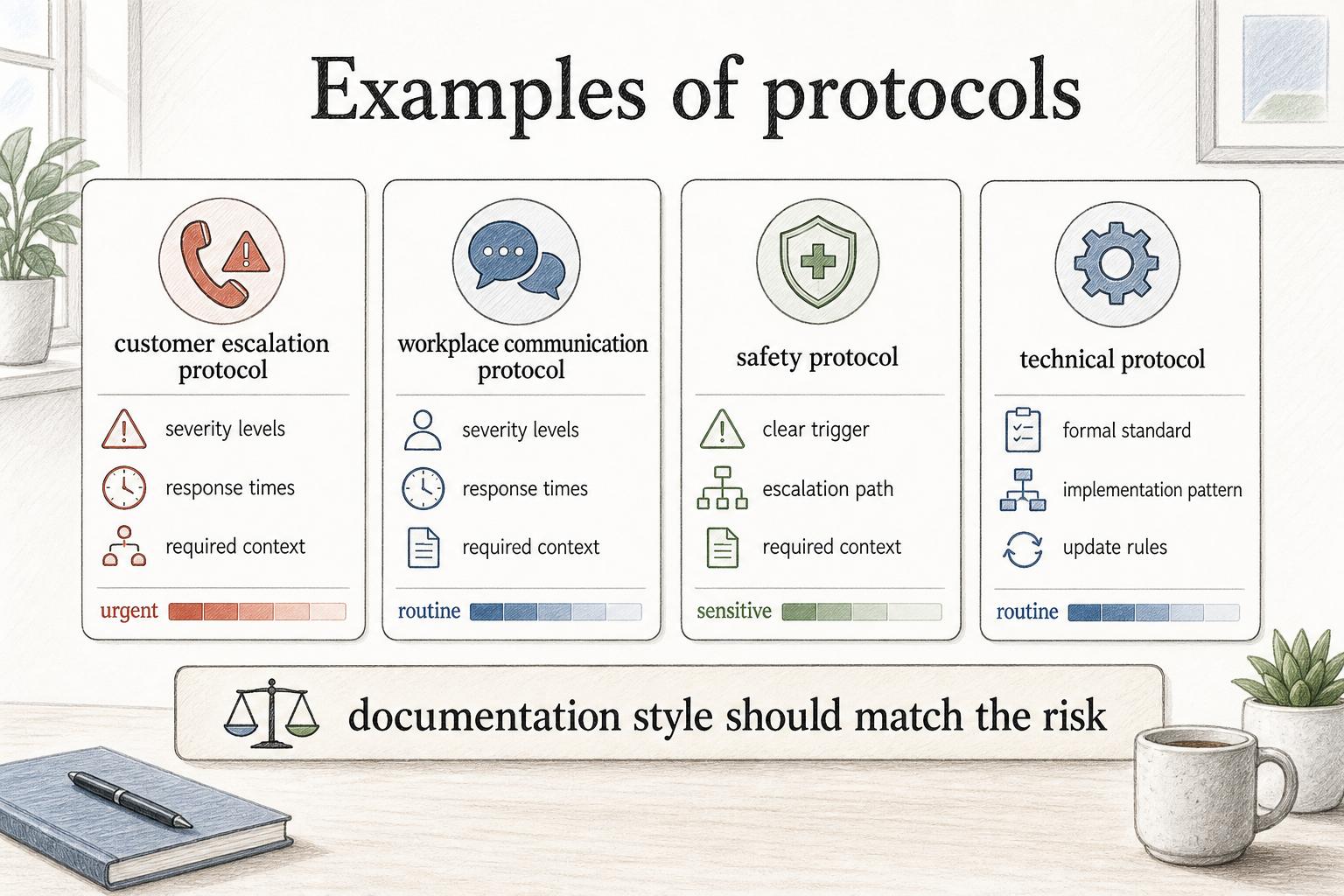
A customer escalation protocol defines when a support issue should move to a senior agent, manager, engineering team, or executive owner. It may include severity levels, response times, required context, and update rules.
A workplace communication protocol defines which channels to use for urgent, routine, or sensitive messages. It may say when to use chat, when to call, when to document a decision, and who must be included.
A safety protocol defines what employees should do when a hazard, injury, spill, outage, or inspection issue occurs. OSHA's emergency action plan standard requires procedures for reporting emergencies and other minimum plan elements, which is the same kind of trigger-and-response clarity.2 The document may be short, but it needs a clear trigger and escalation path.
A technical protocol defines how systems exchange information. In that context, the protocol may be a formal standard or implementation pattern, such as an authentication or data exchange protocol. The IETF describes RFCs as the technical documentation that specifies protocols such as TLS, QUIC, WebRTC, email, and DNS.3
The documentation style should match the risk. A team communication protocol can be lightweight. A safety, security, clinical, or compliance-related protocol needs stronger ownership, review, training, and version control; in clinical research, UCSF describes SOPs as detailed written procedures that support execution of research tasks according to institutional, state, and federal guidance.4
How to document a protocol
Start with the moment of use. A protocol is often needed when the situation is urgent, sensitive, repetitive, or easy to mishandle, so the document should be easier to scan than a normal explanatory page. Use this structure:
## Protocol Template

**Glossary term:** Protocol
**Source:** Trails Glossary — trails.so/glossary/protocol

---

### 01. Protocol Template

"Protocol name:
[Name]

Purpose:
Why this protocol exists and what risk or workflow it controls.

Scope:
Teams, systems, locations, situations, or content types covered.

Trigger:
The condition that activates the protocol.

Roles:
Who acts, who approves, who receives updates, and who maintains the protocol.

Response rules:
Required actions, timing, thresholds, or decision criteria.

Communication:
Who must be notified, which channel to use, and how quickly.

Records:
What must be logged, attached, saved, or reported.

Exceptions:
What to do if the normal path cannot be followed.

Review owner:
Who keeps the protocol current and when it should be reviewed."
The exception section matters because protocols are often used when normal operations are under pressure. Say what happens when a required person, tool, location, or channel is unavailable.
What makes a protocol useful?
A useful protocol is specific enough to change behavior. "Escalate when appropriate" and "Notify the right people" sound reasonable, but they leave every important decision to the reader. Stronger protocol language names the threshold: "Escalate to the on-call manager if the customer is blocked for more than two business hours or the issue affects more than five accounts." That rule gives people something to act on. Good protocols also stay close to the work. If the document is buried, too formal, or too long, people will improvise when the moment arrives. Plain language is usually the professional choice because it makes the required action easier to follow.
Documentation takeaway
A protocol gives a team or system a shared rule for handling a specific situation. It sits between high-level policy and step-by-step procedure: more actionable than a policy, but often more condition-based than a task guide. The practical test is simple: after reading the protocol, someone should know when it applies, who acts, what must happen, what gets communicated, what gets recorded, and what to do when the normal path breaks. If they don't, the protocol is still too vague.
How Trails helps
Trails helps teams turn protocol-driven work into step-by-step guides. A team can capture how to follow an escalation protocol, publishing protocol, support handoff, safety check, or internal communication rule, then turn that real workflow into a guide people can repeat. That makes the protocol easier to train and follow across locations, shifts, or departments without relying on a static rule page alone.
Sources
- 1
National Institute of Standards and Technology. NIST SP 800-61 Rev. 2: Computer Security Incident Handling Guide. NIST. nvlpubs.nist.gov/nistpubs/specialpublications/nist.sp.800-61r2.pdf. Accessed July 24, 2026.
- 2
Occupational Safety and Health Administration. OSHA 29 CFR 1910.38 emergency action plans. OSHA. www.osha.gov/laws-regs/regulations/standardnumber/1910/1910.38. Accessed July 24, 2026.
- 3
Internet Engineering Task Force. IETF: About RFCs. IETF. www.ietf.org/process/rfcs/. Accessed July 24, 2026.
- 4
UCSF Clinical Research Resource HUB. UCSF Clinical Research Resource HUB: Standard Operating Procedures. University of California, San Francisco. hub.ucsf.edu/sops. Accessed July 24, 2026.