
Glossary
Systems Integrator
 ChatGPT
 Perplexity
 Gemini
 Claude
What is a systems integrator?
A systems integrator is a person, team, or company that connects separate technologies so they work as one usable system. In business settings, that usually means connecting software applications, databases, identity tools, reporting systems, hardware, and the workflows that move information between them.
The technical connection is only part of the job. A good systems integrator also clarifies which system owns each record, what happens when data conflicts, who handles exceptions, and how users should work after the integration goes live.
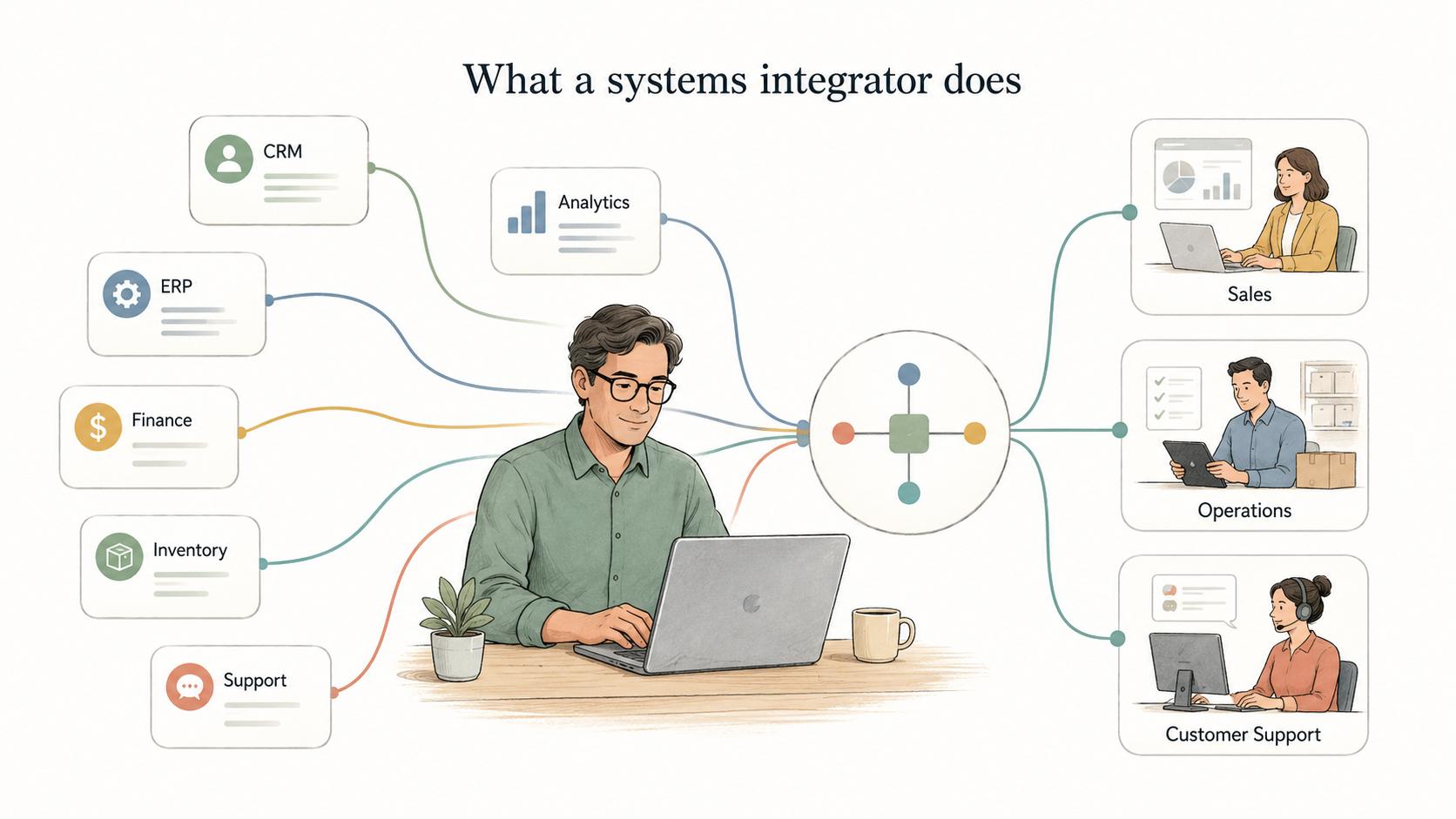
What a systems integrator does
A systems integrator designs and implements the connections between tools that were not originally built as one system. The work can include API integrations, middleware configuration, data migration, automation rules, permissions, testing, reporting, and rollout support.1
For a small or mid-sized business, that might mean connecting a CRM to billing, syncing ecommerce orders with accounting, linking HR records to identity management, or routing support data into customer success workflows. In larger environments, it may involve ERP systems, warehouses, manufacturing systems, security controls, and custom applications.
The hidden work is deciding how the business process should behave. If a customer changes plans, which system updates first? If finance and sales use different account names, which record wins? If an employee changes roles, which access should be removed automatically and which should require approval? Those choices determine whether the integration reduces work or just moves confusion faster.2
When a team needs a systems integrator
A systems integrator is useful when a project crosses several tools, teams, or data models. If one team can configure one application without much risk, a dedicated integrator may be unnecessary. If the project touches customer records, finance data, permissions, compliance workflows, analytics, or multiple departments, integration expertise usually pays off.3
Common signals include duplicate data entry, inconsistent reports, manual exports, unclear sources of truth, broken handoffs, and automations that fail outside the happy path. The strongest warning sign is when everyone agrees the tools should connect, but no one can describe what should happen when the case gets messy.
A systems integrator is not a substitute for business ownership. Someone inside the company still has to make decisions about fields, rules, exceptions, priorities, and rollout tradeoffs. Without that owner, the integrator can build exactly what was requested while the operating problem stays unresolved.
Systems integrator vs. software vendor
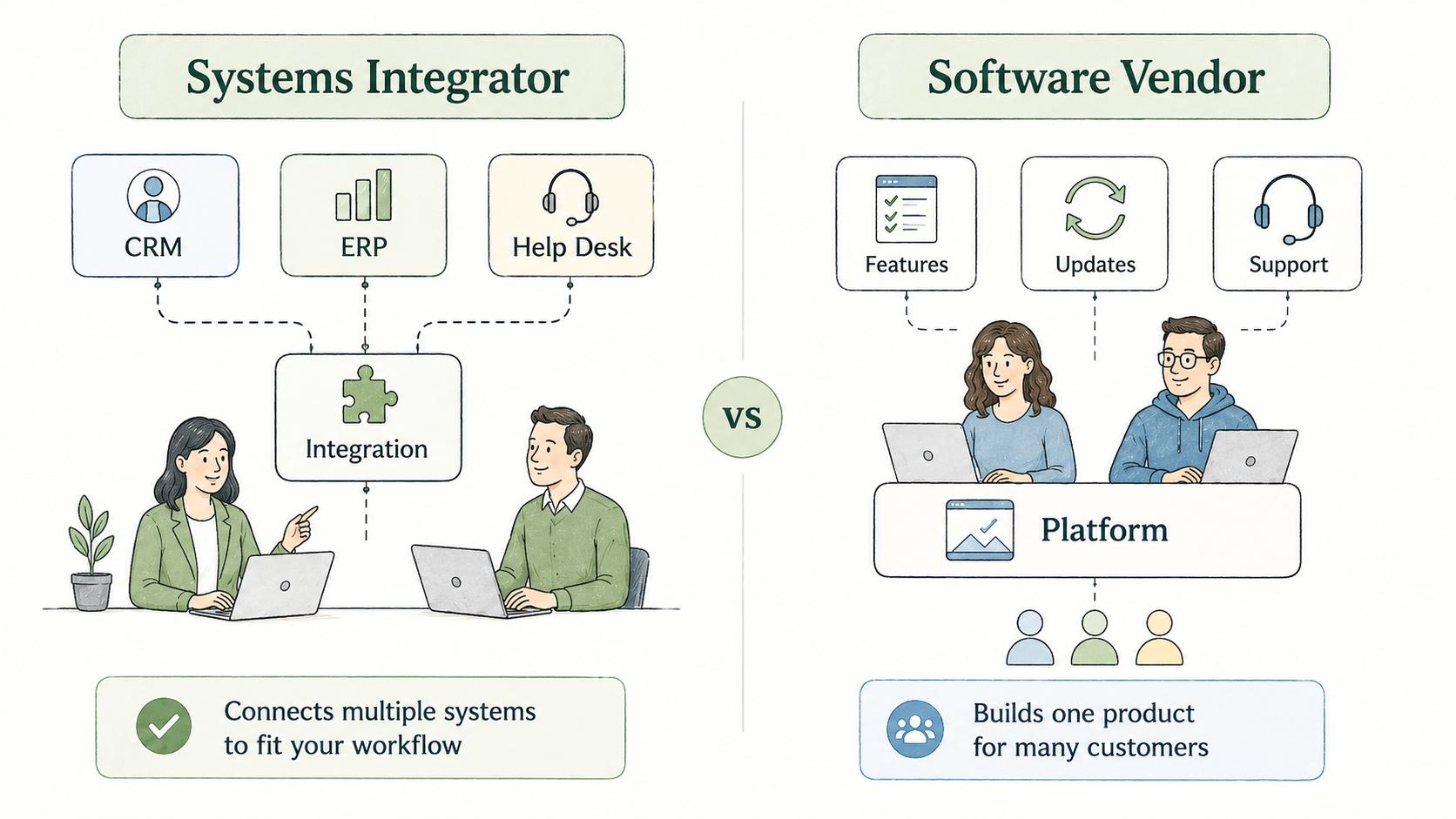
A software vendor provides a product. A systems integrator makes several products work in a specific environment.
For example, a vendor may sell the CRM. The systems integrator may connect that CRM to billing, marketing automation, support, analytics, identity management, and internal approval workflows. Some vendors offer implementation services, and some integrators build custom software, so the roles can overlap.
The practical distinction is accountability. The vendor is usually accountable for product capability. The systems integrator is accountable for the connected outcome: data, users, permissions, workflows, and support paths working together in the real business.
What can go wrong in systems integration
The most common failure is treating integration as a technical connection instead of an operating design. Two systems can sync correctly and still create bad outcomes if teams disagree about definitions, timing, ownership, or exceptions.
A customer status field is a simple example. Sales may define active as a signed contract. Finance may define it as current payment. Support may define it as access enabled. If the integration moves one status field without resolving that disagreement, the new system produces cleaner-looking confusion.
Poor handoff documentation causes the next failure. During implementation, the integrator and project team may understand the data map, retry rules, and edge cases. Six months later, a new admin sees a black box. When something breaks, the team has to reverse-engineer the process under pressure.
Documentation a systems integrator should leave behind
A strong integration project should leave more than a working connection. It should leave an operating map.
The most useful documentation answers practical questions:
- What moves between systems?
- Which system owns each important record or field?
- When does data move, and what can interrupt it?
- Who owns exceptions, retries, and approvals?
- What should users do, and what should admins check first?
That usually means documenting the current workflow, future workflow, data map, field definitions, permission rules, test scenarios, exception handling, rollback plan, admin notes, user instructions, and support path. The goal is not a giant implementation binder. It's a system that future admins and teams can maintain without guessing.
AI-ready prompt for an integration brief
## Systems Integration Brief Prompt

**Glossary term:** Systems Integrator
**Source:** Trails Glossary — trails.so/glossary/systems-integrator

---

### 01. Create an integration brief

"Create a systems integration brief for [company/team].
Systems involved: [system A], [system B], [system C]
Business process supported: [process]

Include:
- Current workflow and future workflow
- Source of truth for each important record or field
- Required handoffs between teams
- Known exceptions and edge cases
- Permission and access concerns
- Happy-path and failure-case test scenarios
- Documentation needed for users, admins, and support

Flag any decision that needs a business owner before implementation starts."
Documentation takeaway
Systems integration becomes durable when the operating rules are documented. A clean connection can still fail the business if people don't understand the source of truth, exception path, or support process.
Treat documentation as part of the integration, not a cleanup task. It gives users, admins, support teams, and future integrators the shared map they need when the system changes again.
How Trails helps
Trails helps teams capture a workflow as someone performs it and turn it into a polished step-by-step guide. Before an integration project, that can make the current process visible. After launch, it can help teams document the new workflow, train users, and keep process instructions easier to maintain.
- IT documentation software
- Technical documentation software
- Software documentation
- Work instruction
- Standard operating procedure
- Process flow diagram
- API integration
- Data migration
Sources
- 1
IEEE Standards Association. IEEE/ISO/IEC 15288-2023. IEEE, 2023. standards.ieee.org/ieee/15288/10424/. Accessed July 2, 2026.
- 2
IBM. System of Record vs. Source of Truth. IBM. www.ibm.com/think/topics/system-of-record-vs-source-of-truth. Accessed July 2, 2026.
- 3
National Institute of Standards and Technology. Security Considerations in the System Development Life Cycle. NIST, 2008. nvlpubs.nist.gov/nistpubs/legacy/sp/nistspecialpublication800-64r2.pdf. Accessed July 2, 2026.