
Glossary
Self-Service Knowledge
 ChatGPT
 Perplexity
 Gemini
 Claude
What is self-service knowledge?
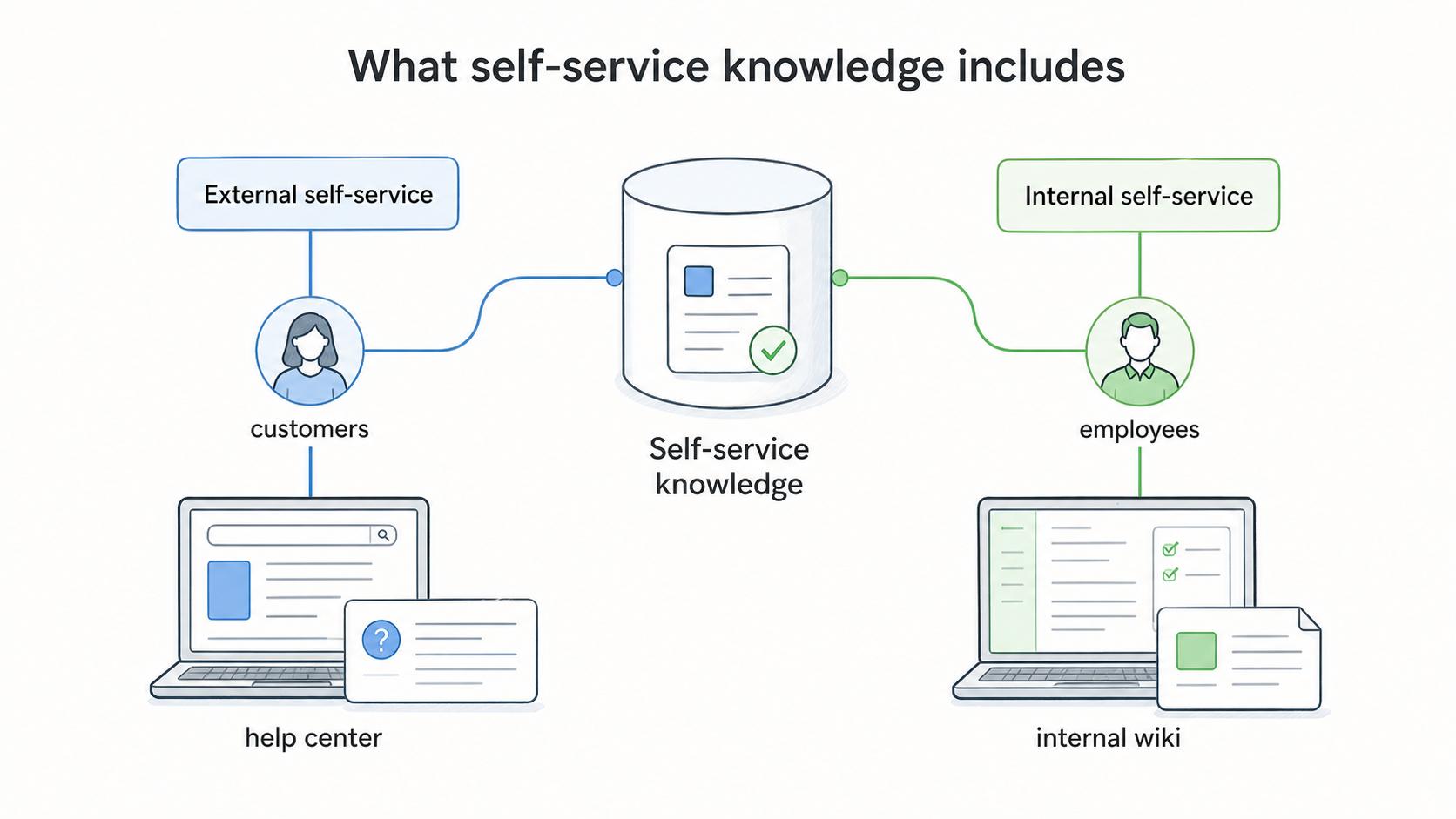
Self-service knowledge is information that helps customers, employees, or partners answer a question or complete a task without waiting for another person. It usually lives in a help center, knowledge base, internal wiki, product guide, onboarding portal, or support documentation library.1
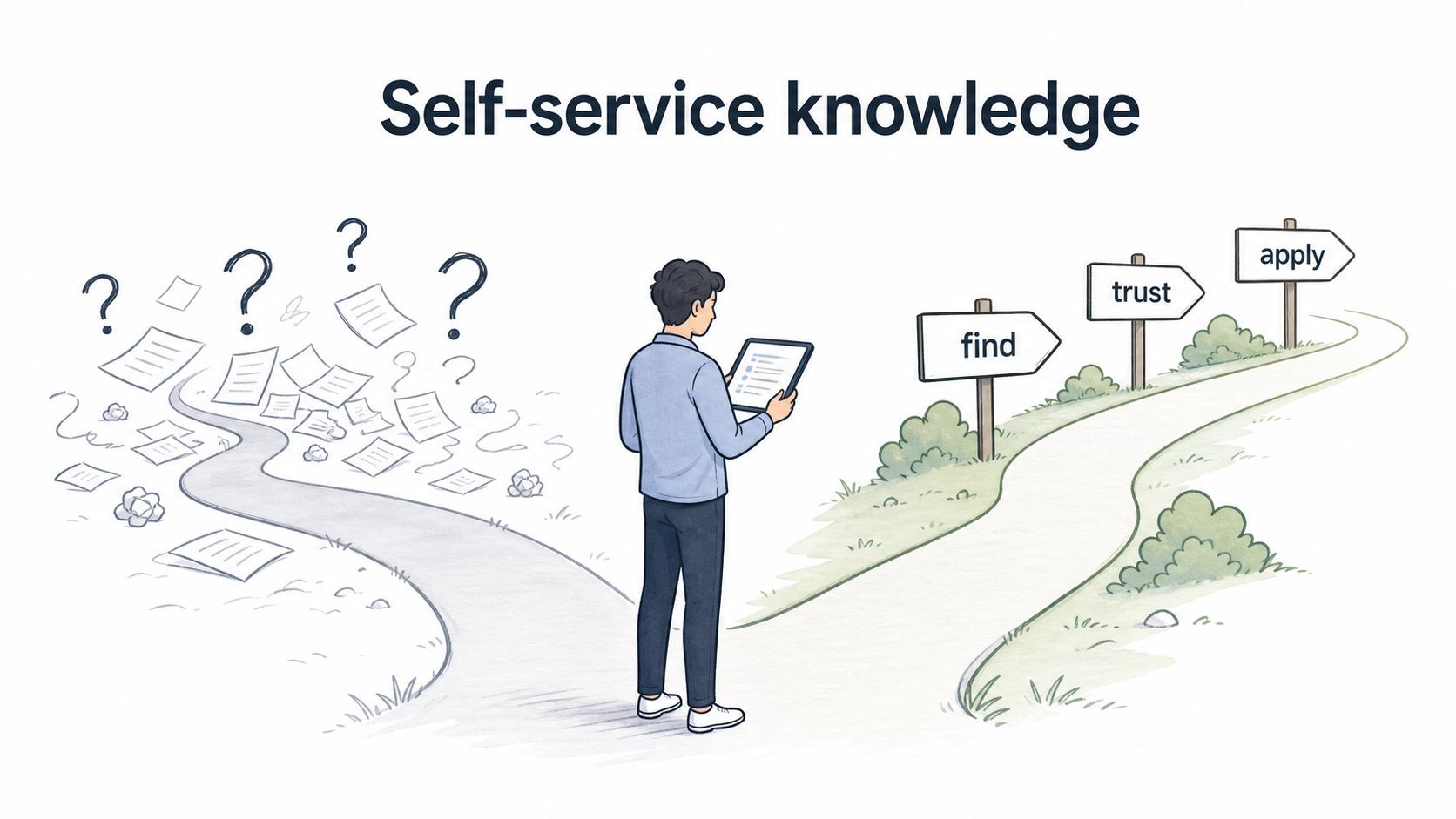
Good self-service knowledge makes the right answer easy to find, trust, and apply at the moment someone needs it. Publishing more articles does not help if people still have to ask around to know which one is current.
What self-service knowledge includes
Self-service knowledge can be external or internal. External self-service helps customers solve problems, learn a product, or complete common tasks. Internal self-service helps employees follow processes, request access, use internal tools, or answer policy and workflow questions.
The format should match the user's job. A short FAQ works for quick clarification. A step-by-step guide works better when the reader needs to complete a workflow. A troubleshooting article works best when the user has symptoms but does not yet know the cause.
Common formats include knowledge base articles, troubleshooting guides, step-by-step tutorials, FAQs, checklists, short videos, onboarding guides, internal SOPs, and product documentation.
Why self-service knowledge matters
Self-service knowledge reduces dependency on individual experts. It gives people a way to move forward without opening a support ticket, waiting for a teammate, or searching old chat threads.2
For support teams, it reduces repeated questions and helps agents answer consistently. For internal teams, it preserves operational knowledge and makes onboarding less dependent on one person explaining the same workflow again and again.
The judgment call is deciding which questions deserve self-service. Repeatable, answerable questions should not become repeated interruptions. Ambiguous, sensitive, or exception-heavy questions still need a human path.
What makes self-service knowledge useful
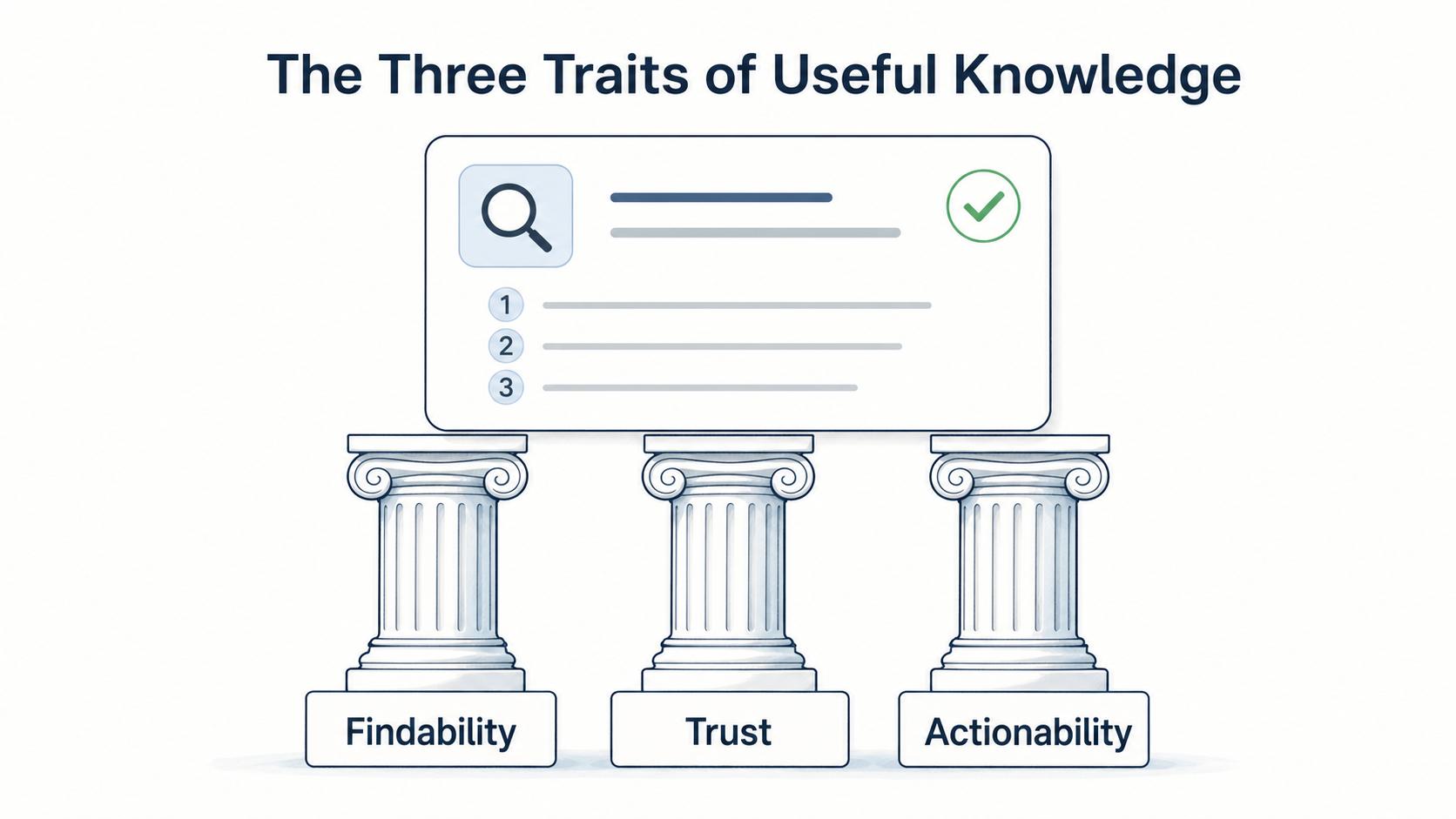
Useful self-service knowledge has three traits: findability, trust, and actionability.3
| Trait | What it means | Example |
|---|---|---|
| Findability | Users can locate the answer quickly | Clear title, search terms, categories, and links from the workflow |
| Trust | Users believe the answer is current and approved | Owner, review date, source of truth, and consistent wording |
| Actionability | Users can do something with the answer | Steps, screenshots, examples, decision rules, and escalation path |
If one trait is missing, self-service breaks down. An article nobody can find is storage. A searchable article nobody trusts creates risk. A trusted article that does not explain what to do creates another question.
Self-service knowledge vs knowledge base
A knowledge base is a place where knowledge can live. Self-service knowledge is the subset of knowledge designed for users to solve problems or complete tasks on their own.
That distinction matters. A company may have a large internal knowledge base, but not all of it is ready for self-service. Meeting notes, raw research, old drafts, and internal debates may be useful, but they are not the same as polished, task-ready guidance.
Self-service content should be written from the user's question, not the company's filing system. A title like `Password reset steps for contractors` is more useful than `Identity Access Management Policy Appendix B` when the reader is trying to get unstuck.
How to create self-service knowledge
Start with repeated questions and repeated workflows. The best candidates are issues people ask about often, tasks with clear steps, and processes where the answer should not vary by person.
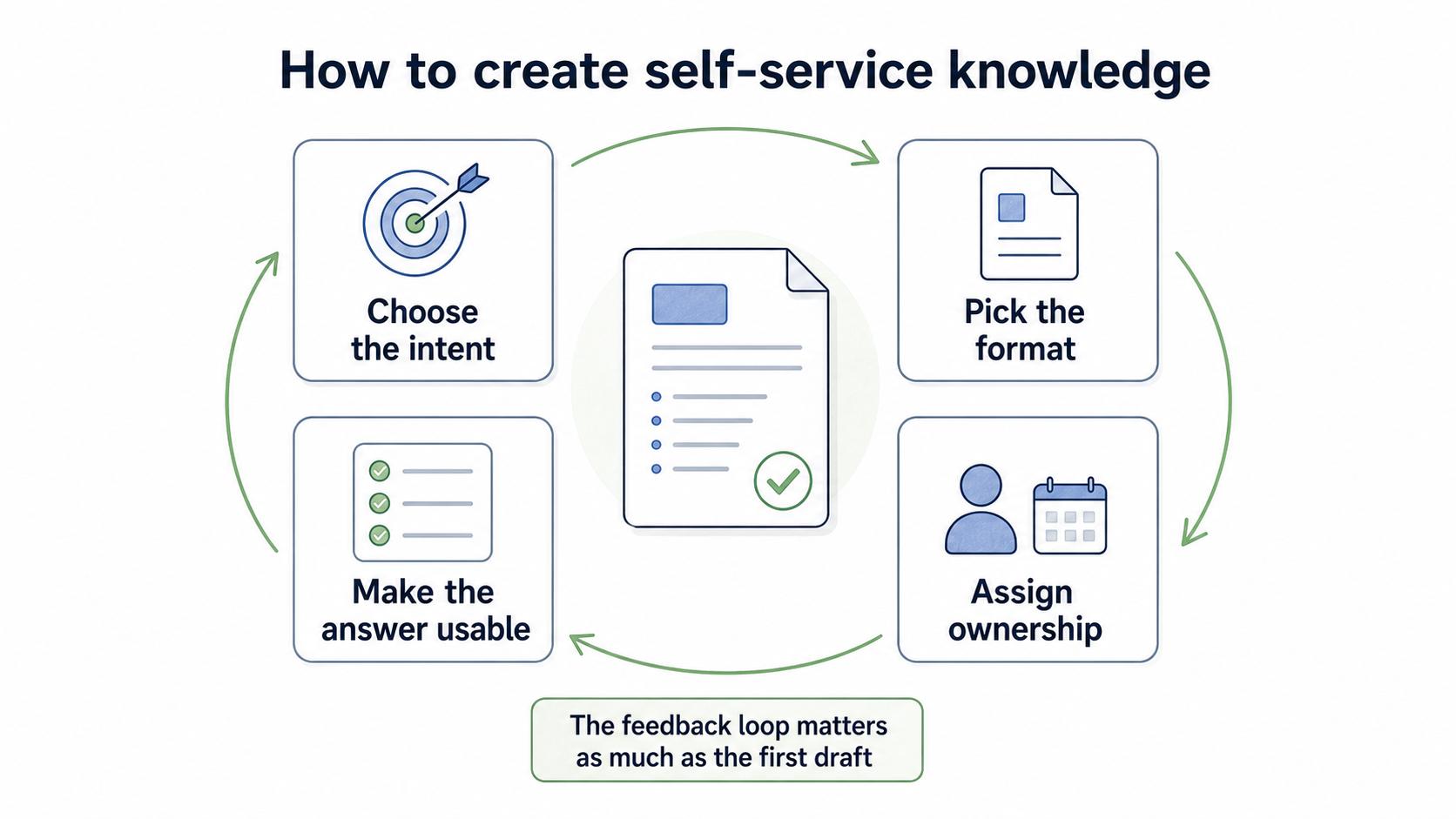
A useful self-service article usually needs four decisions:
- Choose the intent. Group tickets, chats, search logs, onboarding questions, or team requests by the task the user is trying to finish.
- Pick the format. Use an FAQ for quick clarification, a guide for a workflow, a troubleshooting article for symptoms, and a checklist when the reader needs a repeatable review.
- Make the answer usable. Add steps, screenshots, examples, decision rules, related links, and a clear escalation path.
- Assign ownership. Name an owner, set a review cadence, and watch failed searches, reopened tickets, confused comments, and follow-up questions after publishing.4
The feedback loop matters as much as the first draft. If people keep asking the same follow-up question, the article is telling you where it failed.
Self-service knowledge template
Use this template for a practical article:
## Self-Service Knowledge Template

**Glossary term:** Self-Service Knowledge
**Source:** Trails Glossary — trails.so/glossary/self-service-knowledge

---

### 01. Draft a self-service article

"Article title: [user question or task]
Audience: [customer, employee, team, role]
Use this when: [situation or trigger]
Before you start: [access, tools, permissions, prerequisites]
Steps:
1. [step]
2. [step]
3. [step]
Expected result: [what success looks like]
If this does not work: [troubleshooting or escalation path]
Related articles: [links]
Owner: [person/team]
Review cadence: [date or recurring schedule]"
Keep the title close to the user's language. People search with the words they know, not always the internal name of the process.
Common mistakes
The first mistake is publishing internal notes as if they were user-ready articles. Self-service knowledge needs structure, context, and a clear next action.
The second mistake is letting articles age silently. If users find outdated guidance once or twice, they stop trusting the library and go back to asking people directly.
The third mistake is hiding escalation. Self-service should help people solve what they can, but it should also tell them what to do when the article does not fit their situation. A good article knows where its usefulness ends.
Documentation takeaway
Self-service knowledge works when it is maintained like a product surface, not a storage folder. The article should match a real user intent, give a clear path forward, and point to a human or team when the situation falls outside the documented answer.
The strongest self-service libraries reduce repeated questions without making people feel abandoned.
How Trails helps
Trails helps teams create self-service knowledge from real workflows. A teammate can perform a process, capture the steps, turn it into a polished guide, and create an AI-narrated video version for training or sharing.
That is useful for internal tools, support workflows, onboarding tasks, and repeatable customer guidance where screenshots and sequence matter.
Sources
- 1
Salesforce. What Is Customer Self-Service?. Salesforce. www.salesforce.com/service/customer-self-service/what-is-customer-self-service/. Accessed July 8, 2026.
- 2
McKinsey Global Institute. The Social Economy: Unlocking Value and Productivity Through Social Technologies. McKinsey & Company. www.mckinsey.com/industries/technology-media-and-telecommunications/our-insights/the-social-economy. Accessed July 8, 2026.
- 3
APQC. Search and Findability Approaches for Knowledge Management. APQC. www.apqc.org/resource-library/resource-listing/search-and-findability-approaches-knowledge-management. Accessed July 8, 2026.
- 4
Consortium for Service Innovation. Output the KCS Article. Consortium for Service Innovation. library.serviceinnovation.org/KCS/Knowledge-Centered_Success_Practices_Guide/102-Output_the_KCS_Article. Accessed July 8, 2026.