
Glossary
Service Desk SOP
 ChatGPT
 Perplexity
 Gemini
 Claude
What is a service desk SOP?
A service desk SOP is a standard operating procedure that explains how a support or IT service desk handles requests from intake through triage, assignment, resolution, escalation, and closure. Info-Tech's service desk standardization blueprint emphasizes ticket intake and triage, classification and handling procedures, incident management, request fulfillment, and knowledge base work.1 A useful SOP gives agents a consistent operating path without forcing every ticket into a rigid script.
The SOP should make the default path clear: what to check, what to ask, when to escalate, and how to document the outcome.
What a service desk SOP covers
A service desk SOP usually sits between a broad support policy and a highly specific troubleshooting article. It defines how the desk operates across request types such as access requests, hardware issues, software errors, onboarding tasks, password resets, service interruptions, internal tool questions, and user support. Atlassian's ITSM guidance similarly distinguishes service request management from related practices such as incident, problem, and change management.2
A strong SOP should cover the decisions agents make repeatedly:
- Intake quality: which channels are accepted and which fields are required before work can start.
- Classification: how to assign category, priority, impact, urgency, and request type.
- Routing: which queue or resolver group owns the next action.
- Escalation: which triggers require a handoff, manager review, or specialist response.
- Communication: what users should hear during intake, updates, handoffs, and closure.
- Knowledge capture: when a ticket should update an article, runbook, or SOP.
The SOP should make normal work faster and unusual work safer. If an agent cannot solve the issue, the procedure should make the next owner and required context obvious.
Service desk SOP workflow example
A simple service desk SOP might follow this path:
| Stage | What happens | Key decision |
|---|---|---|
| Intake | Request arrives through portal, email, chat, phone, or monitoring alert | Is this a valid service desk request? |
| Triage | Agent checks category, impact, urgency, and missing details | Is it an incident, request, question, or change? |
| Assign | Ticket is routed to the right queue or resolver group | Can first-line support resolve it? |
| Resolve | Agent follows a support, request, or troubleshooting workflow | Is escalation required? |
| Communicate | User gets updates, questions, or resolution notes | Does the user need confirmation? |
| Close | Ticket is documented and closed | Should an article or SOP be updated? |
The labels can vary. The important part is that every request has a predictable path and a visible owner.
Priority and escalation rules
Priority is where service desk SOPs often get vague. If everything is urgent, the queue becomes political. If nothing is urgent, serious issues sit too long.
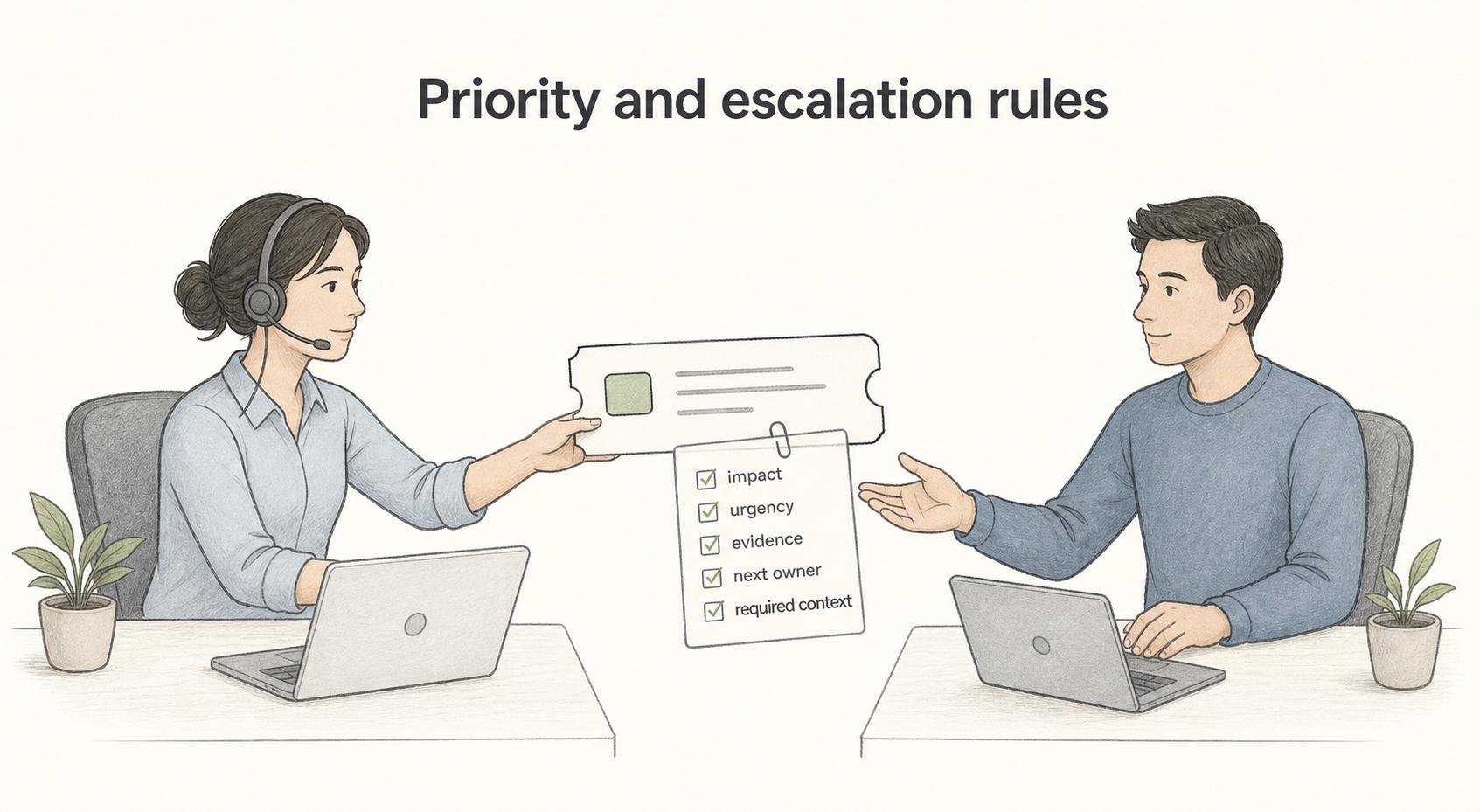
Use both impact and urgency. Impact asks how many users, systems, customers, or business processes are affected. Urgency asks how quickly action is needed to prevent harm, delay, or risk.
Escalation rules should be even more explicit. Common triggers include a security concern, production outage, executive-impacting issue, repeated failed resolution attempt, ticket aging beyond the target response time, missing permissions, unclear ownership, or a user-reported compliance risk. InvGate describes incident escalation SOPs as documenting how incidents transfer across support tiers, management levels, and response teams when the current owner cannot resolve the issue.3
A useful escalation rule includes three things: when to escalate, where to send it, and what evidence must be included. Without the evidence requirement, escalations become handoffs with too much missing context.
Service desk SOP template
Use this template as a practical starting point:
## Service Desk SOP Template

**Glossary term:** Service Desk SOP
**Source:** Trails Glossary — trails.so/glossary/service-desk-sop

---

### 01. Draft a service desk SOP

"Service desk SOP title: [workflow or request category]
Purpose: [why this SOP exists]
Scope: [request types, users, channels, and systems covered]
Roles: [agent, queue owner, resolver group, manager]
Intake channels: [portal, email, chat, phone, monitoring]
Required ticket fields: [user, category, system, impact, urgency, description]
Triage steps:
1. Confirm request type.
2. Check required information.
3. Assign category and priority.
4. Route to owner or resolver group.
Escalation triggers: [conditions that require escalation]
Communication standards: [updates, tone, timing, handoff notes]
Resolution steps: [what must be documented before closure]
Knowledge capture: [when to create or update an article]
Owner: [team/person]
Review cadence: [monthly, quarterly, after major changes]"
The template should live close to the ticketing workflow. If agents have to leave their work surface and hunt through a long manual for every decision, the SOP will be skipped.
Common mistakes
The first mistake is documenting the ideal queue instead of the real one. Start with actual ticket patterns: where requests arrive, what information is missing, where handoffs stall, and which categories cause confusion.
The second mistake is mixing incidents and routine requests. A laptop replacement, password reset, and service outage should not share the same priority logic or escalation path.
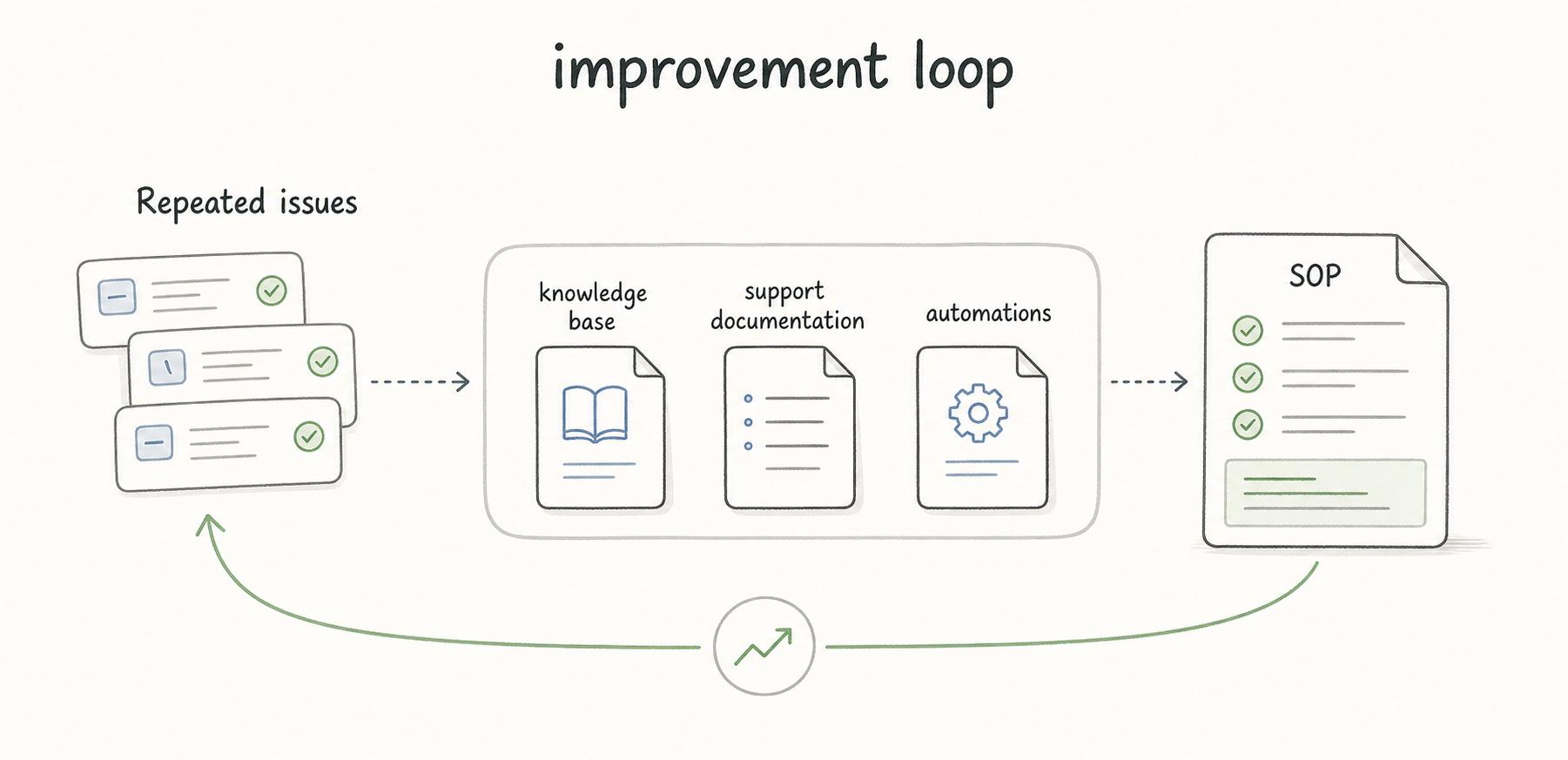
The third mistake is treating closure as the finish line. Repeated issues should feed the knowledge base, support documentation, automations, or the SOP itself. NIST's incident response guidance emphasizes post-incident communication and updates to risk management policies, processes, and practices, which is the same improvement loop service desks need after recurring issues.4 A service desk SOP should improve as the queue reveals better patterns.
Documentation takeaway
A service desk SOP should make support work easier to repeat, inspect, and improve. It should define how requests enter, how they are classified, when they move, who owns the next action, and what must be captured before the ticket closes.
The strongest version is the one agents can use while the queue is moving.
How Trails helps
Trails can help service desk teams capture support workflows, ticket handling routines, internal tool steps, and troubleshooting procedures. Those captures can become polished step-by-step guides or AI-narrated videos for onboarding agents and standardizing repeated support work.
- Standard operating procedure
- Service manual
- Support documentation
- Incident management SOP
- Runbook
- Procedure manual
- Reporting SOP
- Self service knowledge
Sources
- 1
Info-Tech Research Group. Standardize the Service Desk. Info-Tech Research Group. www.infotech.com/research/ss/standardize-the-service-desk. Accessed July 7, 2026.
- 2
Atlassian. A guide to service request management. Atlassian. www.atlassian.com/itsm/service-request-management. Accessed July 7, 2026.
- 3
InvGate. Service Desk SOP for Incident Escalation. InvGate. blog.invgate.com/service-desk-sop-for-incident-escalation. Accessed July 7, 2026.
- 4
National Institute of Standards and Technology. Computer Security Incident Handling Guide, SP 800-61 Rev. 3. NIST. csrc.nist.gov/pubs/sp/800/61/r3/final. Accessed July 7, 2026.