
Glossary
Real Time Editing
 ChatGPT
 Perplexity
 Gemini
 Claude
What is real time editing?
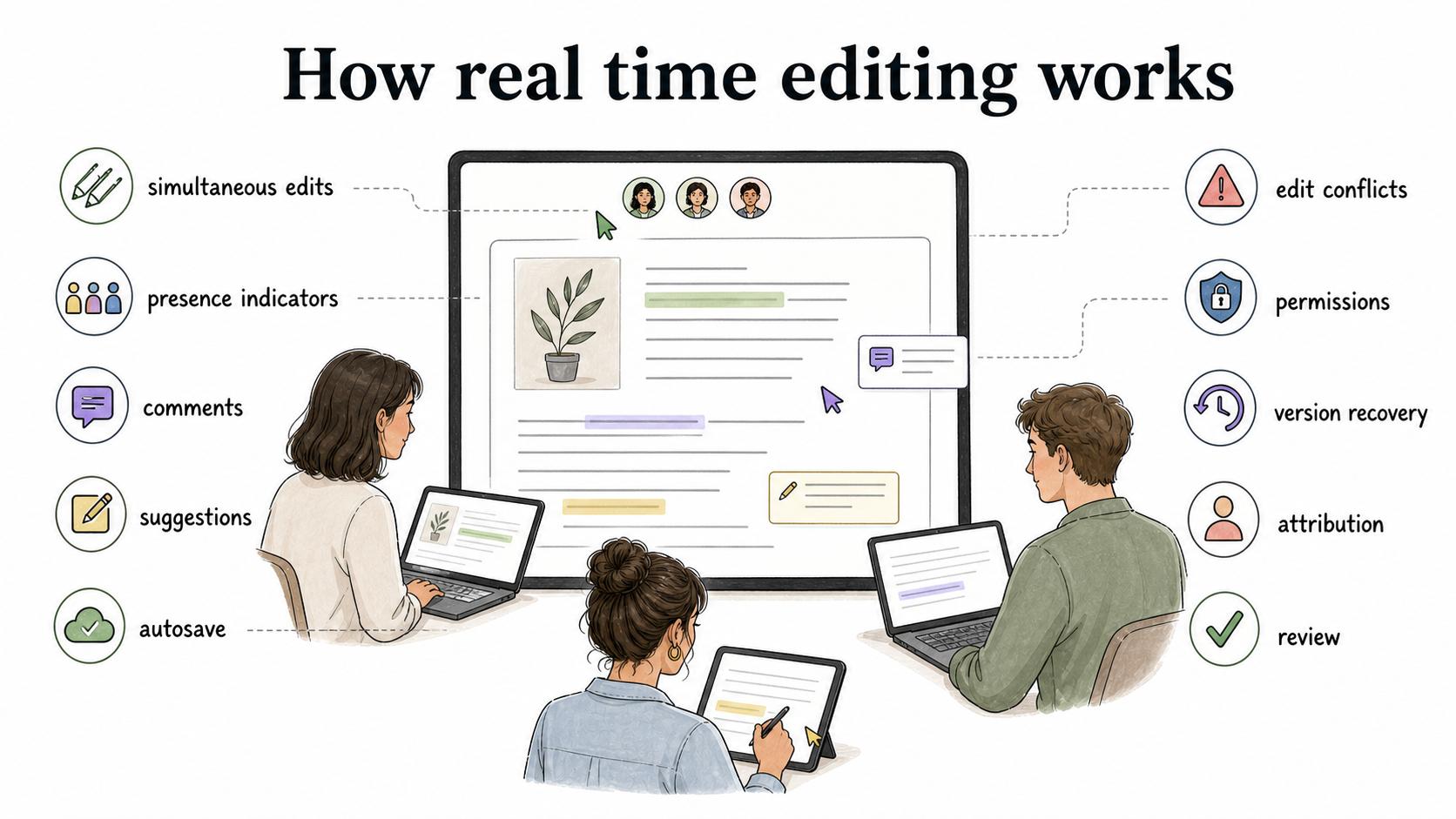
Real time editing lets more than one person work in the same file, guide, page, spreadsheet, design, or workspace at the same time. Changes usually appear quickly for everyone else, often with cursors, presence indicators, comments, suggestions, or autosave.1
That speed is the point, but it is also the risk. Real time editing removes version-by-email chaos, but it can also blur who owns the final answer. For operational content, the team still needs review rules, permissions, version history, and a clear approved state.
How real time editing works
Most real time editing tools combine simultaneous edits with collaboration signals. People can see who is in the file, where someone is typing, what changed, and which comments or suggestions still need a decision.
That surface feels simple: everyone works in one shared place instead of creating separate copies. The harder work sits underneath it. The system has to handle edit conflicts, permission boundaries, version recovery, attribution, and review.2 Without those controls, a team can move faster while trusting the document less.
Why real time editing matters
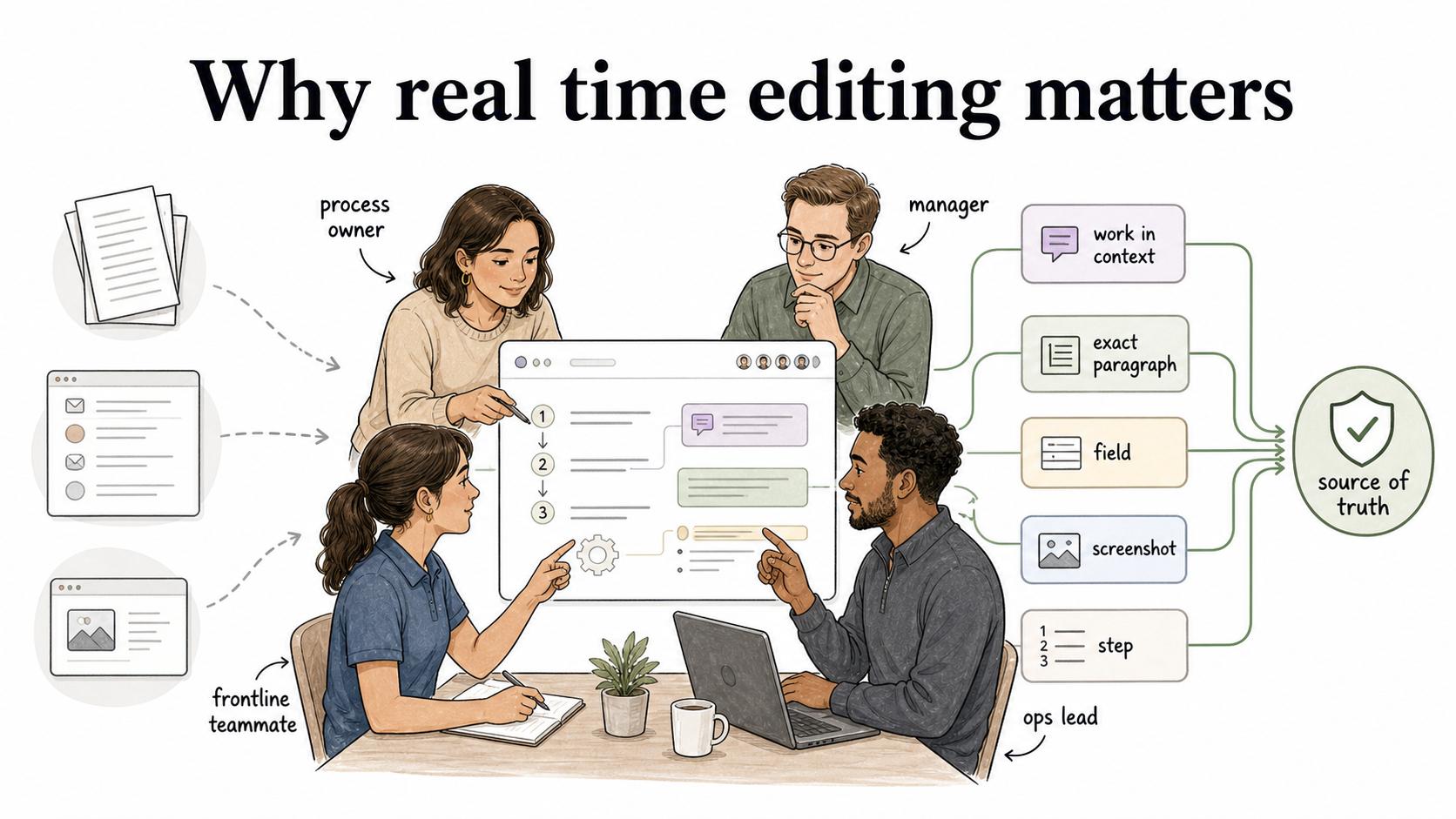
Real time editing is most useful when the work depends on knowledge from several people. A process owner knows the intended workflow. A manager knows the policy constraint. A frontline teammate knows where the documented step fails in practice. An ops lead can turn that input into a usable guide.
Instead of collecting feedback through separate files, email threads, or screenshots, collaborators can work in context. They can point to the exact paragraph, field, screenshot, or step that needs attention.
The operating lesson is simple: real time editing works best as a review workflow, not as a permanent open door. Someone still has to decide when the shared draft is ready to become the source of truth.
Examples of real time editing
Common examples include:
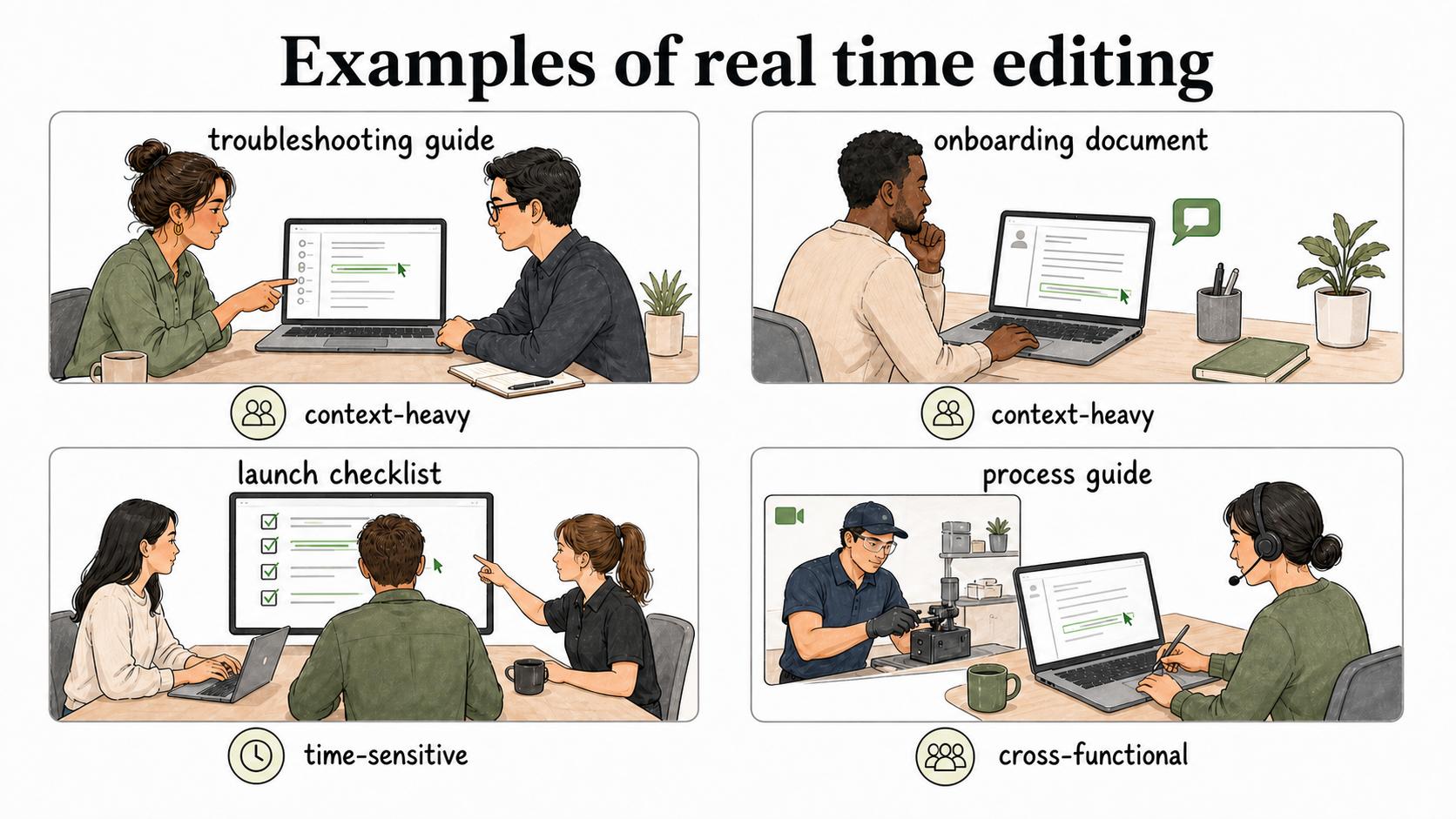
- A support lead and subject matter expert revising a troubleshooting guide together.
- A manager commenting on an onboarding document while the owner makes edits.
- A team updating a launch checklist during a live release.
- A trainer correcting a process guide while watching someone perform the task.
The strongest use cases are time-sensitive, context-heavy, or cross-functional. Real time editing is less useful when one owner already has the full context and needs focused writing time.
Real time editing vs version control
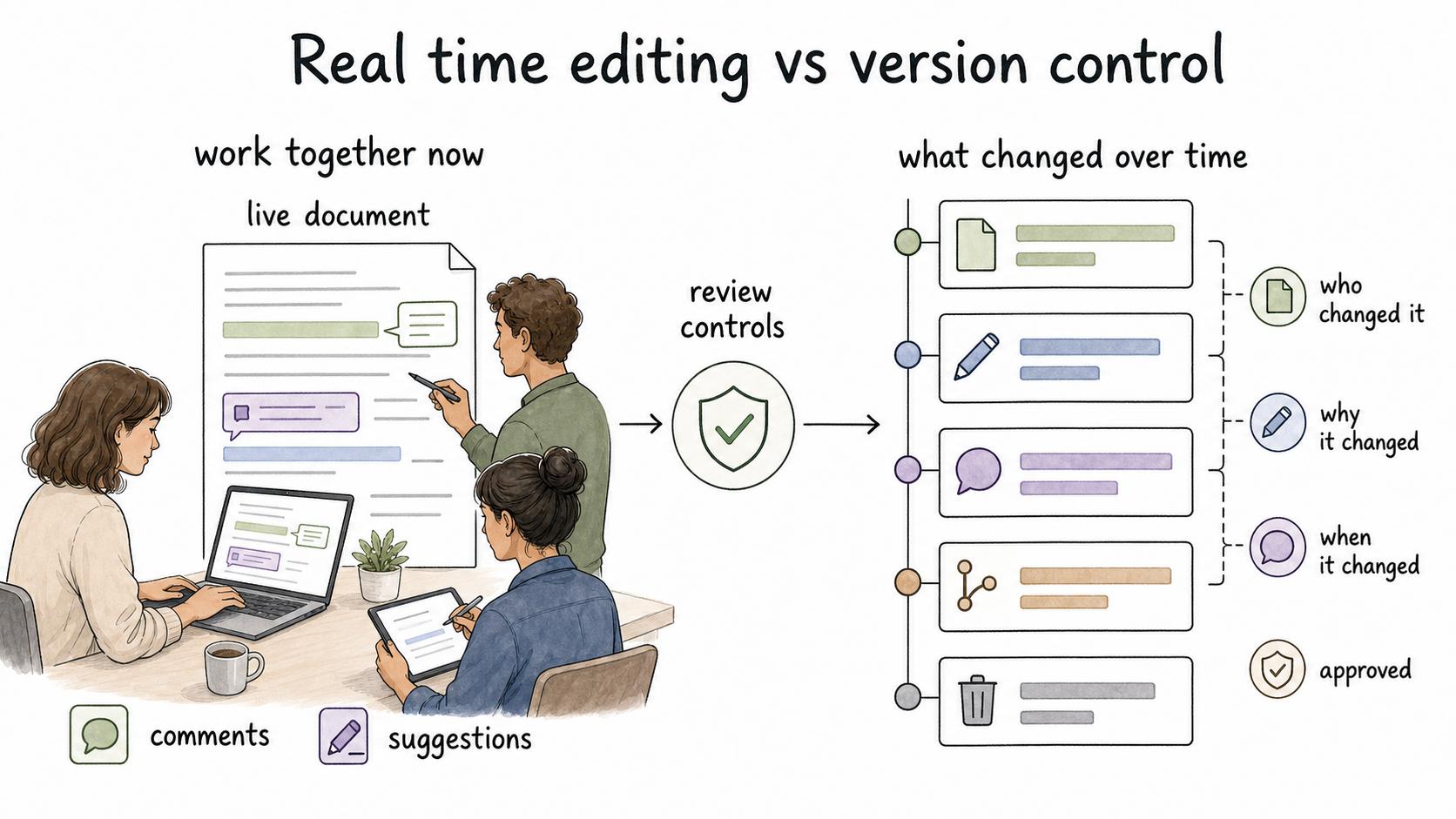
Real time editing helps people work together now. Version control helps people understand what changed over time.
That distinction matters for SOPs, policies, training material, and customer-facing help. A live document can be easy to edit and still hard to govern. If someone changes a critical workflow during a busy day, the team may need to know who changed it, why it changed, when it changed, and whether the new version was approved.3
Use real time editing to improve the draft. Use review controls to decide when that draft becomes official.
How to use real time editing well
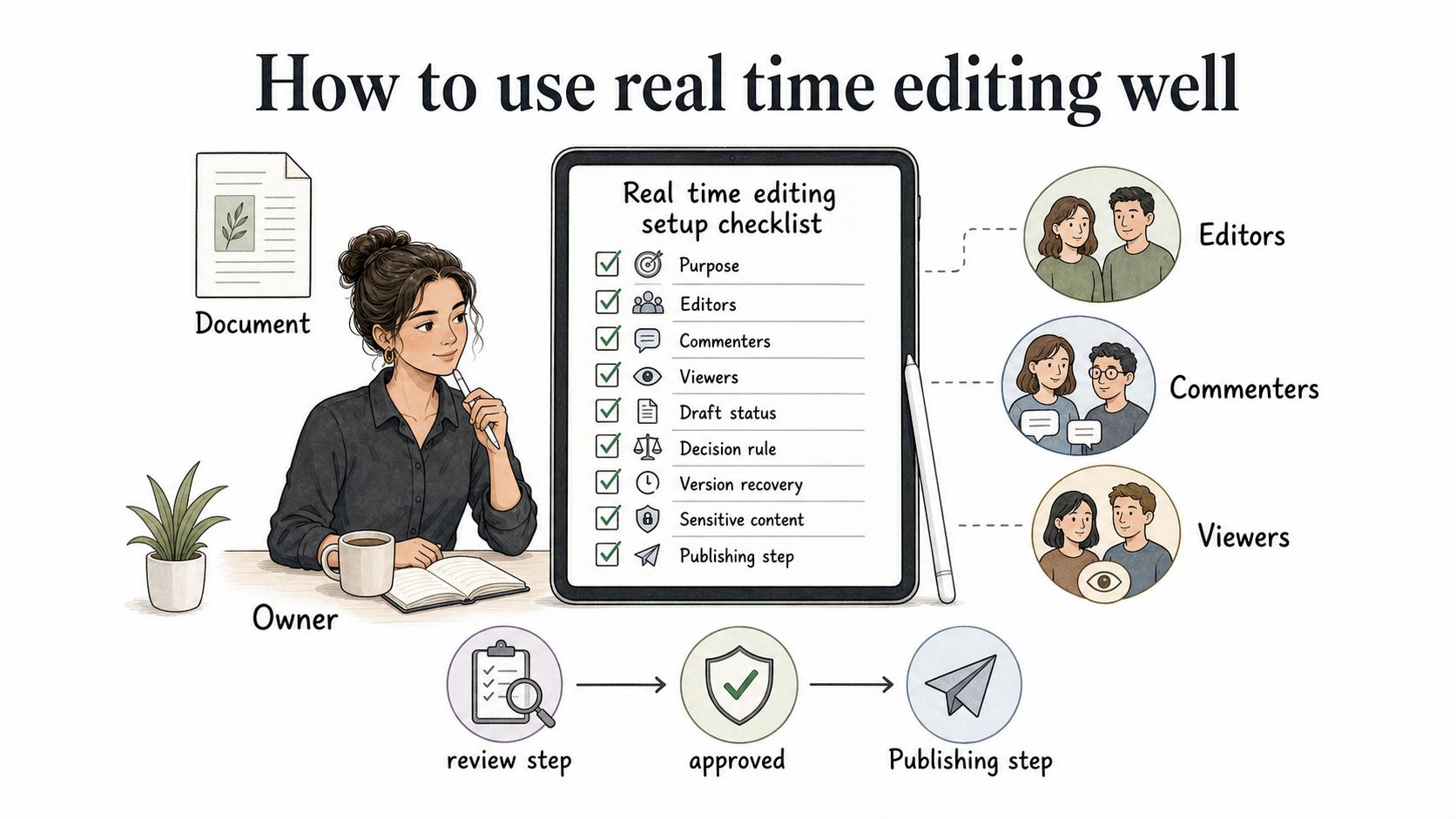
The common mistake is assuming the tool will create collaboration discipline. It will not. Before opening important documentation to live edits, decide the basics:
## Real Time Editing Setup Checklist

**Glossary term:** Real Time Editing
**Source:** Trails Glossary — trails.so/glossary/real-time-editing

---

### 01. Set up real time editing

"Real time editing setup checklist

Document: [name]
Owner: [person responsible for final version]
Purpose: [drafting, review, update, approval, training, or troubleshooting]
Editors: [who can directly change content]
Commenters: [who should leave feedback but not edit]
Viewers: [who only needs access]
Draft status: [draft, under review, approved, archived]
Decision rule: [who accepts or rejects changes]
Version recovery: [where version history lives]
Publishing step: [how final content becomes official]
Sensitive content: [permissions or redaction needed]"
Use the full checklist when the content affects training, compliance, customer support, or daily operations. For a quick draft, a named owner and a review step may be enough.
Common mistakes
One mistake is letting comments become a permanent layer of instructions. Comments should resolve into edits, decisions, or removed questions.
Another mistake is giving everyone edit access because it feels collaborative. For process documentation, open commenting can be useful while unrestricted editing makes the final version unreliable.
A third mistake is ignoring the approved state. Teams often keep editing a shared document after it has been used for onboarding, training, or support. If the content guides real work, draft changes and published guidance need to be separated.
Documentation takeaway
Real time editing helps teams improve shared knowledge faster when several people need to correct, explain, or approve the same content. The best setup pairs live collaboration with ownership, permissions, version history, and review.
How Trails helps
Trails helps teams turn real workflows into polished step-by-step guides, then keep those guides easier to review and maintain. For teams using real time editing, Trails keeps process documentation connected to the actual workflow being documented. AI-narrated video versions can also help turn the final guide into training material once the content is ready to share.
Sources
- 1
Apache Wave. Operational Transformation. Apache Software Foundation. svn.apache.org/repos/asf/incubator/wave/whitepapers/operational-transform/operational-transform.html. Accessed July 13, 2026.
- 2
NIST. Security and Privacy Controls for Information Systems and Organizations. NIST SP 800-53 Rev. 5. csrc.nist.gov/pubs/sp/800/53/r5/upd1/final. Accessed July 13, 2026.
- 3
Google Workspace. Real-time editing overview. Google Workspace. workspace.google.com/resources/real-time-editing/. Accessed July 13, 2026.