
Tango vs. Guidde:
Feature comparison (2026)

Tango is best for teams that need employees to follow the right process inside business software in real time. Guidde is best for teams creating polished, video-first training content.

Tango vs Guidde vs Trails comparison.
Ryo Chibahey it's me
Before you read

I'm a co-founder of Trails, so I want you to choose Trails. That is the bias.

The useful part is that Tango and Guidde solve different jobs. Tango is stronger for live process adoption inside business software. Guidde is stronger for polished video-first training content.

I'll call out where each tool wins, where both create maintenance work, and why Trails belongs in the conversation when your team needs both guides and narrated video to stay current together.

Ryo
Co-founder, Trails

TL;DR

Tango is best for teams that need employees to follow the right process inside business software in real time. Its Guide Me overlays and Nuggets contextual pins go beyond documentation into live process adoption. Guidde is best for teams creating polished, video-first training content. AI narration across 50+ languages and SCORM export make it the stronger choice for formal onboarding and customer education.

Most teams need both. Running two separate tools fragments the knowledge base and doubles the maintenance burden when processes change. That's the opening for Trails. Trails can start from a fresh screen recording or from video you already have, like a Zoom clip, Loom walkthrough, raw screen capture, or messy meeting recording, then turn it into a guide and narrated video.

Why this comparison is harder than it looks

These tools look like direct competitors, but they don't exactly compete. Tango optimizes for getting people to act correctly in the moment, inside the tools where work happens. Guidde optimizes for creating content people can learn from asynchronously. The more useful frame: where does your team's documentation need to live, and who needs to use it?

The harder question is what happens when the process changes. Both tools have an answer. Neither is great. That shared limitation is the thread running through this entire comparison, and it matters more than any feature checklist.

What is Tango?

Tango started as a click-to-capture browser extension that auto-generates step-by-step guides. It has since expanded into a layered internal enablement platform: capture a workflow, turn it into a guide, then surface that guide as an interactive overlay right inside the business software where work happens.

  • Chrome extension capture: click through a workflow once; Tango auto-generates screenshots, descriptions, and callouts
  • Guide Me (interactive overlays): turns static guides into live, in-app walkthroughs inside real software, no tab switching required
  • Nuggets: contextual pins attached to specific fields or buttons in business apps, surfacing help exactly where confusion happens
  • Video Embeds (Pro+, launched April 2026): generates video-style embeds from workflow steps with optional AI narration; regenerates when the underlying guide changes

What is Guidde?

Guidde is an AI video documentation platform. Walk through a process once and Guidde simultaneously generates a narrated video, annotated step list, and shareable asset. The company raised a $50M Series B in February 2026 and now describes itself as an AI digital adoption platform, but its core remains documentation creation with video at the center.

  • Magic Capture: records every click, scroll, and interaction; auto-generates steps with callouts and narration in one pass
  • AI voiceovers: 200+ voice options across 50+ languages; narration generated from written steps, not recorded audio
  • Broadcast (sold separately): in-app delivery widget that surfaces relevant guides inside browser-based business applications
  • SCORM export: packages guides as SCORM files for direct import into LMS platforms, a key feature for L&D teams with formal training programs

Comparison table

Feature
Tango
Guidde
Trails
Primary output
Step-by-step guide with screenshotsAI-narrated video + written stepsStep-by-step guide + narrated video
Capture method
Browser extension (Chrome/Edge); desktop on Pro+Browser extension; desktop on Business+Chrome extension + imported video, including Zoom and Loom clips
AI capabilities
AI text generation; video embeds with narration (Pro+)AI voiceover (200+ voices); auto calloutsAI step text + TTS narrated video
Editing
Step editor; screenshot annotation; blurDrag-and-drop video/timeline editor; blurStep editor; screenshot editor; bulk step actions; additional capture
In-app delivery
Guide Me overlays; Nuggets (Enterprise)Broadcast widget (sold separately)Slide, scroll, and video embeds
Maintenance
Manual step edits; video re-renders after updateManual timeline edit or re-recordEdit guide text; video regenerates automatically
Translation
10 languages (Enterprise only)50+ languages (Business+)AI translation + per-language audio/video
Pricing (2026)
Free; Pro Team from $15/user/mo (annual)Free; Business from $50/creator/mo (annual)7-day trial; Team $10/user/mo (annual)

Note: Pricing shown reflects annual billing where noted. Visit trails.so/pricing for current plan details.

Create beautiful guides

Create guides and narrated videos from one source

Use Trails to turn a fresh recording or existing video into documentation that stays easier to update.

Create a guide
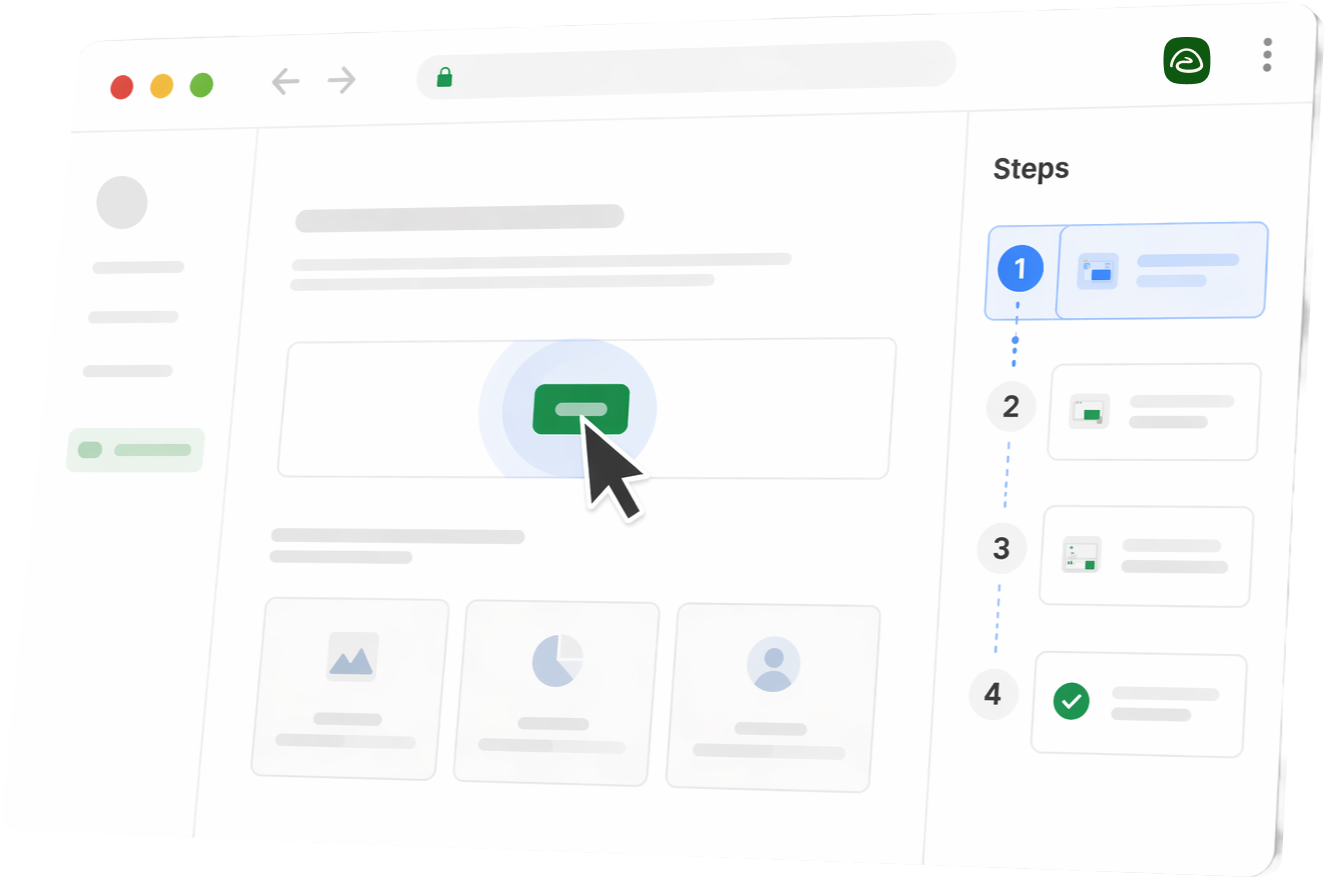
Stylized Trails product UI in a browser window with steps sidebar

Feature deep dive

1. The capture experience

Click through a workflow in Chrome or Edge and Tango builds the guide while you work. The extension auto-highlights interaction points, generates step descriptions, and handles formatting without any setup. Pro and above add desktop capture and voice transcription — narrate while you record and Tango incorporates the audio into the generated steps.

Record from the browser extension or desktop app and Guidde simultaneously generates structured steps, callouts, and a narrated video. Magic Mic converts spoken narration during capture into cleaned-up AI narration in the final output. The key difference: Guidde produces a video and a written guide in one pass. Tango's video output through Video Embeds is a separate generation step layered onto an existing guide.

2. Editing and maintenance

After capture, Tango lets you edit step text, reorder steps, annotate screenshots, and add heading or info steps. When a process changes, you update the affected steps manually or re-capture them. On Video Embeds, Tango re-renders the video from the updated guide, but the guide needs to be in good shape first. G2 reviewers consistently flag that longer or more complex workflows still require meaningful cleanup after capture.

Guidde's drag-and-drop video editor lets you fine-tune animations, narration, and visuals at specific moments. That's useful for polish, but any process update requires re-entering the timeline or re-recording. G2 reviewers note collaborative save and version hiccups when multiple people edit the same guide. For teams managing a large library across a changing product, that edit burden compounds.

3. Consumption — how the end reader uses the output

Readers access Tango guides by link, embed, or in-app overlay. Guide Me turns the guide into a live walkthrough overlaid directly on the software, showing users where to click without switching tabs. Nuggets pin tips to specific fields or buttons. For internal teams where documentation needs to meet people exactly where they're working, Tango's delivery layer is its clearest competitive advantage.

Guidde readers watch a narrated video, scroll through written steps below it, or receive content through the Broadcast widget embedded inside a web application. The video-first format works well for onboarding scenarios where the reader is learning a process for the first time and retention matters. SCORM export makes Guidde the only tool of the two that integrates cleanly into formal LMS workflows.

Best use cases

When to use Tango

  • You're rolling out a new enterprise system — Workday, Salesforce, a new CRM — and need employees to follow the right workflow inside that tool without switching to a separate knowledge base.
  • Your team generates a high volume of repeat questions that a guide pinned exactly where the confusion happens could answer, in the app, not in a wiki.
  • Your documentation is for experienced employees who need quick, scannable guidance in the flow of work, not learners who need video-based explanation from scratch.

When to use Guidde

  • You're building onboarding content or customer education that needs to be polished enough to publish externally or import into an LMS as a SCORM file.
  • Your team operates across multiple languages and needs localized training content without re-recording for each market. Guidde's AI voiceover in 50+ languages handles this.
  • Your documentation is for an audience that doesn't know the product well, where retention from a narrated video matters more than quick reference look-up.

Pricing breakdown

Tango
Pro Team
$15/user/mo
For workspaces with 3 or more users, Pro Team is $15 per user per month billed annually, or $20 per user per month billed monthly.
Pro Personal
$22/user/mo
For 1-2 user workspaces, Pro Personal is $22 per user per month billed annually, or $26 per user per month billed monthly.
Enterprise
Custom
Enterprise is required for Guide Me, Nuggets, workflow branching, translation, and the full digital-adoption layer. There is no published middle tier between Pro and Enterprise.
Value read
  • Competitive entry price for the documentation core; the platform's most interesting features are all Enterprise-only.
Competitive entry price for the documentation core; the platform's most interesting features are all Enterprise-only.
Guidde
Pro
$19/creator/mo
Pro is $19 per creator per month billed annually, or $29 per creator per month billed monthly. It adds unlimited how-to videos, watermark removal, Brand Kit, exports, and blur.
Business
$39/creator/mo
Business is $39 per creator per month billed annually, or $59 per creator per month billed monthly. It adds text-to-voice generation, desktop capture, PDF/PPT-to-video, privacy controls, and analytics.
Enterprise
Contact us
Enterprise is a custom quote for larger organizations, adding premium scale, multi-language translation, Magic Redaction, SSO, and content review controls.
Value read
  • Guidde prices around creators and video production. Pro is the lower paid tier; Business is the step-up plan for desktop capture, analytics, and advanced controls.
Guidde is stronger when video, localization, or formal LMS integration matter more than in-app workflow guidance.

Tango (2026): The paid Pro plan is priced by workspace size: Team pricing is $15 per user per month billed annually ($20 monthly) for workspaces with 3 or more users, while Personal pricing is $22 per user per month billed annually ($26 monthly) for 1-2 users. Enterprise is custom-priced and required for Guide Me, Nuggets, workflow branching, translation, and the full digital-adoption layer. There is no published middle tier between Pro and Enterprise.

Value read: Competitive entry price for the documentation core; the platform's most interesting features are all Enterprise-only.

Guidde (2026): Pro is $19 per creator per month billed annually ($29 monthly). Business is $39 per creator per month billed annually ($59 monthly) and adds desktop capture, analytics, advanced privacy controls, and PDF/PPT-to-video. Enterprise is a Contact Us plan for larger organizations that need multi-language translation, Magic Redaction, SSO, and content review controls. Guidde is priced per creator, not per viewer, which changes the math when most team members consume content rather than author it.

Value read: Higher per-creator cost than Tango, but stronger output for teams that need video, localization, or formal LMS integration.

Create beautiful guides

Keep guides and video current together

Trails gives teams one editable source for screenshot guides and AI-narrated video.

Create a guide
Stylized Trails product UI in a browser window with steps sidebar

Pros and cons

Tango pros and cons

Pros:

  • Turns a browser workflow into a polished guide in roughly the time it takes to do the task once.
  • Guide Me and Nuggets go beyond documentation into real-time in-app support, a capability Guidde's Broadcast doesn't match without additional cost.
  • Pro Team pricing at $15/user/mo annual is accessible for mid-sized teams without an Enterprise budget.

Cons:

  • The most powerful features — Guide Me, Nuggets, workflow branching, translation — are locked behind custom Enterprise pricing, not the published Pro plan.
  • Editing and formatting limitations frustrate power users; more control over annotation, reuse, and layout requires manual workarounds (consistent G2 signal).
  • No mobile capture, limited browser support (no Arc browser), and some canvas-heavy apps and iframes are unsupported.

Guidde pros and cons

Pros:

  • Produces a narrated video and a written step guide from a single capture. No separate recording session for each format.
  • AI voiceovers in 50+ languages make it practical for global teams to localize training content without re-recording.
  • SCORM export enables clean LMS integration, a capability Tango doesn't offer.

Cons:

  • AI voiceover quality is the top G2 complaint. Robotic-sounding output persists, especially for customer-facing content.
  • Each guide is capped at 100 steps. Longer workflows must be split into separate guides and linked via playlists.
  • Broadcast is sold separately. Teams that want Guidde to function like Tango's in-app guidance layer pay for two distinct products.

The verdict

Tango wins when the problem is process adoption inside business software — when you need people to follow the right steps in real time, inside the tool where work happens. Guidde wins when the problem is creating professional training content at scale: narrated video, multilingual, LMS-ready.

If your team's challenge is mostly internal process adherence, Tango is the more complete tool. If it's producing onboarding or customer education that can stand alone, Guidde is better suited. The catch: most teams need both. Running two separate tools means two libraries to maintain, two sets of logins, and twice the update burden when anything changes.

Why Trails is the better alternative

The gap both tools share is the same: creation and maintenance are still two separate problems. Tango can update a guide without re-recording, but the editing burden is real. Guidde generates narrated video automatically, but any process change means re-entering the timeline editor or starting over. Neither was built around the idea that one edit to the guide text should be enough to refresh every format.

Trails also changes where documentation can start. You can record a workflow from scratch, or create a guide from video input you already have: a Zoom clip, a Loom video, a raw screen capture, or even a messy meeting recording. That opens up use cases beyond planned documentation capture, from turning customer calls into enablement assets to converting one-off internal walkthroughs into reusable guides.

How Trails outperforms Tango and Guidde:

  • Best of both worlds: One screen recording or imported video produces a step-by-step guide and a narrated video. No choosing between Tango's guide-first approach and Guidde's video-first approach.
  • Guides from existing video: Turn Zoom clips, Loom videos, screen captures, and messy meeting recordings into structured documentation instead of asking someone to recreate the workflow perfectly.
  • AI voiceovers that update themselves: Edit the guide text in Trails and the AI narration regenerates. No timeline editing, no re-recording. That single capability closes the maintenance gap both tools leave open.
  • Magic editing: Add steps after recording, drag and drop to reorder, bulk-edit multiple steps, or append new captures. All without starting over.
  • Enterprise delivery built in: Screenshot blur and redaction, Brand Kit, AI translation with per-language audio, slide and scroll and video embeds, and PDF, MP4, and Markdown export — no separate Broadcast subscription or Enterprise-tier upgrade needed.

Try Trails for free — no credit card required.

FAQs

Trails. It combines screenshot-based step guides and AI-narrated video from a single screen recording or imported video, including Zoom clips, Loom videos, and messy meeting recordings. Editing the guide automatically updates the narration, closing the maintenance problem both Tango and Guidde leave open.

Yes, but it's a secondary output. Tango's Video Embeds, available on Pro and Enterprise (launched April 2026), generate video-style content from existing workflow steps with AI narration. Guidde's video output is more central to the product, with broader voice and branding customization.

Yes. Guidde's Business and Enterprise plans support SCORM export, which packages a guide for direct import into most LMS platforms. Tango does not offer SCORM export.

Tango is stronger for internal process documentation where employees need to follow workflows inside business software in real time. Guidde is stronger when that documentation needs to be video-based, multilingual, or integrated into formal training systems.

Yes. Guidde's Broadcast product delivers guides as a widget inside browser-based applications. Broadcast is sold separately from creator plans, so there's an additional cost to enable in-app delivery.